
Understanding the Difference Between Testing Distribution and Enterprise App Store
When it comes to mobile app distribution within an organization, two key strategies often come into play: Testing Distribution and Enterprise App Store. While these two methods may seem similar, they serve distinct purposes and are essential at different stages of the Continuous Deployment (CD) process. In fact, products like App Center and Firebase offer these two features together, even though they cater to different needs with separate feature sets. In this blog post, we will explore the differences between Testing Distribution and Enterprise App Store, and why understanding these differences is crucial for efficient app distribution within your organization.
We are excluding scenarios where MDM (Mobile Device Management) is used from this discussion. In this article, internal distribution is considered for organizations or departments applying a MAM (Mobile Application Management) approach through a BYOD (Bring Your Own Device) strategy. In cases where MDM is used, it makes sense to distribute applications through MDM. If you want to learn more about Apple’s different distribution strategies before proceeding with the article, you can check out this article.
What is Testing Distribution?
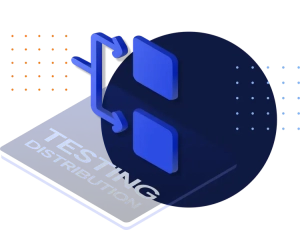
Testing Distribution is a process primarily used by development teams to distribute binaries generated from CI platforms for the purpose of manual testing. The goal is to quickly deliver multiple builds to testing teams, enabling them to conduct manual tests simultaneously. This method is particularly useful during the development phase when fixes or new features are being introduced, allowing testers to validate changes before the application is ready for broader release.
Key features of Testing Distribution include:
- Rapid Build Distribution: Allows for the quick dissemination of multiple test builds to various teams.
- Focus on Testing: Specifically targets internal test teams, providing them with the latest versions for validation.
- Detailed Release Notes: Typically includes technical details pulled from issue tracking systems like JIRA or Azure Board, making it less suited for end-users.
What is Enterprise App Store?
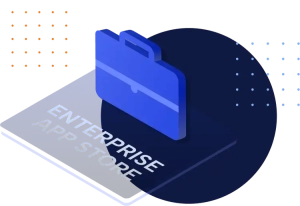
On the other hand, the Enterprise App Store is designed for the secure and controlled distribution of the final binary to internal customers, such as company employees or specific management groups. Enterprise App Store is implemented at the end of the development cycle, ensuring that only the final, tested, and approved version of the application is made available for internal use. This method is particularly valuable for organizations that operate under a BYOD (Bring Your Own Device) strategy and do not utilize MDM (Mobile Device Management) systems.
Key features of Enterprise App Store include:
- Controlled Distribution: Ensures that only the final version of the application is distributed to internal users.
- Internal Customer Focus: Tailored for the internal audience, providing a branded and user-friendly experience.
- In-App Updates: Facilitates seamless updates for users, ensuring they have access to the latest approved version of the application.


What Are the 10 Key Differences Between Testing Distribution and Enterprise App Store?
1. Purpose
Testing Distribution is designed for internal test teams to validate new builds, while Enterprise App Store serves as a store for internal customers to access the final application.
2. Versioning
Testing Distribution typically increases the build number with each test release, whereas Enterprise App Store involves version number increments for official releases.
3. Volume of Packages
In a typical mobile development team of around 50 members, following Git-Flow processes, each developer is expected to generate one build package per day, which is then distributed to the testing team. Assuming a sprint lasts 2-3 weeks, this could result in the production of 500-750 test packages during that period. These packages are often evaluated by different testing teams. After this phase, a single, finalized package is prepared for distribution from the master branch and delivered to the internal customer via the Enterprise App Store. It is neither practical nor efficient to send all these test packages to internal customers. Instead, test packages should be distributed to the appropriate testing teams via Testing Distribution, while the final, polished package is delivered to internal customers through Enterprise App Store.
4. Release Notes
In Testing Distribution, release notes are automatically pulled from issue tracking systems like JIRA or Azure Board along with the test packages generated by the CI module. These notes are typically technical and detailed, often including information that isn’t easily understood by internal customers. In contrast, the Enterprise App Store focuses on marketing the new version to its target audience, presenting release notes and screenshots in a more user-friendly, marketing-oriented language.
5. Certification
We see examples where an Enterprise Certificate is used for iOS in Testing Distribution. However, the method recommended by Apple for this purpose is to use an Ad-hoc certificate. Apple also emphasizes using an Enterprise Certificate for Enterprise App Store to maintain a high level of security in application distribution.
6. In-App Updates
“In-app updates” are not used in Testing Distribution because each test package typically addresses a different fix or feature. This allows testers to simultaneously evaluate multiple features across various packages through the Testing Portal. In Enterprise App Store, however, the focus is on distributing a fully tested and release-ready version of the application. “In-app updates” feature ensures that internal customers always use the latest version.
7. Login Methods
Testing Distribution supports various login methods, including Static Login, User Enrollment, and SSO/LDAP, to provide access to test packages. However, for distributing applications to internal customers via an Enterprise Certificate, Apple mandates the use of SSO/LDAP. Apple has strict guidelines regarding this, and during the renewal of an Enterprise Certificate, Apple may review these practices and recommend alternative distribution strategies if any risks are identified.
8. Branding
Since Testing Distribution interfaces are primarily used by internal test teams, branding and customization are less of a priority. In Enterprise App Store, however, branding becomes crucial as it is important to create the impression that the internal app store is a dedicated, professional platform for the organization’s employees.
9. Reporting
The internal test reports in Testing Distribution are simpler, focusing on which version has been tested, while Enterprise App Store reports require information containing the following details:
- Distribution volumes based on version
- Information about the internal user’s device and operating system
- Tracking information, such as which user is using which version
10. Pilot Testing
In some cases, pilot testing is conducted via Enterprise App Store before publishing the application to Google Play and the App Store, especially for the initial release of applications developed for end-users or before significant transitions. In this process, organizations with a high number of users present the application to 100 to 1,000 internal employees in advance to gather feedback. An Enterprise Certificate is used for iOS during this process, allowing valuable user feedback to be collected before making critical transitions in projects before going live on Google Play and the App Store.
Summary
In summary, Testing Distribution is a process designed to facilitate the manual testing of new builds by internal or third-party teams, ensuring that each iteration is thoroughly validated before final release. Enterprise App Store, on the other hand, serves as the final distribution method, offering a secure and branded experience for internal customers. Understanding the difference between these two methods is essential for effective internal distribution, ensuring that the right version of your app reaches the right audience at the right time.
By strategically utilizing Testing Distribution and Enterprise App Store, organizations can streamline their distribution & deployment processes, reducing errors, and enhancing the overall user experience for both testers and internal customers.
To explore the full capabilities of Appcircle’s mobile app distribution features, read our full breakdown of Appcircle’s mobile app distribution capabilities.
FAQs
1. What is the main difference between Testing Distribution and Enterprise App Store?
Testing Distribution is designed for QA groups to test debug versions and CI-generated test packages during development. In contrast, the Enterprise App Store is intended for securely distributing release versions or beta builds to internal and external end users. Each plays a distinct role in the mobile app lifecycle, and using both together helps ensure smoother distribution, controlled rollout, and a better overall user experience.
2. When should I use Testing Distribution vs. Enterprise App Store?
Use Testing Distribution to deliver builds quickly to testers during active development. Once your app is fully tested and approved, distribute it to internal employees or management through the Enterprise App Store.
3. Is MDM required for in-house app distribution?
Not always. If your organization follows a BYOD (Bring Your Own Device) policy and prefers Mobile Application Management (MAM), you can distribute apps internally without using an MDM. Platforms like Appcircle support secure in-house distribution through SSO/LDAP authentication and fine-grained role-based access control.

