
Managing Monorepos with the Right Mobile CI/CD Strategy
What is a Monorepo?
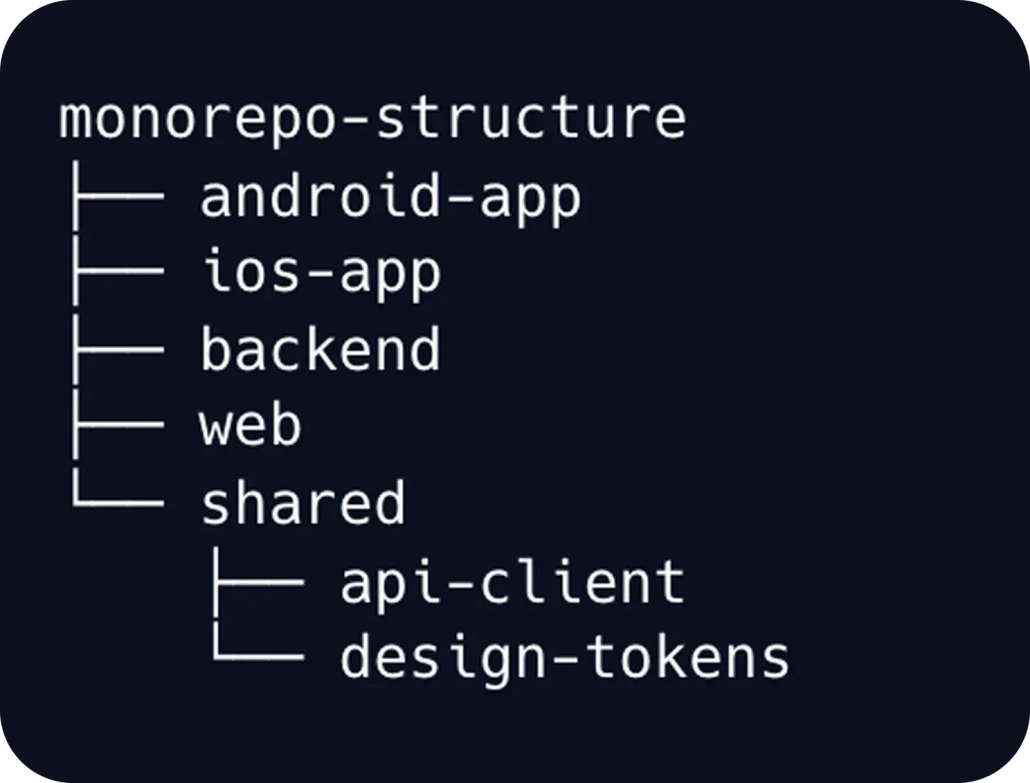
- Native iOS and Android applications
- Cross-platform apps built with React Native or Flutter
- Shared libraries such as networking, authentication, or UI components
- Internal SDKs and developer tooling
Monorepo or Polyrepo: Which One Is Right for Your Mobile Team?
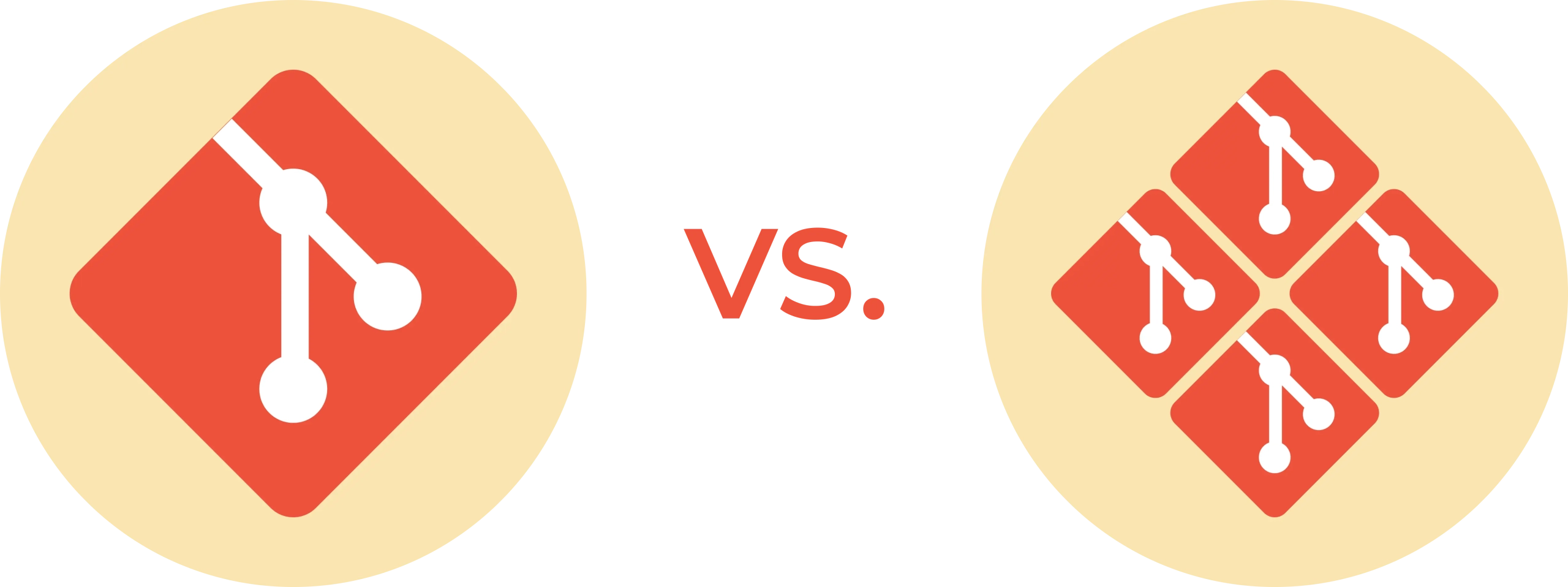
Monorepo:
- Centralized codebase, single source of truth
- Easier code sharing across projects
- Atomic changes across multiple apps or modules
- More consistent tooling and workflows
- Higher CI/CD complexity as the repository grows
Polyrepo:
- Separate repository for each project
- More isolation between teams and applications
- Simpler CI/CD setup per individual project
- Harder dependency synchronization across projects
- More overhead when shared code changes affect multiple apps
For mobile teams managing iOS and Android apps, shared SDKs, or cross-platform modules, a monorepo can simplify coordination and reduce duplication. The key factor is how well the build and release pipelines are designed to handle it.
Common Misconceptions About Monorepos
What is the Difference Between a Monorepo and a Monolith?
What is the Difference Between a Monorepo and a Single Codebase?
What is the Difference Between a Monorepo and White-label Apps?


7 Key Strategies to Manage Mobile Monorepos Efficiently in CI/CD
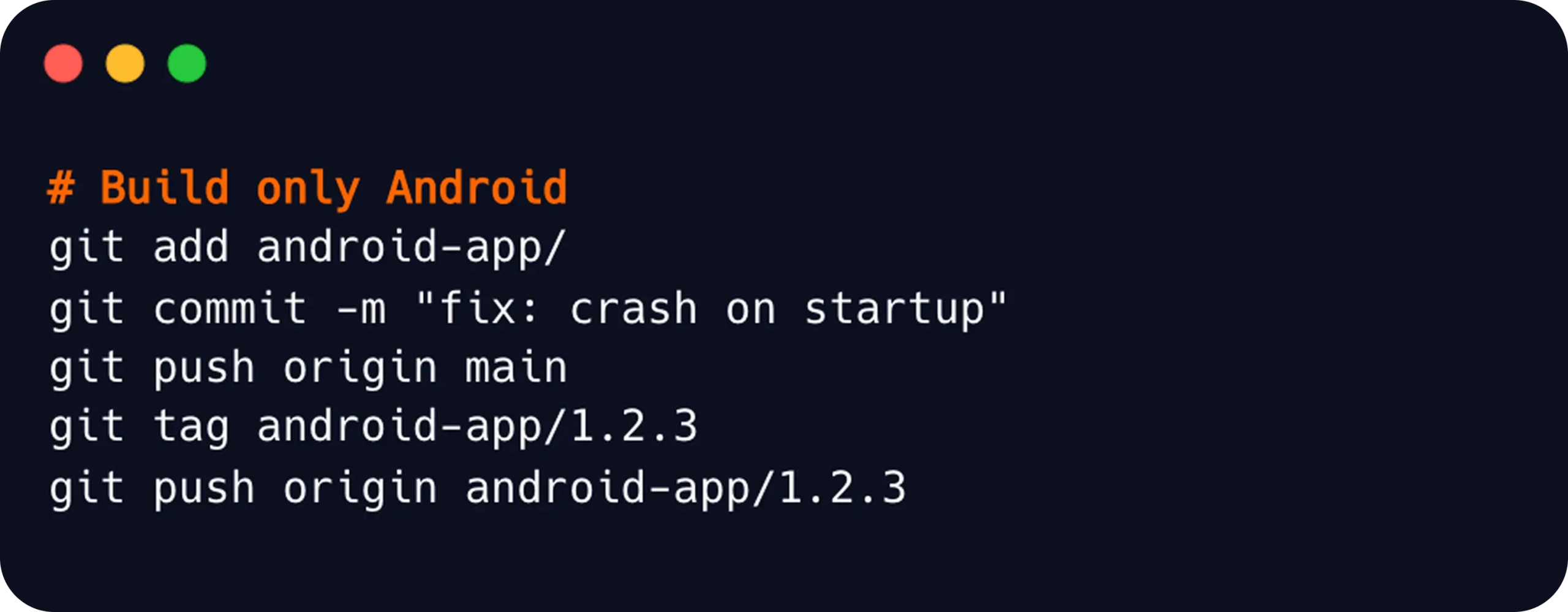
1. Implement Selective Builds: The most important strategy is to avoid building everything for every change. Instead, trigger only the pipelines affected by a specific change. This is not optional at scale. Skipping this step leads to longer CI pipeline durations, and developers lose trust in their build results over time.
2. Clear Naming Conventions and Triggering Rules: Tags, branch names, commit messages, and directory names should follow a consistent pattern across all projects in the repo. Whether teams use tag-based triggers, path-based triggers, or external orchestration, the rules should be clear and predictable.
3. Map Shared Code to Dependent Projects: Shared modules should be mapped to the apps that depend on them. If a shared authentication module changes, every app using that module should be rebuilt or tested.
4. Leverage Concurrent Builds: When multiple projects need to build, for example, after a shared library change, running them concurrently rather than sequentially can significantly reduce overall CI time. Instead of waiting for Android to finish before iOS starts, both pipelines run at the same time.
5. Monitor Build Performance Over Time: Track build duration, failure patterns, and queue times across all projects. Monorepo performance can degrade gradually as the repository grows, and catching regressions early keeps pipelines healthy and developer feedback loops fast.
6. Keep Distribution and Publishing Separate Per Project: Each app in your monorepo should have its own distribution and publishing process. A build from the iOS pipeline should only reach iOS testers, and a release to Google Play should never be triggered by an unrelated build. Separate workflows also make it easier to manage different release cadences across platforms.
7. Access Control and Governance: Use your CI/CD platform’s role and permission settings to ensure each team can only configure and manage the pipelines they are responsible for. Clear ownership at both the repository and pipeline level reduces the risk of accidental misconfigurations.
How to Manage Monorepos in Appcircle
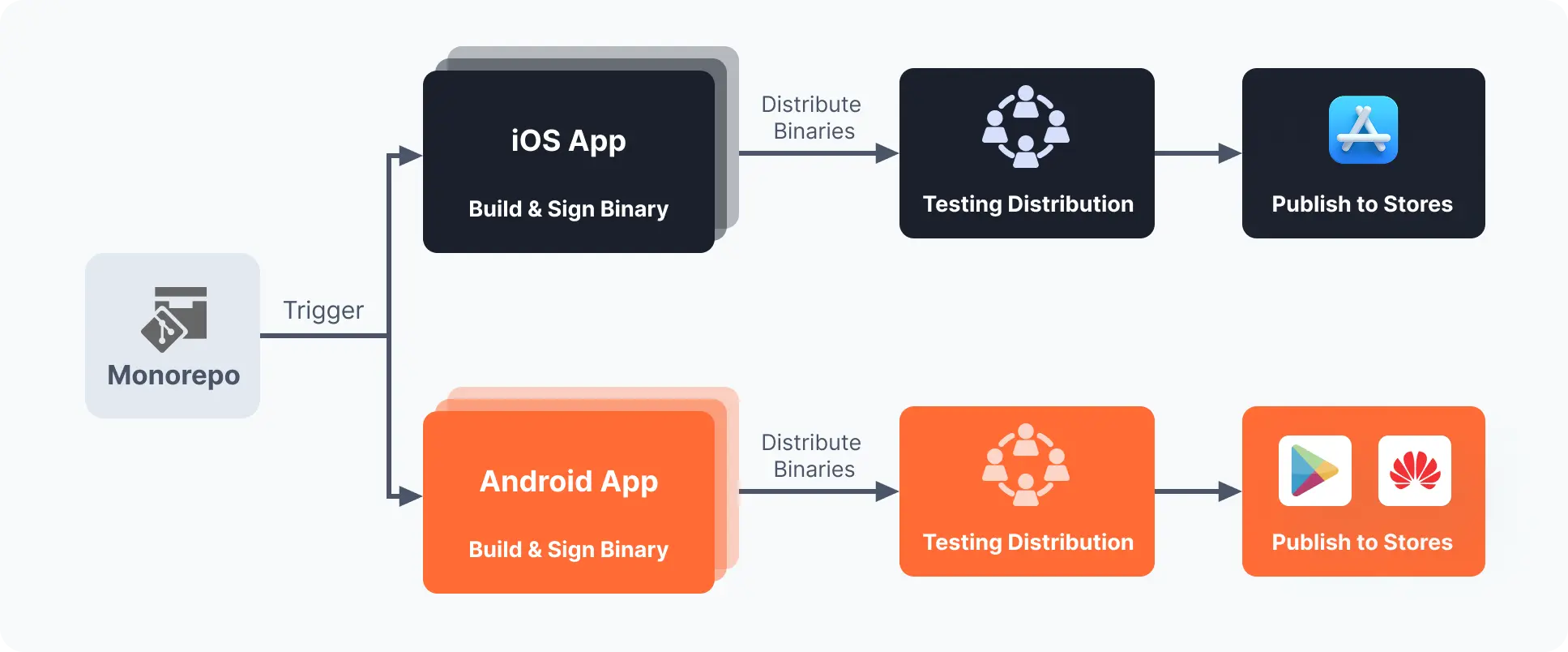
Appcircle supports monorepo environments by allowing teams to connect a single repository to multiple build profiles, giving each mobile project its own dedicated build and distribution pipeline.
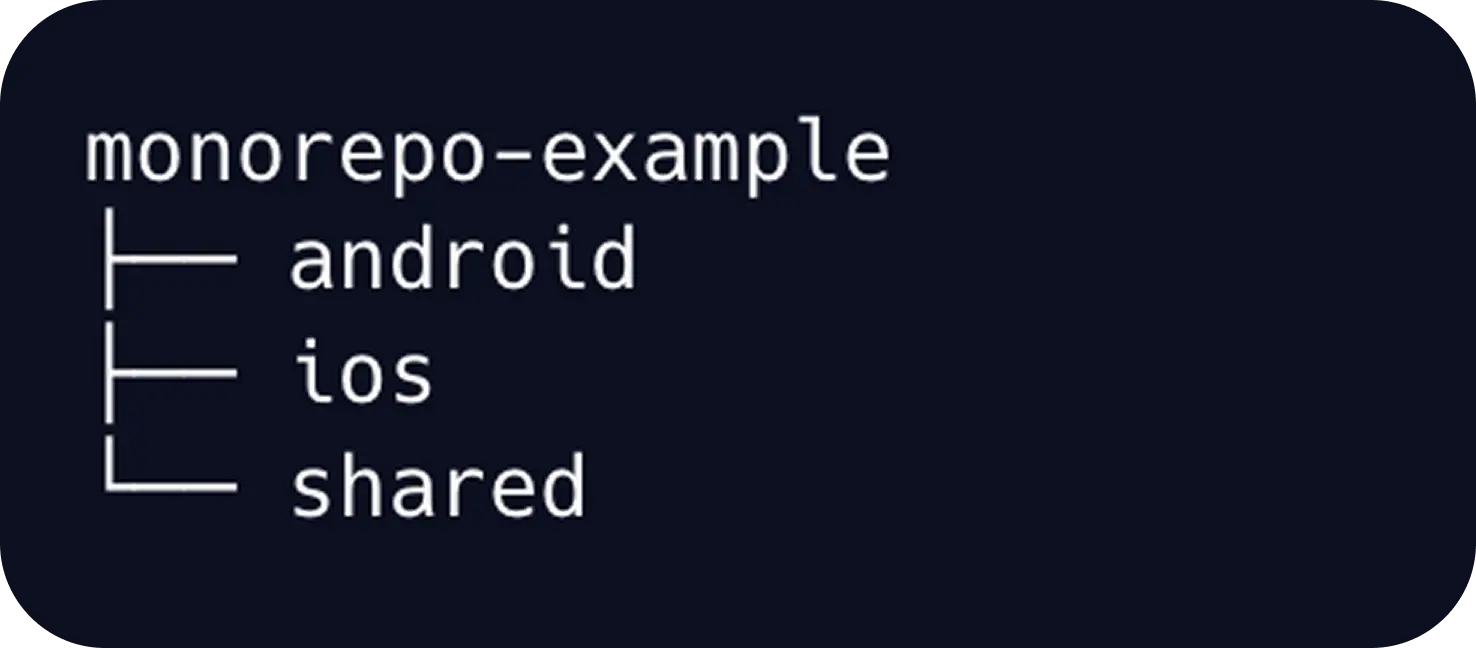
1. Build Monorepo Apps with Appcircle
1.1 Create a Build Profile Per Project
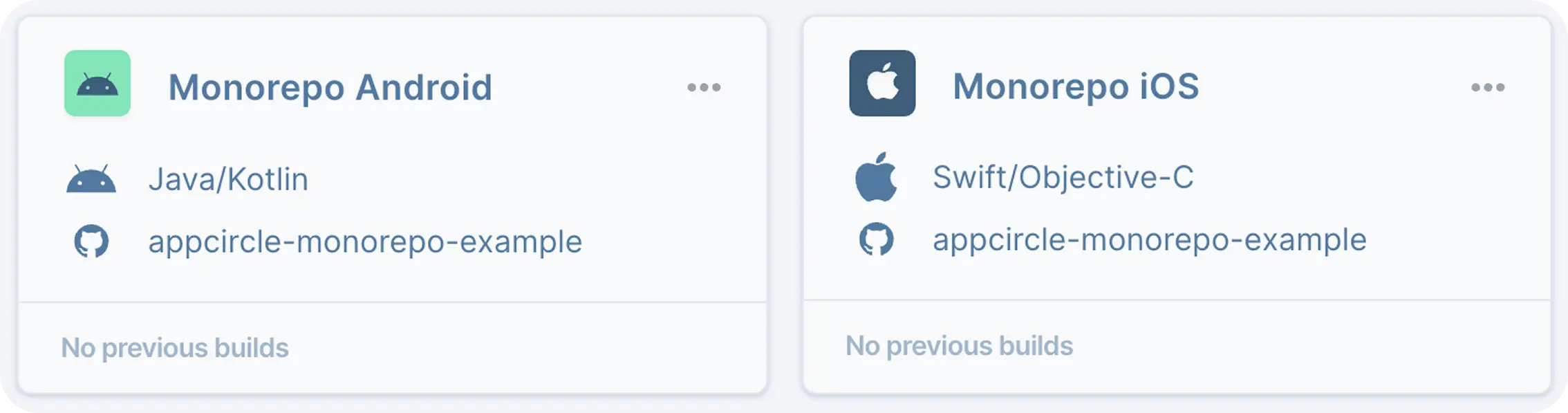
All profiles point to the same repository, but each has its own configuration and workflow. Having a dedicated profile per project brings several advantages:
- Each pipeline can be triggered independently, avoiding unrelated builds
- Platform-specific build flows, signing, and environment variable groups can be defined separately
- Different build machines and platform-specific stacks can be utilized more efficiently
- Distribution and publishing settings remain isolated, giving each app its own release flow
1.2 Structuring Workflows per Platform
Note: Appcircle’s Git Clone step includes performance optimizations for faster repository fetching. For faster builds, you can also take advantage of advanced caching in your workflows.
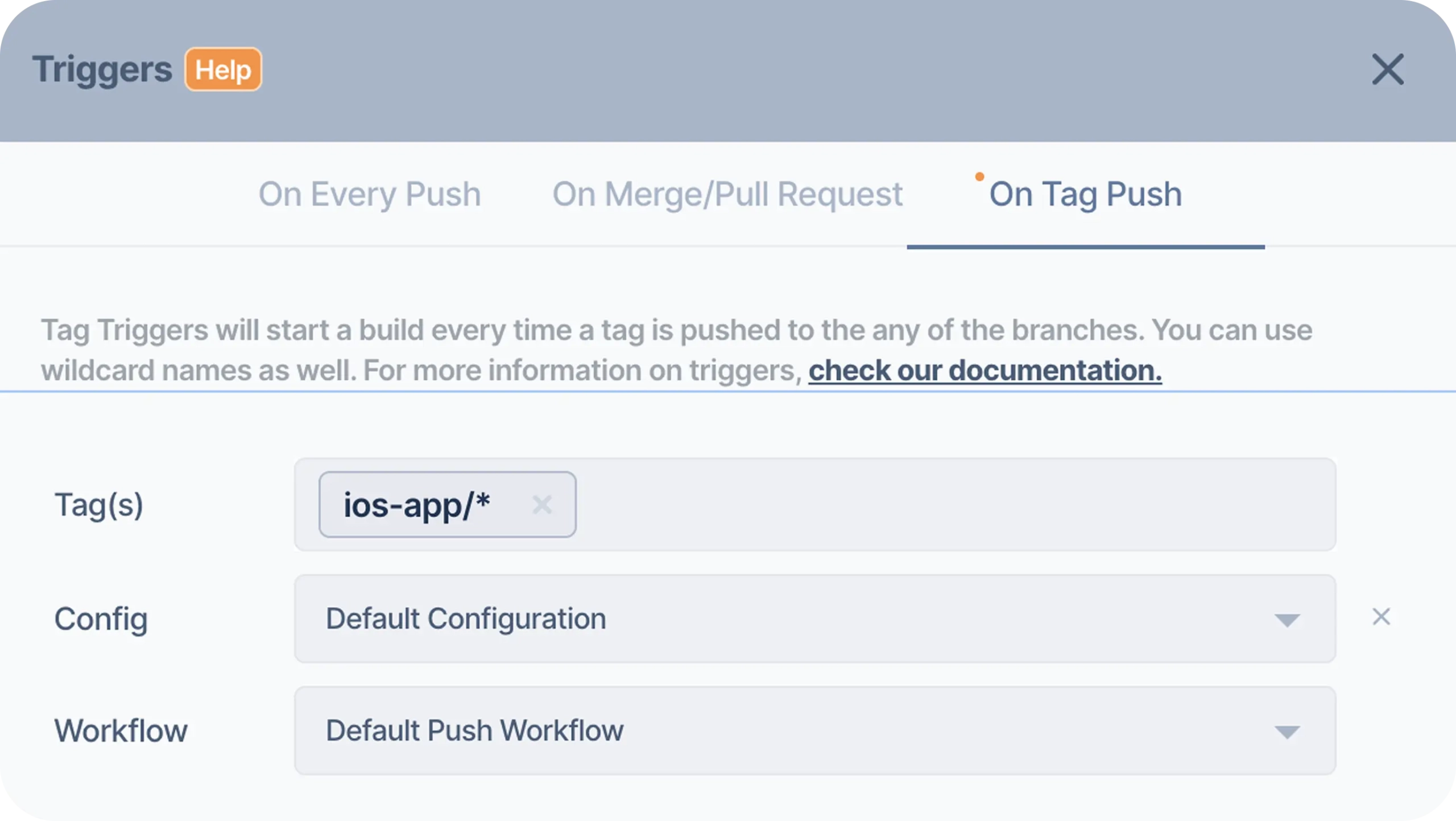
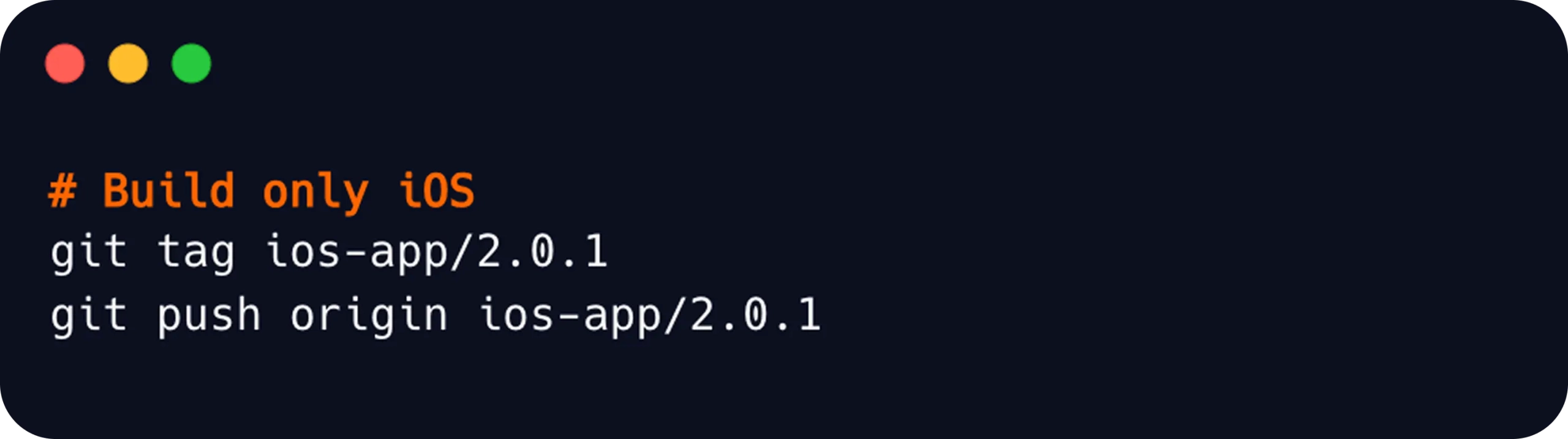
1.3 Set Up Tag Push Triggers for Build Isolation
How it works:
- Go to Triggers → On Tag Push
- Set Tag(s):
android-app/* - Set Config and Workflow
- Go to Triggers → On Tag Push
- Set Tag(s):
ios-app/* - Set Config and Workflow
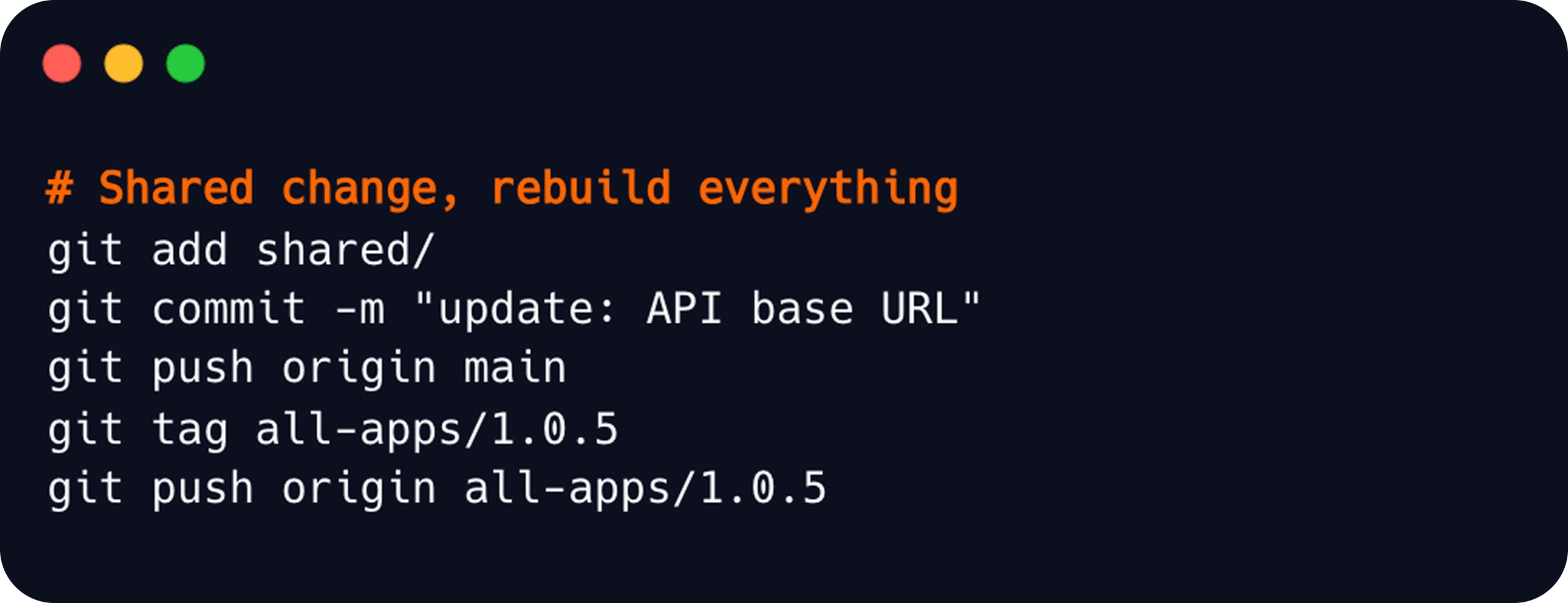
Handle Shared Code Changes
shared/ changes, such as an API client, a config file, or a shared utility, both apps may need to rebuild. Add an all-apps/* tag pattern to both profiles for exactly this scenario:- Android profile →
android-app/*+all-apps/* - iOS profile →
ios-app/*+all-apps/*
2. Distribute Your Apps with Testers
Appcircle’s Testing Distribution module allows you to share your builds with testers before store submission. In each build profile’s distribution configuration, you can select a dedicated Testing Distribution profile. Once a build completes, the binary is automatically sent to the selected profile and shared with your testing groups without any manual steps.
With a separate distribution profile per project, each app reaches its own tester group, and you can track app sharing and version reports for each platform.
3. Publish Your Apps with Appcircle
Once an app binary is validated and ready for release, Appcircle’s Publish to Stores module handles store submission. Each project in your monorepo should have its own Publish profile, as Android Publish profiles are tied to a specific package name, and iOS Publish profiles are tied to a specific bundle ID. This means each independent app in your monorepo maps to its own Publish profile, maintaining a clean separation between store submissions.
The publish flow can also be customized to match your team’s release process. You can add approval gates and configure release steps, keeping each project’s submission process independent and traceable. You can publish your application through Appcircle to App Store, TestFlight, Google Play, Huawei AppGallery, and Microsoft Intune.
Conclusion
Monorepos can help mobile teams manage shared code, multiple apps, and cross-platform development more consistently. However, as teams and codebases grow, CI/CD design becomes critical.
The main challenge is not simply storing multiple projects in one repository. The real challenge is making sure that only the right builds run at the right time, shared changes are validated correctly, each project reaches the right distribution channels, and pipelines remain fast as the codebase scales.
With Appcircle, teams can structure mobile monorepos using separate build profiles, platform-specific workflows, tag-based build routing, and distribution strategies, keeping their repository centralized while maintaining clear, scalable, and independent mobile CI/CD pipelines. Ready to manage your mobile monorepo with Appcircle? Start for Free!
FAQs
1. Is monorepo better than polyrepo?
Not always. A monorepo can be useful for teams with multiple related apps, shared libraries, and coordinated platform work. A polyrepo approach may be better when projects are fully independent and require strong separation.
2. Does a monorepo slow down CI/CD?
It can if every change triggers every pipeline. With selective builds, caching, and clear workflow design, monorepos can be managed efficiently.
3. Is a multi-scheme iOS app or an Android app with product flavors the same as a monorepo?
4. How can mobile teams trigger builds selectively in a monorepo?
Teams can use path-based triggers where available, tag-based triggers for controlled build routing or external orchestration to avoid unnecessary build steps.

