
Jenkins iOS CI/CD: Opportunities and Challenges
Jenkins for iOS: Key CI/CD Capabilities
- Customizable Pipelines: With its vast array of plugins, Jenkins allows developers to tailor iOS pipelines for specific needs, such as Xcode builds, Fastlane integration, and XCTest for testing.
- Distributed Build Support: Jenkins enables distributed builds, which can distribute workloads across multiple machines to optimize performance.
- Open-Source Flexibility: As an open-source tool, Jenkins is highly adaptable and cost-effective, making it accessible to teams of all sizes.
Challenges in Jenkins iOS Build Setup and CI/CD Maintenance
- Complex Setup Requirements: Jenkins requires installation on macOS machines to support Xcode, which can be a time-intensive process.
- Maintenance Overhead: Ensuring that Jenkins and its plugins remain compatible with the latest Xcode and macOS versions demands continuous updates and monitoring.
- Resource-Intensive: Running Jenkins agents on macOS machines requires substantial hardware investment, making scalability challenging for smaller teams.
- Manual App Store Submissions: Automating app submissions to the Apple App Store is possible but requires intricate configurations with tools like Fastlane.
Best Practices for Jenkins iOS CI/CD
- Leverage Pre-Built Pipelines: Utilize community-shared pipelines or plugins specifically designed for iOS projects to reduce setup complexity and save time.
- Automate Testing: Implement unit and UI tests early in the pipeline to catch issues before they reach production.
- Streamline Code Signing: Use tools like Fastlane’s
matchto automate the management of certificates and provisioning profiles, reducing manual errors. - Regular Maintenance: Schedule periodic updates for Jenkins and its plugins to ensure compatibility with the latest macOS and Xcode versions.
How Appcircle Resolves These Challenges
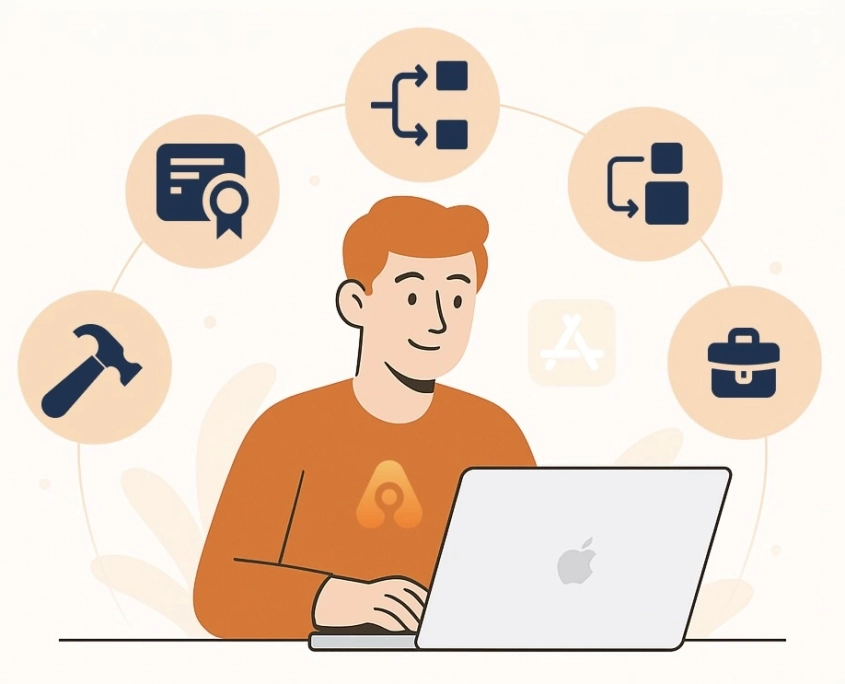
- No Complex Setup: Appcircle provides pre-configured, cloud-based environments tailored for iOS development, eliminating the need for local macOS setups.
- Automatic Maintenance: Unlike Jenkins, Appcircle handles all necessary and regular maintenance tasks automatically. It ensures that the latest macOS and Xcode versions are available within 24 hours, providing an always up-to-date experience. This eliminates the need for teams to manage manual updates or compatibility checks, saving valuable time and resources.
- Scalable Resources: With Appcircle’s cloud infrastructure, teams can dynamically scale resources based on their project needs, without requiring high upfront hardware costs.
- Streamlined App Store Publishing: Appcircle Publish to Store feature simplifies and automates the App Store submission process, ensuring compliance with Apple’s guidelines.
- Real Device Testing: Appcircle Testing Distribution supports real device testing directly from the cloud, enabling developers to identify and resolve platform-specific issues efficiently.
- Streamline Code Signing: Simplify code signing and minimize errors with Appcircle Signing Identity module. It automates the management of certificates and provisioning profiles, ensuring a seamless and error-free signing process.


Conclusion
FAQs
1. What are the main challenges of using Jenkins for iOS CI/CD?
The biggest challenges include setting up Jenkins on macOS machines, maintaining compatibility with the latest Xcode and macOS versions, managing certificates and provisioning profiles, scaling infrastructure with macOS agents, and handling App Store submissions with manual or complex configurations.
2. Why do iOS unit tests fail on Jenkins headless agents?
iOS unit tests that depend on the Simulator require a logged-in macOS session with a graphical interface. On headless Jenkins agents running over SSH, the Simulator cannot launch, which leads to test failures unless a GUI session is active.
3. How do I set up Jenkins for an iOS project?
To set up Jenkins for iOS, install Jenkins on a macOS machine and add the required dependencies such as Xcode command line tools, Ruby, Homebrew, Bundler, and Fastlane. Configure environment variables for code signing and automate the setup process with scripts to ensure consistent builds across environments.
4. What are best practices for Jenkins iOS CI/CD pipelines?
Best practices include automating builds and tests with declarative Jenkins Pipelines, running tests early to catch issues quickly, using version-controlled Jenkinsfiles, enabling parallel jobs to speed up pipelines, securing credentials for signing and deployment, and monitoring build logs to improve reliability.
5. How do iOS-specific requirements affect Jenkins CI/CD?
iOS pipelines require macOS build agents, strict code signing management, compliance with App Store distribution rules, and constant updates to match new macOS and Xcode releases. These factors make iOS CI/CD significantly more complex than web or backend pipelines and add a heavy maintenance burden. Platforms like Appcircle remove these challenges by providing pre-configured macOS environments, automated code signing, and streamlined App Store publishing, so teams can focus on building apps instead of maintaining infrastructure.

