
CodePush: The Game-Changer for Over-the-Air Mobile App Updates
Introduction: Understanding CodePush and Its Impact on Mobile App Updates
What is CodePush and How Does It Work?
How does it enable over-the-air (OTA) updates?
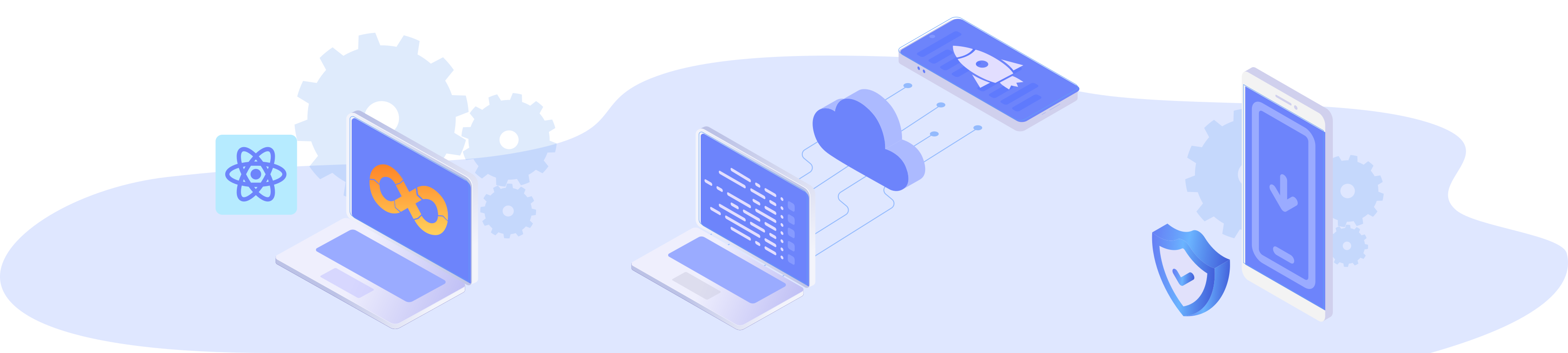
- To use the service, mobile developers are expected to integrate an SDK into their apps.
- They also need to add deployment keys generated for this purpose into their apps.
- The mobile application then communicates with the CodePush SDK and checks for updates continuously.
- When an update is available, this update is applied to the mobile app dynamically.
- The end-users experience the updated version of the app instantly without the need for reinstallation or updating the app.
What CodePush Can and Can’t Update?
Update Types | What CodePush CAN Update | What CodePush CANNOT Update |
JavaScript | Logic changes, bug fixes, feature improvements | Native module changes, new dependencies |
UI & Styling | Styles, UI tweaks, layout updates | New native UI components |
Assets | Images, fonts, JSON files, localization | Native assets (e.g., vector drawables) |
Permissions & Config | – | App permissions, Gradle/Xcode settings |
React Native Framework | – | Major React Native upgrades |
Is CodePush Allowed by Apple and Google?
Avoiding App Store Policy Violations
- Change the app’s primary functionality
- Introduce significant modifications
- Release content that violates content policies
Best Practices to Stay Compliant
- Use OTA updates only for minor bug fixes, UI tweaks, and non-native updates.
- Keep your app descriptions accurate to reflect any changes.
- Allow users choose when to install updates and give them the option to roll back if something goes wrong.
- Balance real-time updates with compliance to maintain end-user trust.
- Use staged rollouts by gradually releasing updates to a percentage of users rather than releasing to all users
- Monitor for issues
- Follow Apple and Google’s latest guidelines to stay up to date with policy changes.
CodePush Alternatives: What Happens When CodePush is Retired?
App Center will no longer be available after March 31, 2025. Microsoft will continue to offer support until then, but once that date hits, the services will be fully shut down.
It’s a good idea to start looking for alternatives now. Migrating early gives you time to test things out and avoid any last-minute surprises when App Center shuts down.


The Future of CodePush with Appcircle (Exclusive Insight!)
Benefits of Using Appcircle for OTA Updates, CI/CD
- Unified platform: Appcircle offers an all-in-one solution for mobile application workflows, including builds, testing, and distribution.
- CI/CD Integration: Seamless integration with your CI/CD pipeline for automated testing and deployment.
- Cross-platform support: Supports native, Flutter, and React Native apps, offering flexibility for various development environments.
- Enhanced control: Appcircle gives you full control over your app lifecycle.
- Seamless OTA updates: Along with all the benefits, Appcircle will soon support OTA updates in an easy-to-use manner.
Conclusion
FAQs
1. What is CodePush?
CodePush is a service by Microsoft that allows developers to push over-the-air (OTA) updates to mobile apps without going through the app store review process.
2. Is CodePush available for iOS and Android?
Yes. CodePush supports both iOS and Android, making it a popular choice for cross-platform React Native apps.
3. When will Microsoft CodePush shut down?
Microsoft will retire CodePush and the broader App Center service on March 31, 2025.
4. What is the best CodePush alternative for React Native?
With Microsoft retiring App Center, several OTA update solutions have emerged for React Native. Options include Expo EAS Update, Appcircle, custom-built OTA systems, and other third-party tools. Each comes with its own strengths and limitations depending on your project needs. For a side-by-side breakdown, check out the CodePush alternatives comparison, where we highlight the pros and cons of each option.
5. Is there a self-hosted CodePush alternative?
Yes, some developers opt for self-hosted servers or open-source forks. However, they require infrastructure, maintenance, and security considerations. For most teams, a managed solution like Appcircle offers a faster and safer path forward.

