
Guide to Automated Mobile CI/CD for Flutter Projects with Appcircle
Flutter CI/CD is essential for modern mobile development workflows, especially when targeting iOS, Android, and web platforms from a single Flutter codebase. While Flutter is known for its flexibility and performance, setting up and managing a CI/CD pipeline can still be time-consuming and complex, especially when dealing with platform-specific configurations or App Store submissions.
That’s where Appcircle, a purpose-built mobile CI/CD platform, comes in. Appcircle automates and streamlines your Flutter CI/CD pipeline, eliminating the need for third-party tools or even a Mac to build iOS apps.
In this guide, you’ll learn how to simplify Flutter app development and deployment using Appcircle. Whether you’re a seasoned pro or just dipping your toes into Flutter, we’ve got you covered.
How Appcircle Simplifies Flutter CI/CD for Developers


Getting Started with Flutter CI/CD on Appcircle
Creating a Build Profile for Flutter
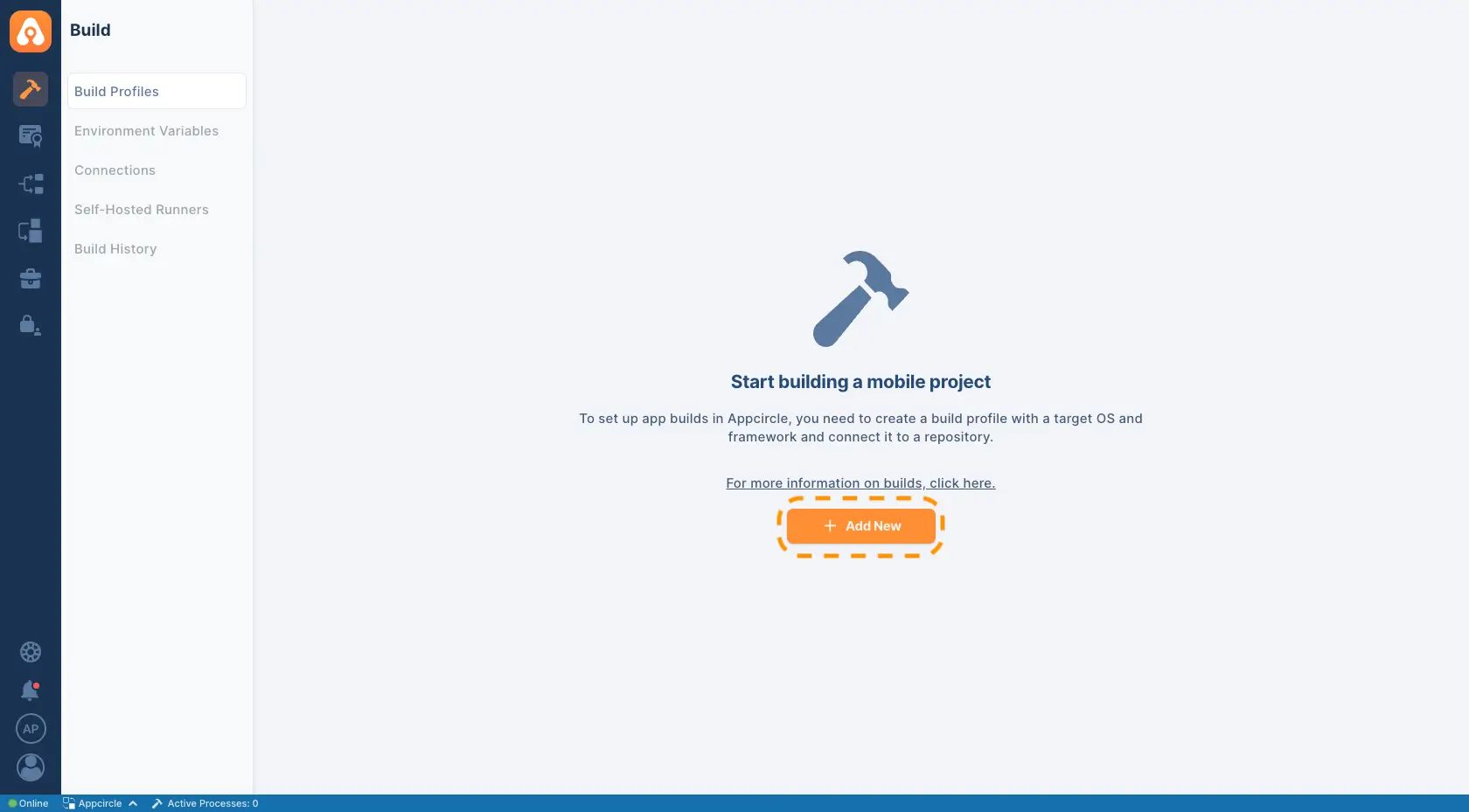
1. Click the Add New button, name your profile, and choose Flutter as the target platform.
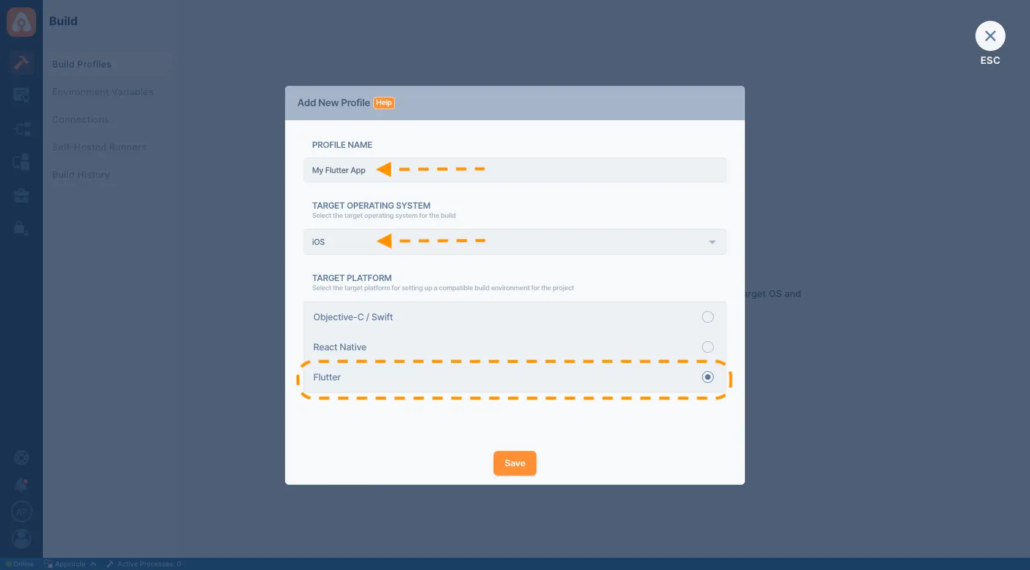
2. Select iOS or Android as the operating system.
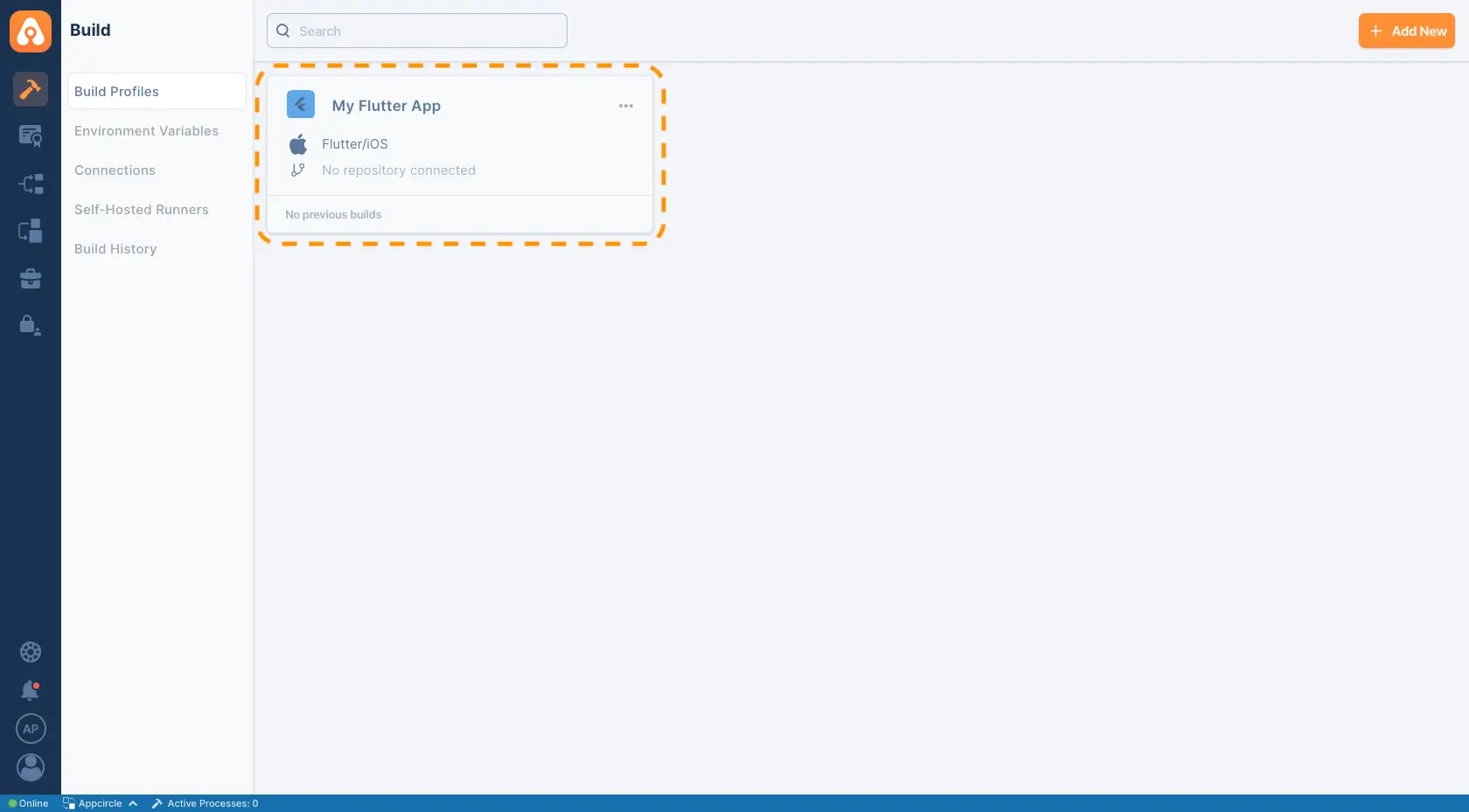
3. You will see your build profile once it has been created. Click on the build profile to connect to a repository that contains a valid Flutter app.
4. Connect your repository to populate branches and commits.
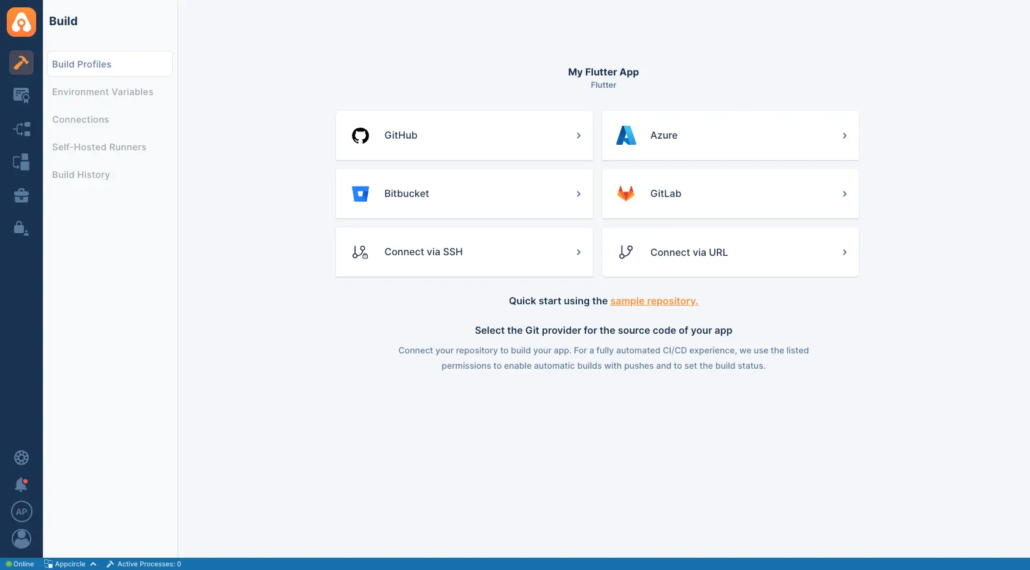
Configuring Builds for iOS and Android
- Fetch project details automatically, including shared schemes and Xcode versions.
- Adjust configurations to ensure compatibility with your app’s dependencies.
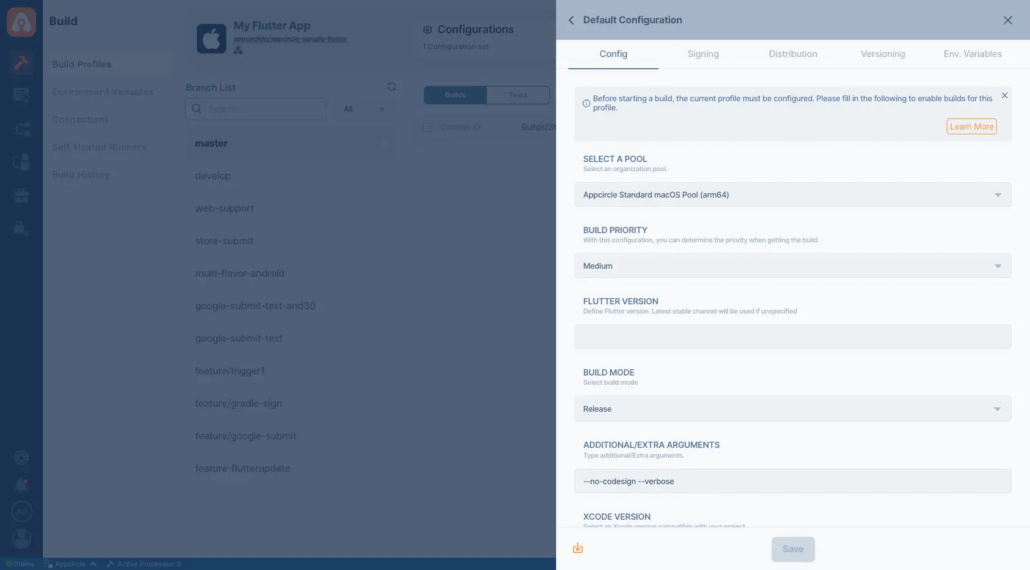
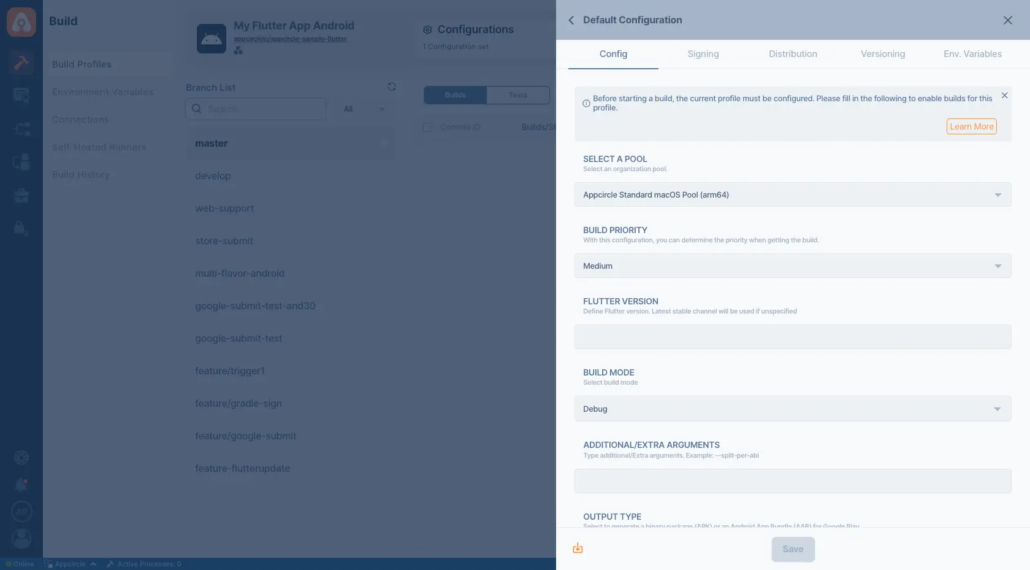
- Choose the build mode (e.g., debug or release) and output type (APK or AAB).
- Configure specific project settings directly within the intuitive interface.
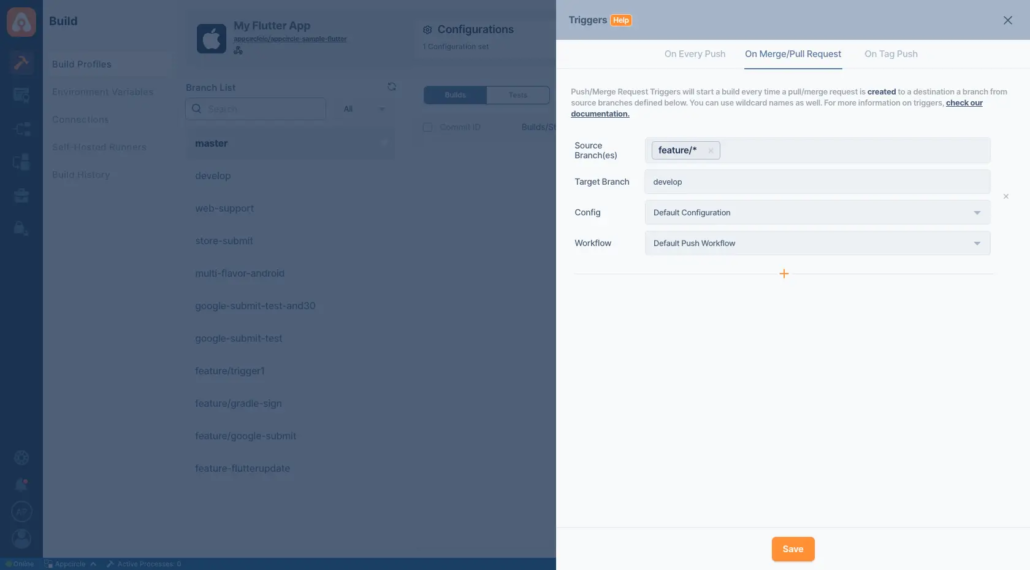
Automating Your Flutter CI/CD Pipeline
- On Push: Builds trigger automatically when code is pushed to the repository.
- On Tagged Push: Target specific commits for builds using tags.
- Selective Tags: Apply filters to trigger builds based on pre-defined tag patterns.
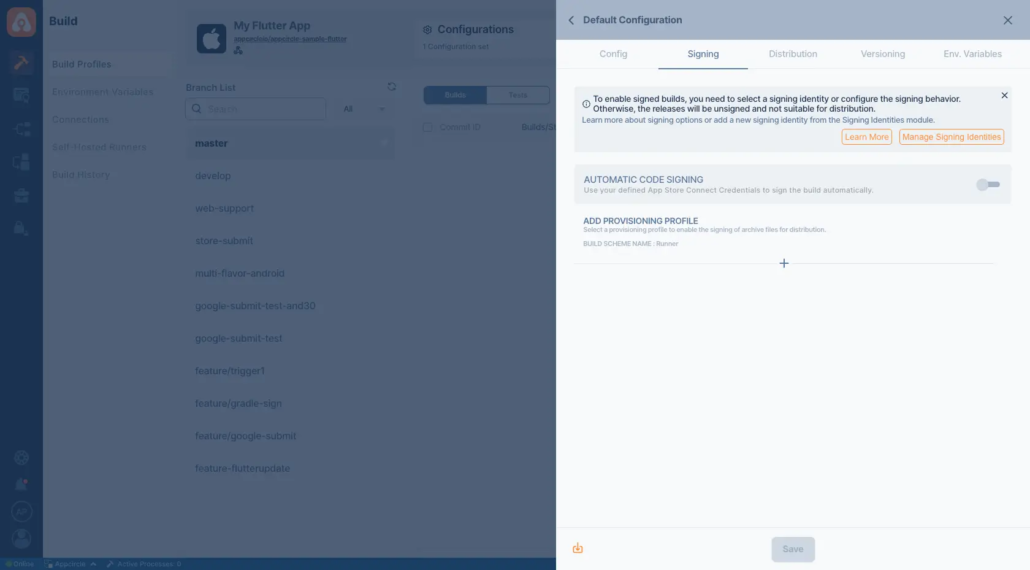
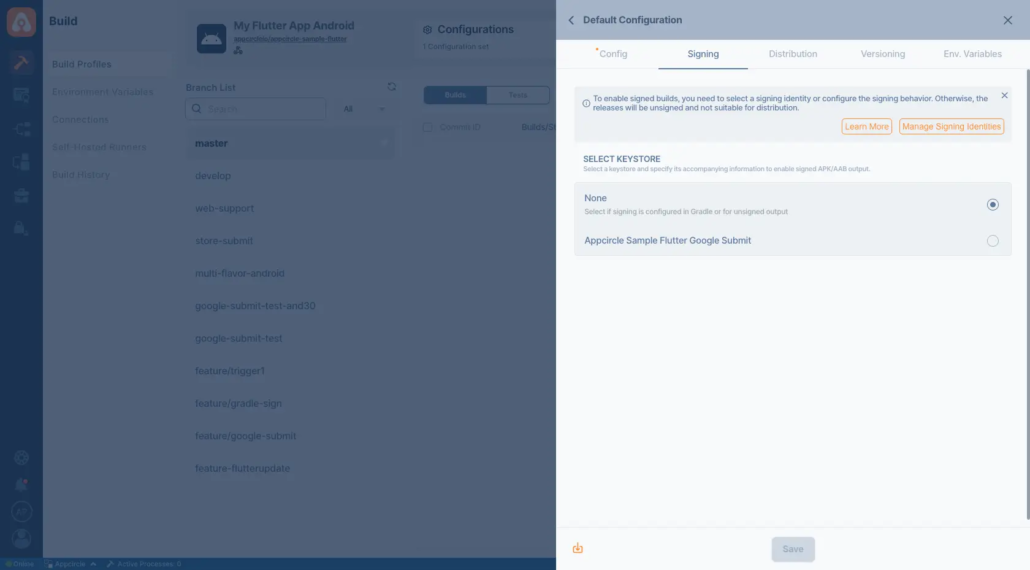
Simplifying Signing for Flutter Apps
- Create and manage iOS certificates, provisioning profiles, and Android keystores directly on the platform.
- Use existing signing identities by uploading them once for centralized management.
For IOS
For Android
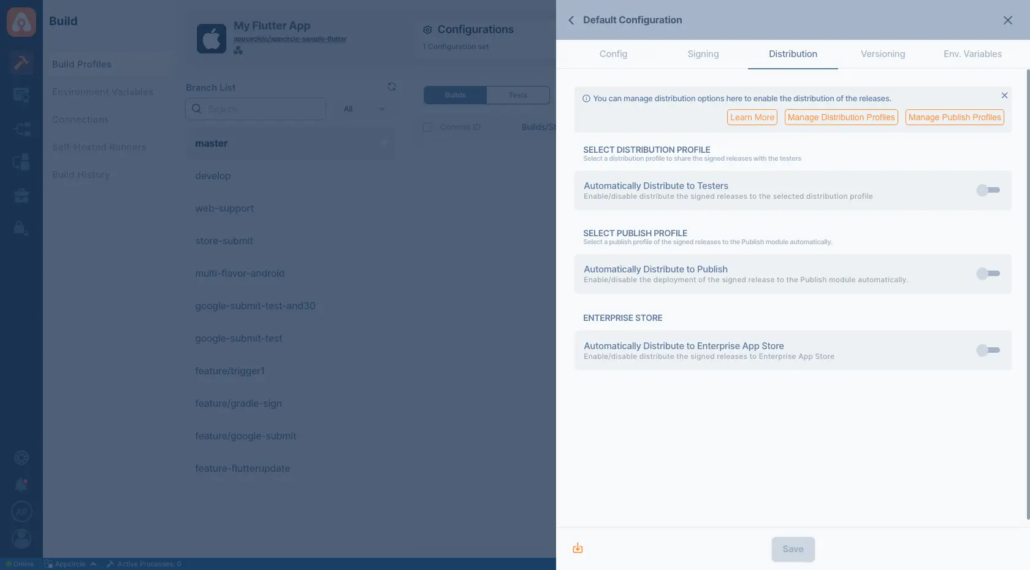
Distributing Your Flutter Apps
- Distribution Profiles: Define groups and environments for targeted app delivery.
- Auto Distribute: Automatically send builds to testers or production profiles.
- Notifications: Keep stakeholders informed about new builds for faster feedback cycles.
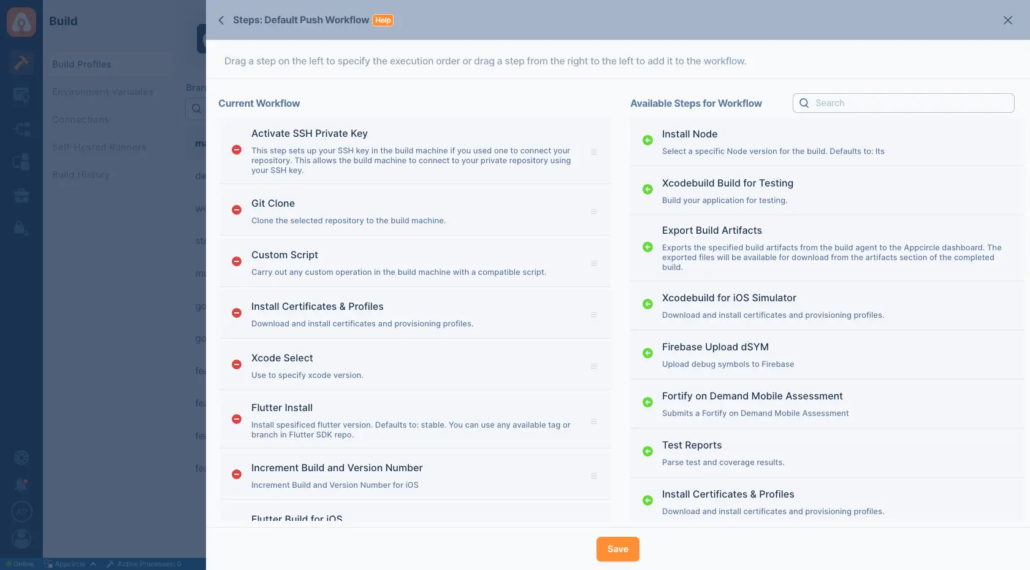
Advanced Workflow Customization
- Add Flutter Analyze and Flutter Test for code quality checks and testing.
- Run custom commands like
flutter build apkorflutter upgrade. - Integrate third-party tools for advanced deployment scenarios.
Starting a Build and After a Build
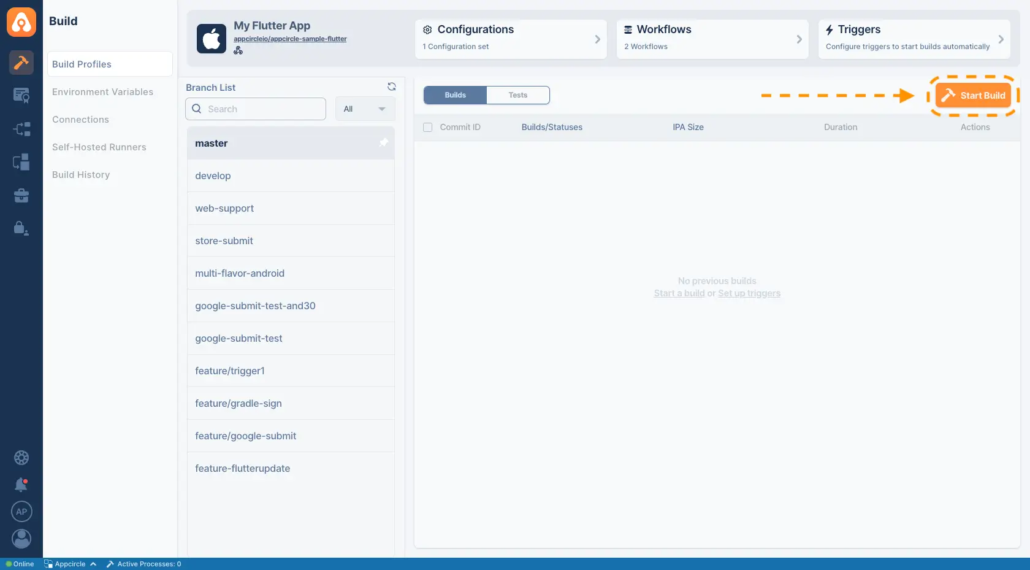
To start your first build, simply press the Start Build button—the play button under the Actions column—or push some code to your repository if autobuild is configured. During the build, the Flutter setup is automatically handled using the flutter install command, ensuring all necessary dependencies are in place.
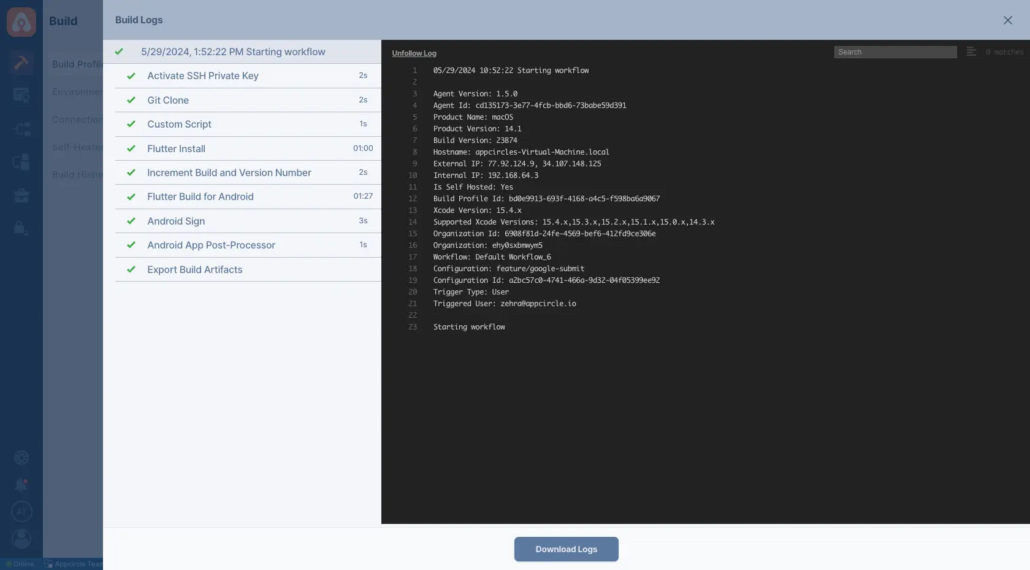
As the build progresses, you can monitor the process in real-time through the build log interface.
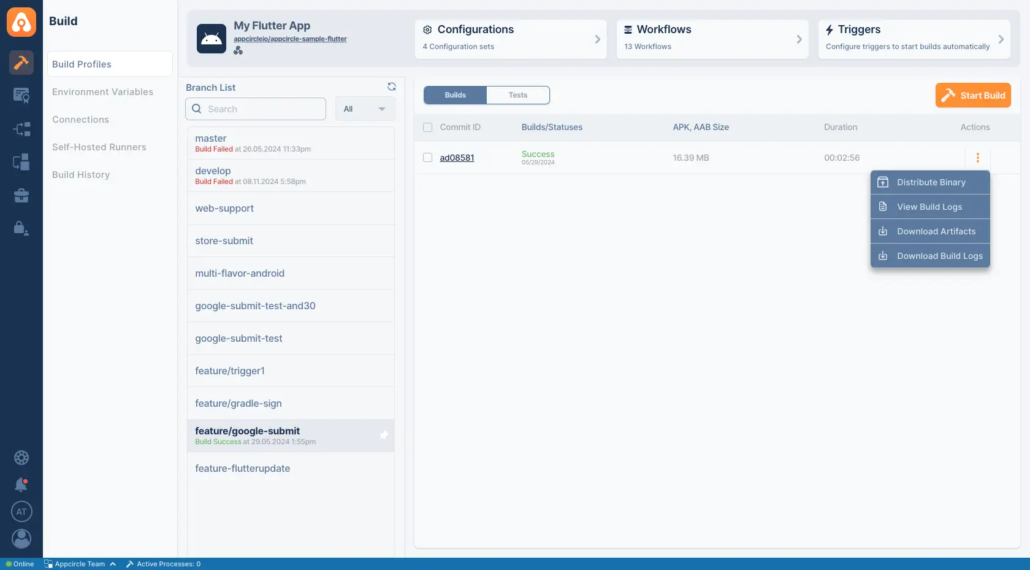
Once the build is successfully completed, you can:
- Download the binary file for manual distribution.
- Deploy it directly to the Distribute module. If Autodistribute is enabled, the binary will be automatically sent to your distribution profiles and testers.
Additionally, Appcircle allows you to view or download your build logs at any time, providing full visibility and traceability throughout the CI/CD process for Flutter projects.
Testing Your Flutter Apps
- Static Analysis: Use
flutter analyzefor code quality checks. - Unit Testing: Run tests with
flutter testto ensure reliability.
Why Flutter?
- One Codebase, Many Platforms: Write your code once and run it everywhere—iOS, Android, and web. It’s a no-brainer for saving time and effort.
- Stunning UIs: Flutter gives you full control over your app’s design with a rich set of widgets and its own rendering engine. Your apps will look and feel amazing.
- Lightning-Fast Performance: Thanks to its compiled code and efficient rendering, Flutter delivers performance that’s hard to beat.
- Growing Ecosystem: Need a library for something? Flutter’s community is constantly expanding its plugin library, so you’re covered for almost anything.
Conclusion
Check out our complete guide: “A Complete Guide to Flutter CI/CD for iOS, Android and Web.”
FAQs
1. What is Flutter CI/CD and why is it important?
Flutter CI/CD is the practice of automating the build, test, and deployment processes for Flutter applications. It enables faster release cycles, reduces bugs, and ensures consistent performance across platforms like iOS and Android.
2. Do I need a Mac to build iOS apps with Flutter?
Not if you’re using a platform like Appcircle. Appcircle offers a cloud-based macOS build environment, allowing you to build and distribute iOS apps without the need to own or maintain any Apple hardware.
3. How can I automate my Flutter app deployment to the App Store and Google Play?
You can automate the submission of your Flutter apps to both the App Store and Google Play by using a mobile release automation platform like Appcircle. Appcircle’s Publish module handles everything from credentials and versioning to store-specific requirements, helping you release apps faster and more reliably with less manual work.

