
Guide to Automated Mobile CI/CD for React Native with Appcircle
If you’re involved in mobile app development, encountering React Native is practically inevitable. React Native is a powerhouse framework for building cross-platform apps with a single codebase. It’s fast, flexible, and incredibly efficient. But here’s the catch: managing a CI/CD pipeline for React Native can be a real challenge. Supporting both iOS and Android platforms means juggling dependencies, managing provisioning profiles, and—let’s face it—sometimes scrambling for a Mac just to build iOS apps.
That’s where Appcircle comes in. Appcircle is a mobile-first CI/CD platform that automates the entire app lifecycle, from building to deploying React Native apps. It removes the complexities of platform-specific workflows and eliminates the need for additional third-party tools or even a Mac. With Appcircle, you can streamline your development process, boost productivity, and focus on creating incredible apps.
In this guide, we’ll show you how to implement a CI/CD pipeline for React Native using Appcircle. With detailed steps and tips, you’ll be ready to take your development workflow to the next level.
What Makes React Native a Game-Changer for Mobile Development?
React Native is one of the most popular frameworks for mobile app development—and for good reason:
- Cross-Platform Development: Build apps for iOS and Android using a single codebase.
- Faster Time to Market: Reduce development time with reusable components and shared logic.
- Vibrant Ecosystem: Leverage a vast library of plugins, tools, and community support.
- High-Performance Apps: Create apps that feel native with responsive designs and smooth animations.
Despite its advantages, the challenge lies in managing platform-specific complexities, particularly during the CI/CD process. That’s where Appcircle’s automation capabilities come into play.
Why Choose Appcircle for React Native CI/CD?
Appcircle is designed with mobile developers in mind, offering features that make React Native CI/CD simpler and more efficient:
With Appcircle, you can build iOS apps without needing a Mac. Its cloud-based infrastructure handles all the heavy lifting for you.
Appcircle offers customizable workflows for React Native, saving you the hassle of manual configurations.
- Seamless Integration with Git Repositories
Whether you’re using GitHub, Bitbucket, or GitLab, Appcircle integrates effortlessly to pull your source code and start builds automatically.
Automate the provisioning and signing process for iOS, and streamline key management for Android, ensuring smooth deployment to both platforms.
Deploy your apps to the App Store or Google Play directly from Appcircle with just a few clicks.
Getting Started with Appcircle
Starting with Appcircle is simple and requires just a few steps:
- Register on the Platform: Visit Appcircle and sign up.
- Connect Your Repository: Appcircle integrates seamlessly with GitHub, Bitbucket, GitLab, and private repositories via SSH.
- Use a Sample Project (Optional): For a quick start, you can fork Appcircle’s sample React Native app to explore the platform’s capabilities.
Once registered, Appcircle automatically fetches branches, commits, and project details, providing an easy entry point into React Native CI/CD.
Creating a Build Profile for React Native
A Build Profile is central to Appcircle’s functionality, defining workflows and configurations for each platform (iOS or Android).
Steps to Create a Build Profile:
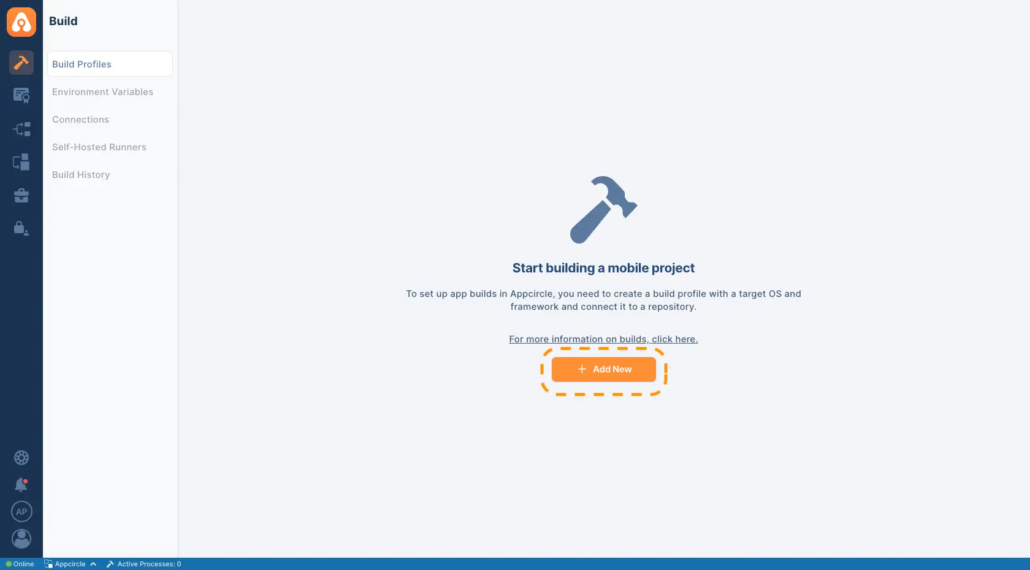
- Add a New Profile: Click the Add New button at the top-right of the dashboard.

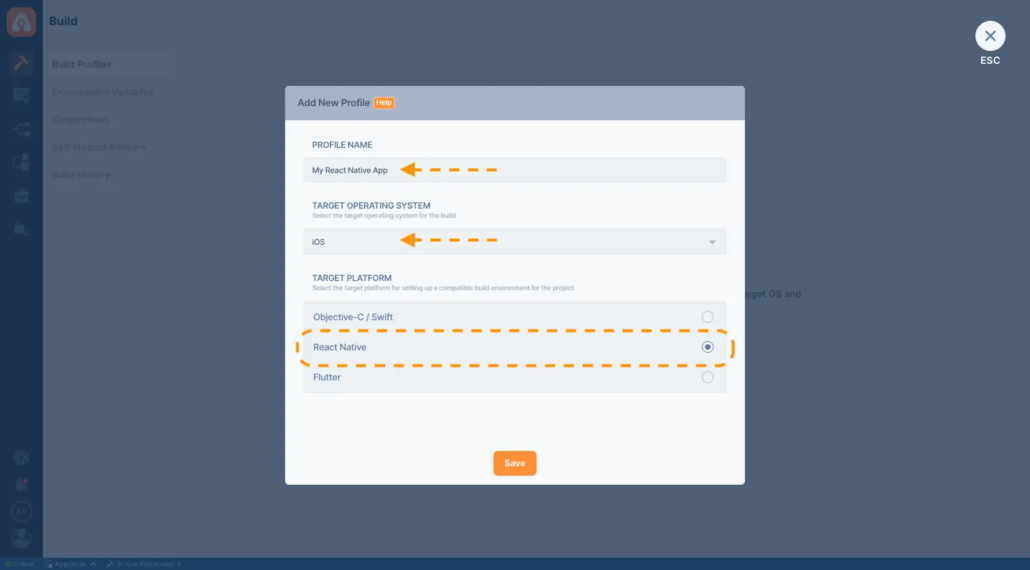
- Name and Configure the Profile: Assign a name, select React Native as the target platform, and choose the operating system (iOS or Android).
- Separate Profiles for Multiple Platforms: Create distinct profiles for iOS and Android to manage platform-specific workflows effectively.
Once the profile is created, connect your repository using OAuth for cloud-based repositories or SSH for private repositories. Appcircle fetches relevant configurations automatically, making the process seamless.
React Native Application Build Configuration
Appcircle offers tailored build configurations for iOS and Android projects, enabling developers to optimize their pipelines for each platform.
iOS Build Configuration
- Access Build Settings: Click the gear icon to open configuration options.
- Fetch Project Details: Use the Fetch button to detect Xcode projects, shared schemes, and paths automatically.
- Select Xcode Version: Choose an Xcode version that aligns with your dependencies or testing requirements.
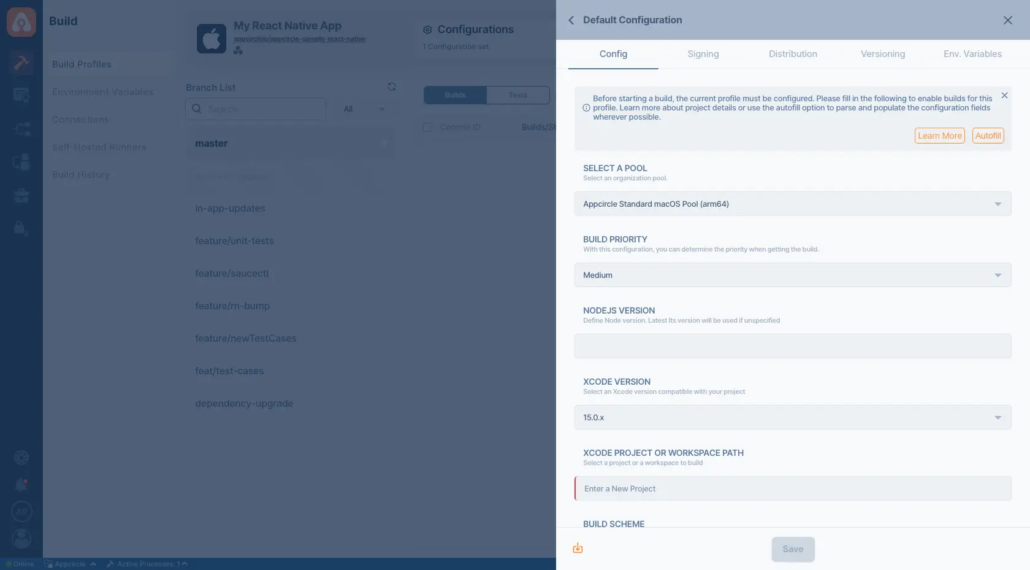
Appcircle ensures compatibility by supporting shared schemes and fetching necessary project details directly from your repository.
Android Build Configuration
- Access Build Settings: Similar to iOS, click the gear icon to configure Android projects.
- Fetch Modules and Variants: Use the Fetch button to retrieve available modules and variants from your repository.
- Choose Output Type: Select APK or Split APK (AAB) as the build output.
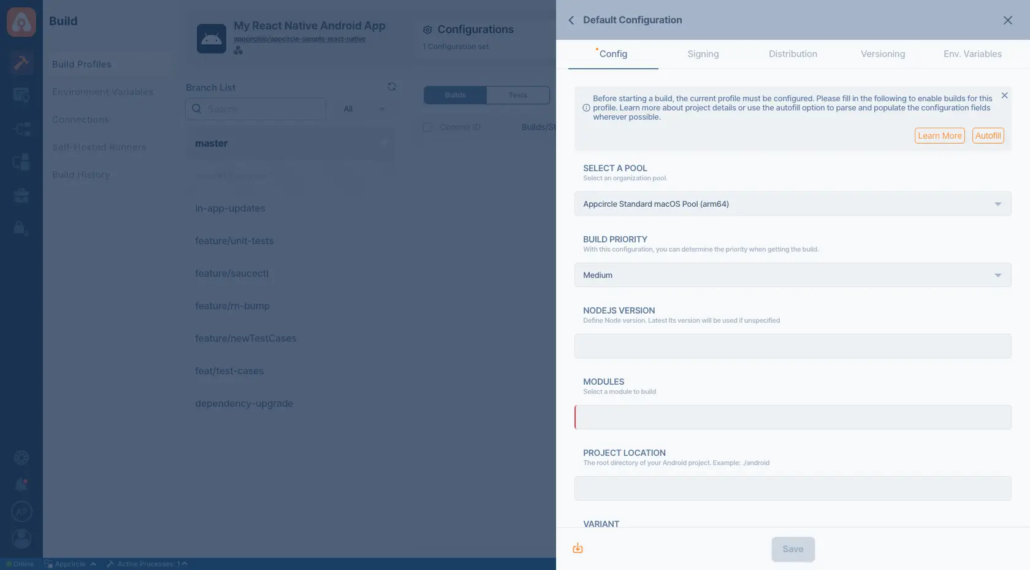
Branch-specific configurations provide flexibility for handling different stages of development.
Automating Build Triggers
Automation is a key feature of Appcircle’s CI/CD solution, enabling seamless builds for every code change.
Available Build Triggers:
- On Push: Automatically triggers builds for every code push to the branch.
- On Tagged Push: Initiates builds only for tagged commits, ignoring untagged changes.
- Selective Tags: Filters trigger conditions using specific tags with Unix shell-style wildcards.
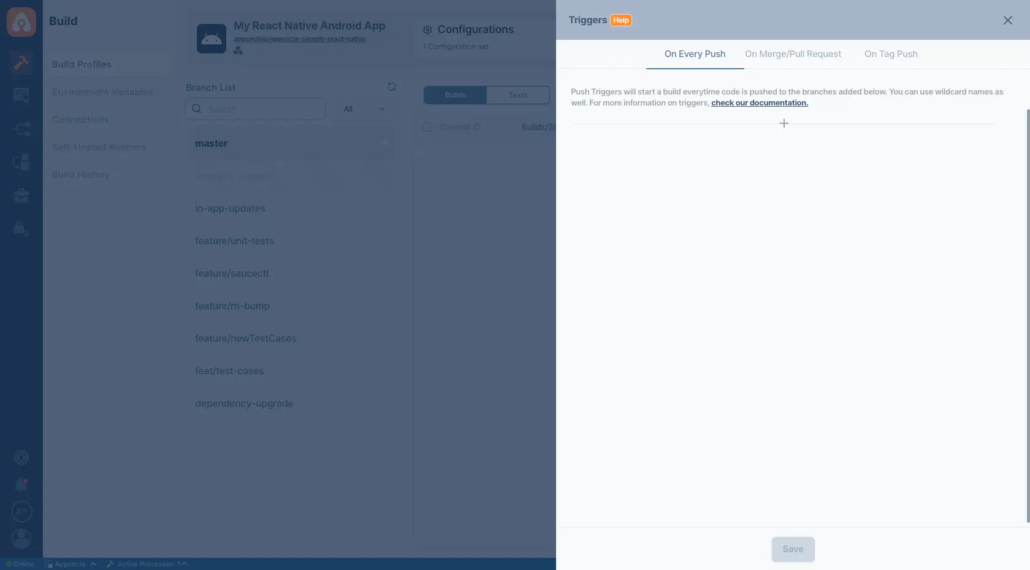
This flexibility ensures that builds are triggered exactly when needed, minimizing manual intervention.
Simplified App Signing
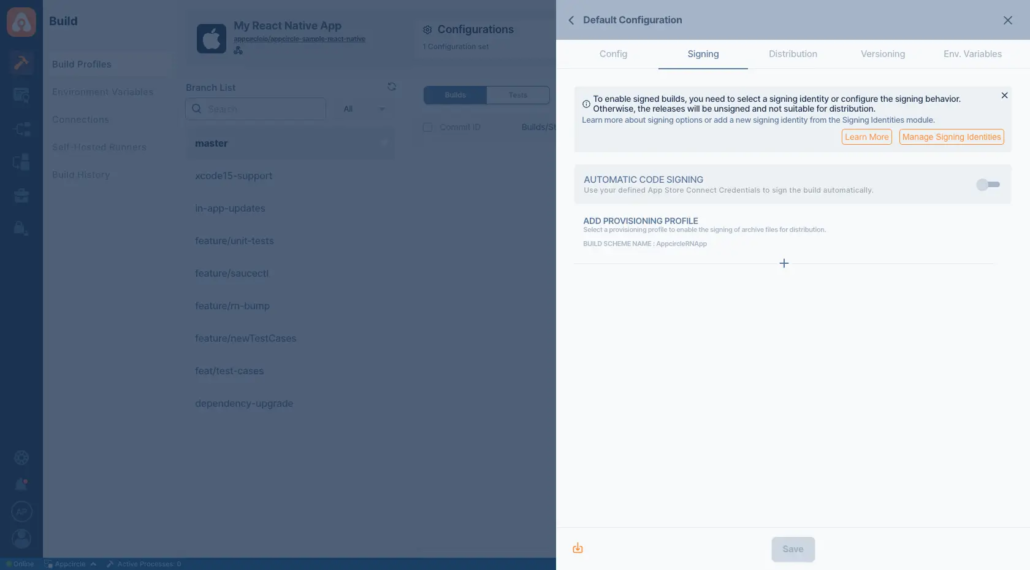
Appcircle centralizes signing management, streamlining the process for iOS and Android apps:
- Generate Signing Assets: Create iOS certificates and Android keystores directly within Appcircle.
- Upload Existing Assets: Use the Signing Identities module to upload certificates and keystores once, making them reusable across multiple projects.
- Centralized Management: Manage all signing assets in one place, reducing redundancy and errors.
iOS Signing
Android Signing
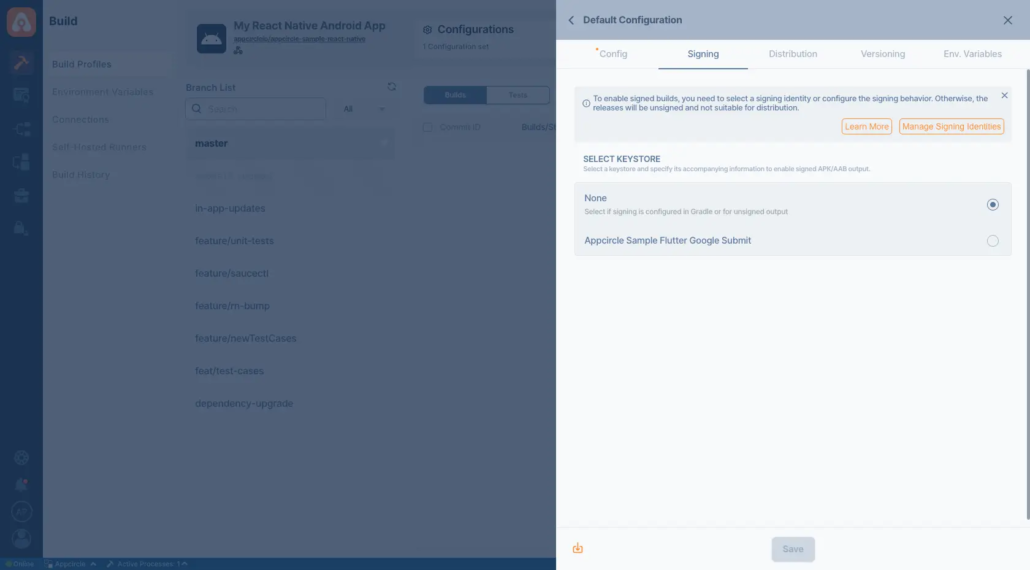
For detailed guidance:
Distribution (Deployment) Configuration
Distributing apps for testing or deployment is a critical step in the CI/CD pipeline. Appcircle simplifies this with:
- Distribution Profiles: Define groups of testers or target environments.
- Auto Distribute: Automatically send builds to testers or deployment environments post-build.
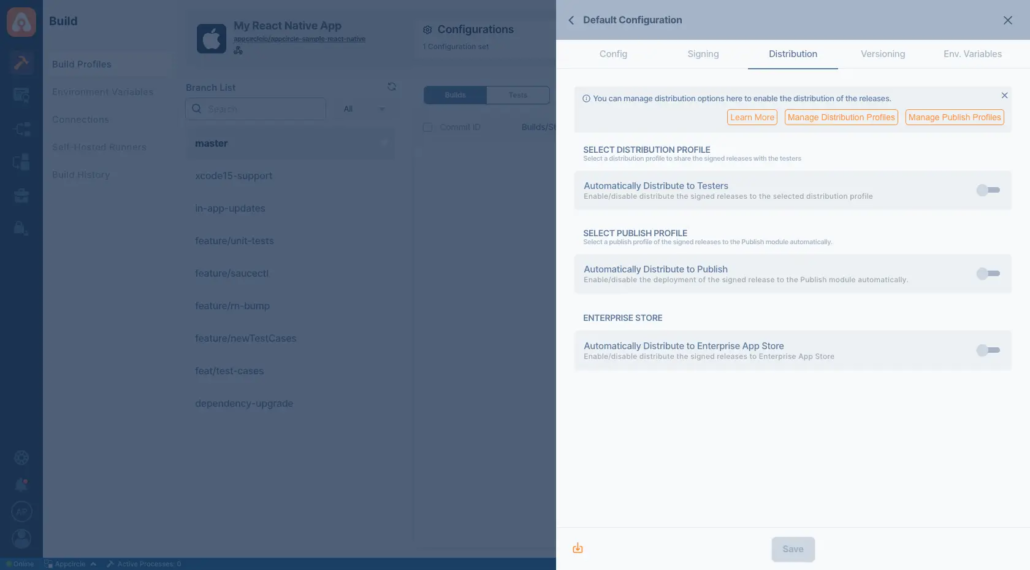
Appcircle’s distribution system supports real device testing and feedback collection, ensuring your app performs well across different devices and OS versions. For setup details, check this guide.
Environment Variables Configuration
Managing sensitive information like API keys and secrets is crucial. Appcircle’s Environment Variables module allows you to:
- Define variables securely.
- Avoid storing sensitive information directly in the repository.
- Customize builds with environment-specific configurations.
Workflows for Advanced Build Configuration
Appcircle workflows enable complete customization of the CI/CD pipeline.
- Custom Scripts: Add scripts for pre-build or post-build actions (e.g., npm commands).
- Third-Party Integrations: Enhance workflows with external tools or services.
- Flexible Steps: Reorder steps or modify parameters for tailored configurations.
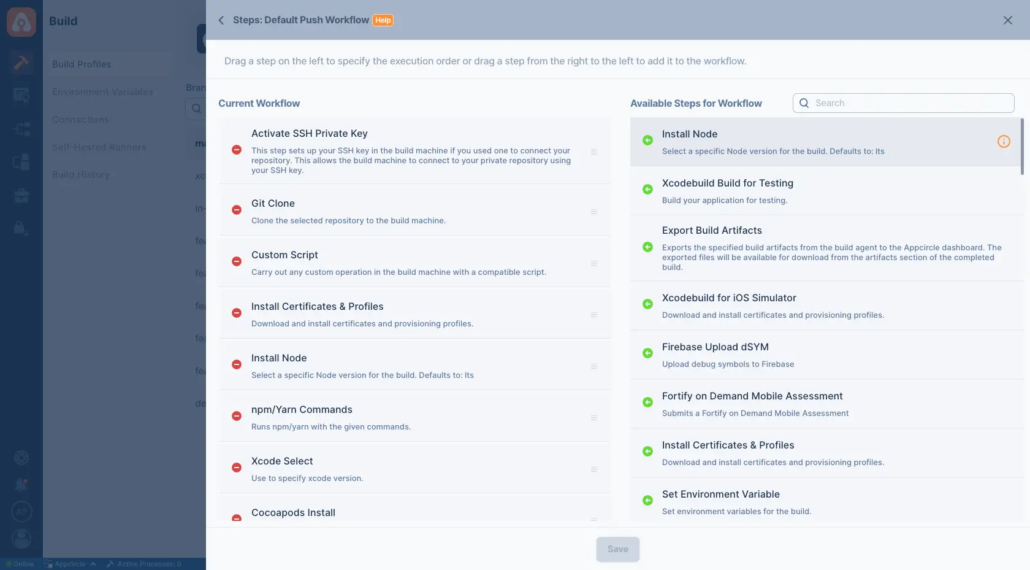
Default workflows cover most use cases, but advanced users can leverage customization for unique requirements. Learn more about Appcircle workflows.
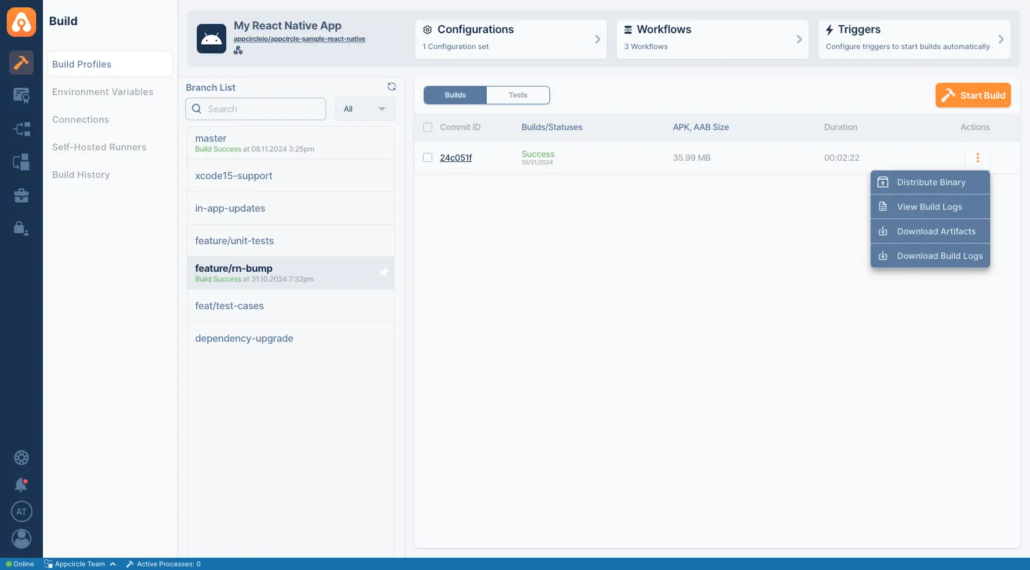
Starting and Monitoring Builds
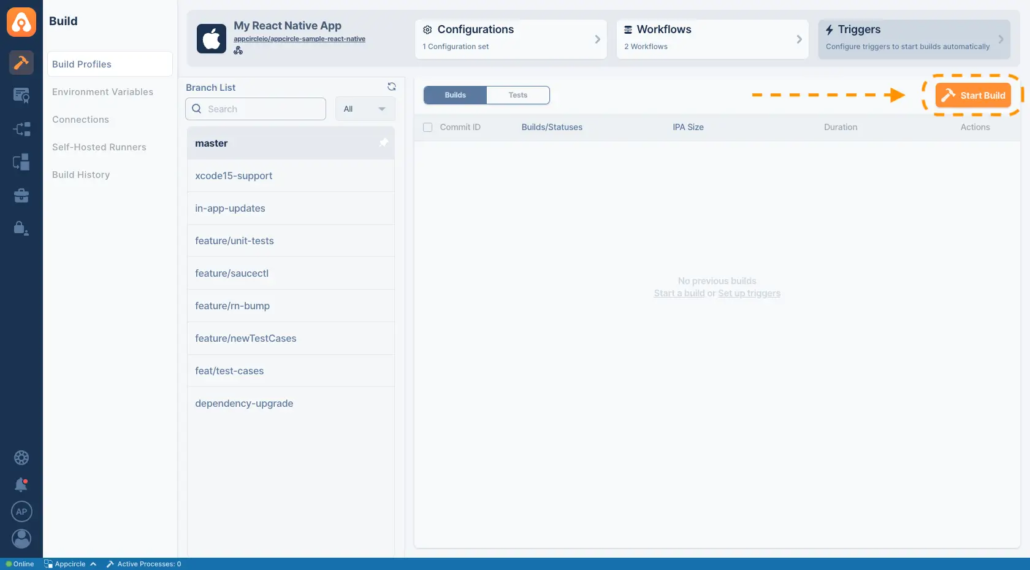
Appcircle provides an intuitive interface for managing builds:
- Click the Start Build button or push code to the repository to trigger builds automatically.
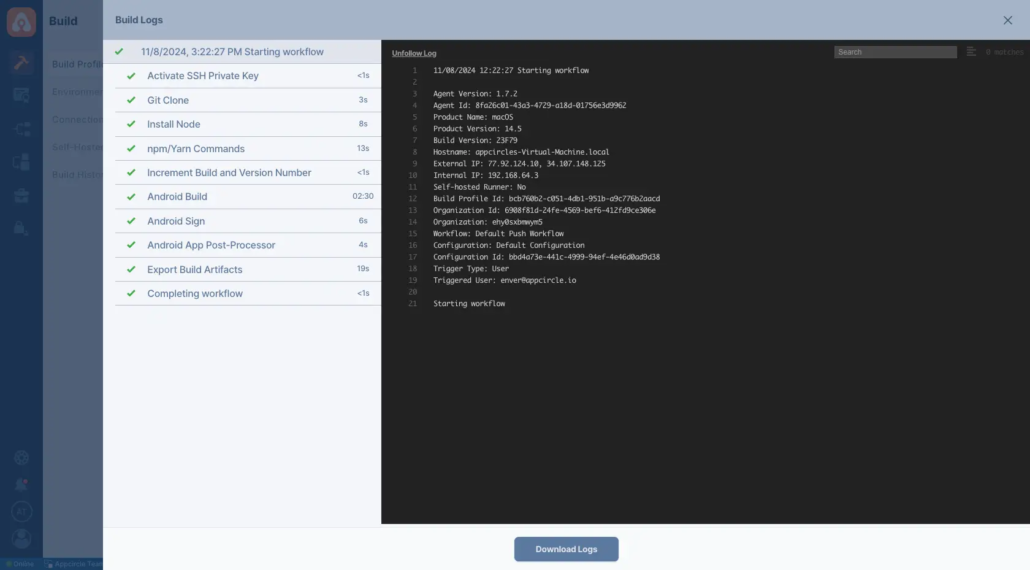
- Monitor build logs and progress in real time.
- Download the build binary or distribute it directly to testers or production environments.
Testing the React Native App
Appcircle integrates testing tools like Jest and Detox for both unit and UI testing:
- Unit Testing: Validate code-level functionality to ensure robustness.
- UI Testing: Ensure seamless user interaction across platforms.
Tests are executed within the CI/CD pipeline, providing real-time feedback and logs.
Conclusion
Appcircle transforms the complexities of CI/CD for React Native into an intuitive, streamlined process. From automated builds to centralized signing and real-time testing, Appcircle provides developers with all the tools needed for efficient mobile app development. Whether targeting iOS, Android, or both, Appcircle empowers developers to deliver high-quality apps with ease.

