

Kotlin Coroutines: A Detailed Introduction
Kotlin Coroutines is an async task library for Kotlin language. It was announced during KotlinConf 2017. Coroutines make asynchronous code easier to write and read.
It aims to prevent blockages caused by running tasks. This applies mostly to networking code where a task takes multiple seconds at least to complete. kotlinx.coroutines 1.0 is the library you need to import to use Coroutines. You can only use it within Kotlin projects, so if you’re developing your apps with Java, you can’t use it.
Kotlin Coroutines Features

Coroutines has 4 main features:
- Lightweight: Multiple Coroutines can run on a single thread. Since a coroutine doesn’t block the thread it’s running on, you can run multiple Asynchronous tasks, which helps you save memory.
- Built-In Cancellation Support: You can easily cancel a running coroutine.
- Fewer Memory Leaks: When you cancel the scope of a coroutine, all coroutines under the same scope gets cancelled.
- Jetpack Integration: Lots of Jetpack libraries support the coroutines model.
How to Integrate Coroutines in an Android App?
To start using Coroutines, we open an Android project and add these dependencies inside, build.gradle(app module) file:
implementation 'org.jetbrains.kotlinx:kotlinx-coroutines-core:1.6.4'
implementation 'org.jetbrains.kotlinx:kotlinx-coroutines-android:1.6.4'
Note: 1.6.4 was the latest version as of writing.
Creating a Coroutine
There are 2 functions we need to know before creating a coroutine:
launch: This is the builder function that doesn’t block its thread. It has to be inside a coroutine scope to work properly.runBlocking: Lets you start a new coroutine. It blocks the main thread until the task is done.
        println("Run Blocking Start")
        runBlocking {
            launch {
                delay(2000)
                println("Run Blocking Continue")
            }
        }
        println("Run Blocking End")
The result will be:

Run Blocking-Coroutine
First the Start text is printed, which is before our runBlocking function. Then we block the main thread 2 seconds, print the text inside our function, then print the end text.
This is not what coroutines are useful for, and blocking main thread is not a good practice. So let’s add a scope to our launch function and remove runBlocking:
println("GlobalScope start")
GlobalScope.launch {
       delay(2000)
       println("GlobalScope continue")
}
println("GlobalScope end")
Now the our launch block will run in a GlobalScope. Main thread won’t be blocked and the result of the block will not be waited, making the launch block run asynchronously in a background thread.
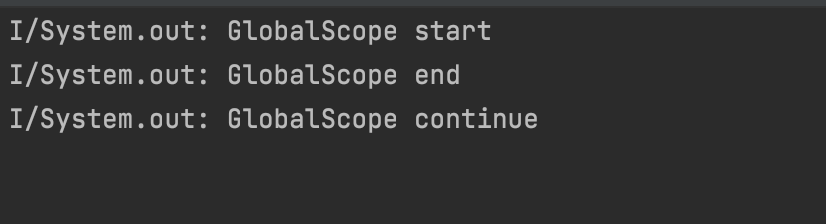
GlobalScope-Coroutine
The result is different now. we first print the start text, then our launch function is called, but since it has a delay for 2 seconds, our code prints the end text before the continue text.
GlobalScope is nice, but are there any other scope types?
CoroutineScope
CoroutineScopes are similar to GlobalScope. They run tasks on a background thread, but with CoroutineScopes, you can specify which thread the task will run on.
         println("CoroutineScope Start")
         CoroutineScope(Dispatchers.Default).launch {
             delay(2000)
             println("CoroutineScope Continue")
         }
         println("CoroutineScope End")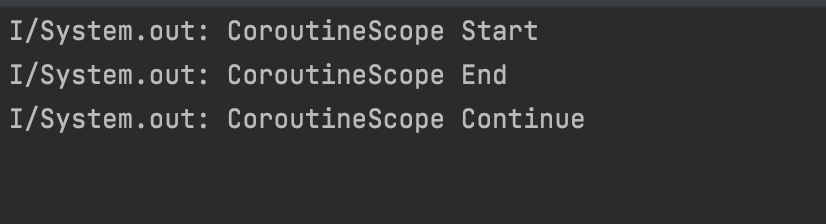
CoroutineScope-Coroutine
We get a result same as before. But this time we passed a Dispatchers.Default context inside our scope.
What are Coroutine Dispatchers?
Dispatchers are defining which thread a Coroutine will work on. There are 4 types of dispatchers:
Dispatchers.Default: Used for CPU operations. Standard coroutine functions such aslaunch,asyncuse this dispatcher by default.Dispatchers.IO: For use of Network and Disk based operations. Enterprise apps use this a lot.Dispatchers.Main: Works on the Main Thread. All UI work is done here.Dispatchers.Unconfined: Mostly uses Main Thread but its use is discouraged since it’s thread choice may change based on scope.
Here’s an example code that will print the thread names for different dispatchers:
GlobalScope.launch {

             launch(Dispatchers.Default) {
                 println("Default Thread: ${Thread.currentThread().name}")
             }

             launch(Dispatchers.IO) {
                 println("IO Thread: ${Thread.currentThread().name}")
             }

             launch(Dispatchers.Main) {
                 println("Main Thread: ${Thread.currentThread().name}")
             }

             launch(Dispatchers.Unconfined) {
                 println("Unconfined Thread: ${Thread.currentThread().name}")
             }
   }
The result is:
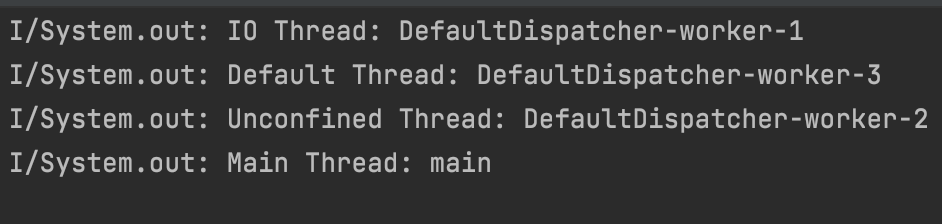
Dispatchers-Coroutine
Nested Coroutines
You can nest Coroutines.
 runBlocking {

            launch {
                delay(5000)
                println("Run Blocking")
            }

            coroutineScope {
                launch {
                    delay(2000)
                    println("Coroutine Scope")
                }
            }
        }
Because of the delays, the second launch function is run before the first, even though they are inside a runBlocking script.

Nested Coroutines
Suspend Function
You can cancel running tasks with the suspend function, without blocking its thread. Also, you can restart or pause Suspend functions. Don’t forget to use these functions inside coroutines.
Let’s define 2 different functions and call them from main():
 private suspend fun suspendFunction() {
        coroutineScope {
            delay(4000)
            println("Suspend Function")
            normalFunction()
        }
   }

 private fun normalFunction() {
        println("Hi, I'm a normal function!")
}- You have to mark functions with
suspendto usecoroutineScopeinside. - You can use normal functions inside suspend functions, but not vice versa.
        runBlocking {
            delay(2000)
            println("Run Blocking")
            suspendFunction()
        }
We can easily callsuspendFunction() inside runBlocking and the result will be:
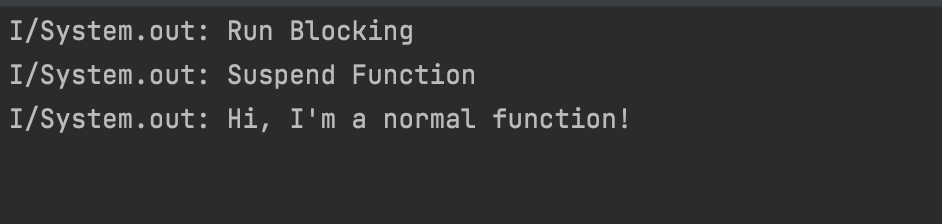
Suspend Function-Coroutines
Coroutines Async
Coroutines Async is used for Asynchronous operations that return a value. The difference between it and launch is, it returns Deffered instead of a Job. To run it, we need to use await() function.
  private suspend fun downloadUrl(): String {
        delay(3000)
        val url = "https://www.brooklyn99.com"
        println("Url was downloaded")
        return url
    }

    private suspend fun downloadName(): String {
        delay(5000)
        val name = "Brooklyn Nine-Nine"
        println("Name was downloaded")
        return name
    }
Our example defines 2 suspend functions, which mock a network operation. Then we’ll call both inside runBlocking using the await() command and assign their return values to 2 separate constants.
        var url = ""
        var name = ""

        runBlocking {
            val downloadedUrl = async { downloadUrl() }
            val downloadedDate = async { downloadName() }
            url = downloadedUrl.await()
            name = downloadedDate.await()
            println("$url -> $name")
        }
Coroutines Job
launch functions return a Job value. Coroutines Job is for controlling the lifecycle of a coroutine. You can nest jobs. Defining completion blocks are also easy, just use invokeOnCompletion:
runBlocking {
              val firstJob = launch {
                  delay(2000)
                  println("First Job")
                  val secondJob = launch {
                      println("Second Job")
                  }
              }
              firstJob.invokeOnCompletion {
                  println("Job finished")
              }
          }
The result will be:
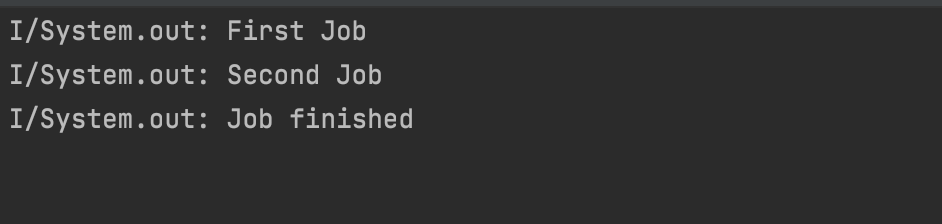
Nested Jobs-Coroutines
If you call firstJob.cancel(), the job gets cancelled and invokeOnCompletion block will be called.
withContext
Coroutines run inside a CoroutineContext object. They are used to switch between different dispatchers. They let you run operations within the same thread, without changing the scope.
runBlocking {
     launch(Dispatchers.Default) {
          println("Context: $coroutineContext")
          withContext(Dispatchers.IO) {
              println("Context: $coroutineContext")
          }
     }
}
We can see which dispatcher we use:

withContext-Coroutines
You can download the samples from the repo below: 👇🏻
https://github.com/halilozel1903/Coroutines101

