

StoreKit for SwiftUI
One of the significant developments at WWDC 23 this year was the enhancement of StoreKit, which has been in our lives since WWDC 19. With SwiftUI & StoreKit, Paywall screens have become incredibly fast and customizable. So let’s start looking at how to do that.
Currently, StoreKit can list our products and subscription plans with just one line. It automatically fetches the memberships or products and the user’s current status defined on the App Store, seamlessly integrating them with our SwiftUI customizations.
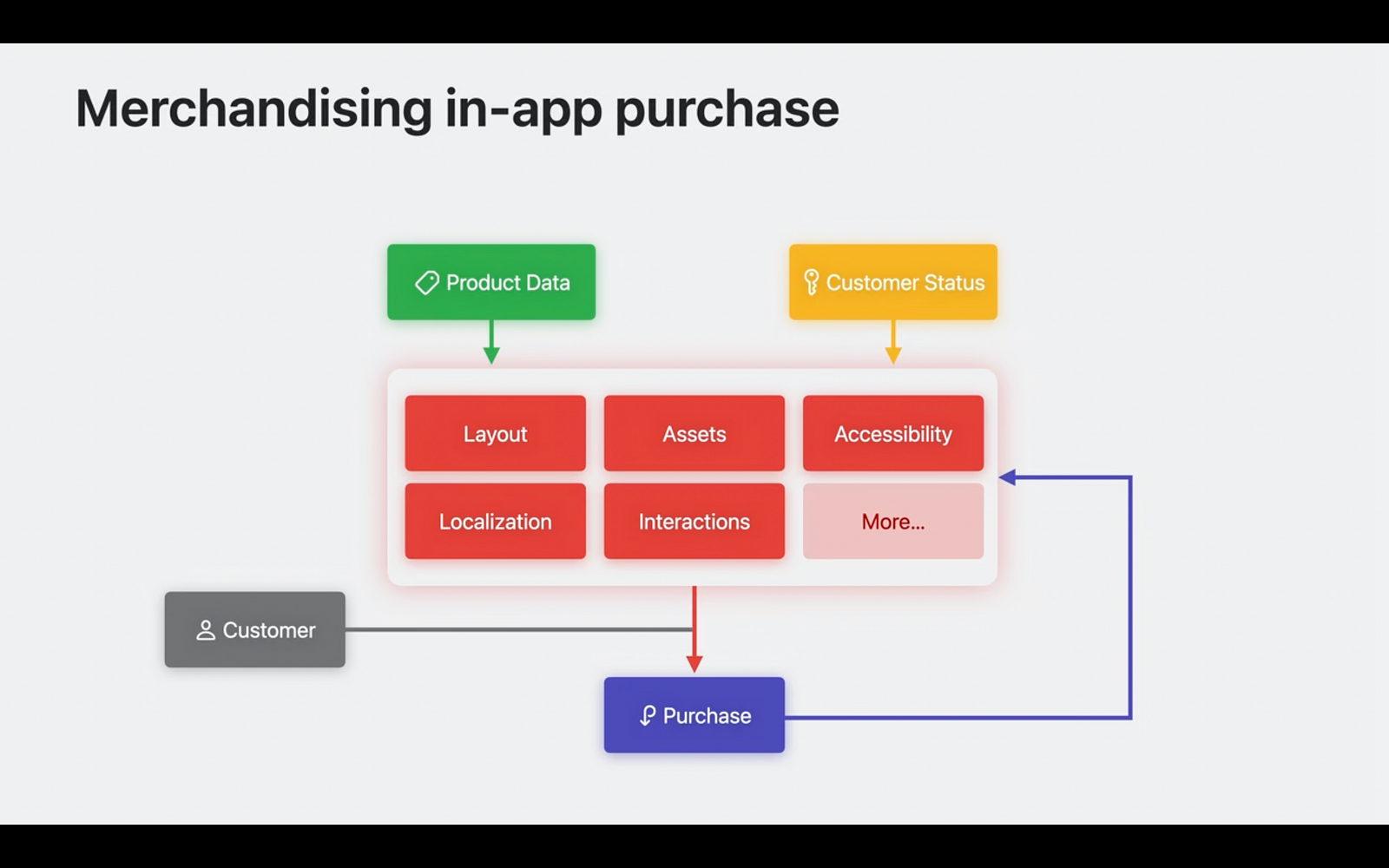
Key Components for Paywalls and Subscription Screens
To create paywalls or subscription screens for our applications, having knowledge of 3 main subjects is generally sufficient.
- StoreView: For products list
- ProductView: For each product
- SubscriptionStoreView: For subscription items
Let’s start with StoreView. StoreView automatically creates a list using the purchase options we define in the App Store and presents it within our app. Also, each part offers incredible flexibility based on our customization requests.
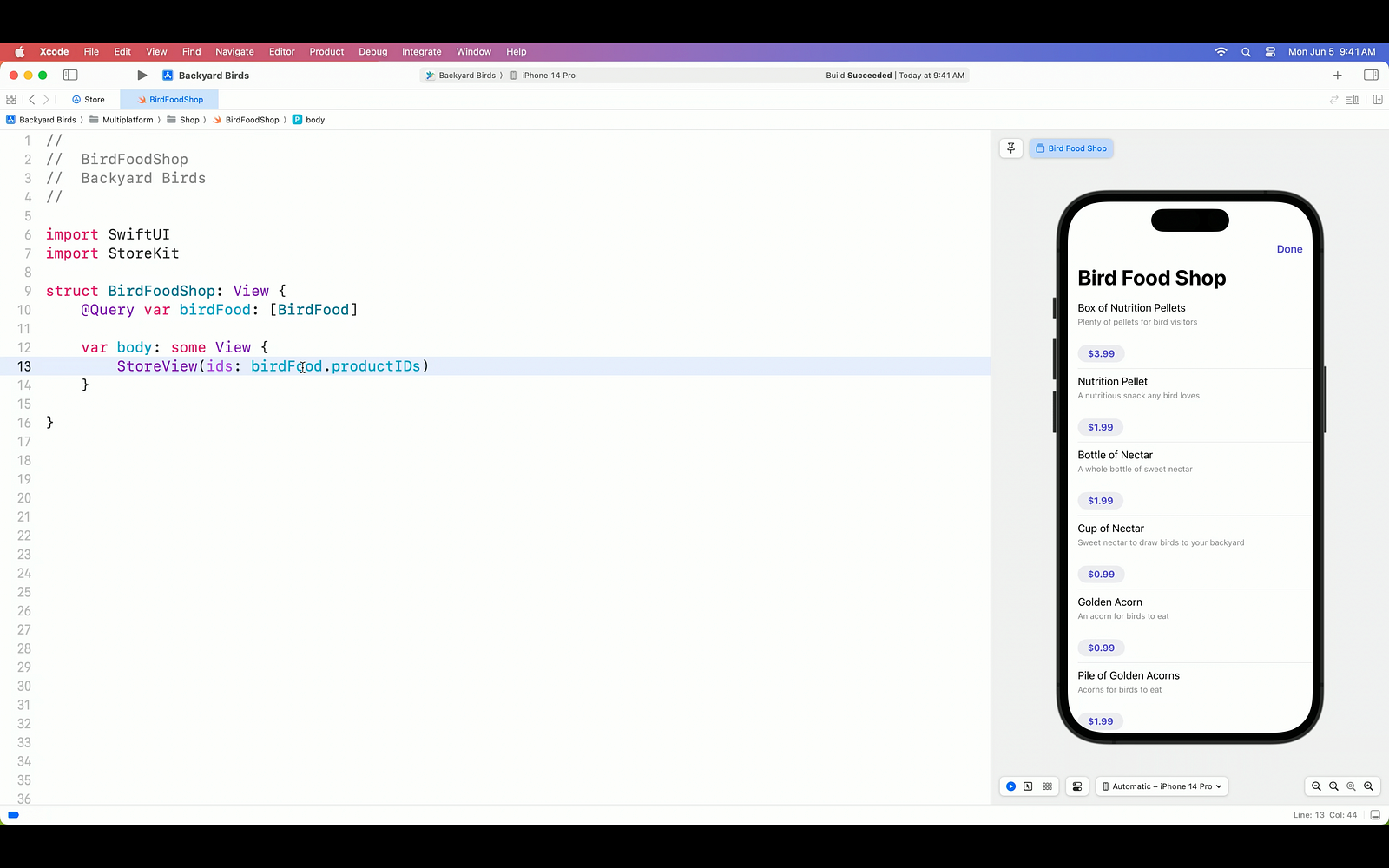
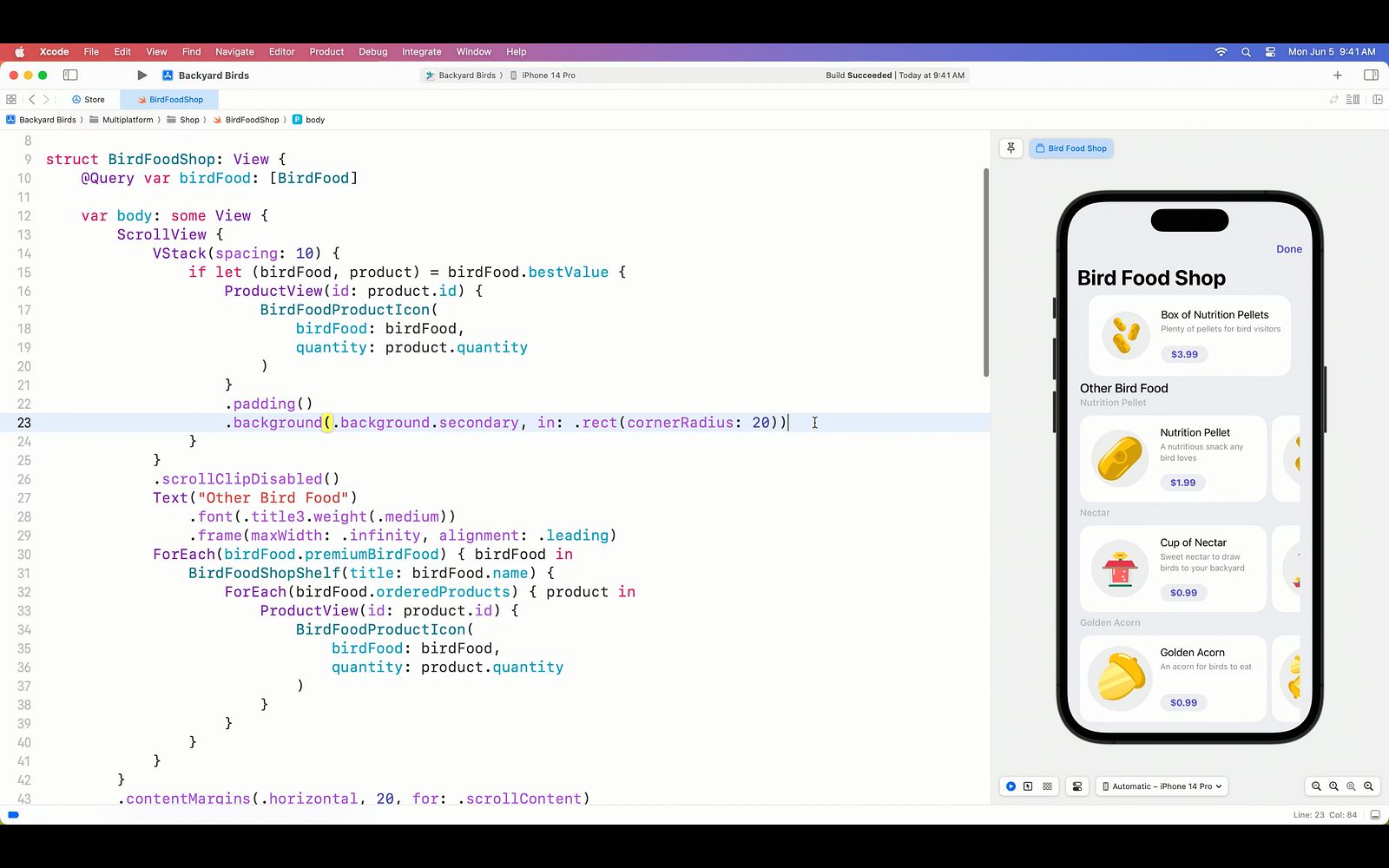
Next up is the ProductView. As you can imagine, many of us would prefer to showcase our products in a visually appealing manner using SwiftUI, rather than simply presenting them in a list format. The ProductView represents an individual product, and we refer to the views we place within it as product views. This allows us, as developers, to easily customize the appearance according to our desired design. Furthermore, the ProductView can be styled in three different ways using just a single modifier.
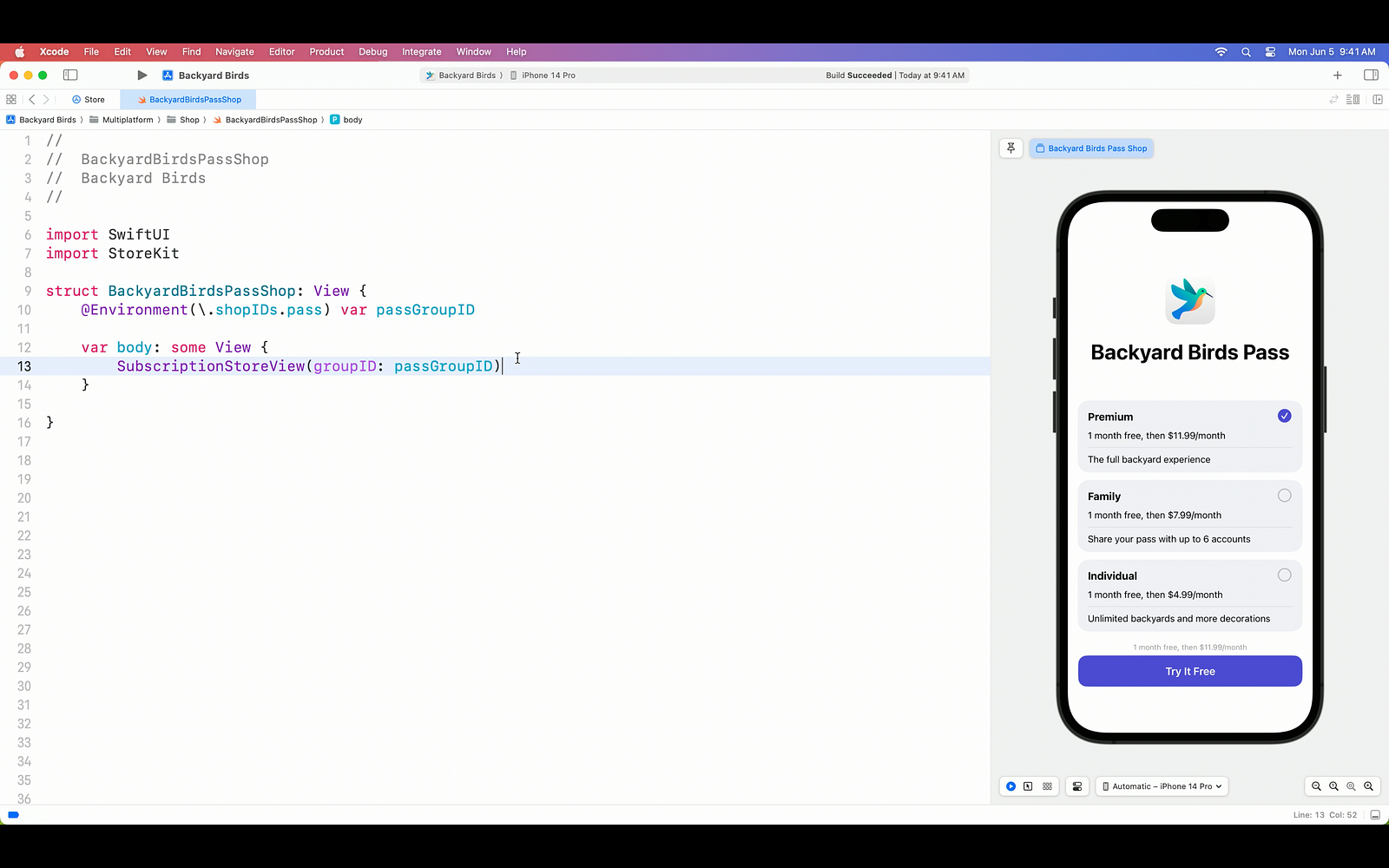
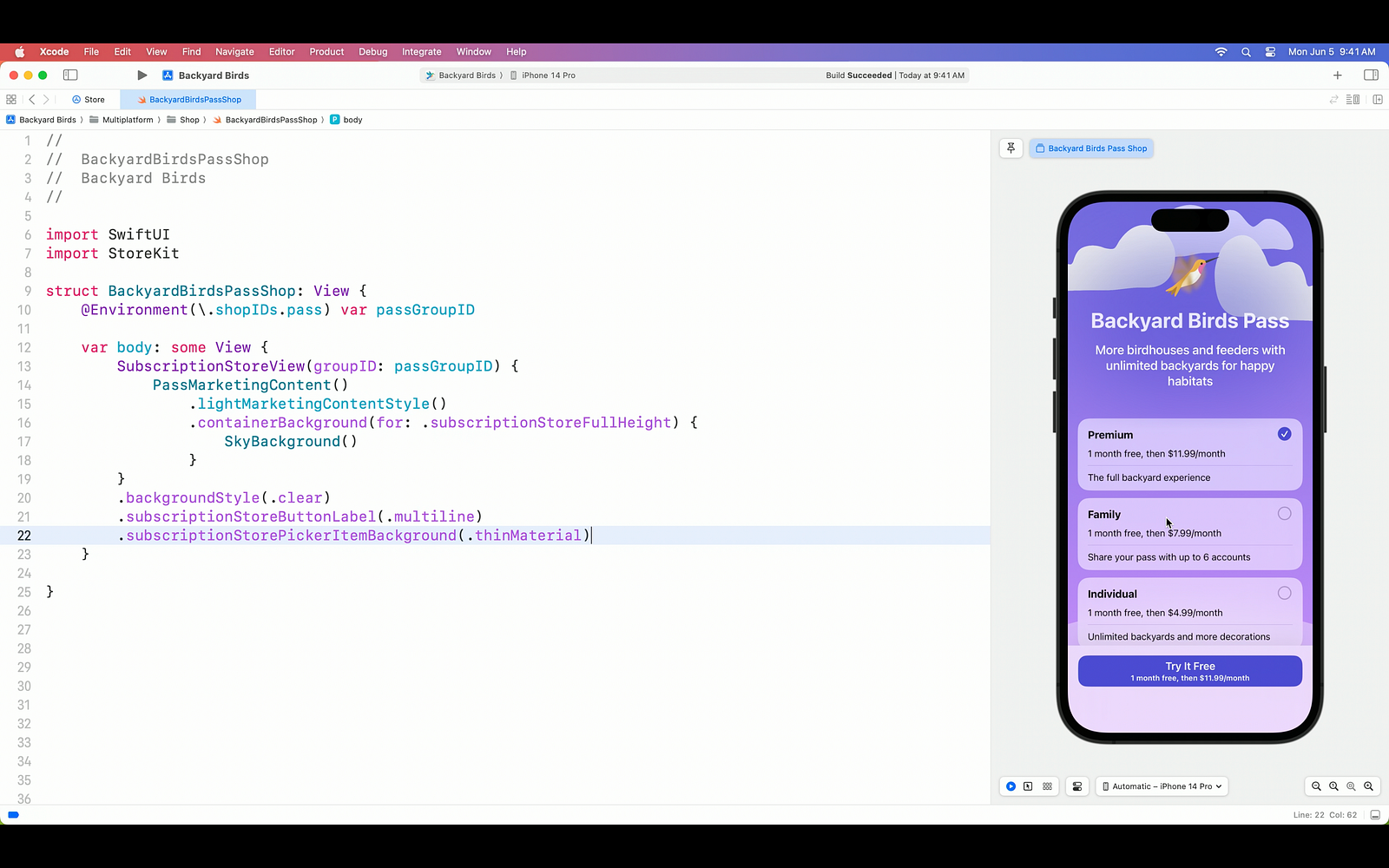
On the other hand, the SubscriptionStoreView enables us to display subscription options, another method of purchase, on the screen with just a single line of code, similar to the StoreView.
Certainly, with the power of SwiftUI, we can customize the SubscriptionStoreView in various ways. For instance, we can add a background image, remove the default blur effect behind the products, and give the subscribe button a distinct appearance. The flexibility of SwiftUI allows us to tailor the subscription store screen to match our app’s unique design and branding.
Processing Transactions and Purchases with StoreKit
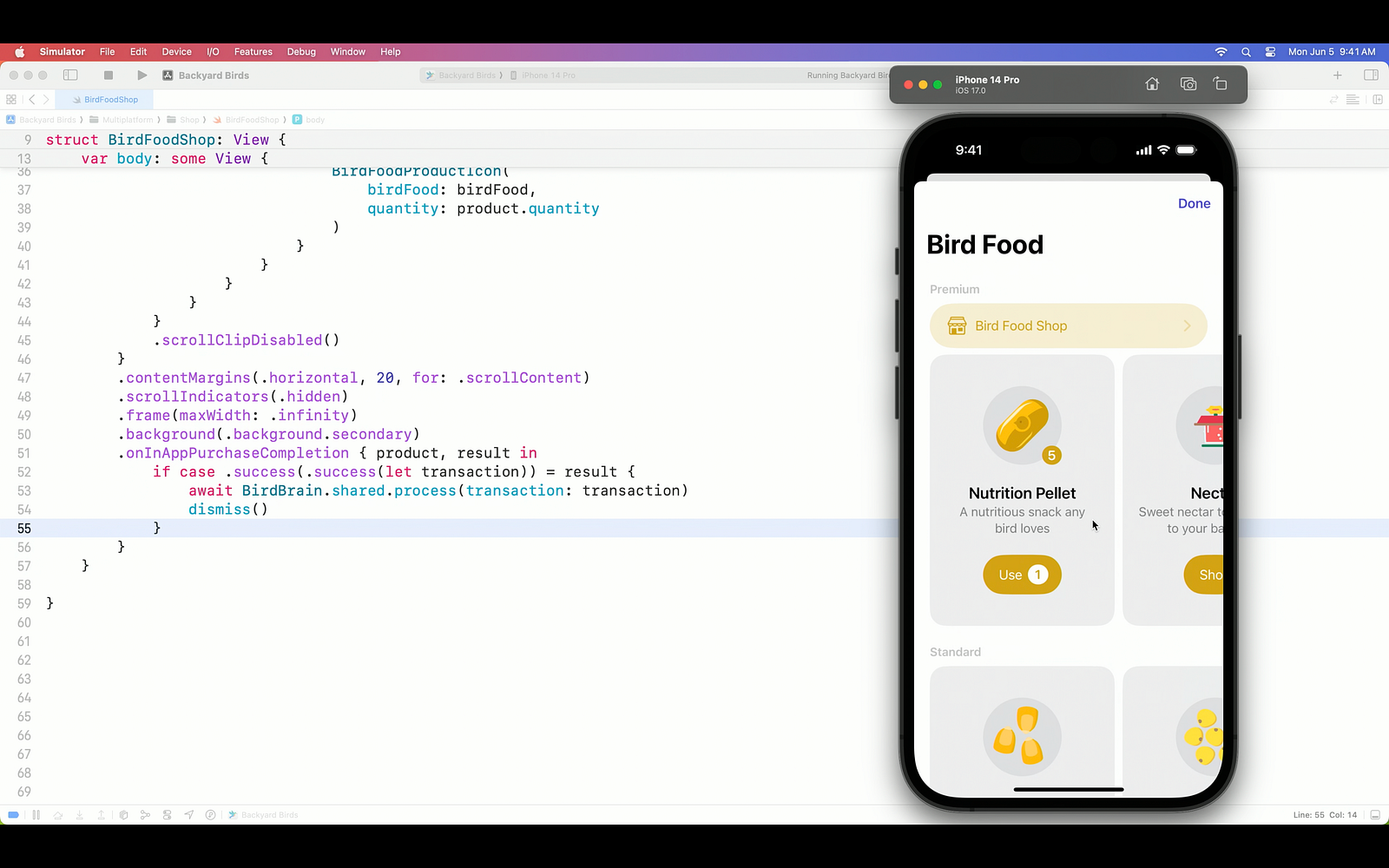
Now let’s focus on the primary purpose of this integration. How do we make transactions based on our purchases and results? Using the onInAppPurchaseCompletion(_:_:) closure provided by StoreKit, we can finalize the application purchase by utilizing the transaction result and transaction information.
Extensive Customization Options for Paywall Screens
Isn’t that enough for you? So let’s check out the tons of customization options.
- By default, the ProductView includes the redacted property, which allows for obscuring or placeholder content. Additionally, you can customize the appearance of the ProductView using the placeholder modifier to define the specific placeholder content or styling you desire.
- You can update the icon appearance to Apple standards with the prefersPromotionalIcon option.
- By utilizing the ProductViewStyle modifier, you have the flexibility to customize your products during both the upload process and after they have been uploaded.
- With the StoreButton modifier, you can add incredibly fast options to your screen.
- Cancel
- Restore purchases
- Redeem code
- Sign in
- Policies
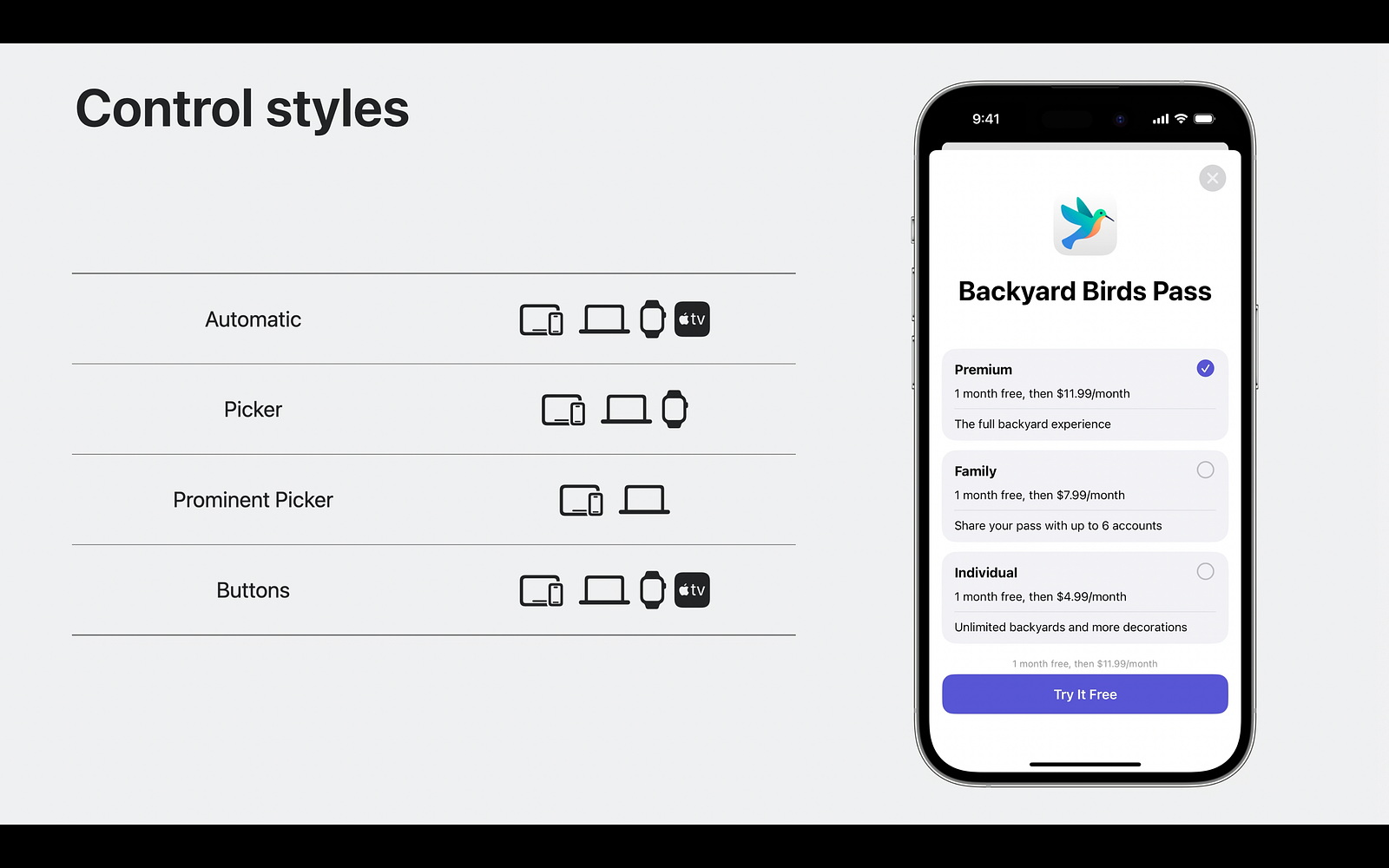
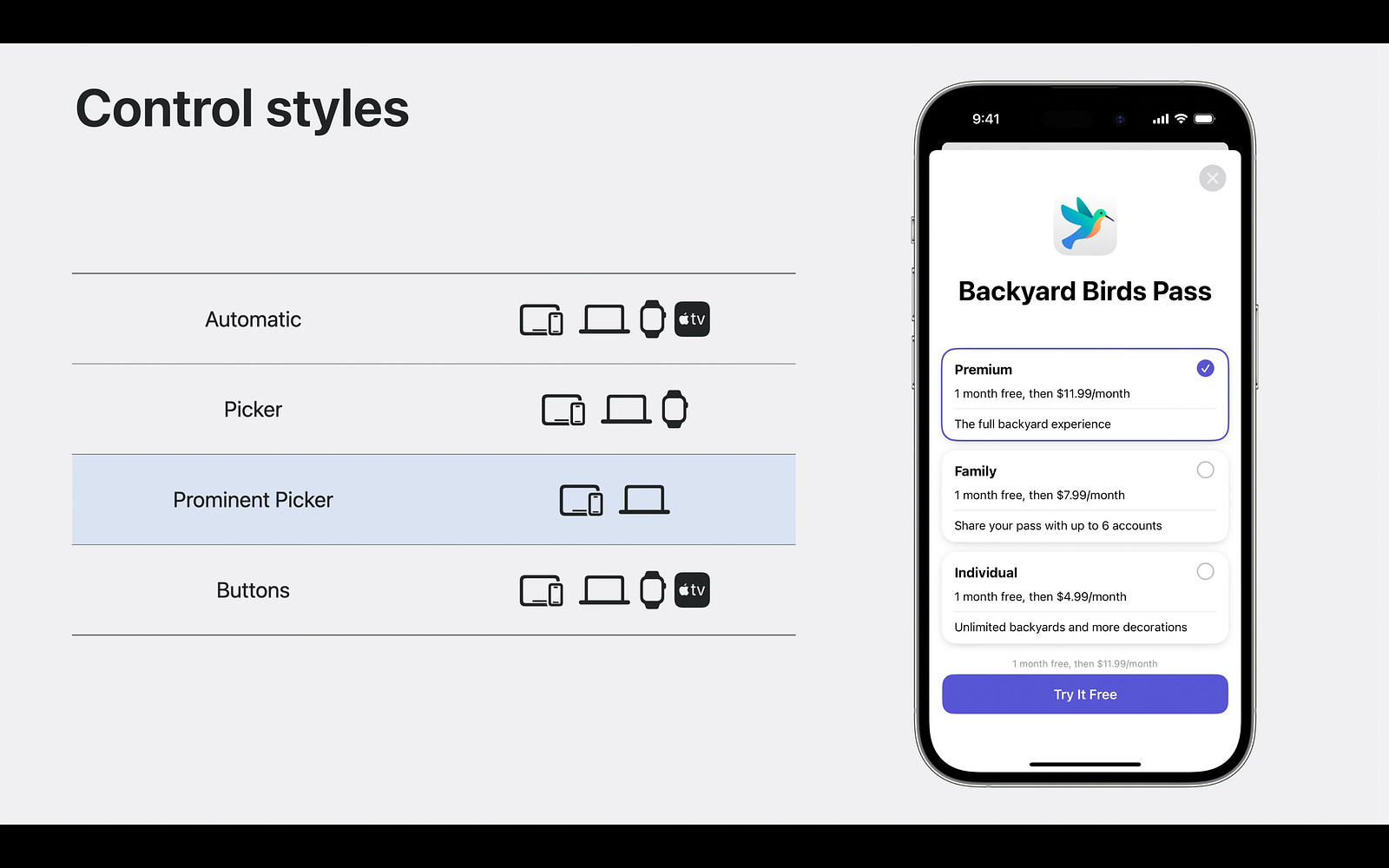
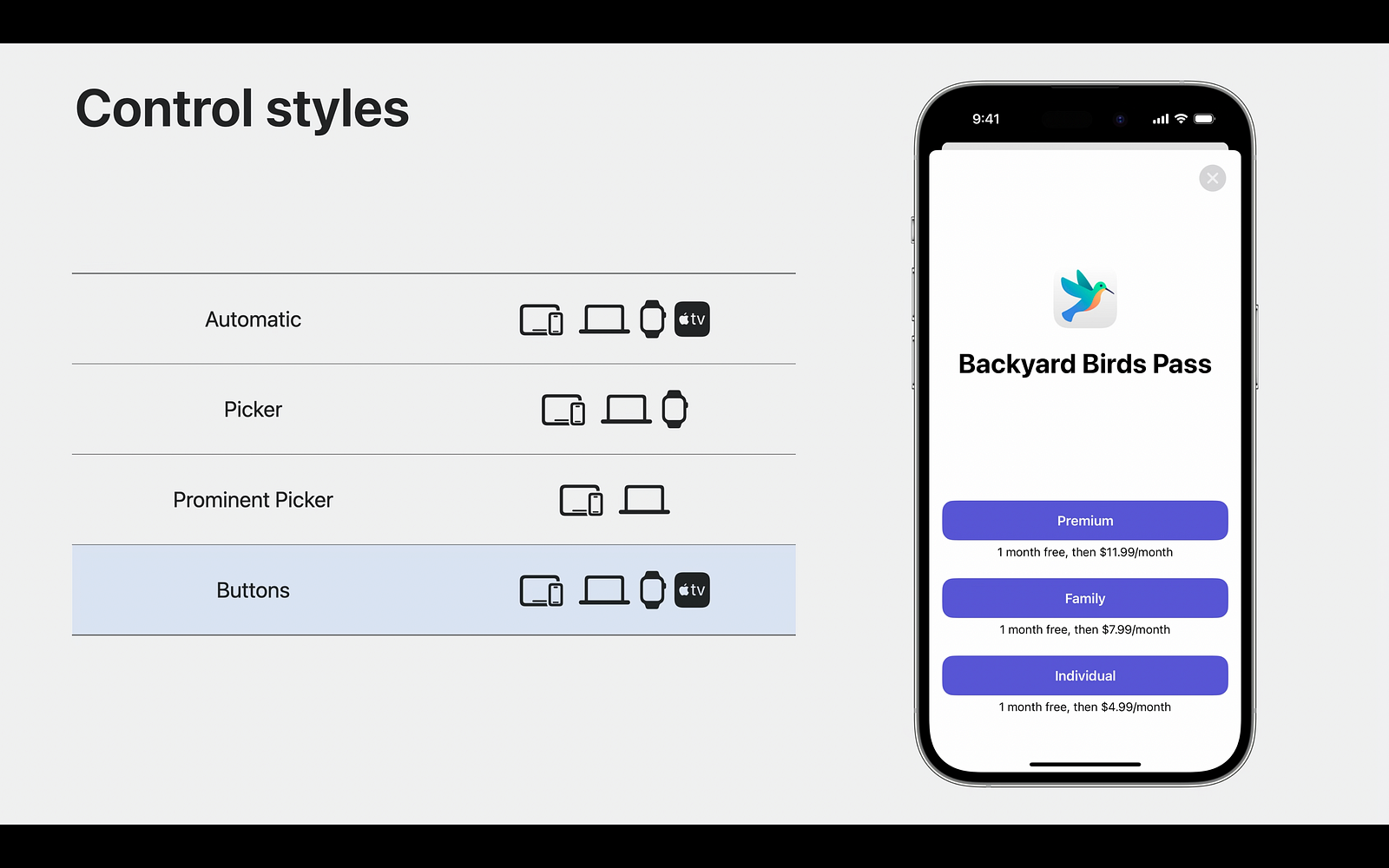
Except for internal privatizations, StoreKit currently offers 3 different types of listing options in this integration.
Summary
Apple has added a really cool feature for developers by combining StoreKit and SwiftUI. Especially a lot of customization options and easy integration is really easy. In our article, we examined together how we can make Paywall and Subscription screens with StoreKit and what we can customize.
To stay updated with upcoming posts about Apple sessions, be sure to subscribe to our newsletter below.
Hoping to write lots of SwiftUI with new topics. Happy coding. 🧡💙

