Posts

WWDC23: Meet mergeable libraries

Mergeable libraries are a new feature in Swift that allow you to merge multiple libraries into a single binary. This can improve the performance of your app by reducing the number of files that need to be loaded at runtime. In addition, mergeable libraries are also smaller than individual libraries, which can save space on disk and in memory.

New library type: Mergeable library

If you’ve written multi-architecture code or open source code before, you know that Apple had two types of libraries, static and dynamic. We now have 3 library types along with the combinable library type. As much as possible, the new library type is focused on solving the problems of static and dynamic libraries. While solving these problems and disadvantages, it promises many advantages and also solves the complexity of multiple architectures. Let’s examine together what this library, which Apple introduced at this year’s WWDC23, provides us.

Mergeable library

Advantages

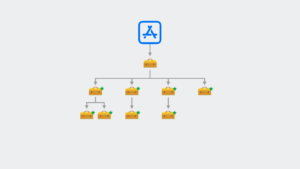
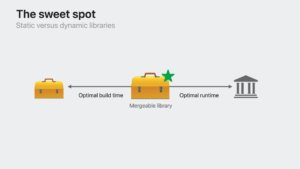
Mergeable library brings together the static or dynamic libraries you have created before and presents them to you under a single roof. In doing so, it does not cost you extra. Here are some advantages of the mergeable library;

  • Mergeable libraries can reduce the size of your apps by up to %50.
  • Mergeable libraries can improve the launch time of your apps by up to %20.
  • Mergeable libraries can make your apps more reliable by reducing the number of crashes.
  • Mergeable libraries make it easier to manage your dependencies, as you can update them all at once.
  • Mergeable libraries can improve the security of your app by reducing the number of potential attack vectors.

Static versus dynamic library

Using Mergeable Libraries to Improve Your Apps

To use mergeable libraries, you need to add the MERGED_BINARY_TYPE build setting to your app target and set it to automatic. You also need to add the MERGEABLE_LIBRARY build setting to each library that you want to merge. If you have any problems with mergeable libraries, you can disable them by removing the OTHER_SWIFT_FLAGS flag from your project’s build settings.

Once you have configured your project for mergeable libraries, Xcode will automatically merge all of your direct dependencies into a single binary. This will improve the performance and reduce the size of your app.

Mergeable Libraries

Mergeable libraries are a new feature in Swift that can be used to improve the performance, size, and security of your app. If you are looking to improve the performance, size, and security of your Swift app, then you should consider using mergeable libraries.

I hope this article has helped you to understand the benefits of mergeable libraries and how to use them to improve the performance and reliability of your apps. If you are a developer who is interested in improving the performance and reliability of your apps, I encourage you to check out the WWDC 2023 Meet Mergeable Libraries session.

WWDC23: Meet Push Notifications Console

Apple has recently added a new tool to App Store Connect called the Push Notification Console. This tool allows developers to quickly and easily test push notifications in their apps without having to use third-party software.

Developers are no longer obliged to 3rd party applications. By sending notifications directly from the console, we will analyze the submission logs to learn more about how to quickly make new scenarios and what we are doing. We will also learn how to generate and authenticate tokens to authenticate with the Apple Push Notification service.

Console

It is a tool that combines features to help you integrate push notifications into our applications. Push notifications are simple, short messages sent to an application, usually to inform the user.

Your only hurdle in expanding your app’s capabilities is your imagination, because you can’t imagine how much power you can add to your app with notifications. Apple devices receive millions of notifications every second. These notifications are delivered instantly and are designed to provide users with relevant information.

push notification console

push notification console

Push notifications can help users open the app and keep them always up to date with our apps. Notifications can be sent as a result of getting approval from the user by saying allow notifications. If the user accepts, a Device Token is generated by the APNs and then sent to the device. This token uniquely identifies our apps on the device. The Push Notifications Console is an advanced tool that provides tools for interacting with APNs.

push notification console

push notification console

Delivery Log

If we are developing an app and adding push notifications to it, we need to test the notifications. The history of notifications sent from this page is stored in the left sidebar for your convenience. Sometimes we need to know whether the notifications we send have reached the user. This is possible with the Delivery Log feature.

As a notification travels through the APN stack, events are logged that reflect the notification’s delivery process. For example; the device can simulate a situation where a notification is not received by activating Low Power mode.

push notification console delivery log

In this article, we learned about Apple’s Push Notification Tool.

Leaving the session link here for more details.
See you in my next articles!

WWDC23: Meet SwiftData

Apple has indeed emphasized the integration of SwiftUI with other APIs and frameworks during WWDC23, and SwiftData is one of the examples. SwiftUI and Macros work together seamlessly in perfect harmony. SwiftData is also compatible with CloudKit and Widgets. Now, let’s explore the @Model macro, one of Swift’s new macros, and quickly delve into how SwiftData facilitates reading and editing data.

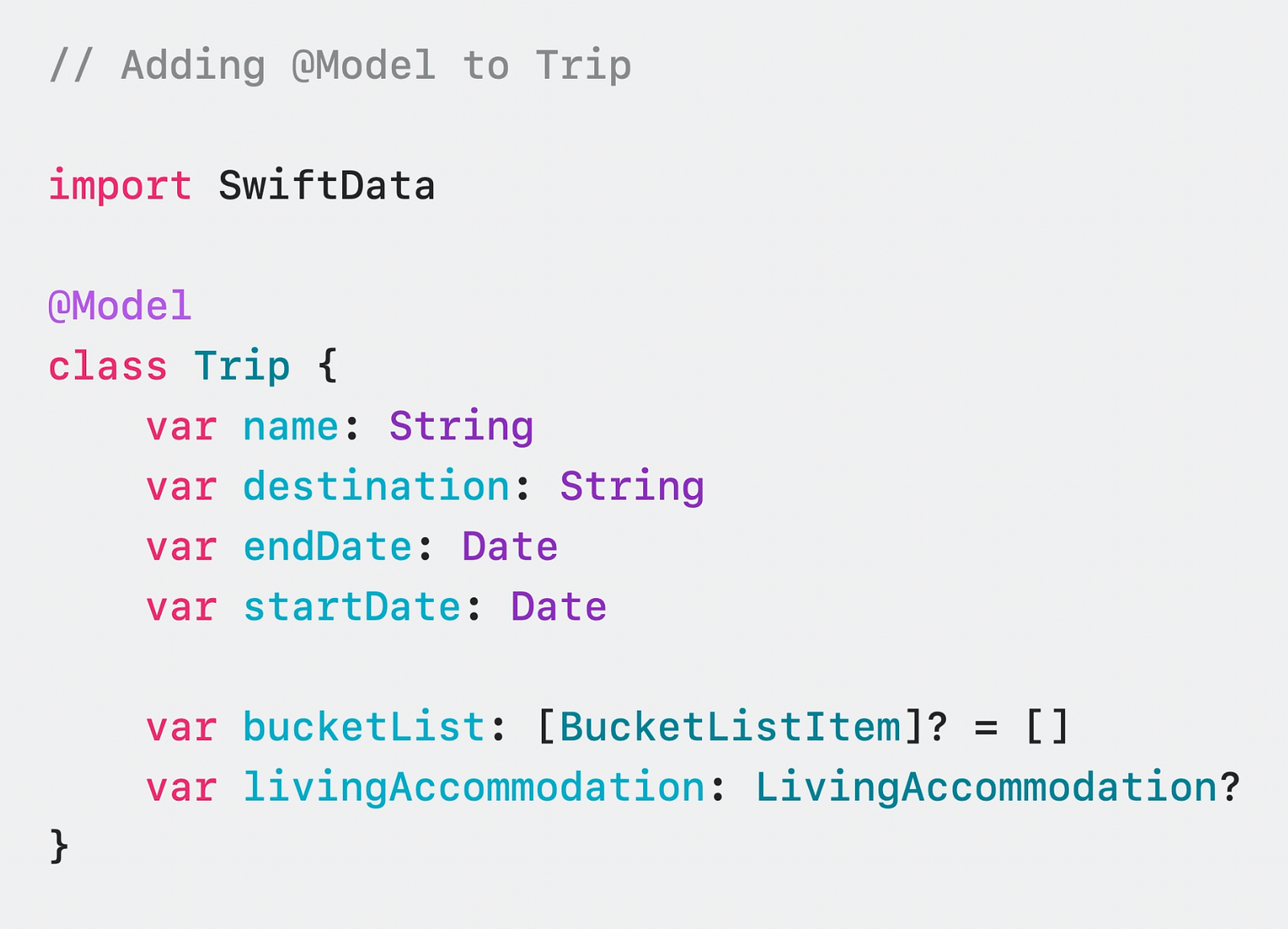
Lets Explore @Model Makro

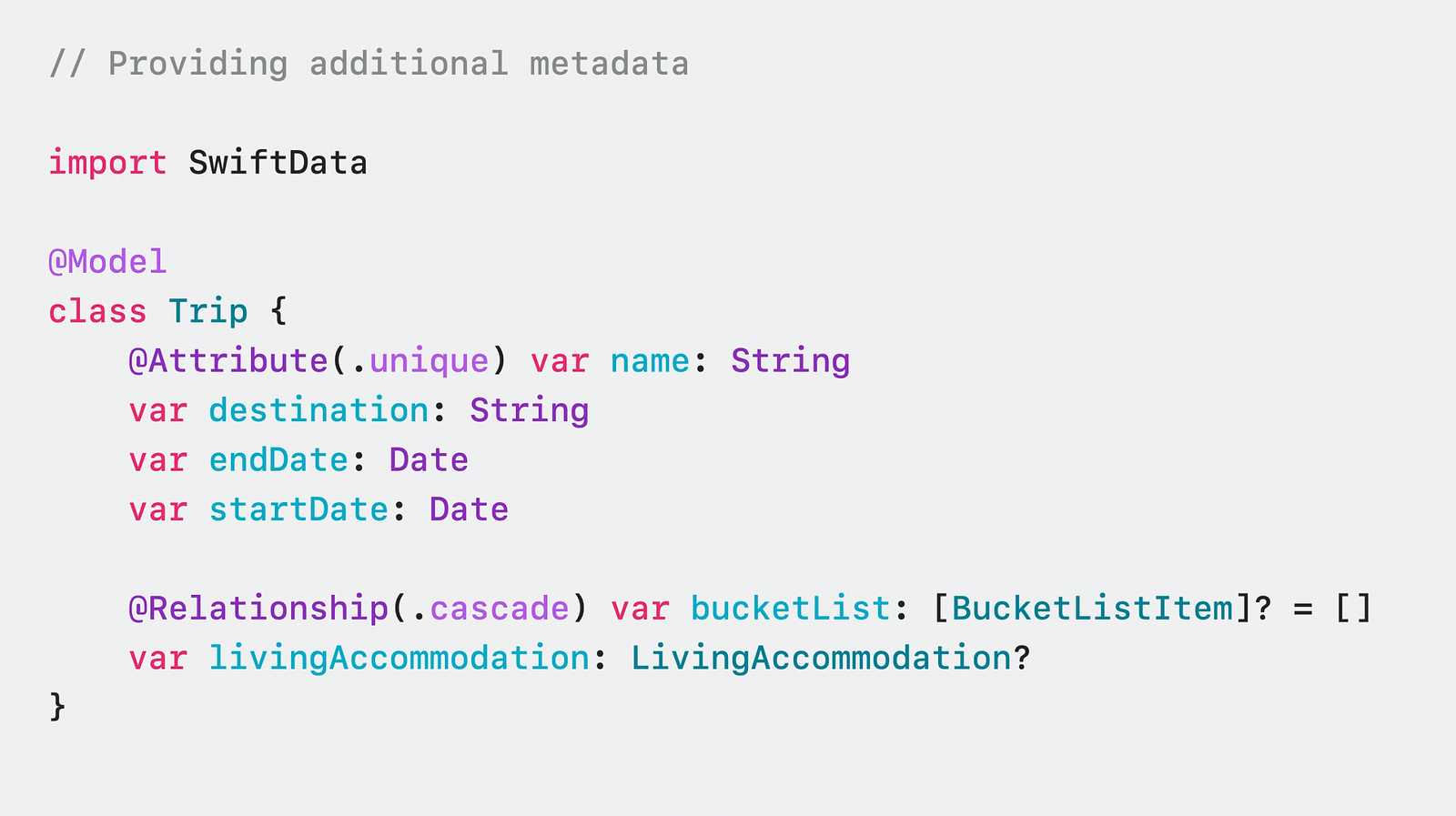
Unlike CoreData, SwiftData allows you to stay within the Swift ecosystem. Your models are constructed entirely using Swift code, and with a single macro, they are transformed into robust objects that seamlessly integrate with SwiftData. This approach ensures that you can fully leverage the power of Swift while working with data models in SwiftData. In this way, we do not need CoreData’s UI for the data model and then the Swift class we created to use the model.

SwiftData code example

For example, you can establish a relationship between two objects or specify them to be unique with the attribute property.

SwiftData code example

This makes it very convenient for us to create relational data and keep it locally on our device without an extra library. Now there are two key objects we need to know in order to use these models.

ModelContainer and ModelContext

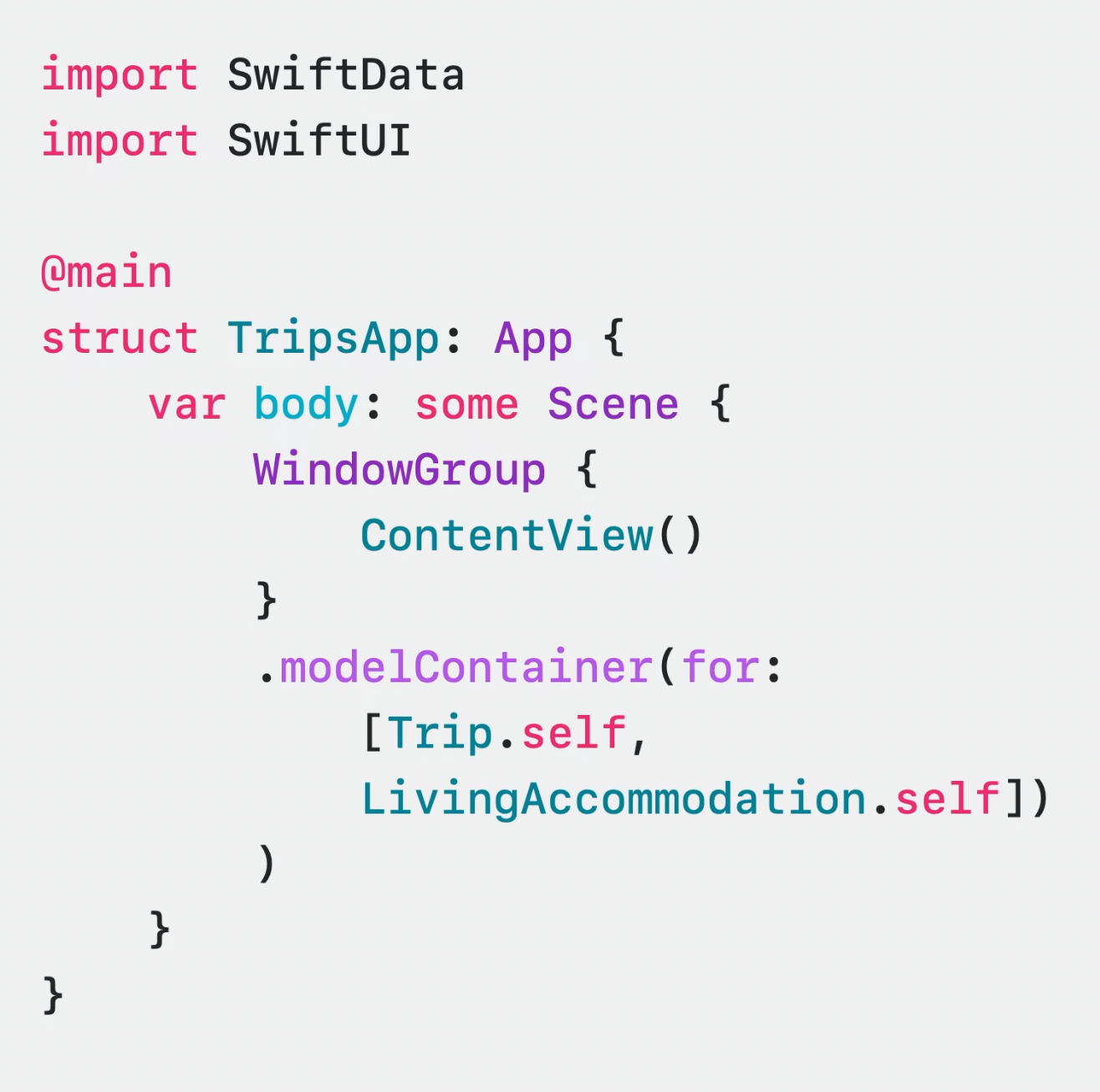
ModelContainer provides you persistent backend. You can prepare your container by default or with many customization options, including CloudKit.

SwiftData code example

You can also define it directly for use in SwiftUI.

SwiftData code example

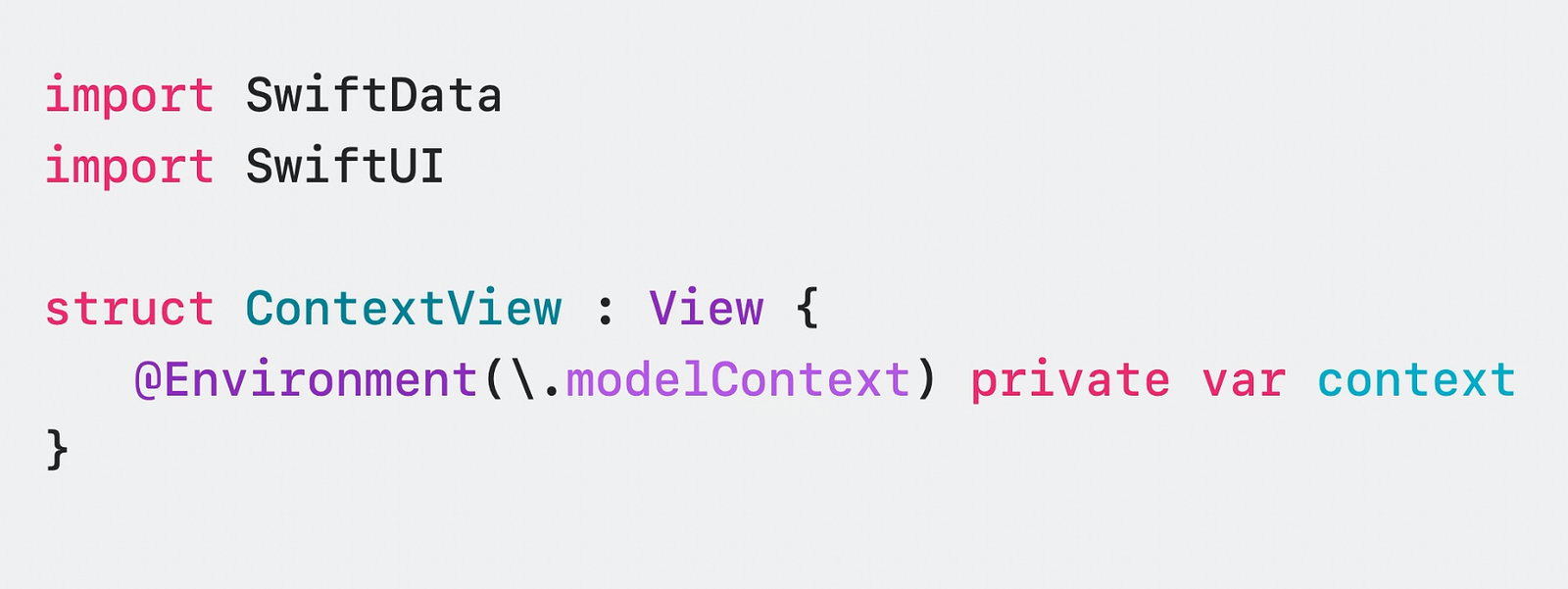
ModelContext, on the other hand, is an interface that tracks all the actions that take place in the models we set up in the context and enables us to take action. In SwiftUI you usually access it as follows.

SwiftData code example

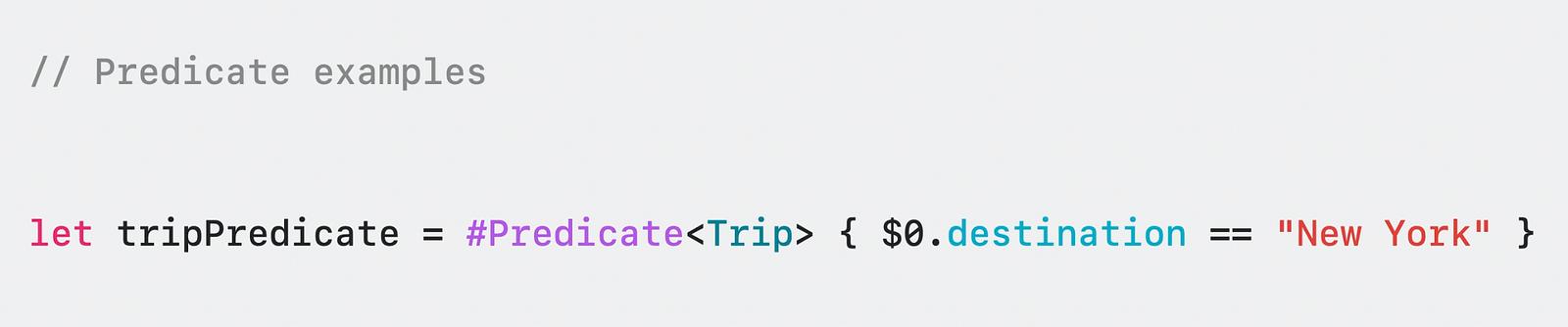
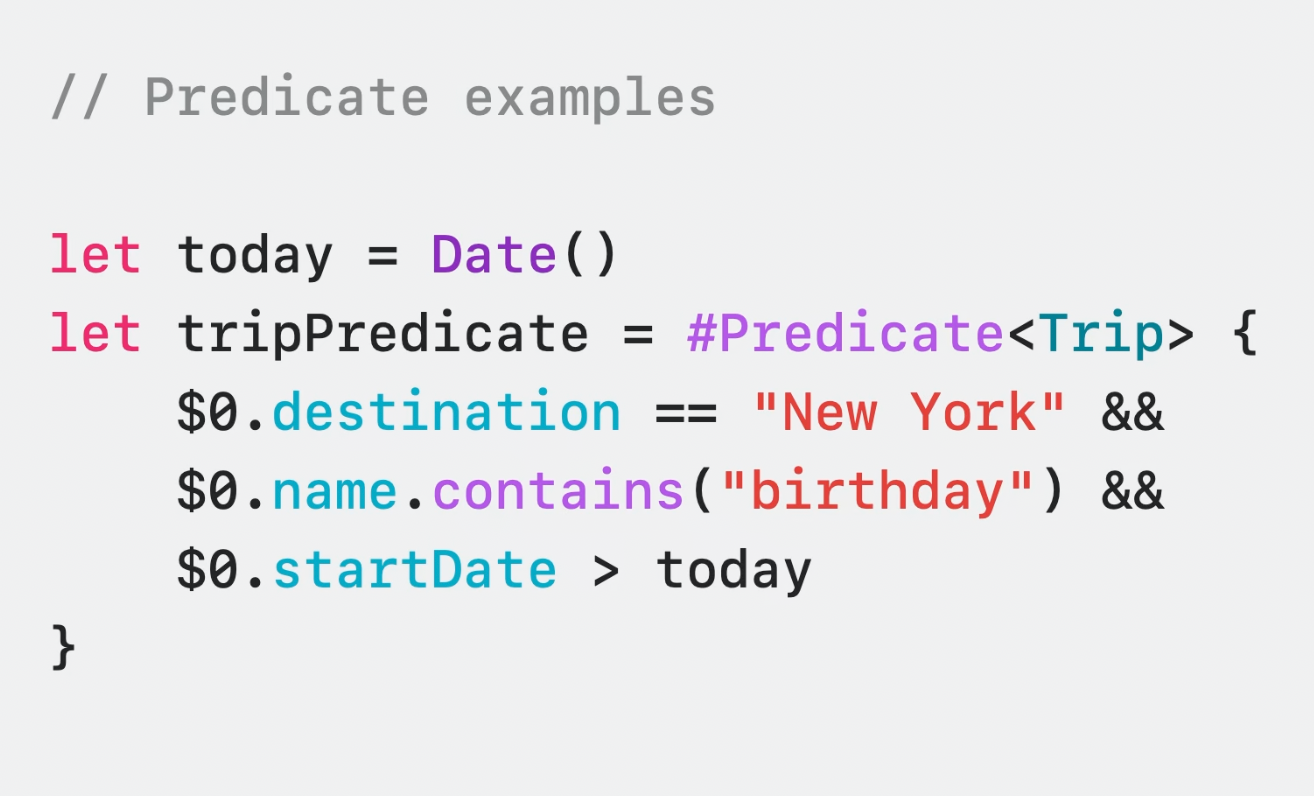
We are now ready to access our data when we have done all this. Because SwiftData uses macros, it also uses the new #Predicate with iOS 17. This is an incredibly practical layout with macros that replaces the old layout type-controlled NSPredicate.

Meet #Predicate & Fetch some Data

A simple predicate can be created with only one line with these macros. This is pretty awesome because the code we write is pretty minimal.

SwiftData code example

Of course, a predicate must be able to control more than one thing, which can be combined with conditions.

SwiftData code example

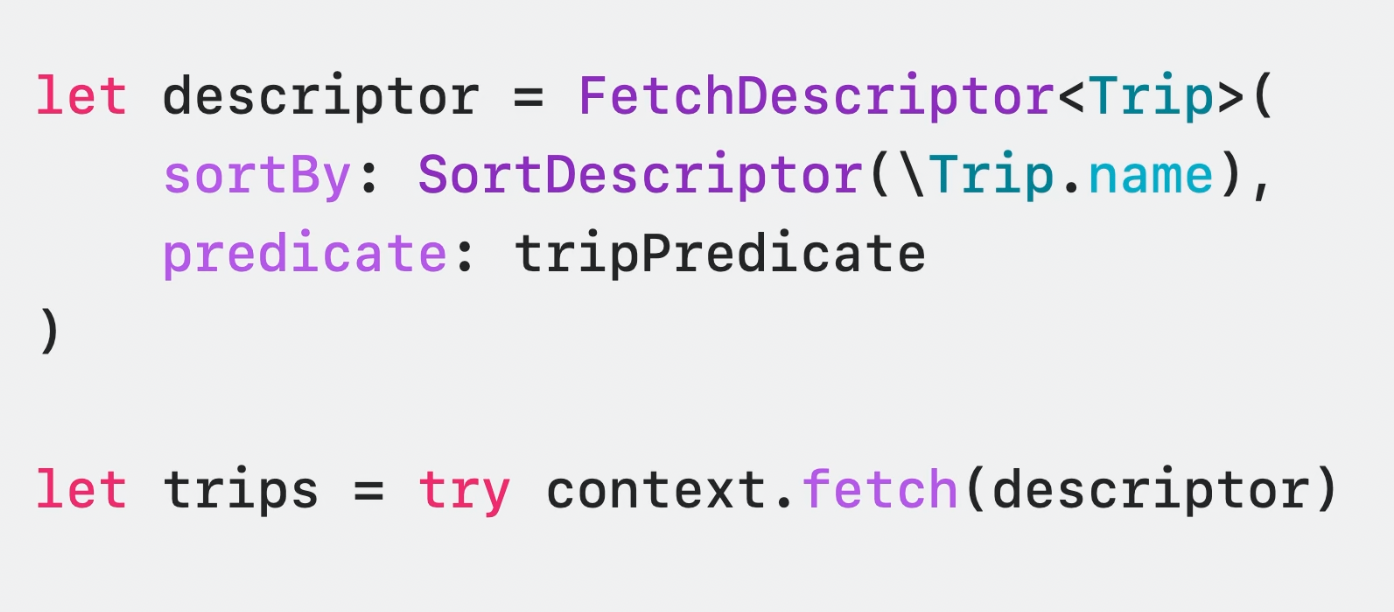
To fetch data using predicates and in a specific order, we can utilize the SortDescriptor property in SwiftData. By mapping the SortDescriptor property to a property of our model, we can incorporate it into the fetch operation. This allows us to fetch the desired data while maintaining the desired order.

SwiftData code example

In addition, you can use FetchDescription to limit the number of results, check if the data has been recorded before, and much more.

SwiftUI and SwiftData: Rush Binary

SwiftData was developed with SwiftUI in mind, seamlessly integrating, and enabling powerful operations. The operations that can be performed using the existing context are incredibly straightforward, reminding us that we are genuinely writing Swift code.

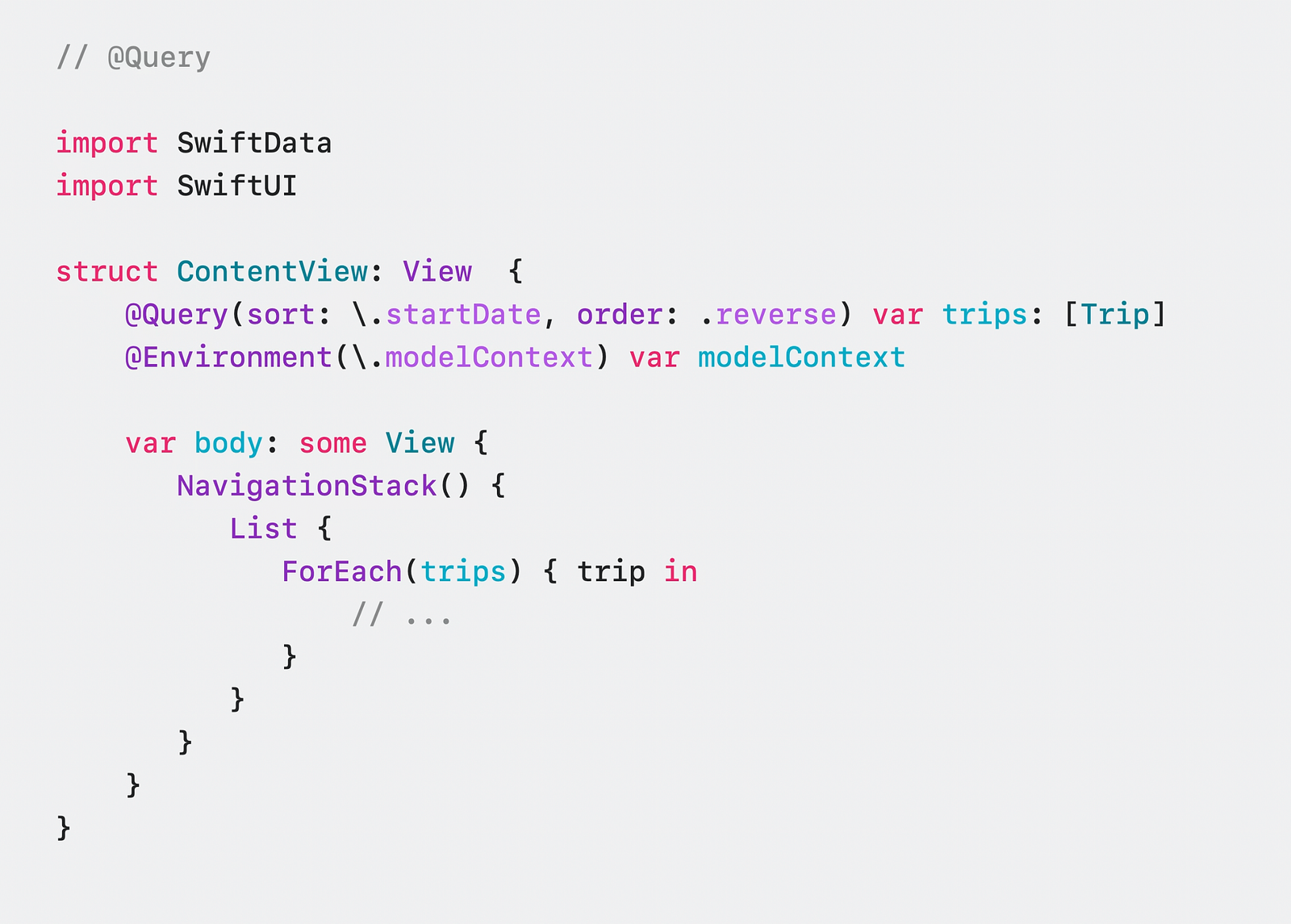
After installing ModelContainer and ModelContext, SwiftUI gives you complete control. For example, you can print the data in order in a few seconds using @Query.

SwiftData code example

Remember, with Observation, you don’t need wrappers like @Published. SwiftUI does this for you. If you’re interested in how SwiftUI does it, you can check it out here.

Summary

In this article, we met with SwiftData and witnessed what it can do using the combination of SwiftUI & Macro.

Also, you can watch this session here. Enjoyable and Swiftyyy coding 🧡

WWDC23: Meet ActivityKit

Overview of Live Activities

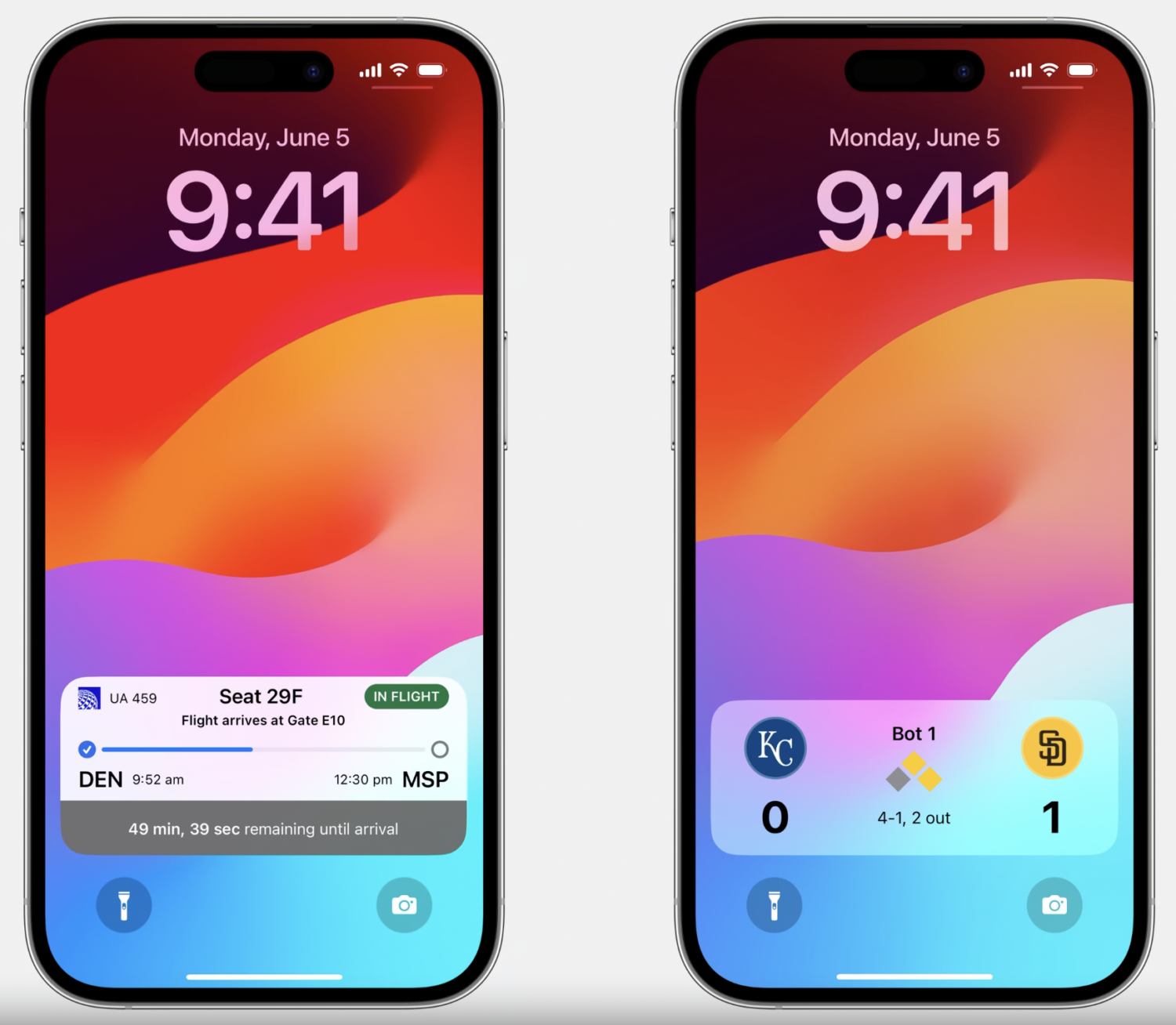
Live Activities provides us with the best way to track an event or a task. It allows us to follow it in real-time, delivering updates actively in the background and providing push notifications. For example, you can track a flight instantly or see the scores of a sports match in real-time.

Live Activities example on iphone

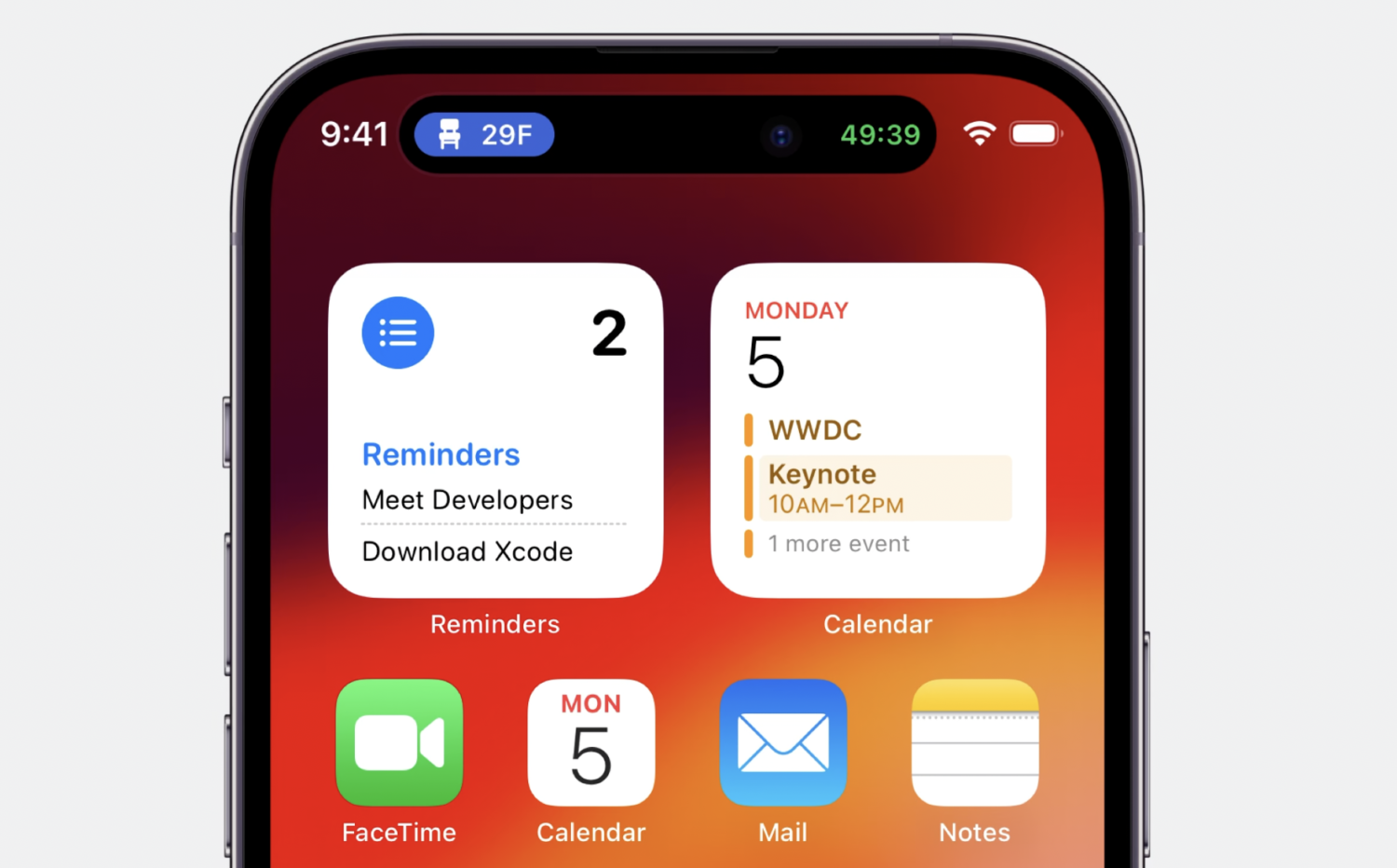
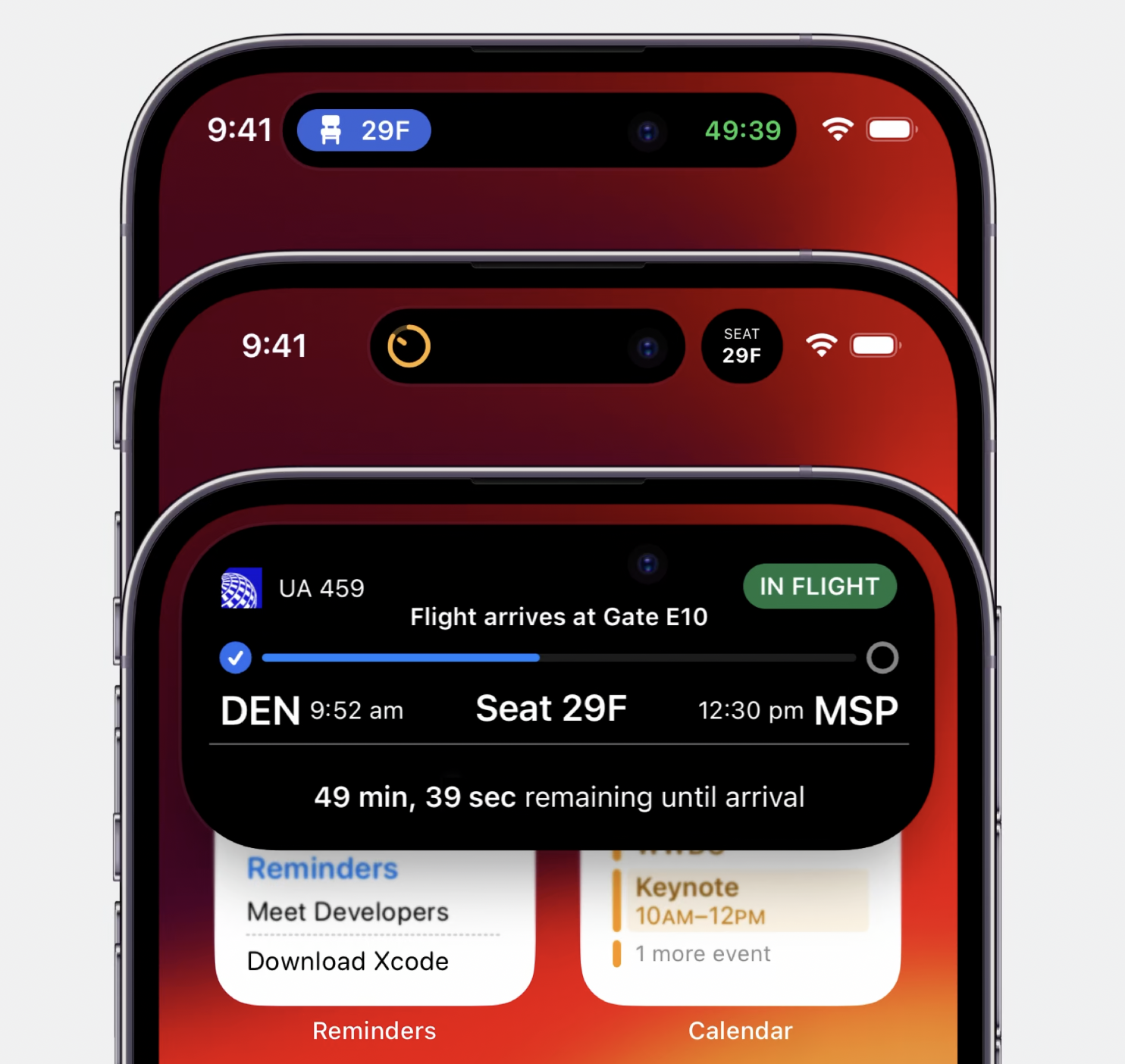
Live Activities offers a more immersive experience for iPhone 14 Pro and Pro Max. Even while running in the background, the Dynamic Island app provides you with a UI experience. Live Activities example on iphone

Dynamic Island simultaneously provides two different Live Activities for users to use at the same time. One is on the left side of Dynamic Island, while the other is on the right side of the camera. Dynamic Island seamlessly synchronizes with an extended view alongside its minimal presentation, allowing for smooth interaction.

Live Activities example on iphone

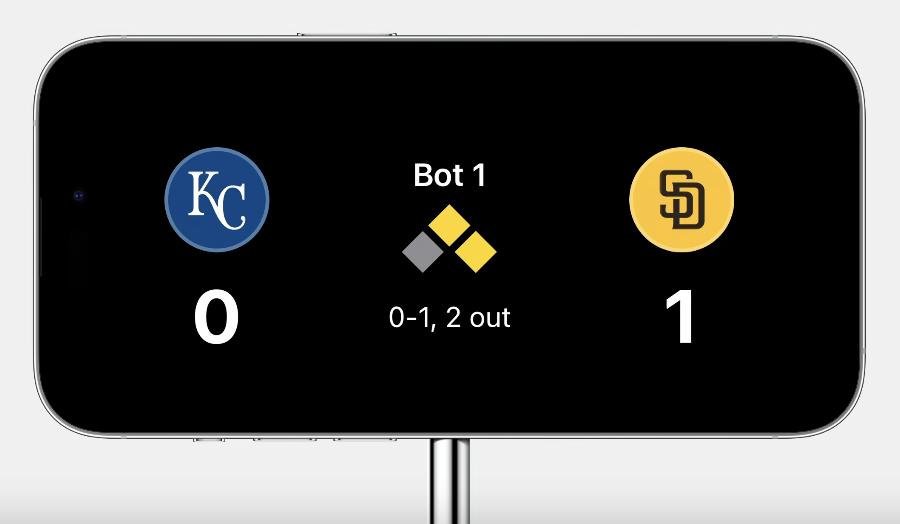
With the new standby mode coming with iOS 17, Live Activities have become compatible within this mode. Live Activities can now also be used on iPadOS.

Live Activities example on iphone while standby

Lifecycle of Live Activities

The lifecycle of Live Activities consists of four main stages: request for activity initiation, updating the content of the current state, observing activity state during runtime, and the ending step when the task is completed.

  • Request
  • Update
  • Observe Activity state
  • End

Build an Activity with ActivityKit

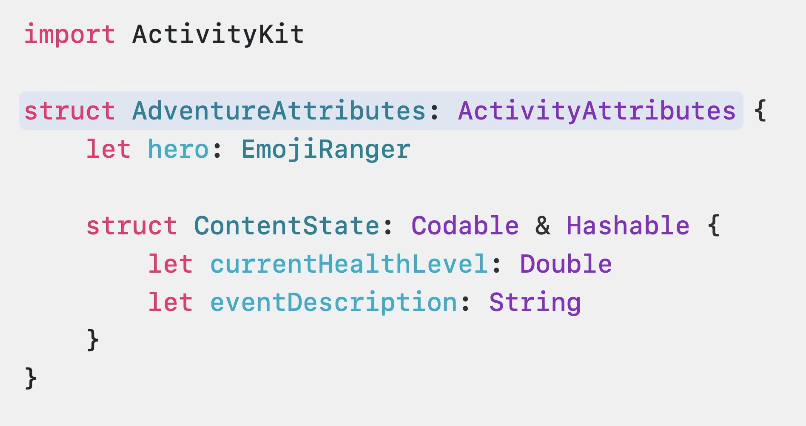
Let’s start with activity initialization in the background. We add the ActivityKit protocol to your application and define an initializer.

ActivityKit code example

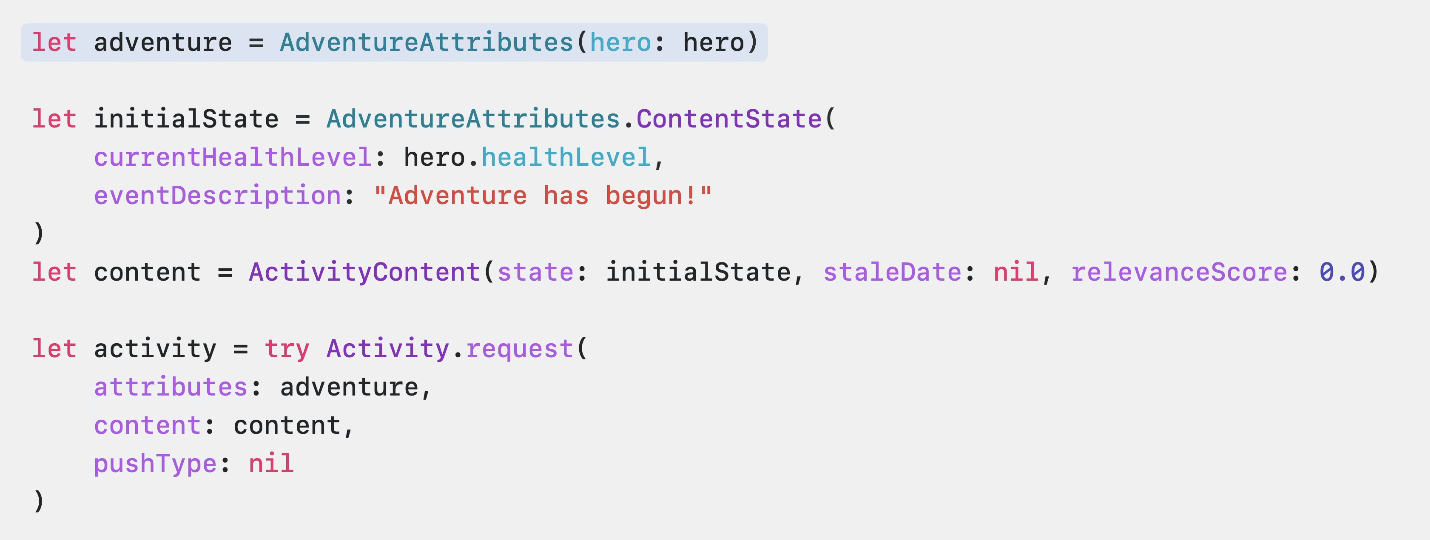
If dynamic and static data are ready, we can proceed to the activity request step. We start by creating an instance from the protocol we defined. Then, we proceed with the initial content. After that, we request the activity using the content we created. Optionally, a push notification type can be provided at this stage.

ActivityKit code example

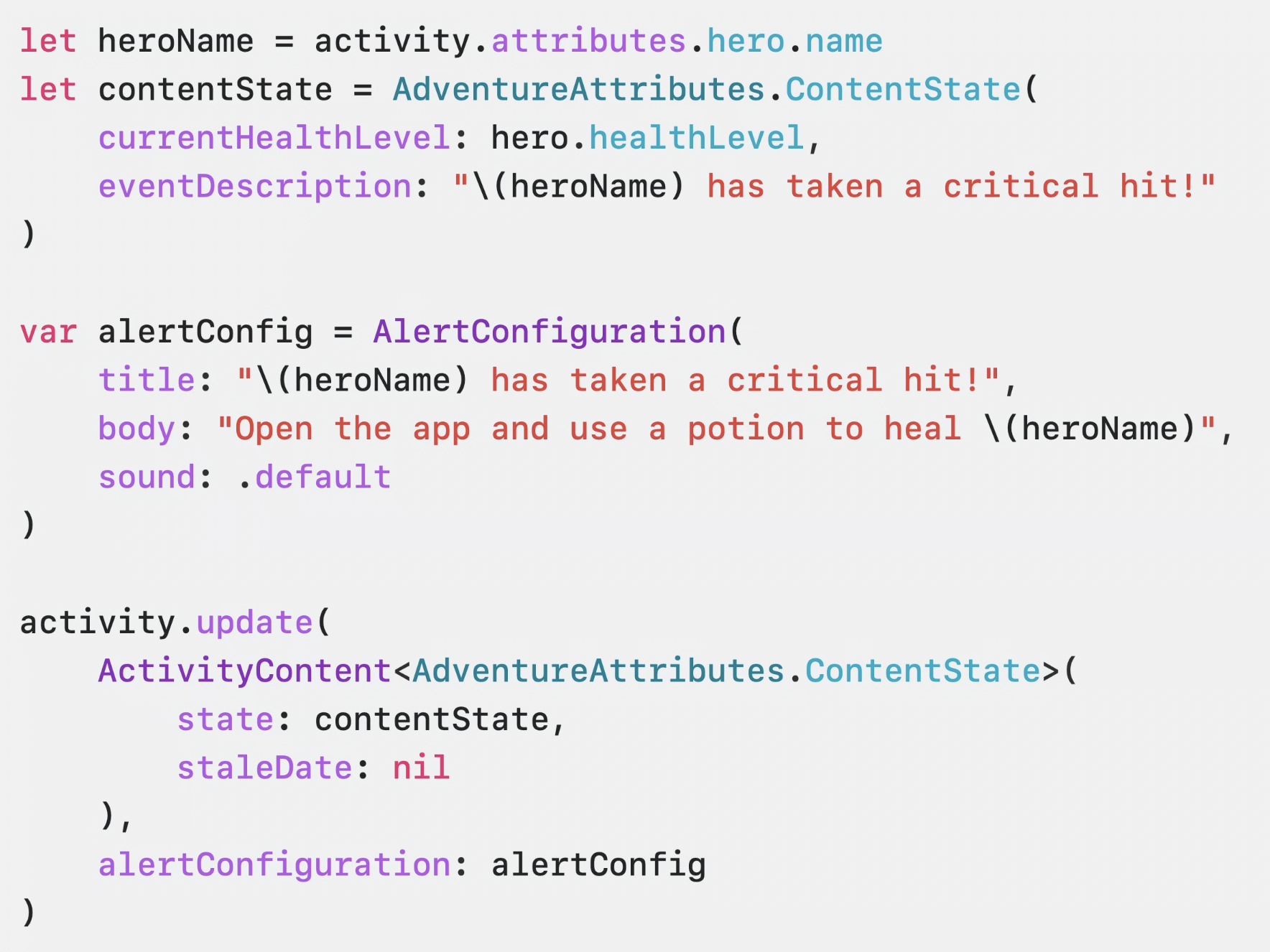
Next, we have the update step. Activity update allows us to track the real-time status of the event we are following. To do this, all we need to do is update the content states of the instance we created and then call the update function of that instance.

ActivityKit code example

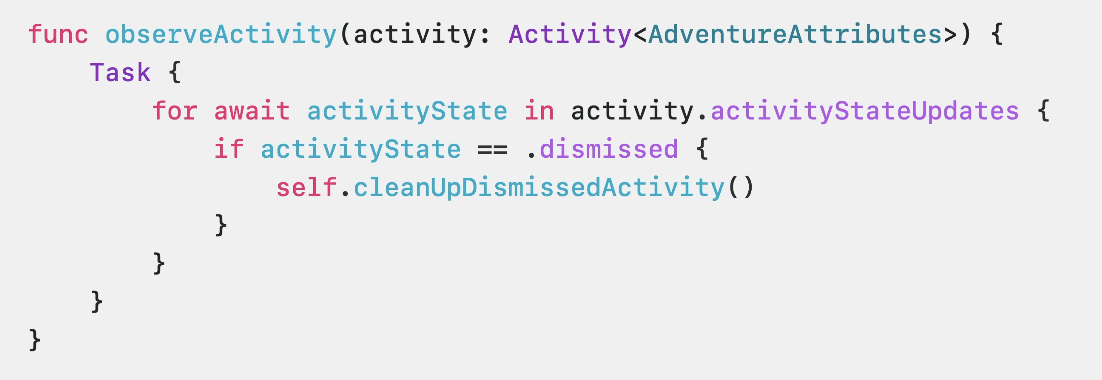
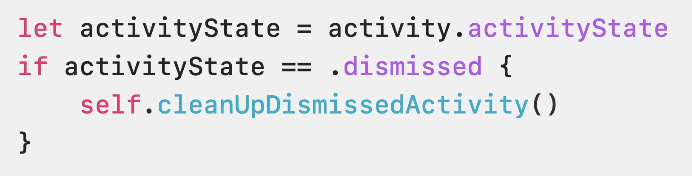
Now let’s move on to the observe activity step. Activity tracking consists of four possible steps: Started, Finished, Dismissed, and Stale. We track these four possible steps using the “Update Observe API.”

ActivityKit code example

If needed, we can use the “Activity State Control API” to control the event state.

ActivityKit code example

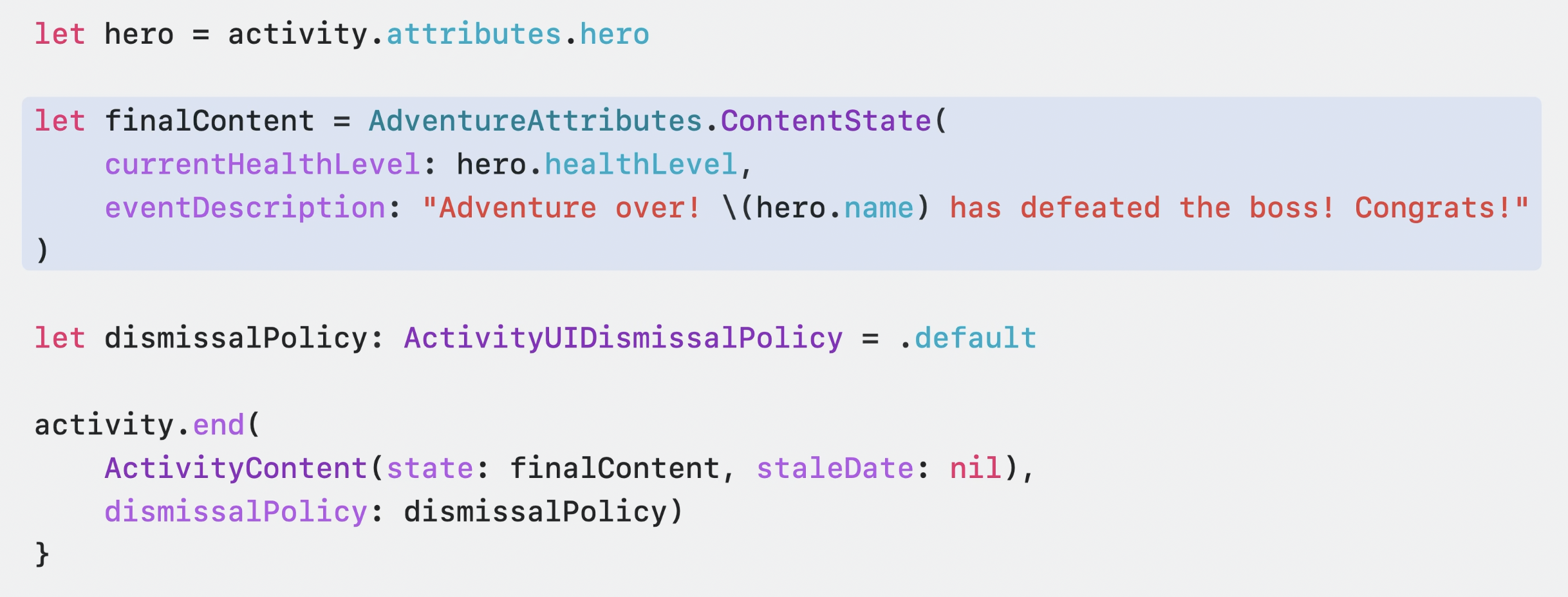
And now we have reached the final step, the end step. The end step allows us to determine what will happen at the end of the activity by creating a final content. We can end the event by calling the .end function of the ActivityKit instance we created and passing the final content as a parameter.

ActivityKit code example

Summary

ActivityKit seems to be a promising technology that will continue to offer useful products this year. We briefly reviewed this technology introduced by Apple at the WWDC23 conference.

For more detailed information, you can access the session videos through the provided link.

TipKit

One of the tough challenges for developers is teaching how to use the app to the user. It is so important because it relates to the purchase rate. Only the users who know how to use the app purchases a subscription. We call onboarding this teaching process.

Onboarding includes two steps most of the time. The first step is the classic sliding pages between 2-5 that introduce the app roughly. The second step is introducing how UX elements (button, label, switch, etc.) work on specific screens. TipKit is one of the new features which is announced at WWDC23 is about the second step.

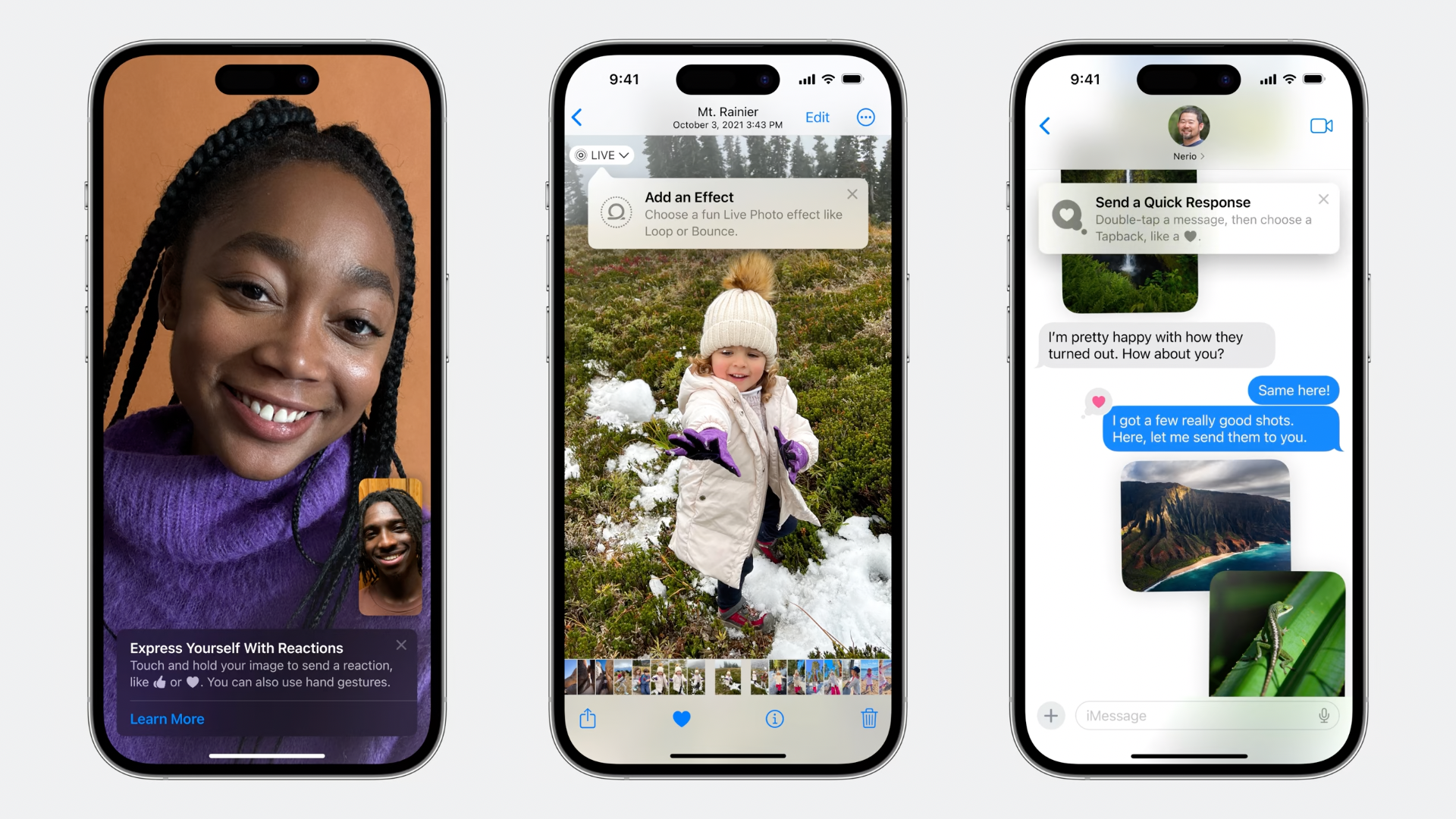
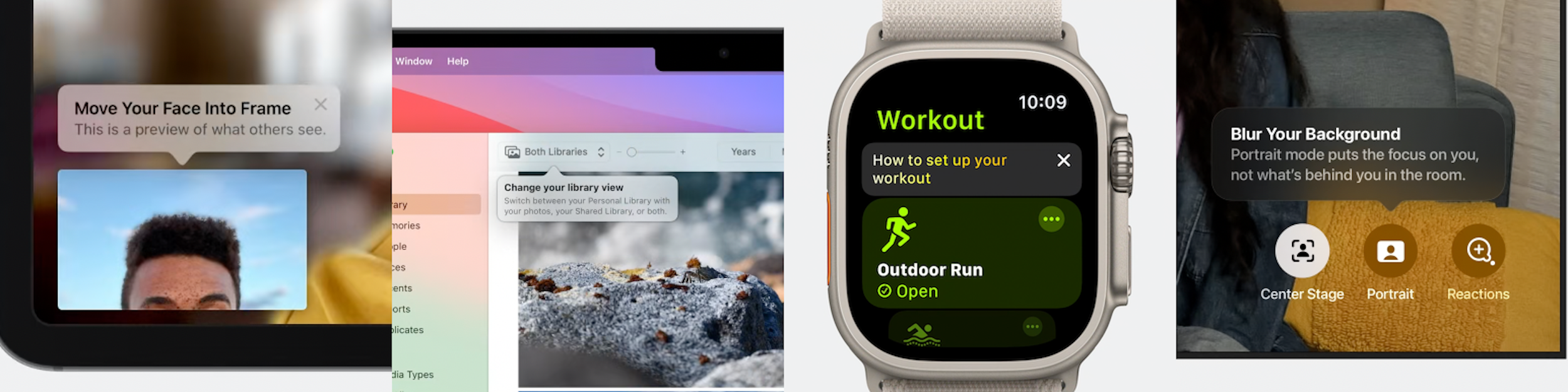
It helps to teach the user how to use the app by introducing the view components. The main job of TipKit is to highlight a particular view to show what the user should focus on.

Excluding TipKit, developers use third-party alternatives such as Instructions. TipKit will be the native solution with iOS 17 now.

TipKit ios 17

One of the best uses of TipKit is increasing feature discoverability. Imagine that the new version of the app has a new feature triggered by a button. All the developer needs to do is highlight the button with a short feature description through TipKit. The user easily notices the button and new feature.

It is also available on iPadOS, macOS, watchOS, and tvOS.

TipKit ios macos watchos

Make It Live

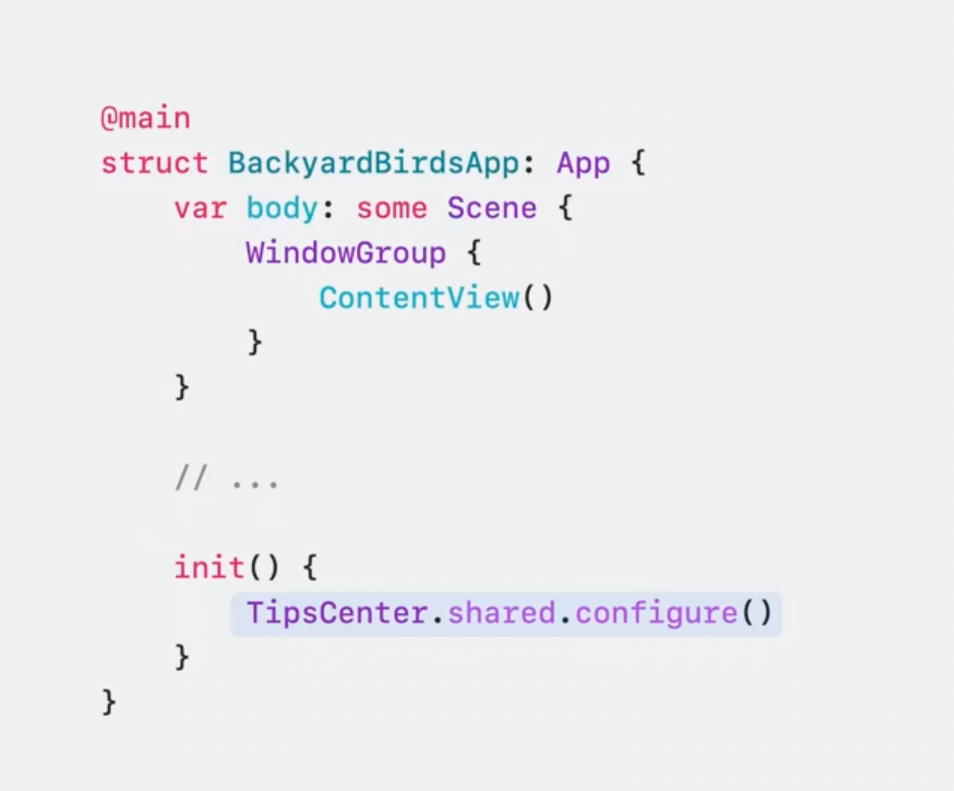
The start point is calling the configure method of TipsCenter at the app launch.

TipKit code example

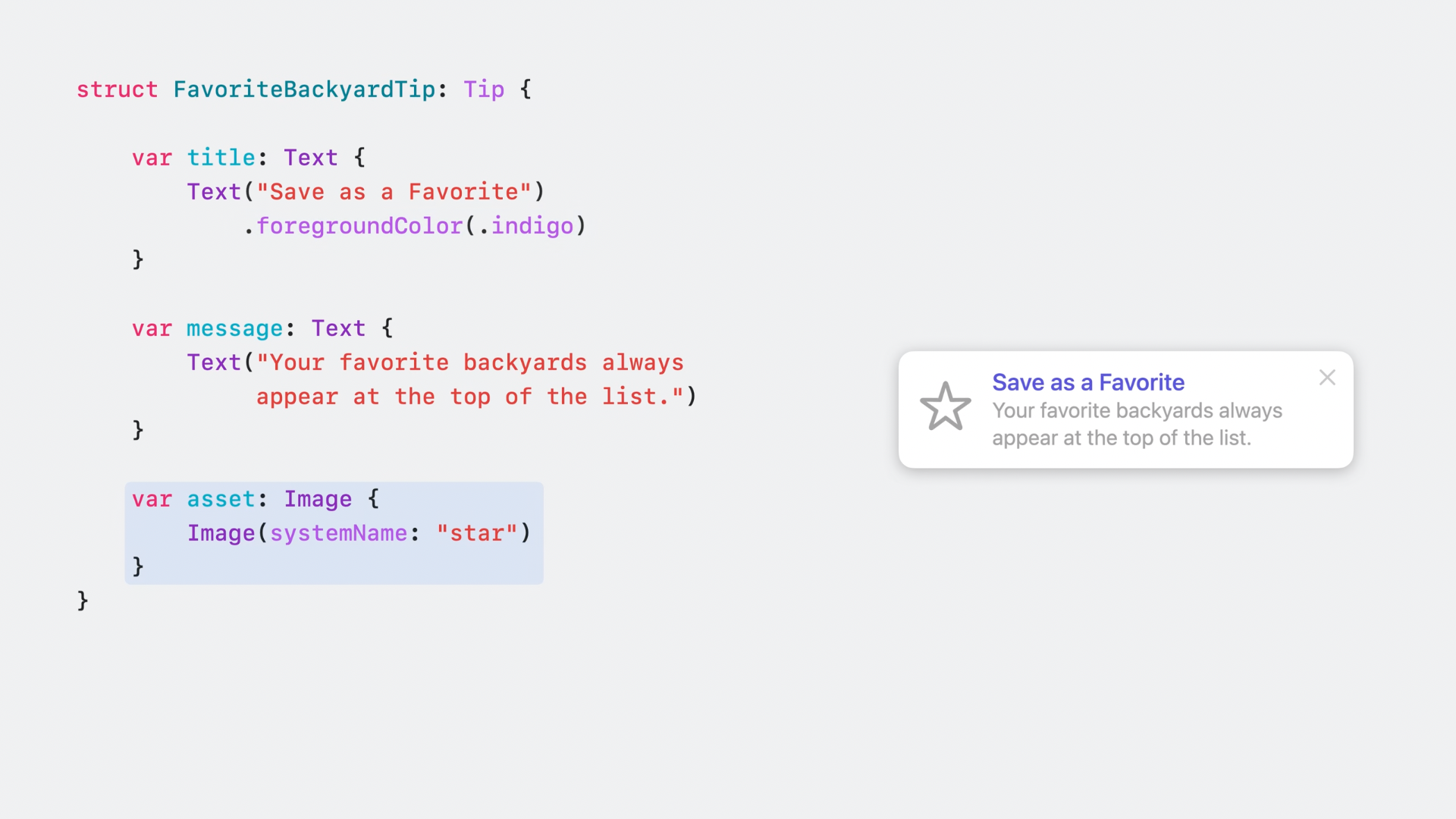
All you need to do is to create a struct and conform to Tip protocol. It brings title, message, and asset properties to configure the view.

Title: the first biggest text

Message: the second detailed text

Asset: the helper image of the tip

TipKit code example

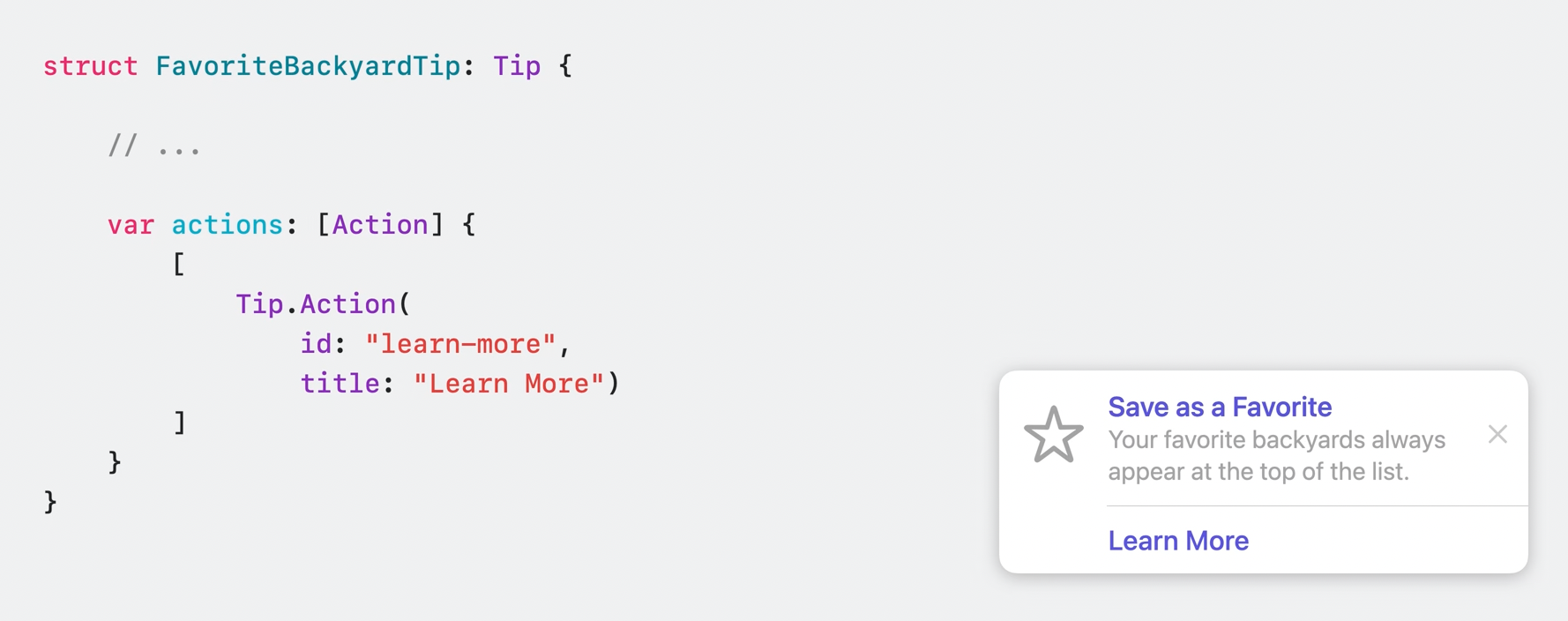
You also can add actions and listen them by the id property.

TipKit code example

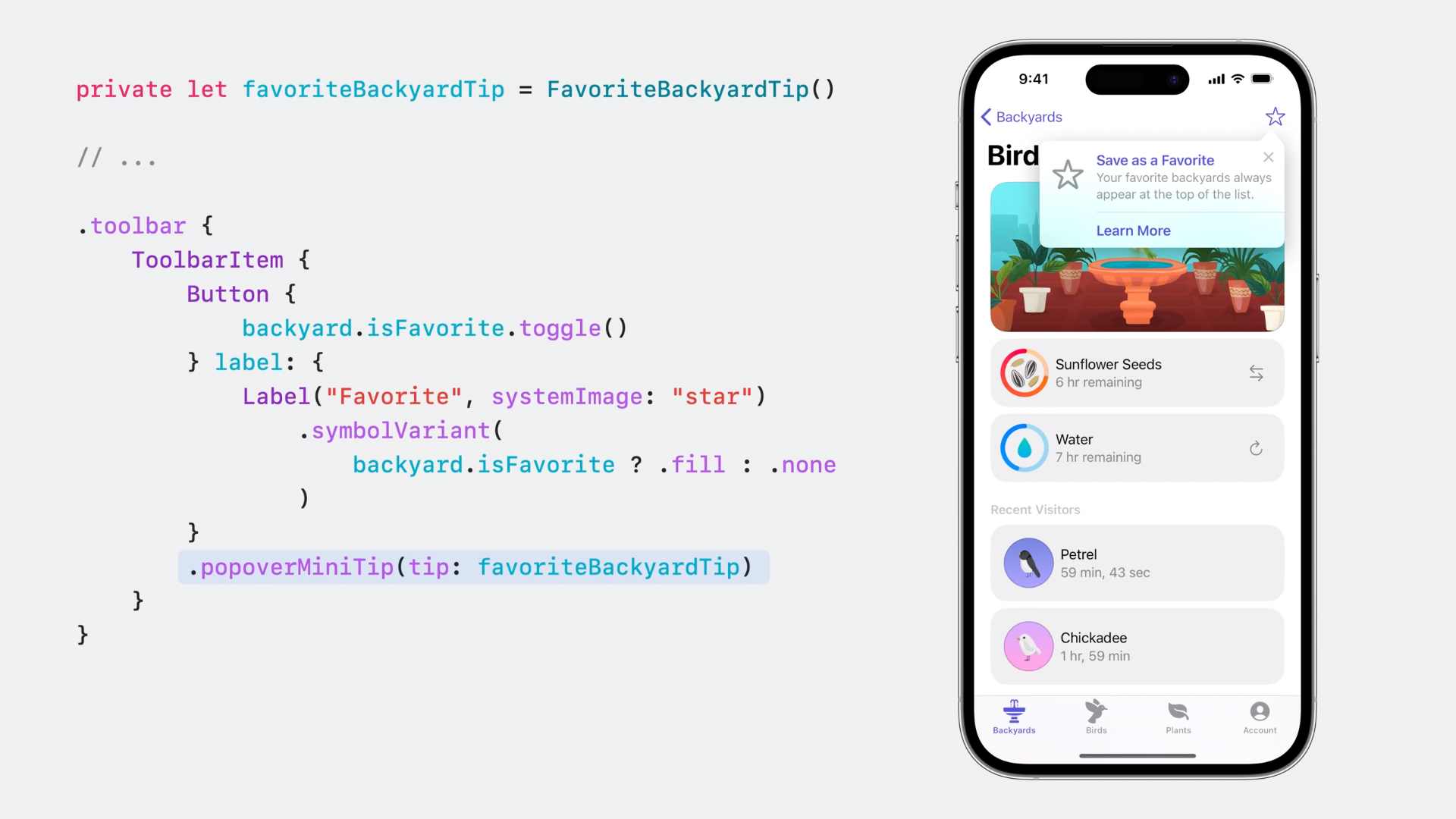
Afterward, you are supposed to call popoverMiniTip to show the tip view.

TipKit code example and emulator

The tip view will be shown when the star button is tapped.

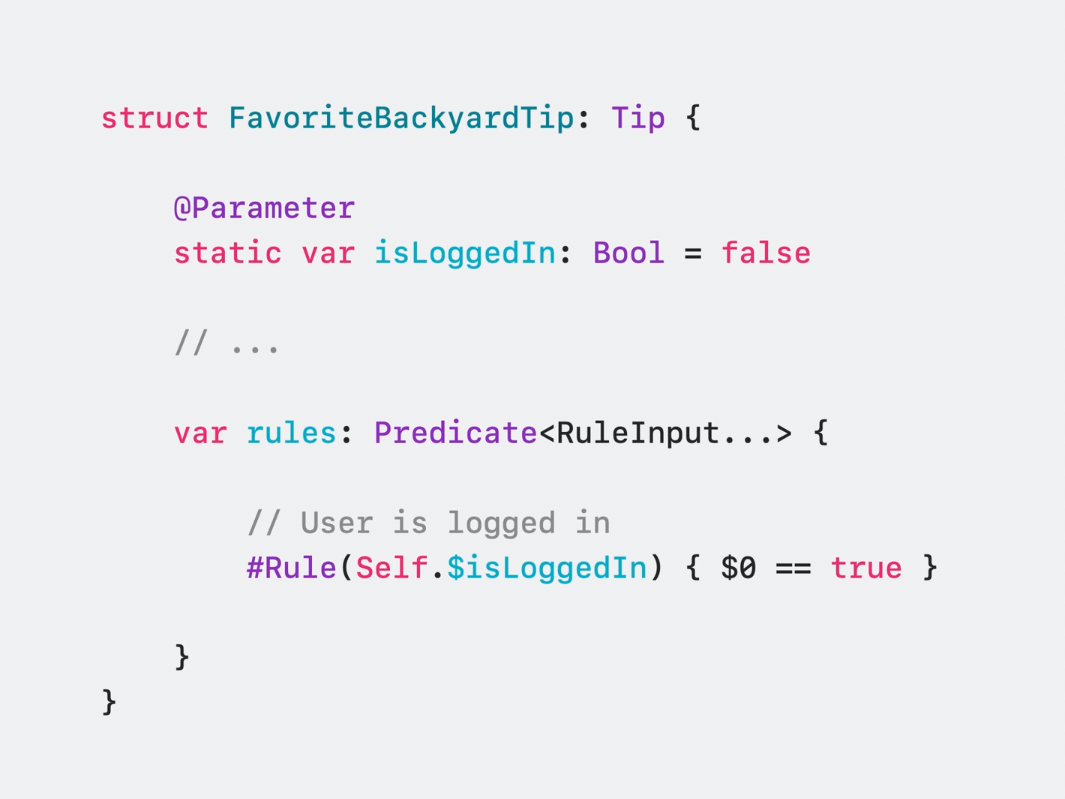
You can also set some rules, such as show the tip only if the user is logged in.

TipKit code example

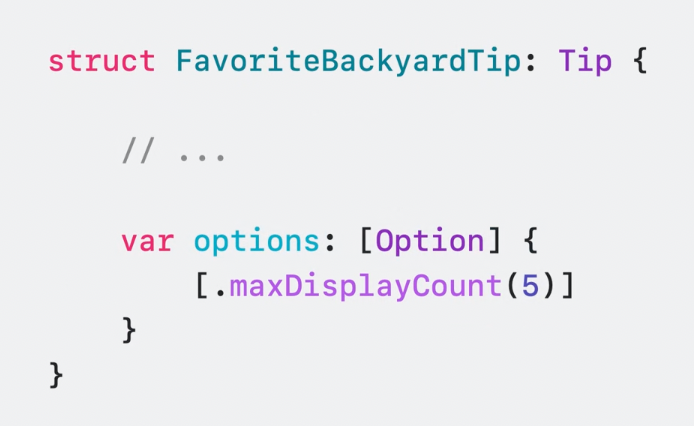
Tip options can be set by calling options property. You can set max display count easily.

TipKit code example

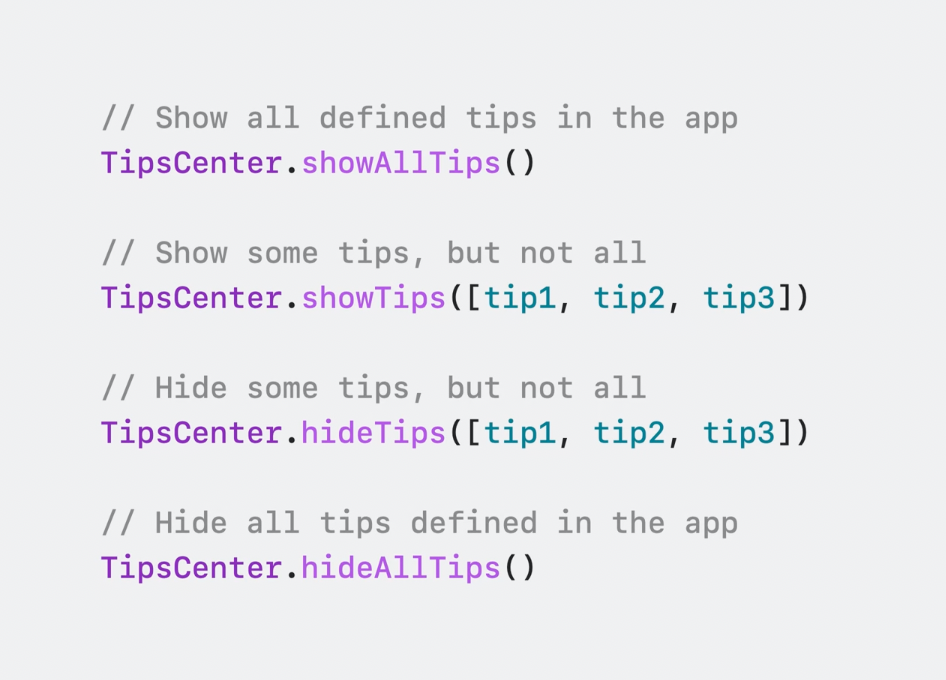
TipsCenter

It is the singleton object to manage all tips. You can show all or some specific tips by calling the related functions in TipsCenter.

TipKit code example

Recommended Uses

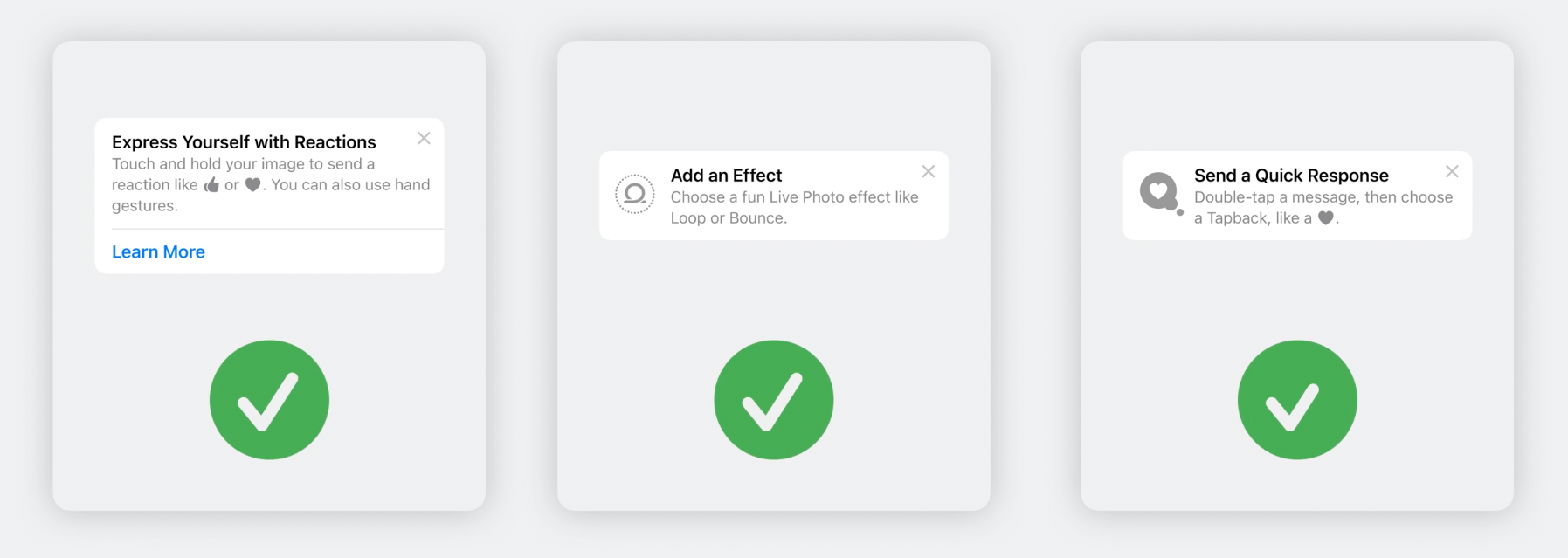
These are the recommended usage examples by Apple. They are supposed to be easy to read and remember. Long sentences are not recommended.

Recommended Uses

Non-Recommended Uses

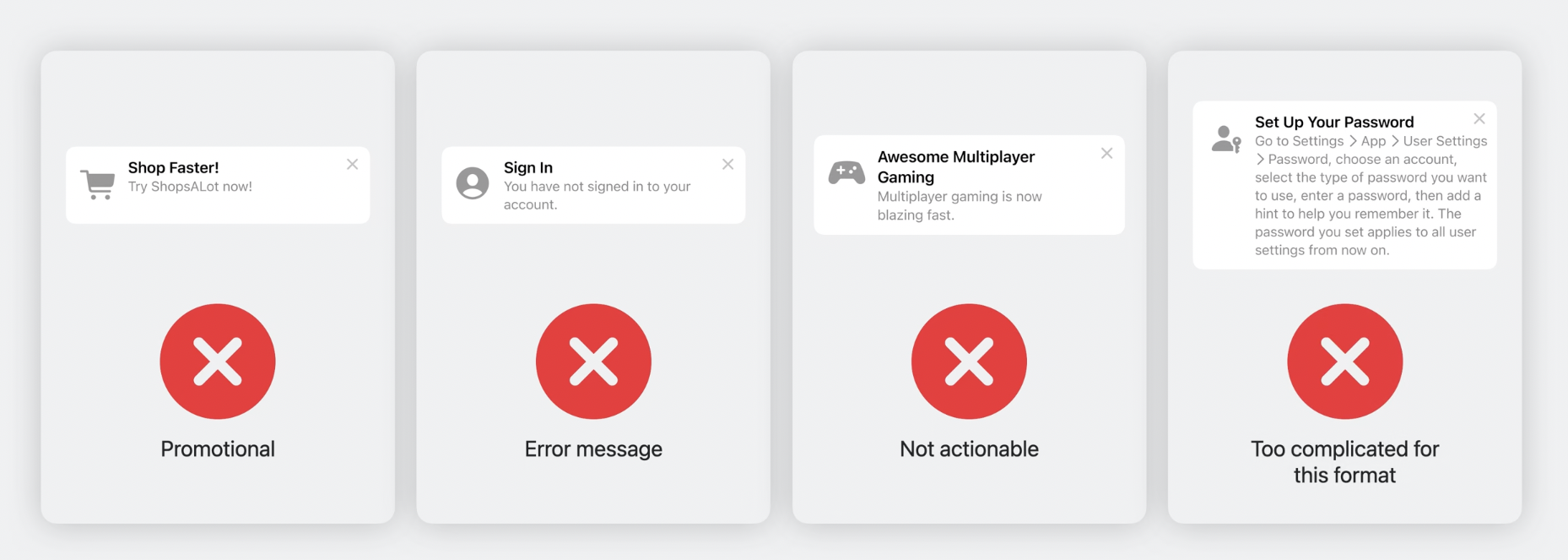
These are the non-recommended ones. Tips should be used to educate users. They are not toast messages.

Non-Recommended Uses

Summary

We, as developers, always struggle to tell the users some of the app’s primary functions. Before TipKit, our choice would be third-party libraries. By TipKit, we would be happy to use the native solution and teach the primary features/actions to the users quickly.

You can watch the WWDC session of TipKit here.

To stay updated with upcoming posts about Apple sessions, be sure to subscribe to our newsletter below.

See you in our next article!

What’s New in UIKit

Hello technology lovers, in this article, we will look at the innovations in the UIKit framework, which is still the apple of Apple’s eye and many big companies continue to use. UIKit continues to grow unabated. Here are the most notable features of UIKit.

Preview for UIKit

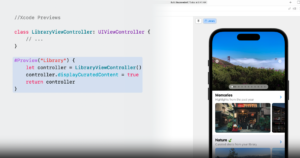
The Preview feature, which many Apple application developers love, is now available with Xcode 15 and iOS 17. We saw this feature when SwiftUI was first introduced. Finally, its development in UIKit is complete. In this way, you will be able to see your interface improvements in real time with a simple code block.

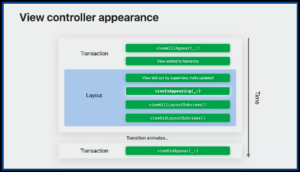
New life-cycle (viewIsAppearing)

Added a lifecycle that saves us from a dead end paradox: viewIsAppearing. Most of us are familiar with the viewWillAppear(called just before the controller is displayed), viewDidAppear(called just after the controller appears) methods. Now, viewIsAppearing method is the most suitable method for updating view elements. The viewIsAppearing method is called just after viewWillAppear, just before viewDidAppear.

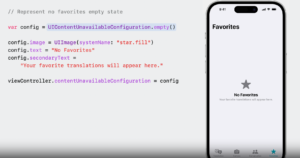
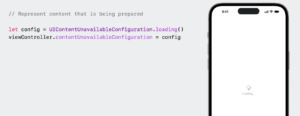
Processing of Empty States (UIContentUnavailableConfiguration)

Another new feature that powers UIKit: UIContentUnavailableConfiguration. You know, in our applications, we design blank views while there is no data on some screens in our application. Apple has not indifferent to this problem. You can design blank view screens very easily by creating the UIContentUnavailableConfiguration class.

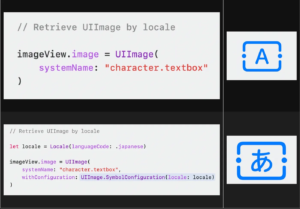
Retrieve UIImages by locale

With iOS 17, we will be able to use system icons more generically. By entering the current country’s settings in the UImageView class, we will now be able to get dynamically changing icons. In this way, you can create a sense of familiarity and belonging for users around the world.

Dynamic line-height adjustments

Font metrics encompass various terms that describe the characteristics of a font. The baseline acts as an imaginary reference line with letters or words on it, while the line height indicates the vertical spacing between these baselines. The x-height, on the other hand, represents a line that sits on lowercase letters.

Apple now calculates rows dynamically to fix this issue. Although this seems very simple, separate processes are carried out for many languages in the background. The problem that we frequently encounter in languages such as Arabic, Chinese, Japanese and Korean disappears with iOS 17.

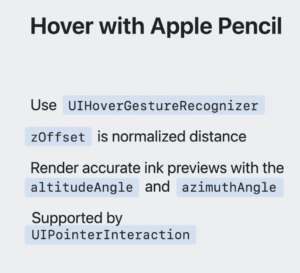
Hover with Apple Pencil (UIPointerInteraction)

Hovering can navigate the toolbar icons on the home screen and in apps. If you are using UIPointerInteraction, no additional adoption is required. It’s worth noting, however, that the visual interactions between the mouse or trackpad input and the Apple Pencil input are slightly different. For example, pointer styles such as system pointer are not visible when using Apple Pencil.

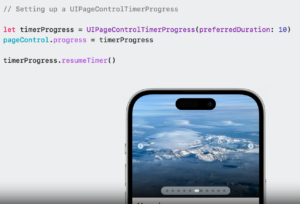
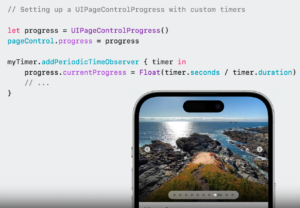
TimerProgress in UIPageControl (UIPageControlTimerProgress)

We all know how much Apple cares about application experience and animations. Some simple details win the hearts of users, remember the Pareto Law. UIPageControl has a timer feature and an animated flow that progresses during the time you give.

We have come to the end of another article. UIKit is now more powerful than ever. If you want to learn about many more features, you can watch Apple’s UIKit Session content.

To stay updated with upcoming posts about Apple sessions, be sure to subscribe to our newsletter below.

See you in our next article!

What’s New in Xcode 15

As in every year, Apple announced some of its new products and technologies for both users and developers at the WWDC23 conference. In this article, we will take a quick look at Xcode15 and the innovations it offers.

Quick Look to Xcode 15

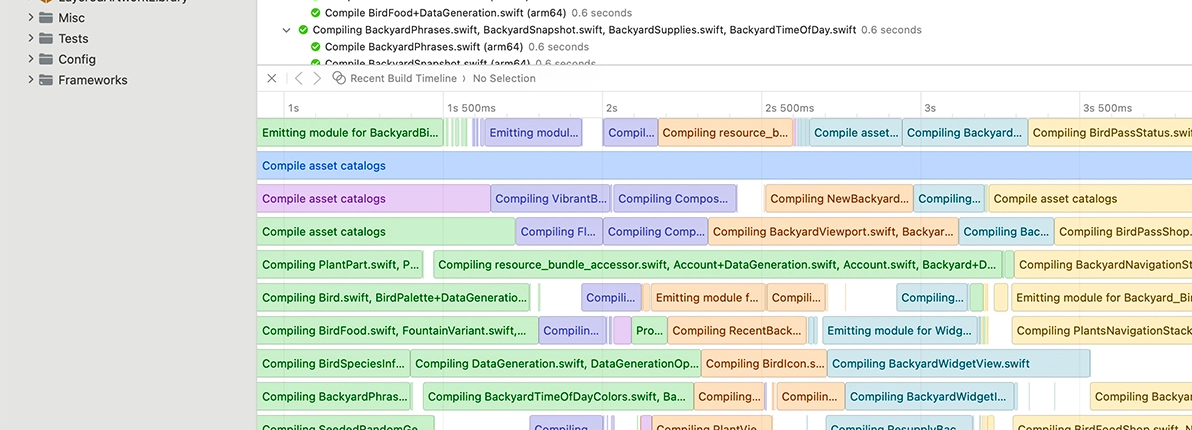
Discover the latest productivity and performance improvements in Xcode 15. Explore enhancements to code completion and Xcode Previews, learn about the test navigator and test report, and find out more about the streamlined distribution process. We’ll also highlight improved navigation, source control management, and debugging.

Ready, set, code

Get ready to code with ease. Xcode 15 is now available on the Mac App Store and comes with a 50% reduction in size. It offers downloadable simulator runtimes for all platforms, allowing you to test your apps seamlessly. Experience enhanced code completion, which not only assists you in writing safer code but also references all your assets. With improvements in the compiler and a newly optimized linker designed for Apple silicon’s multicore architecture, projects build faster than ever before.

Ready, set, code

The Best Way to Stay in Control: Stay Organized

Xcode 15 introduces powerful tools for improved organization and simplified localization. The Bookmark Navigator allows you to track important code landmarks and manage tasks effortlessly. The new String Catalog centralizes localization assets for easy review and updates. Additionally, Xcode 15 enhances documentation with a beautiful design and real-time preview. Experience enhanced organization, streamlined localization, and captivating documentation in Xcode 15.

Experience enhanced organization, streamlined localization, and captivating documentation in Xcode 15.

Swift and SwiftUI: Unifying the Development Experience

Swift, SwiftUI, and Xcode 15 come together harmoniously, offering a unified development experience. Thanks to the new Swift macros, Xcode Previews have become even more user-friendly, now compatible with SwiftUI, UIKit, and AppKit. The introduction of an interactive timeline aids in the development and design of widgets. Additionally, working with multiple platforms and devices has never been easier – simply select them directly in the preview canvas to ensure your views look exceptional across all platforms.

canvas device settings

Beyond Debugging

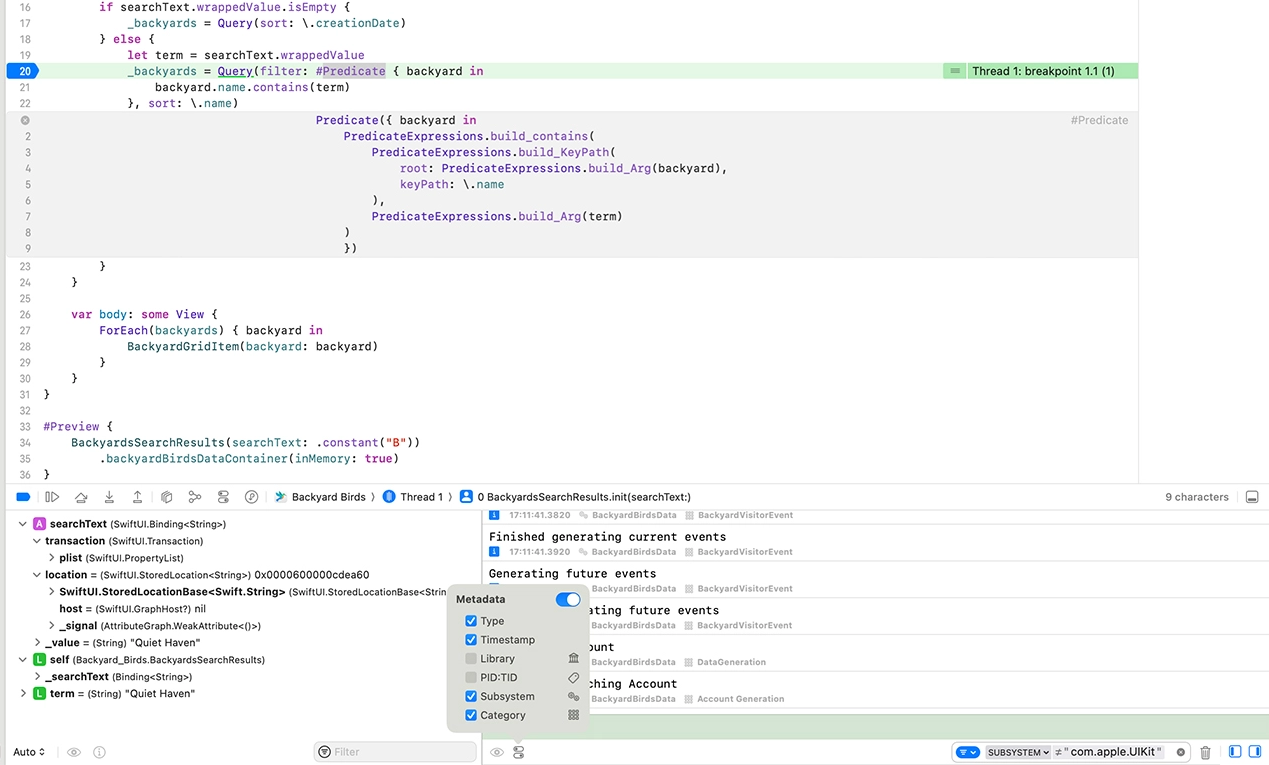
Unlock the full potential of macros in the source editor, empowering you to set breakpoints and seamlessly step into the generated code. With ease, access and analyze debug output using the structured console. Maximize your debugging capabilities and streamline your development process with these powerful features.

debugging code


Summary

As with every year, Apple unveiled its new technologies and some of its new products at the WWDC23 conference. One of these innovations is Xcode 15, which brings several advancements. Xcode 15 is 50% smaller, 100% faster, and, as always, designed to make developers’ lives easier and more efficient.

To stay updated with upcoming posts about Apple sessions, be sure to subscribe to our newsletter below.

See you in our next article!

StoreKit for SwiftUI

One of the significant developments at WWDC 23 this year was the enhancement of StoreKit, which has been in our lives since WWDC 19. With SwiftUI & StoreKit, Paywall screens have become incredibly fast and customizable. So let’s start looking at how to do that.

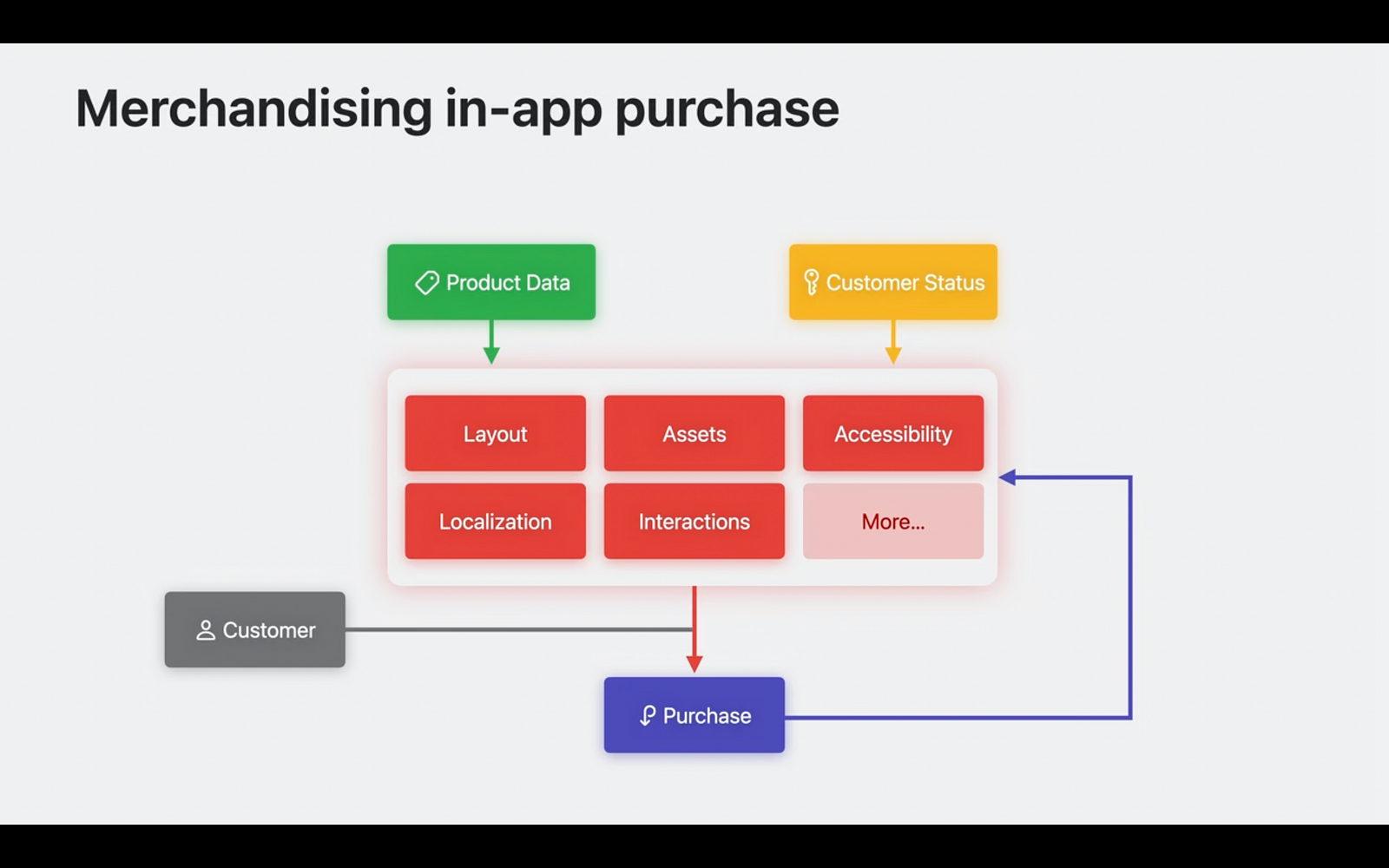
Currently, StoreKit can list our products and subscription plans with just one line. It automatically fetches the memberships or products and the user’s current status defined on the App Store, seamlessly integrating them with our SwiftUI customizations.

merchandising in-app purchase diagram

Key Components for Paywalls and Subscription Screens

To create paywalls or subscription screens for our applications, having knowledge of 3 main subjects is generally sufficient.

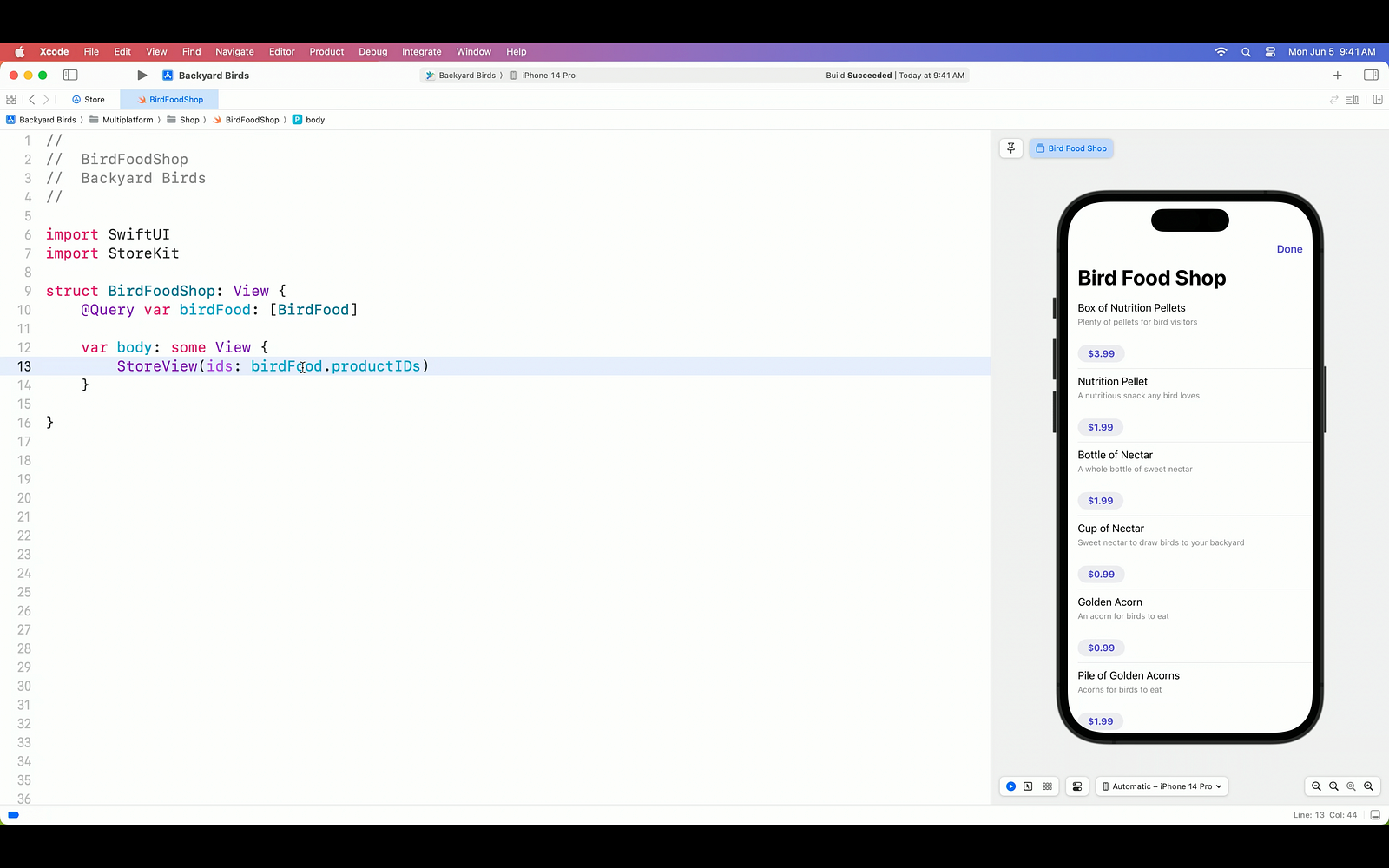
  • StoreView: For products list
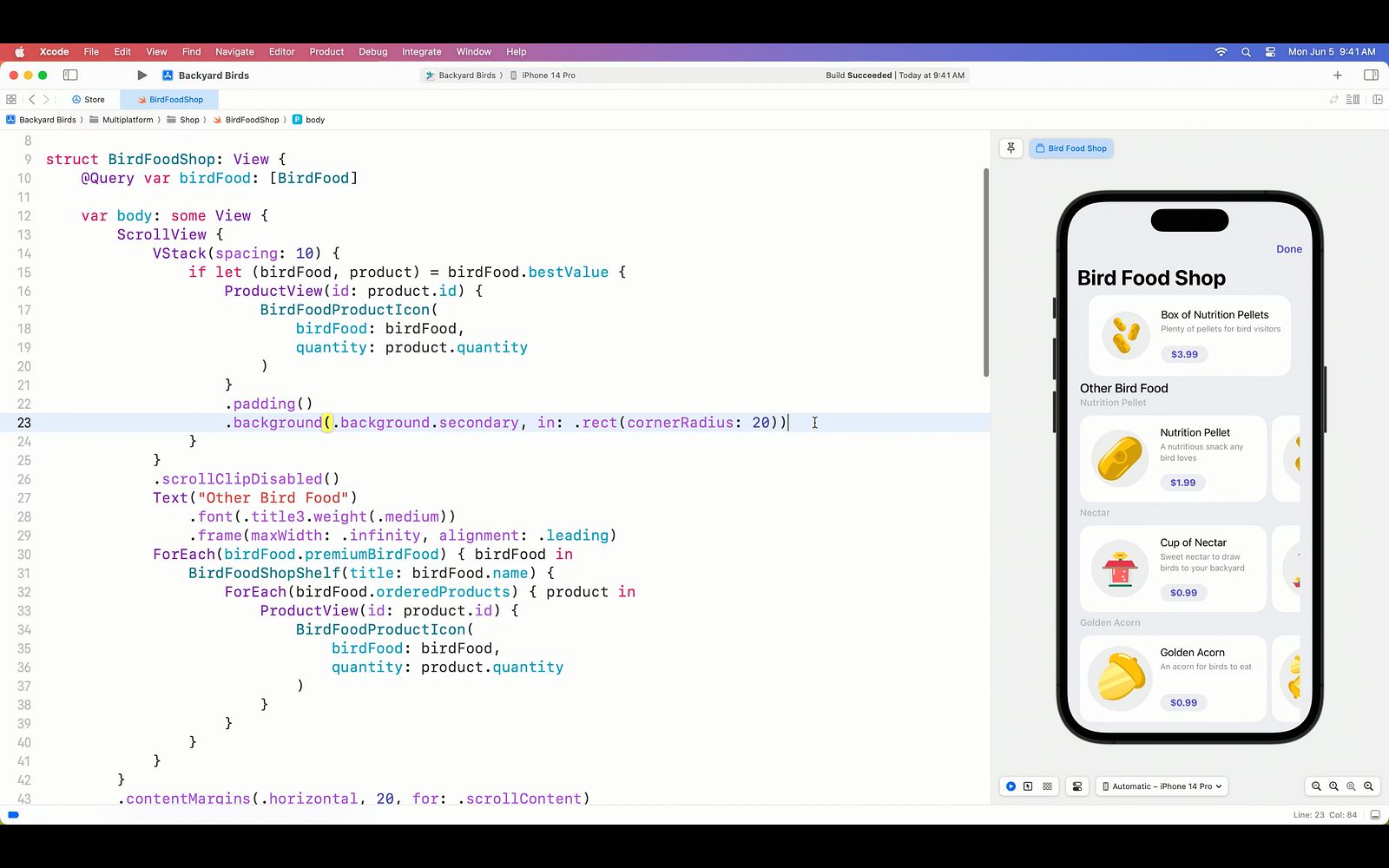
  • ProductView: For each product
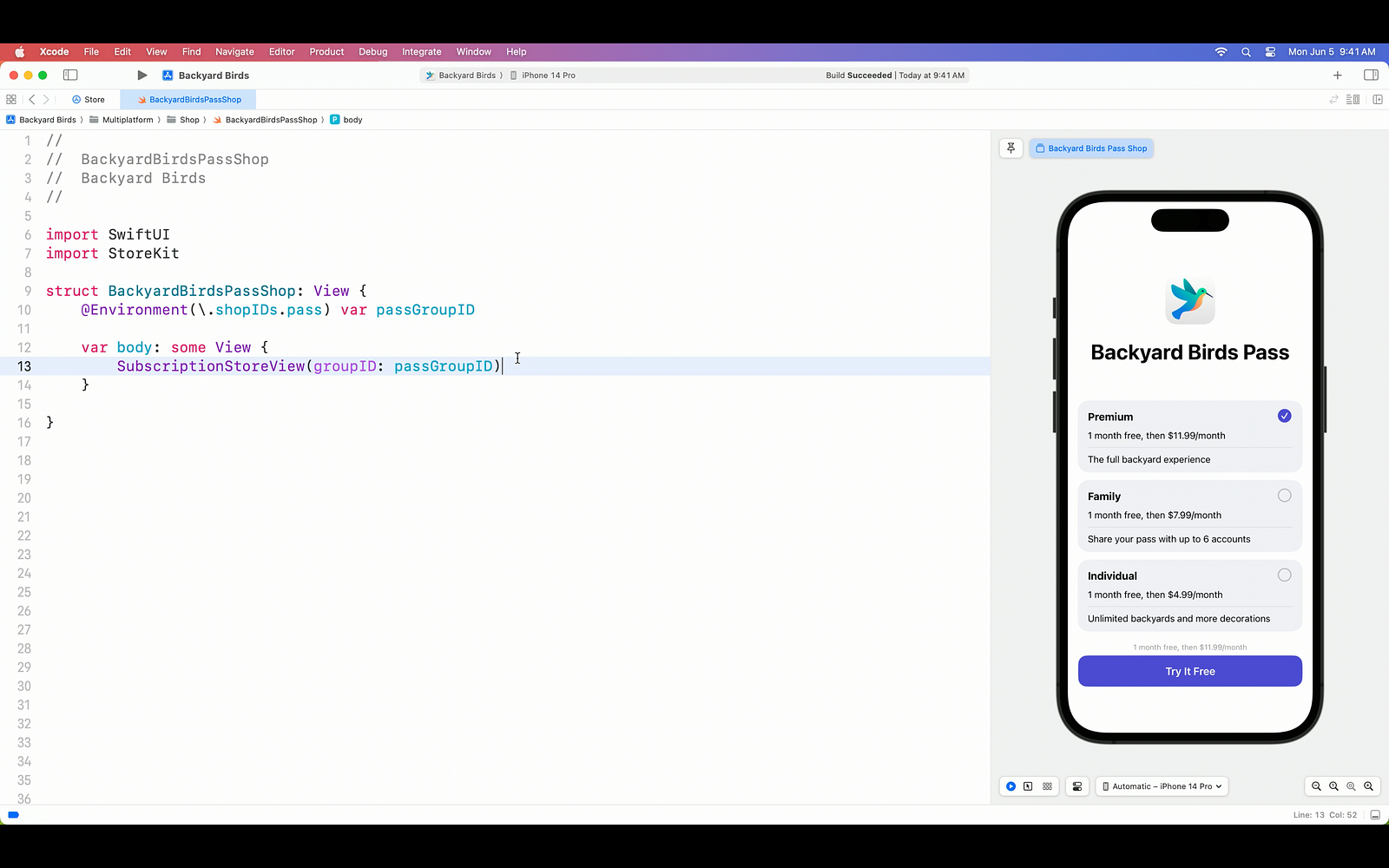
  • SubscriptionStoreView: For subscription items

Let’s start with StoreView. StoreView automatically creates a list using the purchase options we define in the App Store and presents it within our app. Also, each part offers incredible flexibility based on our customization requests.

StoreView code

Next up is the ProductView. As you can imagine, many of us would prefer to showcase our products in a visually appealing manner using SwiftUI, rather than simply presenting them in a list format. The ProductView represents an individual product, and we refer to the views we place within it as product views. This allows us, as developers, to easily customize the appearance according to our desired design. Furthermore, the ProductView can be styled in three different ways using just a single modifier.

ProductView code

On the other hand, the SubscriptionStoreView enables us to display subscription options, another method of purchase, on the screen with just a single line of code, similar to the StoreView.

SubscriptionStoreView code

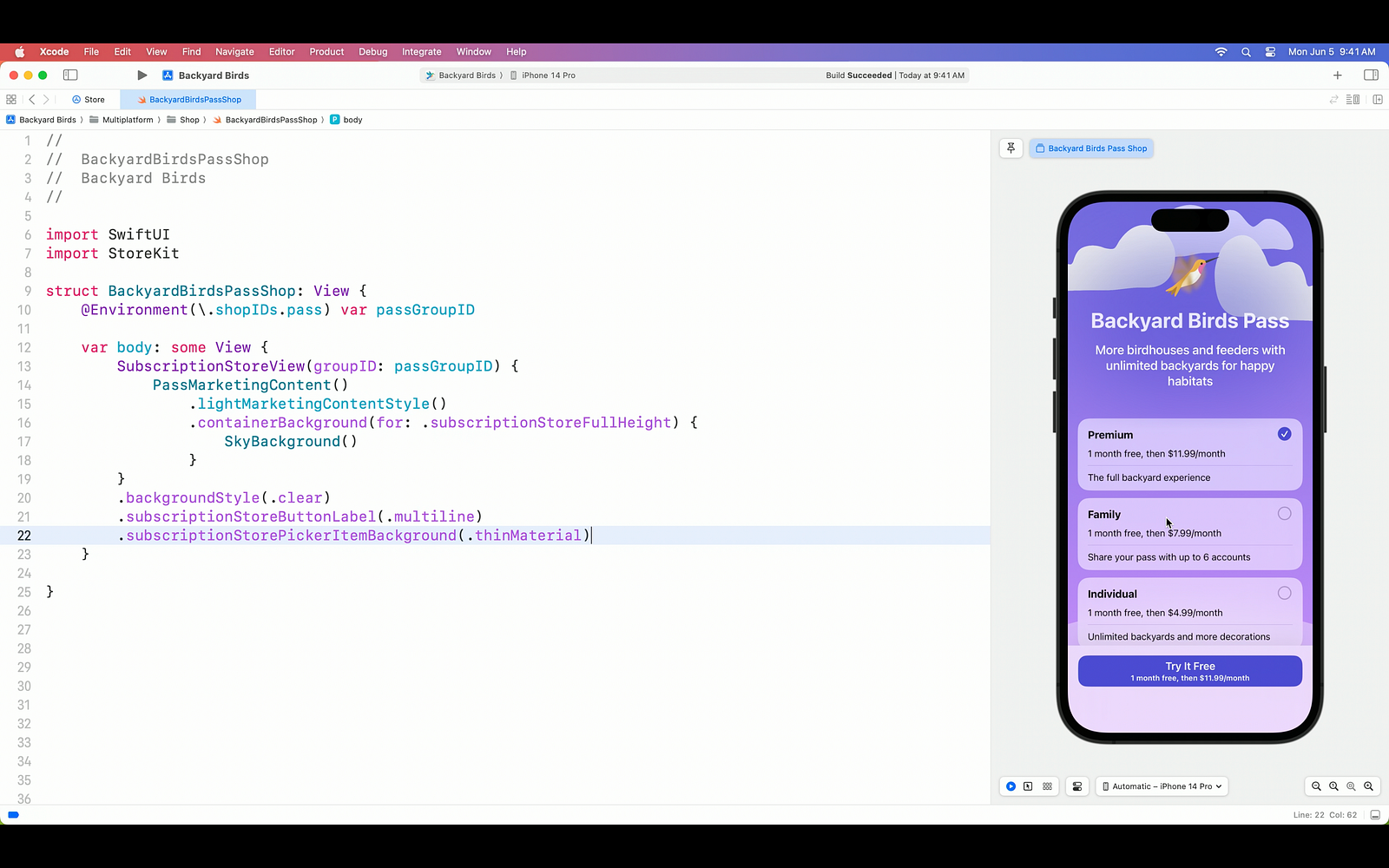
Certainly, with the power of SwiftUI, we can customize the SubscriptionStoreView in various ways. For instance, we can add a background image, remove the default blur effect behind the products, and give the subscribe button a distinct appearance. The flexibility of SwiftUI allows us to tailor the subscription store screen to match our app’s unique design and branding.

SubscriptionStoreView screen 2

Processing Transactions and Purchases with StoreKit

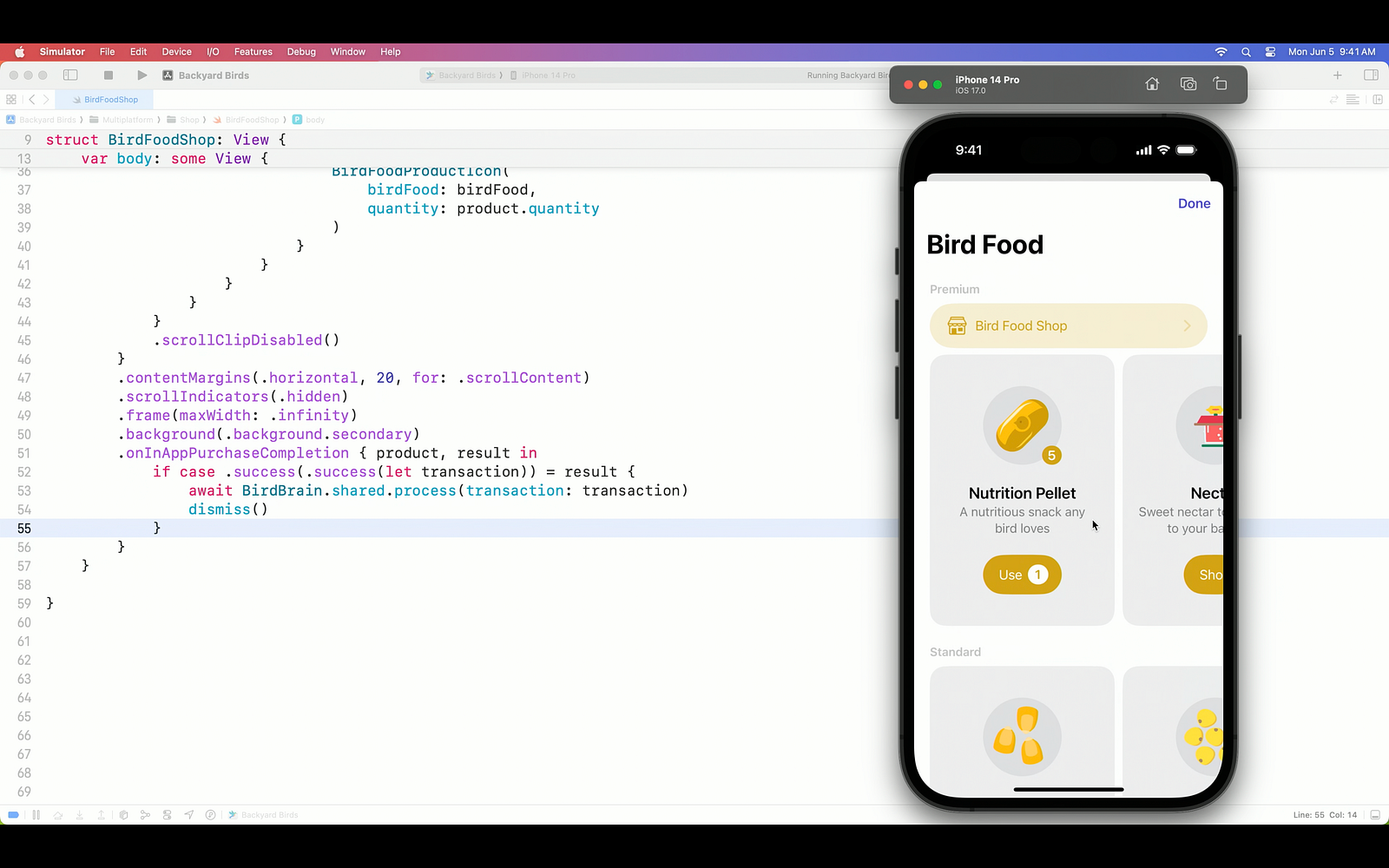
Now let’s focus on the primary purpose of this integration. How do we make transactions based on our purchases and results? Using the onInAppPurchaseCompletion(_:_:) closure provided by StoreKit, we can finalize the application purchase by utilizing the transaction result and transaction information.

Purchases with StoreKit

Extensive Customization Options for Paywall Screens

Isn’t that enough for you? So let’s check out the tons of customization options.

  • By default, the ProductView includes the redacted property, which allows for obscuring or placeholder content. Additionally, you can customize the appearance of the ProductView using the placeholder modifier to define the specific placeholder content or styling you desire.
  • You can update the icon appearance to Apple standards with the prefersPromotionalIcon option.
  • By utilizing the ProductViewStyle modifier, you have the flexibility to customize your products during both the upload process and after they have been uploaded.
  • With the StoreButton modifier, you can add incredibly fast options to your screen.
    • Cancel
    • Restore purchases
    • Redeem code
    • Sign in
    • Policies

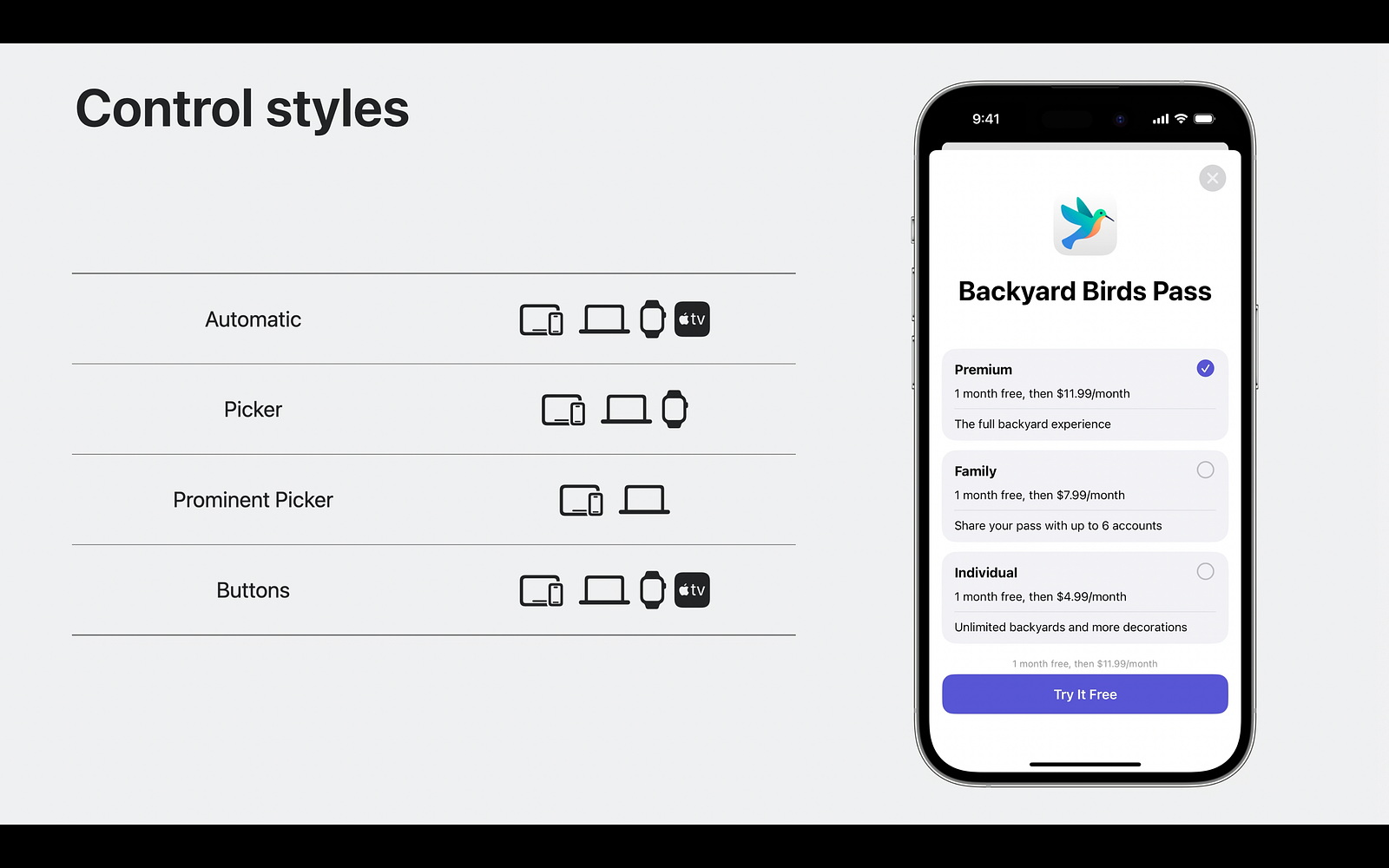
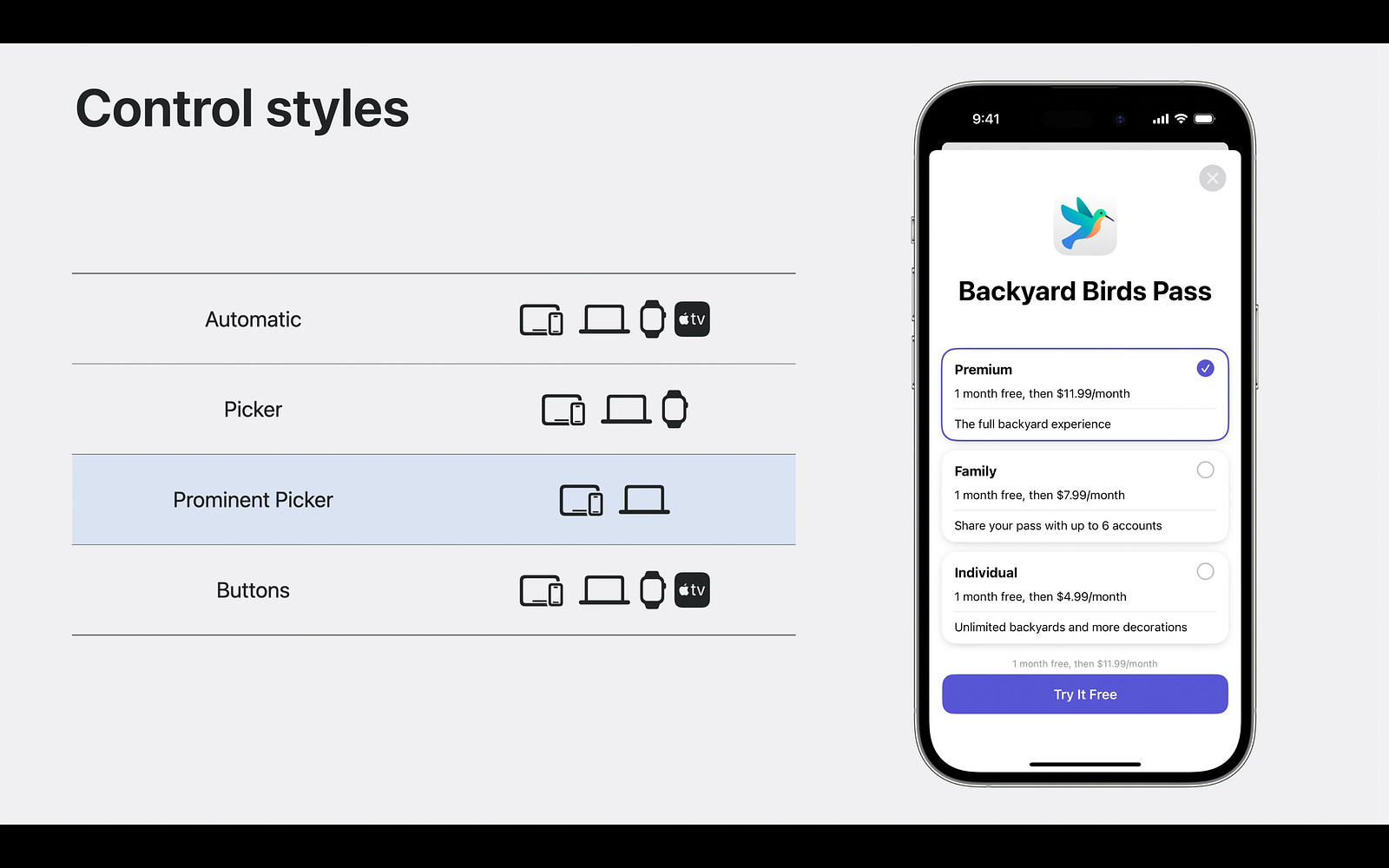
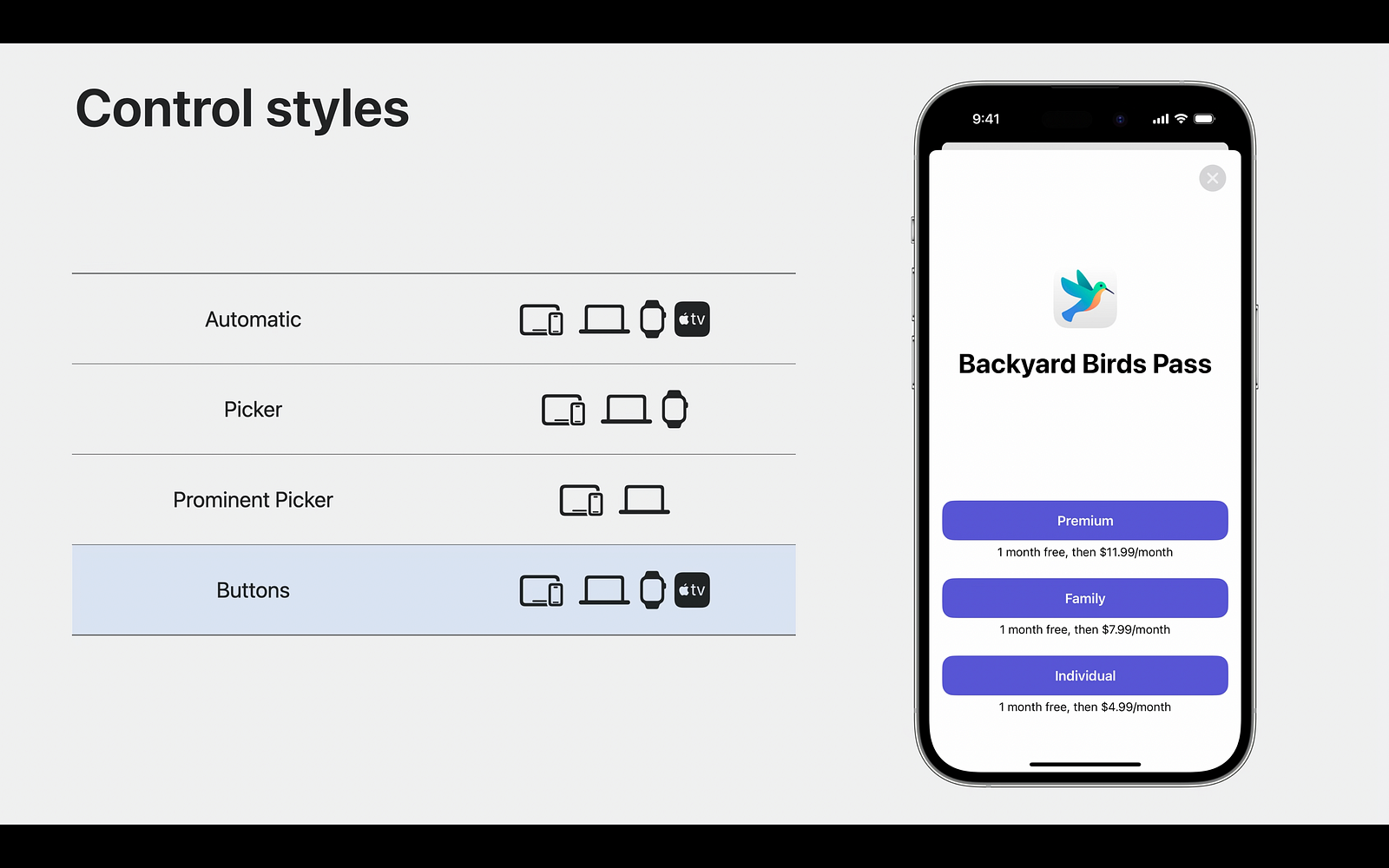
Except for internal privatizations, StoreKit currently offers 3 different types of listing options in this integration.

storekit control styles

storekit control styles

Summary

Apple has added a really cool feature for developers by combining StoreKit and SwiftUI. Especially a lot of customization options and easy integration is really easy. In our article, we examined together how we can make Paywall and Subscription screens with StoreKit and what we can customize.

To stay updated with upcoming posts about Apple sessions, be sure to subscribe to our newsletter below.

Hoping to write lots of SwiftUI with new topics. Happy coding. 🧡💙

What’s New in Swift

The swift version I will be talking about is 5.9. As every year, Apple continues to develop the Swift language this year. And Swift is stronger and more performant this year, just like every year. Below I will talk about the striking features of the new version of Swift with examples. Let’s start.

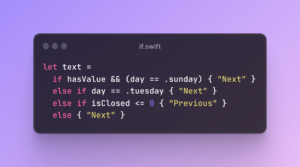
if and switch Expressions (SE-0380)

This feature introduces the ability to use if and switch statements as expressions, for the purpose of:

  • Returning values from functions, properties, and closures (either implicit or explicit)
  • Assigning values to variables
  • Declaring variables

if and switch Expressions

if and switch Expressions

For an if or switch to be used as an expression, it would need to meet these criteria:

  • Each branch of the if, or each case of the switch, must be a single expression.
  • Each of those expressions, when type checked independently, must produce the same type.
  • In the case of if statements, the branches must include an else.

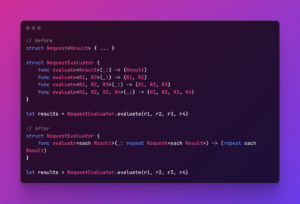
Generic improvement

Type inference makes APIs using parameter packs natural to use, without needing to know that the API is using them, i.e call-side might not even aware you are using type parameter pack under the hood.

Generic improvement

Enabling generic abstraction over argument length <each Result> know as type parameter pack (multiple individual type parameters that are “packed” together)

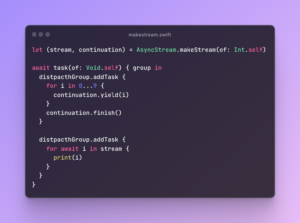
Convenience AsyncStream.makeStream methods (SE-0388)

This feature adds a new static method makeStream on AsyncStream and AsyncThrowingStream that returns both the stream and the continuation, which make the stream’s continuation easier to access.

Convenience AsyncStream.makeStream methods

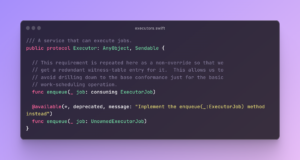
Custom Actor Executors (SE-0392)

This proposal proposes a way to customize the executors of actors in Swift, which are responsible for scheduling and running tasks on actors. Executors are abstract types that conform to the Executor protocol and provide a enqueue(_:) method to submit tasks to be executed.

Custom Actor Executors

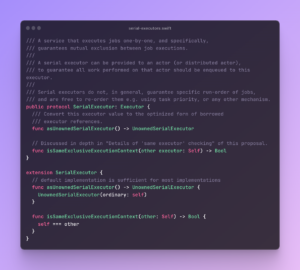
This proposal also defines a SerialExecutor protocol, which is what actors use to guarantee their serial execution of tasks (jobs).

SerialExecutor

All actors implicitly conform to the Actor (or DistributedActor) protocols. Those protocols include the customization point for the executor they are required to run on in form of the the unownedExecutor property.

Add sleep(for:) to Clock (SE-0374)

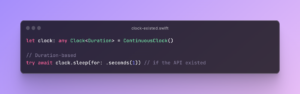
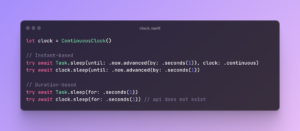
There is currently a slight imbalance between the sleep APIs for clocks and tasks, and it causes some troubles when dealing with Clock existentials.Add sleep(for:) to Clock

This release introduce a sleep(for:) method that only dealt with durations, and not instants, then we could invoke that API on an existential:

Add sleep(for:) to Clock

C++ Interoperability

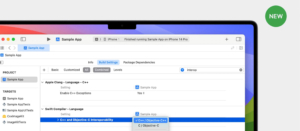
We used to implement Swift ↔ Objective-C ↔ C++ to use C++ language. Swift now has direct access to C++. In this way, we will be able to benefit from the power of the C++ language more easily and quickly.

C++ Interoperability

Its use is as simple as shown below!

C++ Interoperability example

Yes, that’s how some standout headers were in Swift. Swift has many more improvements. To see more details, you can watch the session video or read the swift-evoulation document.

To stay updated with upcoming posts about Apple sessions, be sure to subscribe to our newsletter below.

See you in our next article!

WWDC 23: Keynote Live

WWDC 23: Keynote Live

Here it comes!

WWDC 23 is just started, and we are preparing the live updates for you!

You can enter the live Keynote here

10:00 am

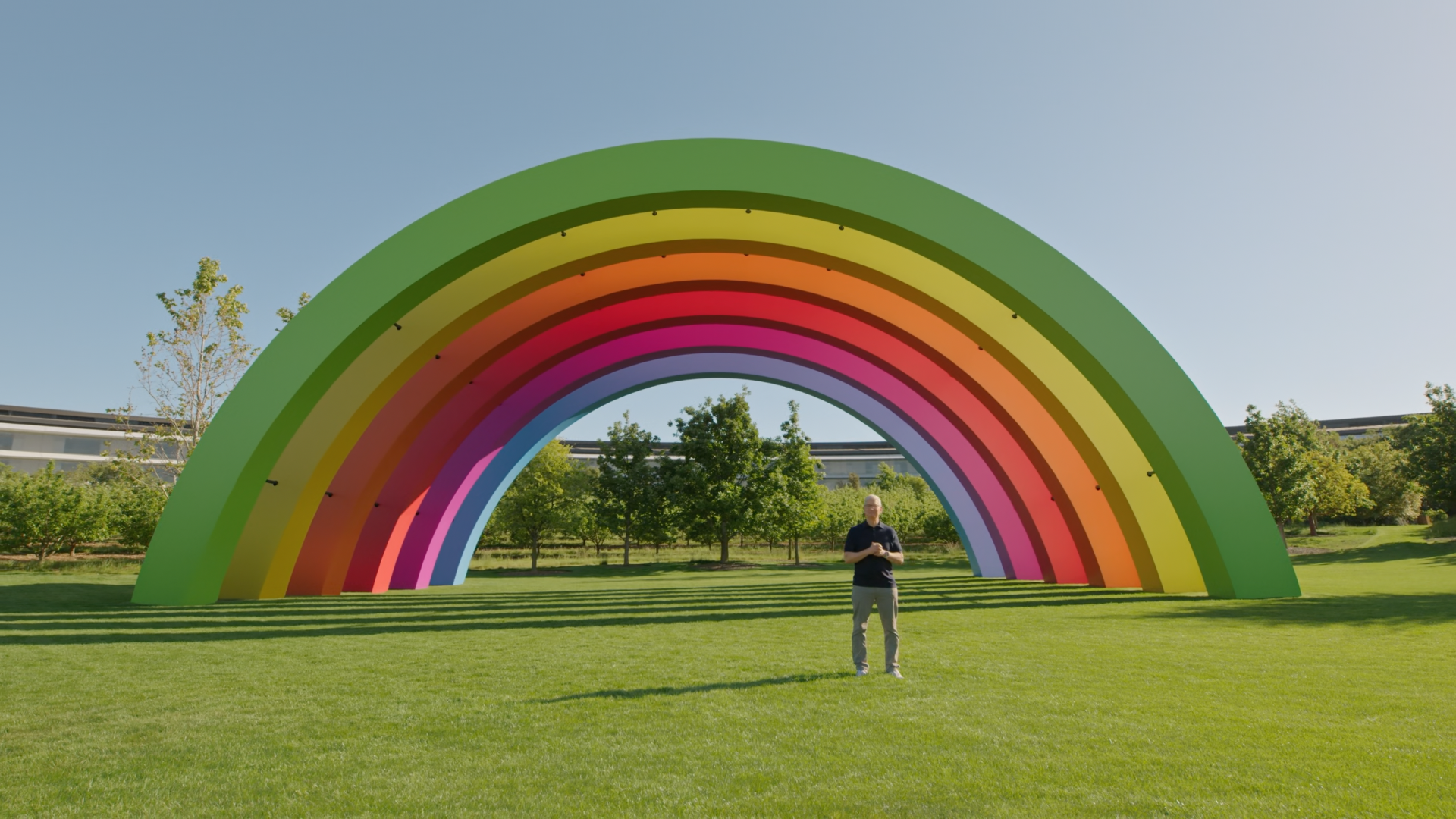
It’s started!

apple tim cook

10:05 am

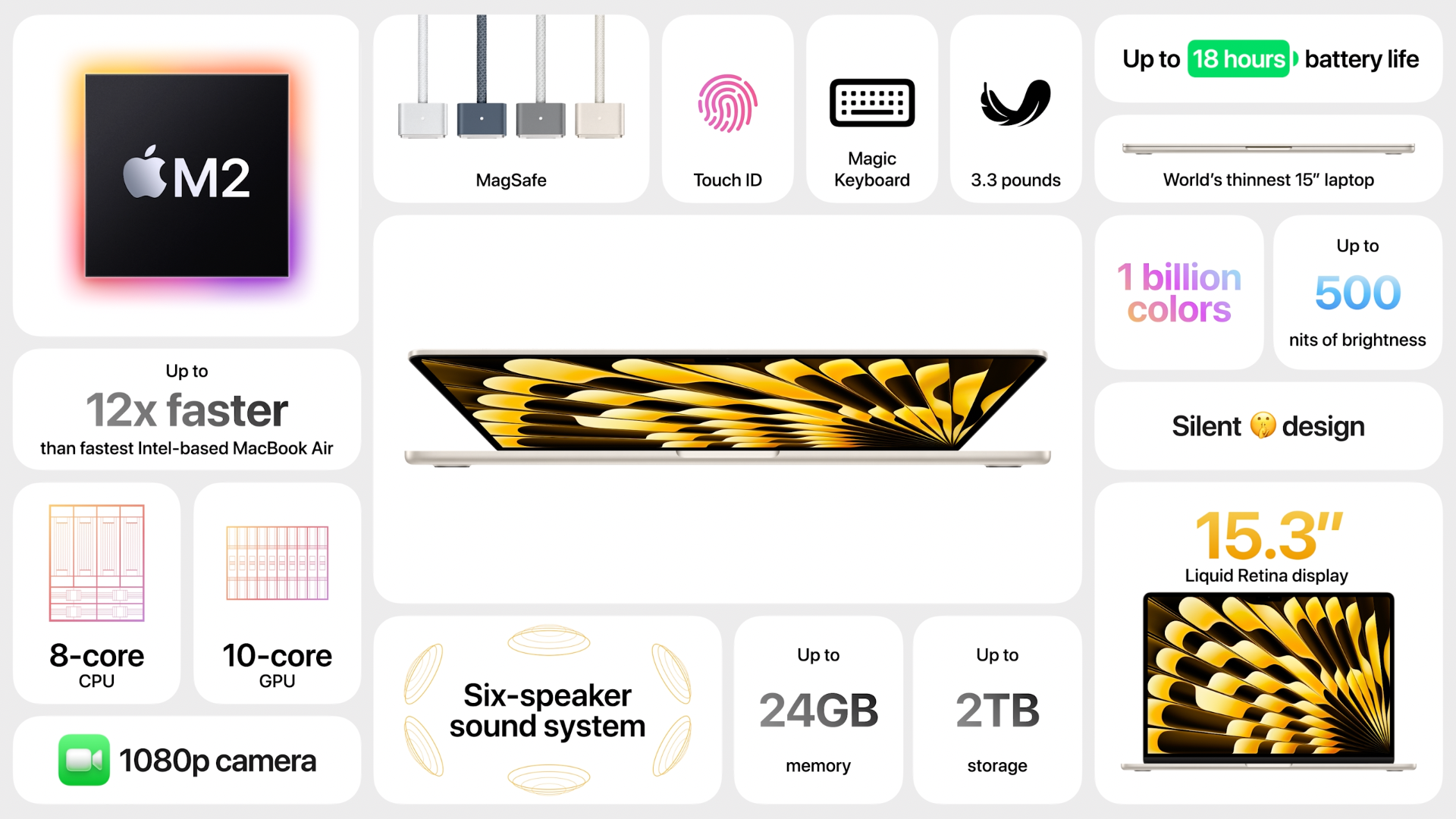
15-inch MacBook Air is introduced. It starts from $1299.

It’s been waiting for a long time. MacBook Air is one of the best products of Apple to join the MacOS environment. It is the thinnest 15-inch laptop with 11.5mm thin and only 3.3 pounds (1.53kg). It supports MagSafe and Touch ID. Moreover, it has up to 18 hours of battery life!

The 13-inch model starts from $1099.

m2 macbook air

10:10 am

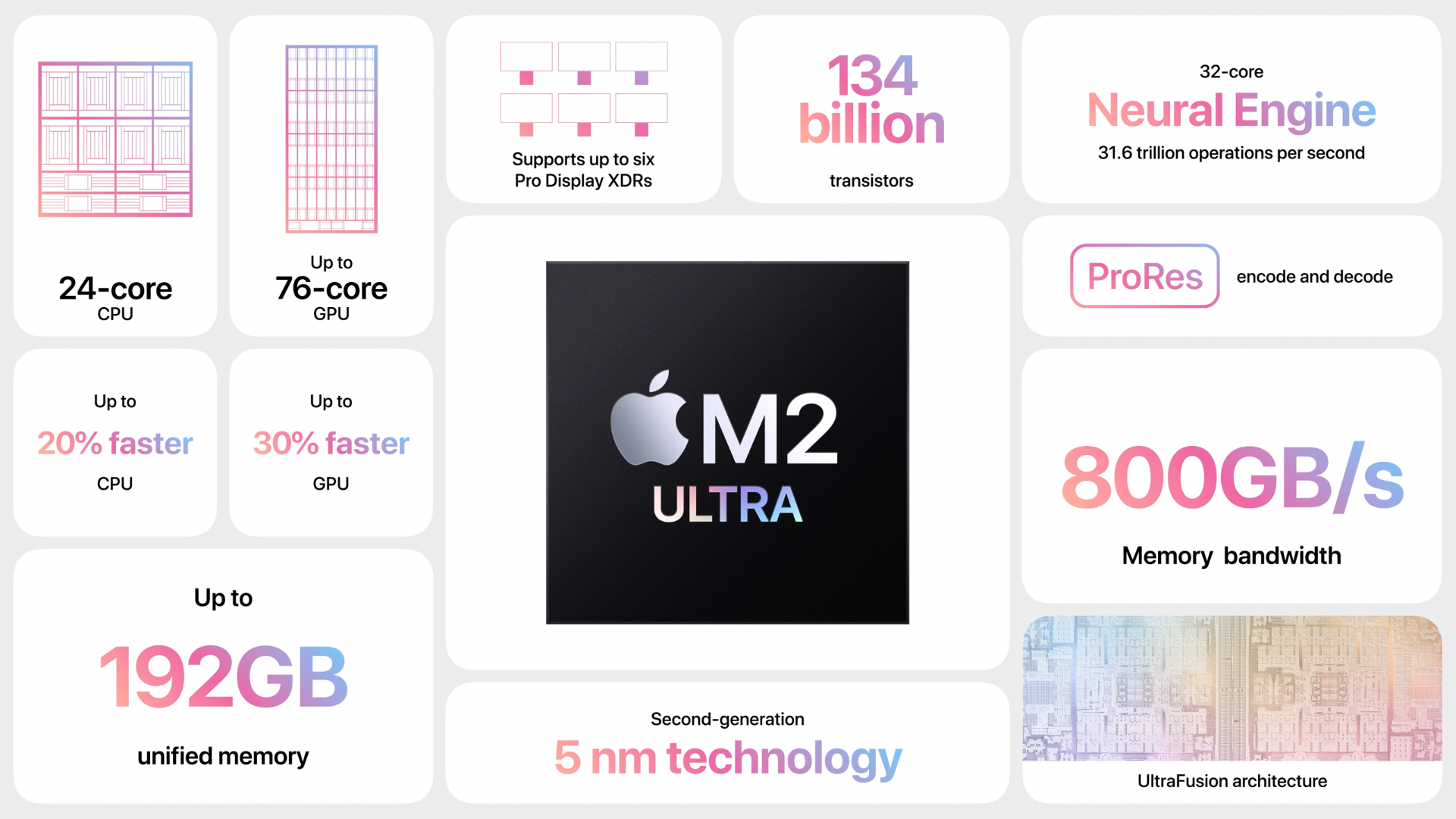
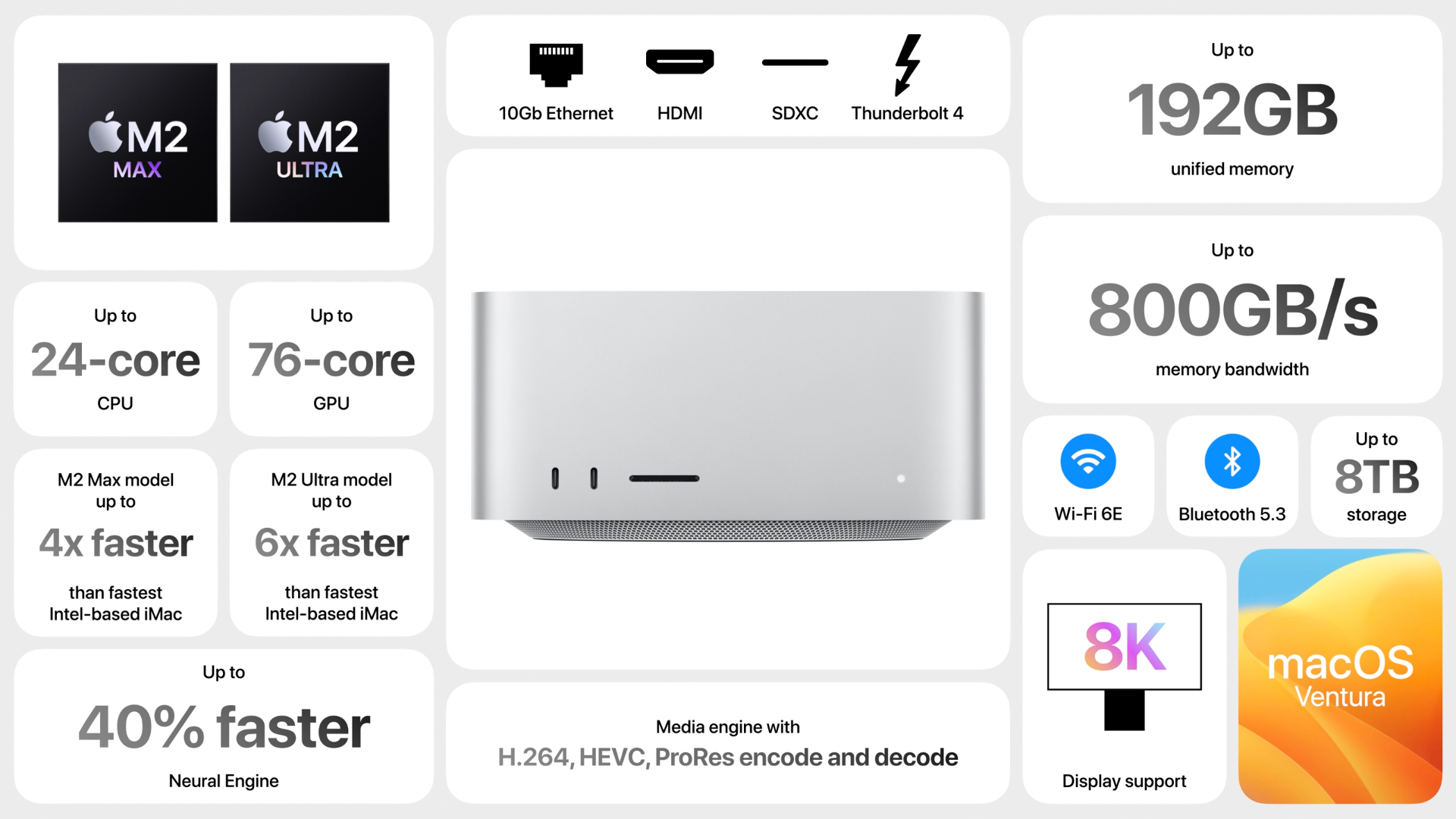
M2 Ultra is introduced, and it is faster than before, as always.

Mac Studio comes with new M2 Max and Ultra chips, starting from $1999.

M2 Ultra and M2 Max are the new chips. M2 Ultra is the most powerful chip ever created for a personal computer, according to Apple.

Also according to the Apple, It can train ML workloads like large transformer models that the best GPU can’t process because they run out of memory.

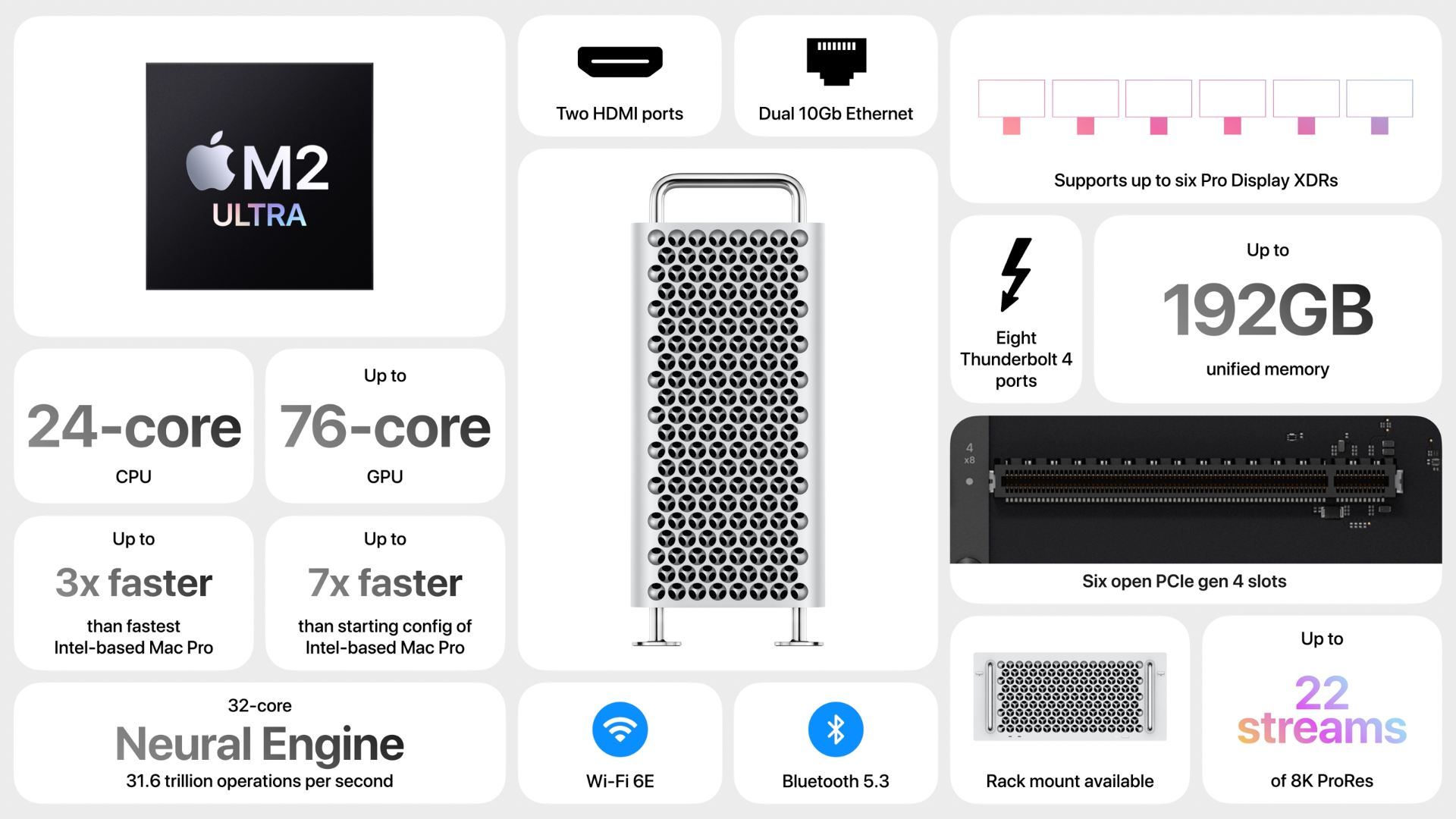
22 streams of 8K ProRes video can play at the same time. Yes, that is a lot!

m2 ultra chip details

mac studio details

10:15 am

Mac Pro comes with M2 Ultra. It is starting $6999.

mac pro details

10:20 am

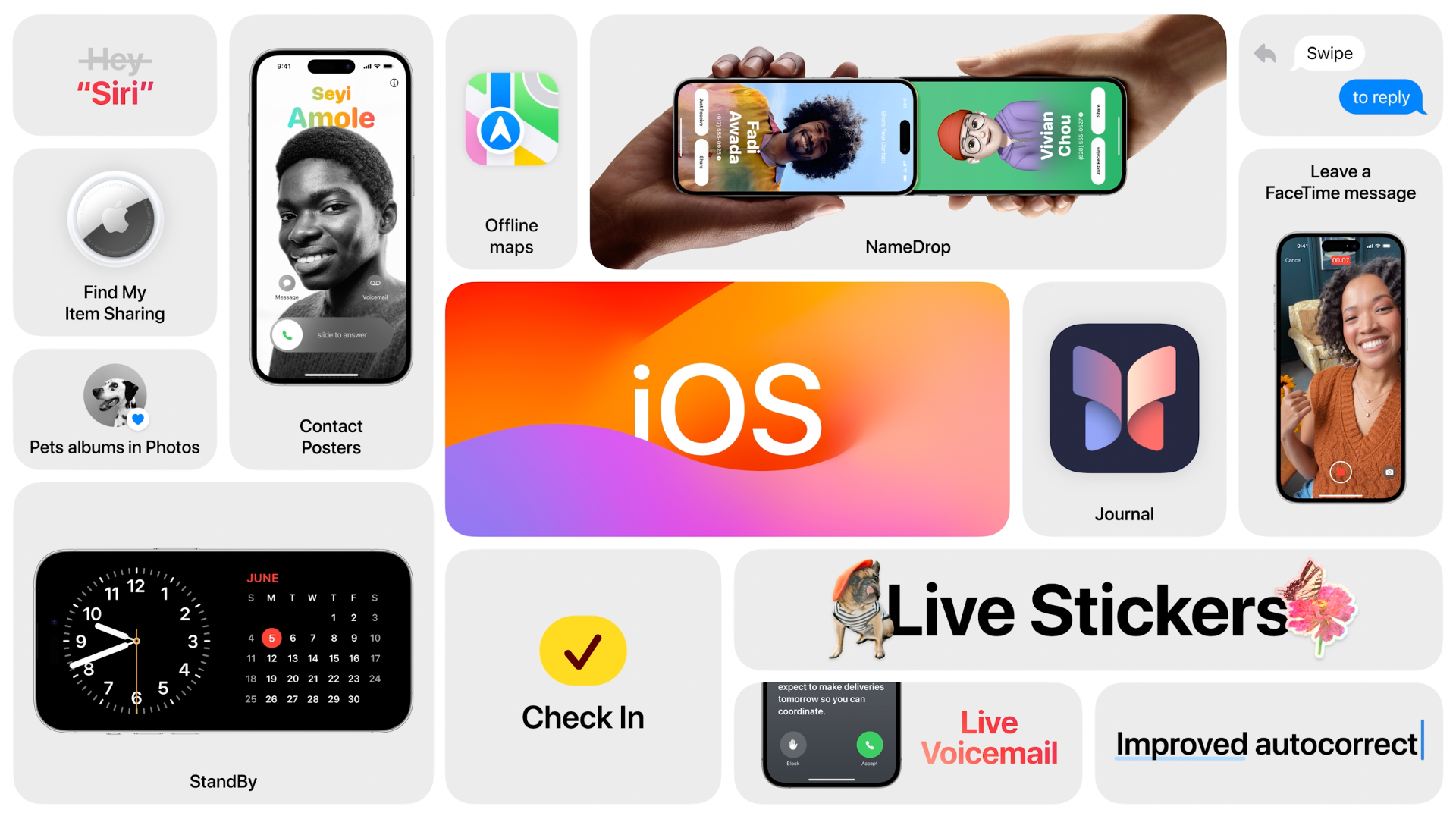
iOS 17 comes with features of personalized call photos and memojis, live voicemail, catch-up, inline location, new sticker experience.

Personalized call photos will be shown during the call.

Live voicemail helps old-school people to read voicemail messages as text.

Audio messages are transcribed.

With new sticker experience, you can now make live, animating stickers from live photos. They can also work with third-party apps.

ios 17 details

10:25 am

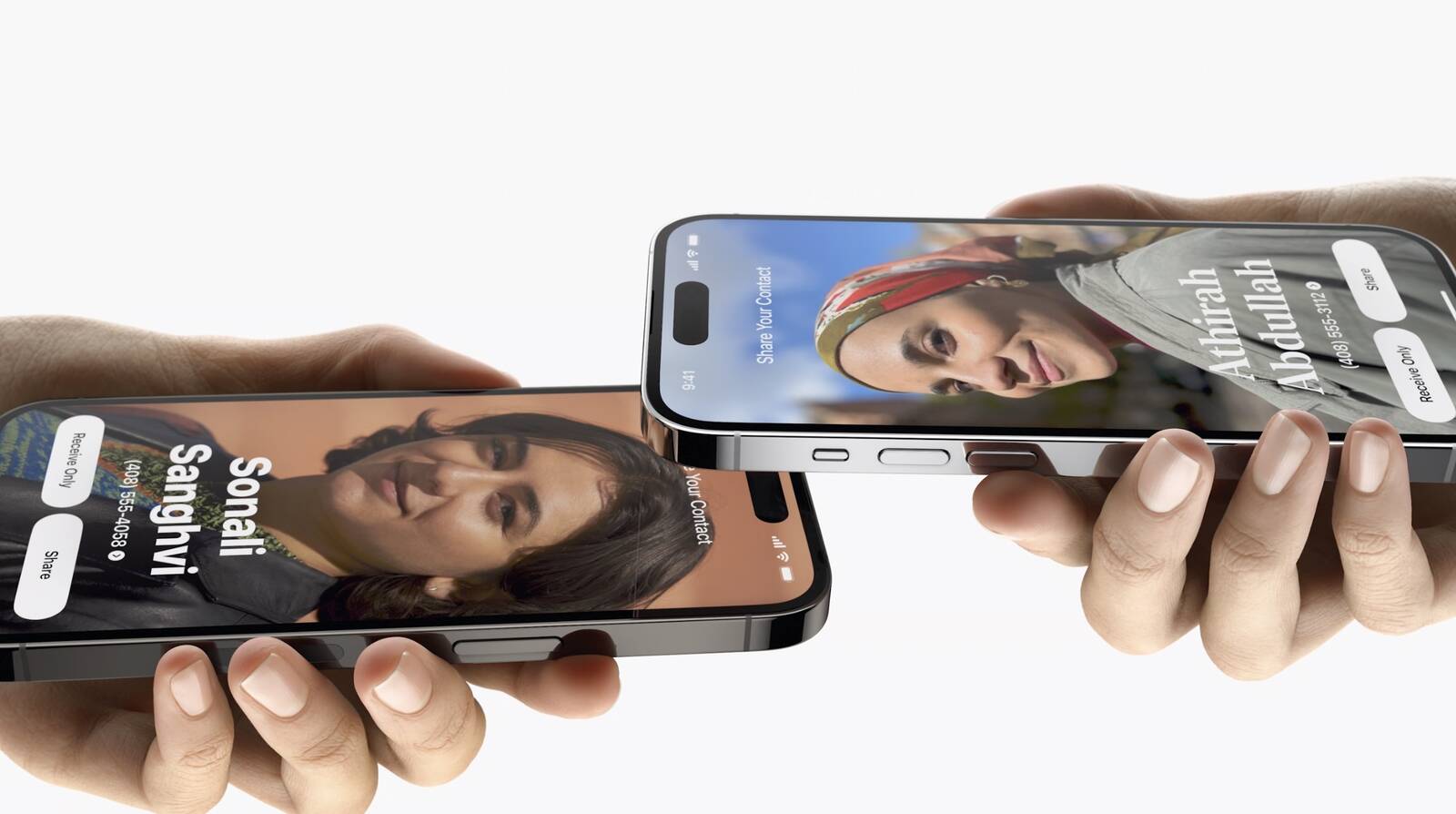
Use AirDrop to swap your number with someone new. “NameDrop”. If you bring phones close together, you share your contact poster and you can chose what number and email addresses you share.

You can close your iPhone to another one to start transferring also, like AirDrop.

airdrop

10:30 am

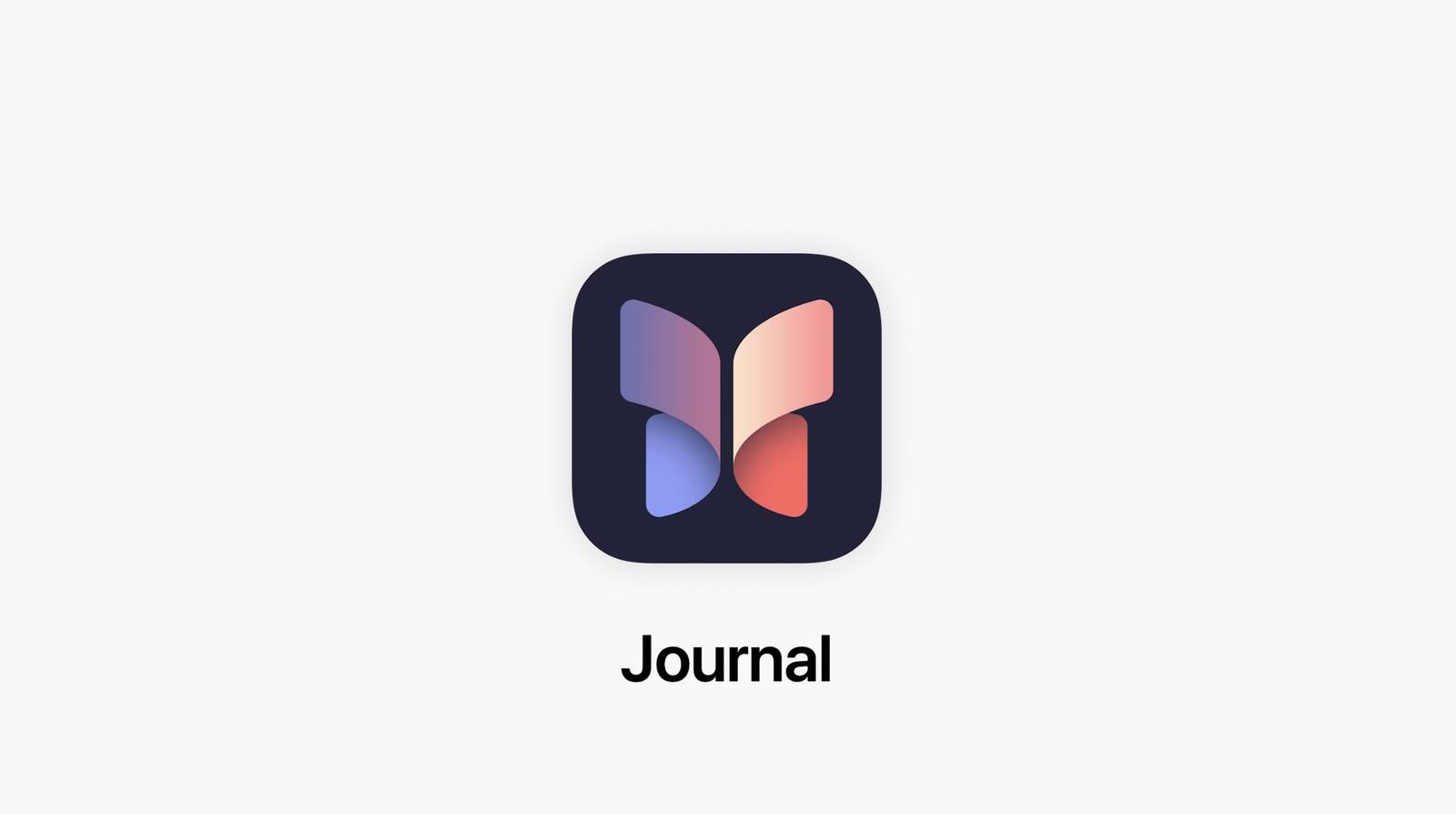
Journal app will be alive for us. It helps to write down daily adventures.

It stores your data such as people, places, activity, music, photos and more to provide an excellent way for practising gratitude.

ios journal app

10:35 am

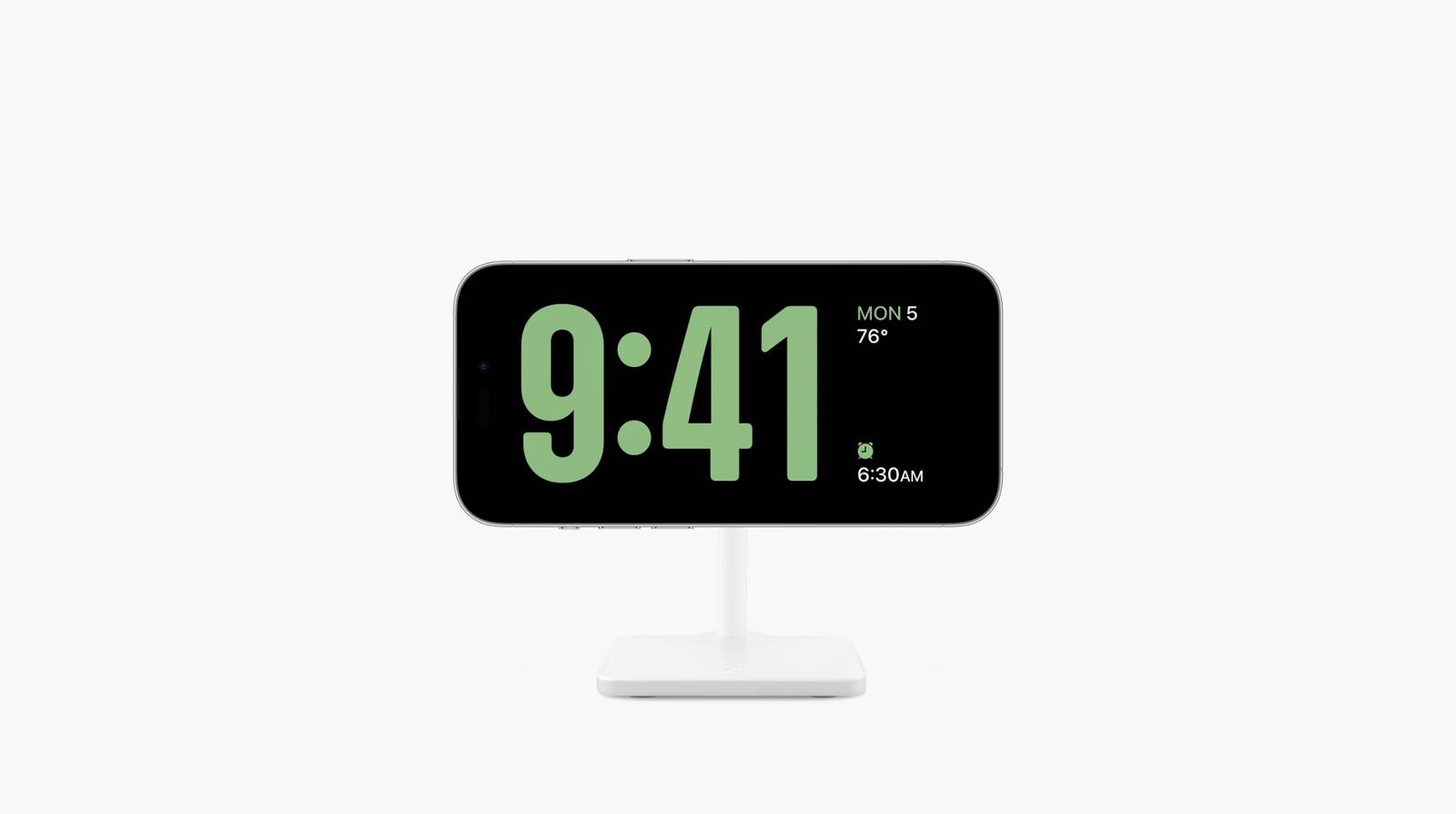
StandBy is the form that makes iPhone like a smart alarm.

it is enabled when the iPhone is sideways, designed for a MagSafe stand. You can see the time, calendar, alarm, and more. It also supports smart stacks and other features like live activities.

ios standby feature

10:40 am

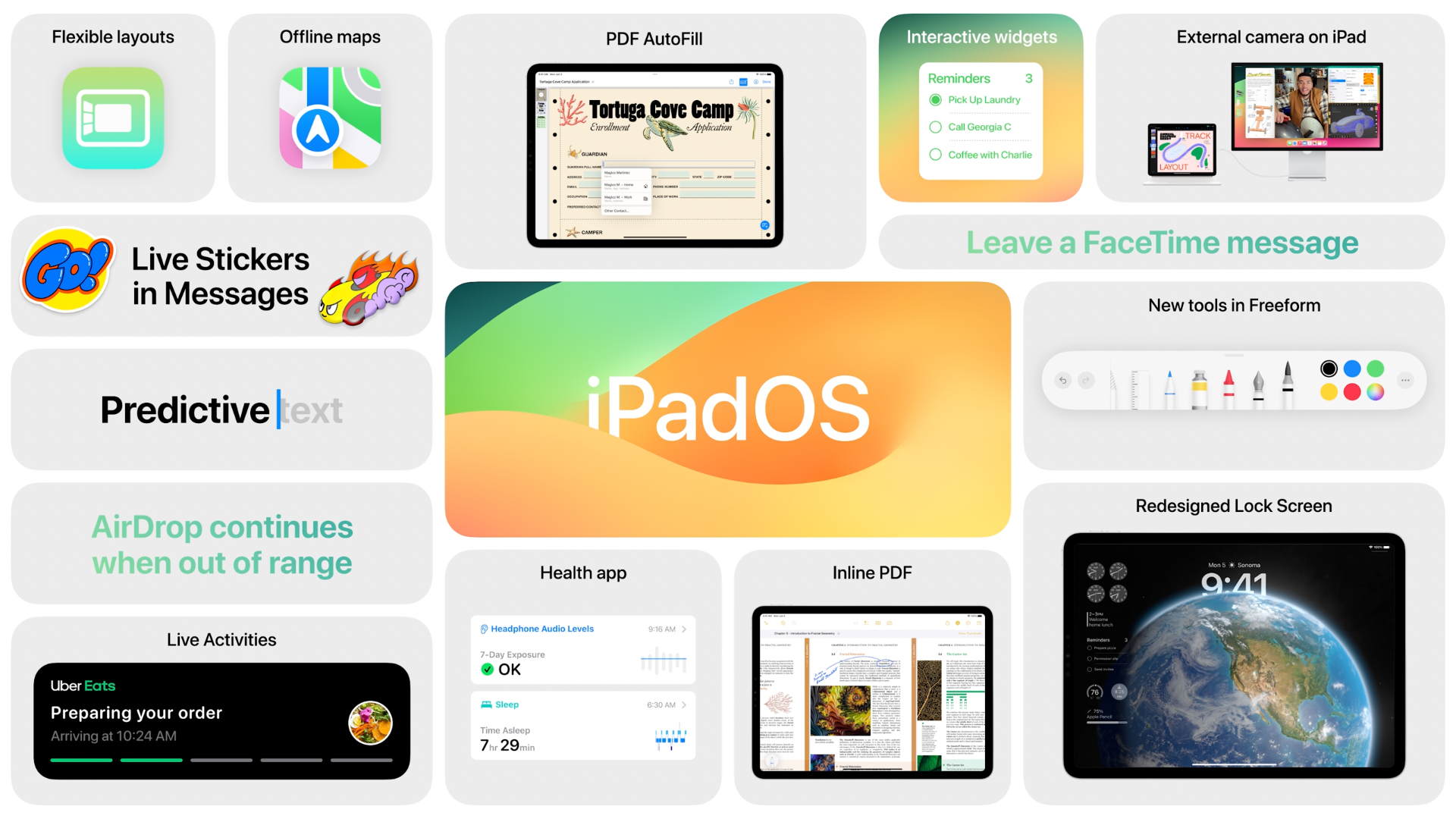
The new version iPadOS 17 comes with the features mainly released for iOS 16.

iPadOS 17 will include the almost the same features in iOS 17.

You can interact with widgets more by customizing home screen. Also, redesign the lock screen with a beautiful earth animation.

Health app coming to iPadOS.

Handling PDFs are easy now! Preview, sign, and edit PDFs.

ipados details

10:45 am

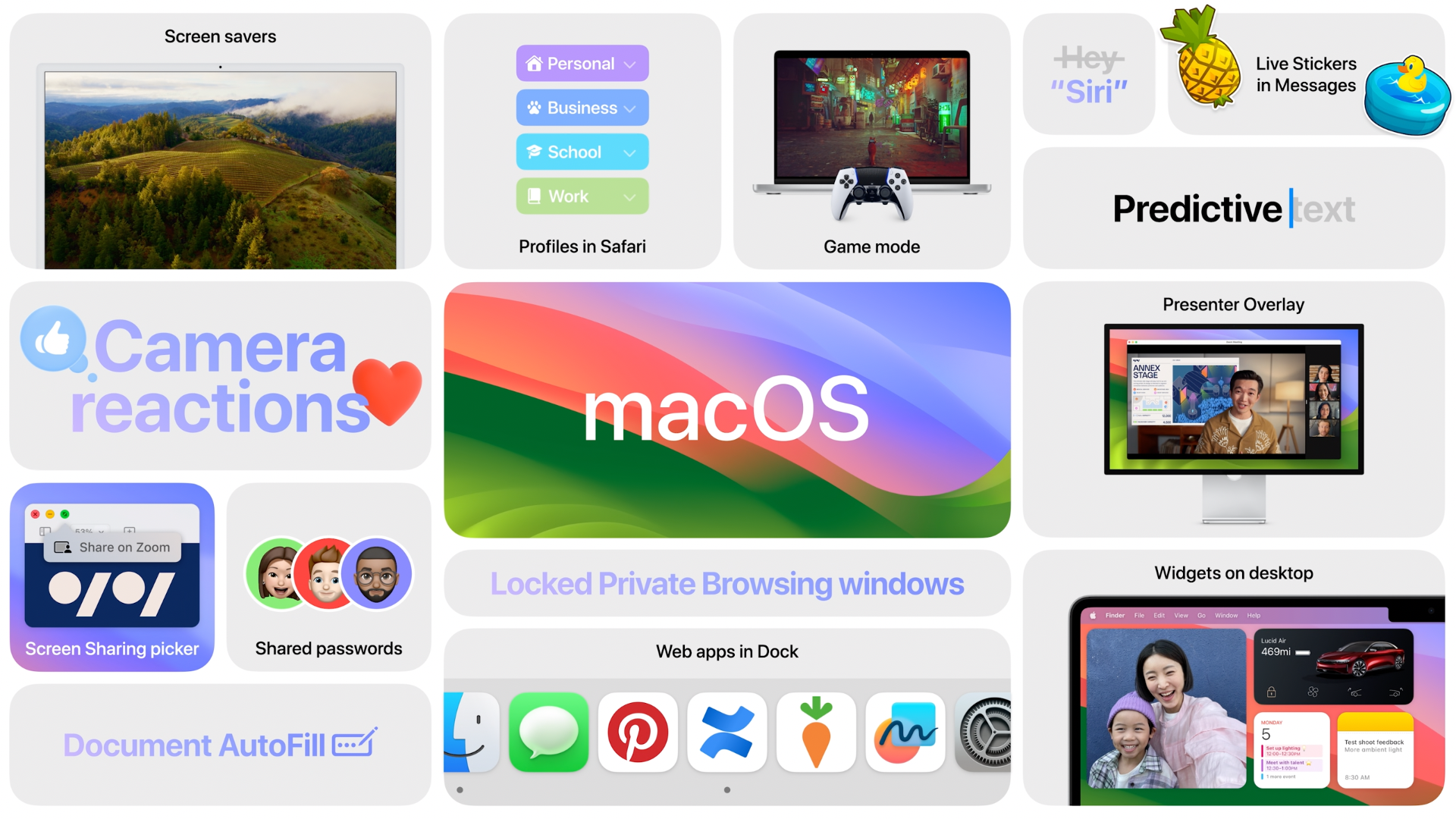
Now, macOS Sonoma.

Apple TV screensavers can be used in Sonoma now!

‌iPhone‌ widgets can be accessed on the Mac, too.

‌iPhone‌ just needs to be nearby or on the same Wi-Fi network. ‌Widgets‌ on the Mac are interactive now, too. Use your car widget from your ‌iPhone‌ to start cooling off your car.

macos sonoma

10:50

Kojima Games will release Death Stranding Director’s Cut game to Mac.

Kojima Games will release Death Stranding Director's Cut game to Mac.

10:55 am

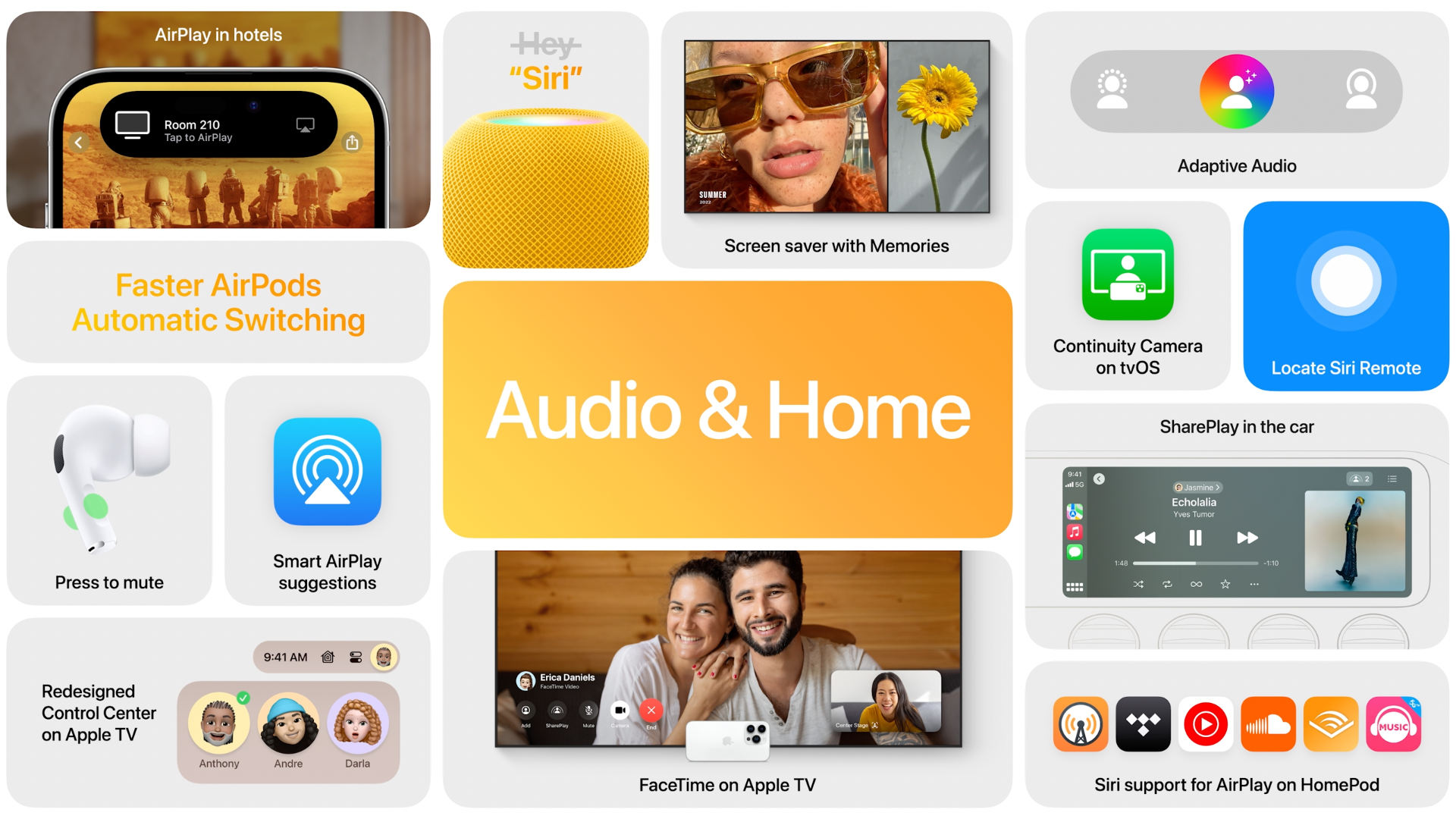
Here are Audio & Home features.

apple home and audio

11:00 am

AirPlay in hotels is for using the hotel’s electronic devices easily.

11:05 am

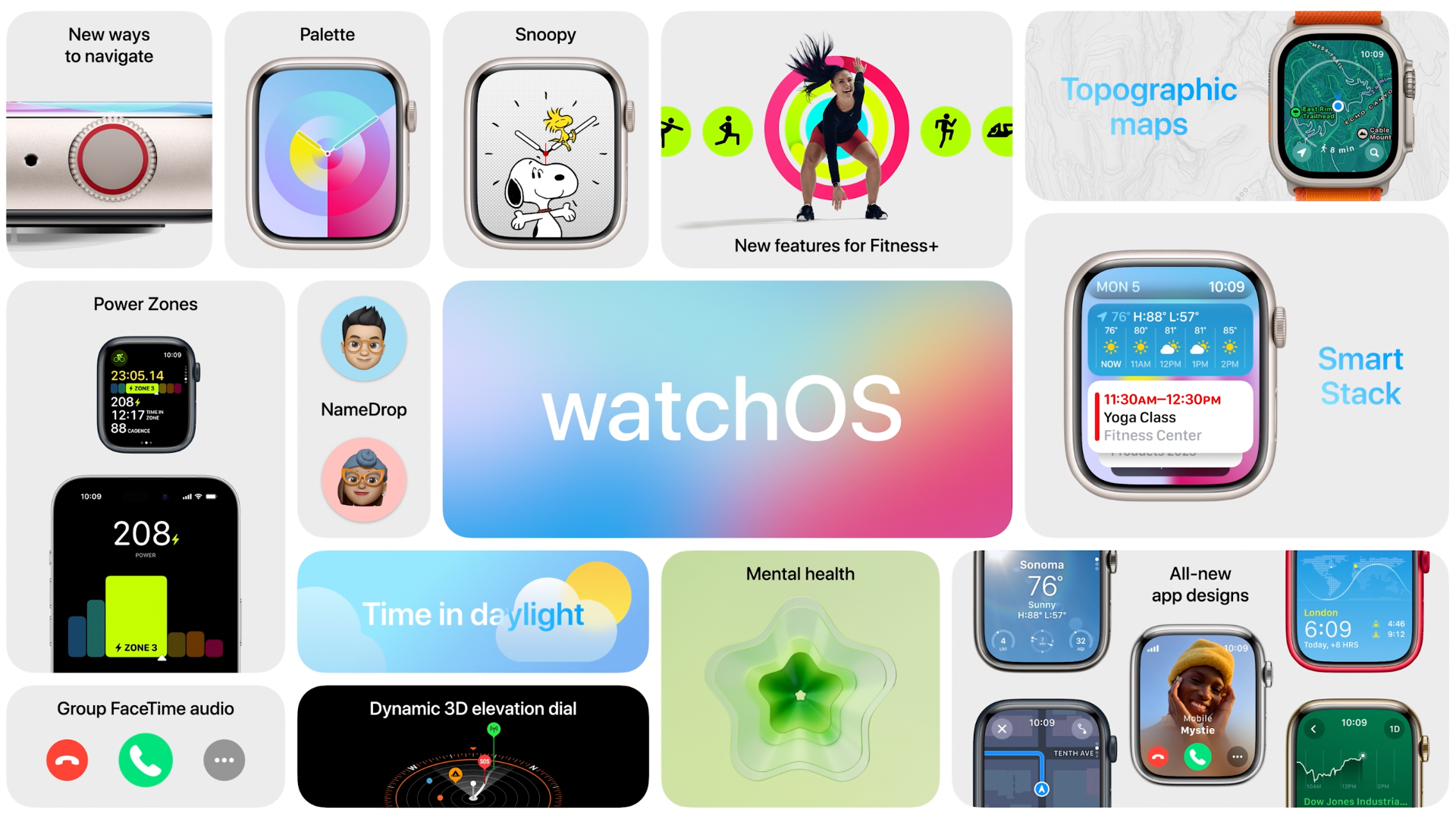
‌watchOS 10‌ is alive! A new way to view information quickly from any watch face, plus comprehensive app redesigns across watchOS.

New Cycling support for Workout. Apple Watch can connect to Bluetooth-enabled bike sensors.

Now for the excited part for developers, Workout API. Developerss can create workout programs that can be accessible from the Workout app.

watchos details

11:20 am

The new AR platform Vision Pro is alive! It’s a headset, you look through, but not at. Digital content blended into the space around you.

Use eyes, hands and voice to control.

Vision Pro lets you never be separated from people around you. Vision pro displays your eyes when people are around. New “EyeSight” feature with an external display.

It can use Magic Trackpad and Magic Keyboard as control inputs, and even bring your Mac screen into Vision Pro.

It starts $3499.

Its operating system is called visionOS.

visionos details

11:40 am

Disney is celebrating its 100th anniversary.

Disney is celebrating its 100th anniversary.

That is all we gather from the WWDC 2023! For more detailed posts about the sessions, be sure you keep track our blog webpage or sign up for our newsletter from below.

Exploring WWDC 2023: Upcoming Apple Innovations

Apple’s highly anticipated Worldwide Developers Conference (WWDC) for 2023 is set to be one of the most exciting events yet. This year, the conference will once again be held in an online format, following the success of the previous year’s digital event due to the ongoing pandemic. However, there is an exciting twist this time around. A limited number of developers and students have been chosen to attend WWDC 2023 in person, offering them a unique opportunity to be part of the event both digitally and physically.

The conference, starting on June 5th, will showcase Apple’s future vision for developers, providing valuable insights into innovative software, new features, APIs, and platforms. Although there is a small possibility, the iPhone 15 may be unveiled at this event. This event serves as a testament to Apple’s dedication to collaboratively engaging with the developer community and the exploration of future technologies together.

Are you ready? Then keep reading to explore the exciting features awaiting us at WWDC 2023!

iPhone 15

iphone15

Many people are waiting for the new iPhone 15, but Apple typically announces the new iPhones at an event held in the last quarter of the year. But let’s take a closer look at the features we expect from the new iPhone 15 in case it releases at WWDC.

Rumored features include USB-C, 6x optical zoom, dynamic islands, solid-state buttons, increased RAM, and variable zoom.

  • The USB-C port will provide users with faster data transfer and charging capabilities, enhancing the overall convenience.
  • The 6x optical zoom feature will allow for higher-quality long-distance photo and video capture.
  • Dynamic islands will enable users to transition between apps more quickly and smoothly.
  • Solid-state buttons will provide a more durable and precise user experience.
  • Increased RAM will deliver faster and smoother performance, allowing users to switch between multiple tasks seamlessly.
  • Lastly, the variable zoom feature will allow users to capture photos and videos more creatively, adjusting the zoom level according to their preferences.

The New Premium Headset: Apple Reality Pro

Apple VR

Apple is set to unveil its highly anticipated Reality Pro headset at WWDC 2023. This advanced headset combines mixed reality and augmented reality capabilities with top-notch specifications and hardware.

The first Reality Pro headset from Apple is expected to be a premium product priced at around $3,000. It boasts cutting-edge features, including an innovative three-display configuration with two 4K Micro-LED panels. Apple is also working on a more affordable headset, but it won’t be ready for mass production until at least 2025.

Powered by xrOS, the headset’s software platform supports various features such as FaceTime, content consumption, gaming, virtual world creation, and more.

Users will be able to seamlessly switch between AR and VR modes with the Reality Pro headset, thanks to the integral feature in the xrOS. The VR mode offers an immersive experience, while users can gradually transition to AR mode to view the real-world surroundings by using a Digital Crown-like toggle on the headset.

At WWDC, Apple will conduct sessions and workshops for developers to deepen their understanding of xrOS. Topics will include developing applications for the headset, strategies for porting apps from other platforms, design guidelines for compelling virtual reality experiences, and more.

Although Apple will announce the new headset and xrOS at WWDC 2023, it won’t be available for purchase until later this year.

15-inch MacBook Air

15 inc macbook air

Apple is set to unveil new MacBooks at WWDC, including an updated 13-inch MacBook Air, a new 13-inch MacBook Pro, and the highly anticipated 15-inch MacBook Air. According to Bloomberg’s Mark Gurman, the 15-inch MacBook Air is expected to be a standout announcement at the event.

The MacBook Air has long been a popular choice among users, typically offered with a 13-inch screen. However, rumors suggest that Apple is ready to introduce a larger 15-inch version powered by the M2 chip. While specific pricing and its position within Apple’s MacBook lineup are still unknown, the arrival of a 15-inch MacBook Air is seen as a response to the demand for a larger display option in the MacBook Air series. This expansion is likely to provide users with a compelling choice that combines the Air’s portability with a bigger screen, catering to a wider range of needs and preferences.

iOS 17

ios 17

Apple is set to unveil iOS 17 at WWDC, bringing a range of new features and improvements for iPhone users. Rumored features include an all-new Journaling app that integrates with the Find My app, a “smart display” mode for the always-on Lock Screen, enhanced Health app functionalities such as mood tracking and vision condition management, and the introduction of sideloading and third-party app stores exclusively in the European Union.

Other expected updates involve the Wallet app, AirPlay, SharePlay, and potential surprises that Apple typically keeps under wraps until the keynote. Additionally, iPadOS 17 is likely to share many features with iOS 17, offering enhanced functionality for iPad users. Overall, iOS 17 promises an exciting update with both anticipated and unexpected enhancements to the user experience.

Left Icon

Make better iOS apps by automating builds, test, and releases with Appcircle.

Right Icon Contact Us

Other OS

We are anticipating exciting advancements in Apple’s latest versions, WatchOS 10, MacOS 14, and iPadOS 17. WatchOS 10 is expected to bring new customizable watch faces, improved fitness tracking, faster app launching, and smarter notifications for Apple Watch users. MacOS 14 will likely offer enhanced performance, multitasking capabilities, new applications, and user interface improvements for Mac users. iPadOS 17 will provide a powerful experience with new multitasking features, improved Apple Pencil integration, file management, and more for iPad users. These updates reflect Apple’s continuous commitment to innovation, aiming to provide users with an even better experience.

Wrap Up

WWDC 2023 will showcase Apple’s latest technological advancements, with a select group of attendees experiencing the event in person. Anticipated updates include the unveiling of the Reality Pro headset, a larger 15-inch version of the MacBook Air, and exciting enhancements in iOS 17, such as a new Journaling app and improved Health features. Sideloading and third-party app stores will be introduced in the European Union. WatchOS 10, MacOS 14, and iPadOS 17 will also bring new features and improvements. However, the announcement of the iPhone 15 is not expected at this event and will likely take place in September. The main keynote is scheduled for June 5th, with live stream options available for groundbreaking announcements at WWDC 2023. You can find all the details about the event at this link.

When?

Apple has announced this year’s highly anticipated WWDC keynote on Monday, June 5th, at 1 PM ET / 10 AM PT. The event will take place in a unique digital and in-person format at Apple Park in Cupertino, California. CEO Tim Cook will kick off the proceedings, promising an immersive experience for both online viewers and select attendees at the venue. You can view the full WWDC lineup here.

How Can I Watch?

Apple plans to live stream the highly anticipated WWDC keynote directly from its official website and YouTube channel. We will provide an embedded stream for seamless viewing. If you miss the live keynote, don’t worry, Apple will upload a prerecorded version on YouTube for later viewing.

Get ready for exciting announcements from Apple at the highly anticipated WWDC event. Stay tuned for groundbreaking updates and innovations!