

WWDC23: Meet ActivityKit
Overview of Live Activities
Live Activities provides us with the best way to track an event or a task. It allows us to follow it in real-time, delivering updates actively in the background and providing push notifications. For example, you can track a flight instantly or see the scores of a sports match in real-time.
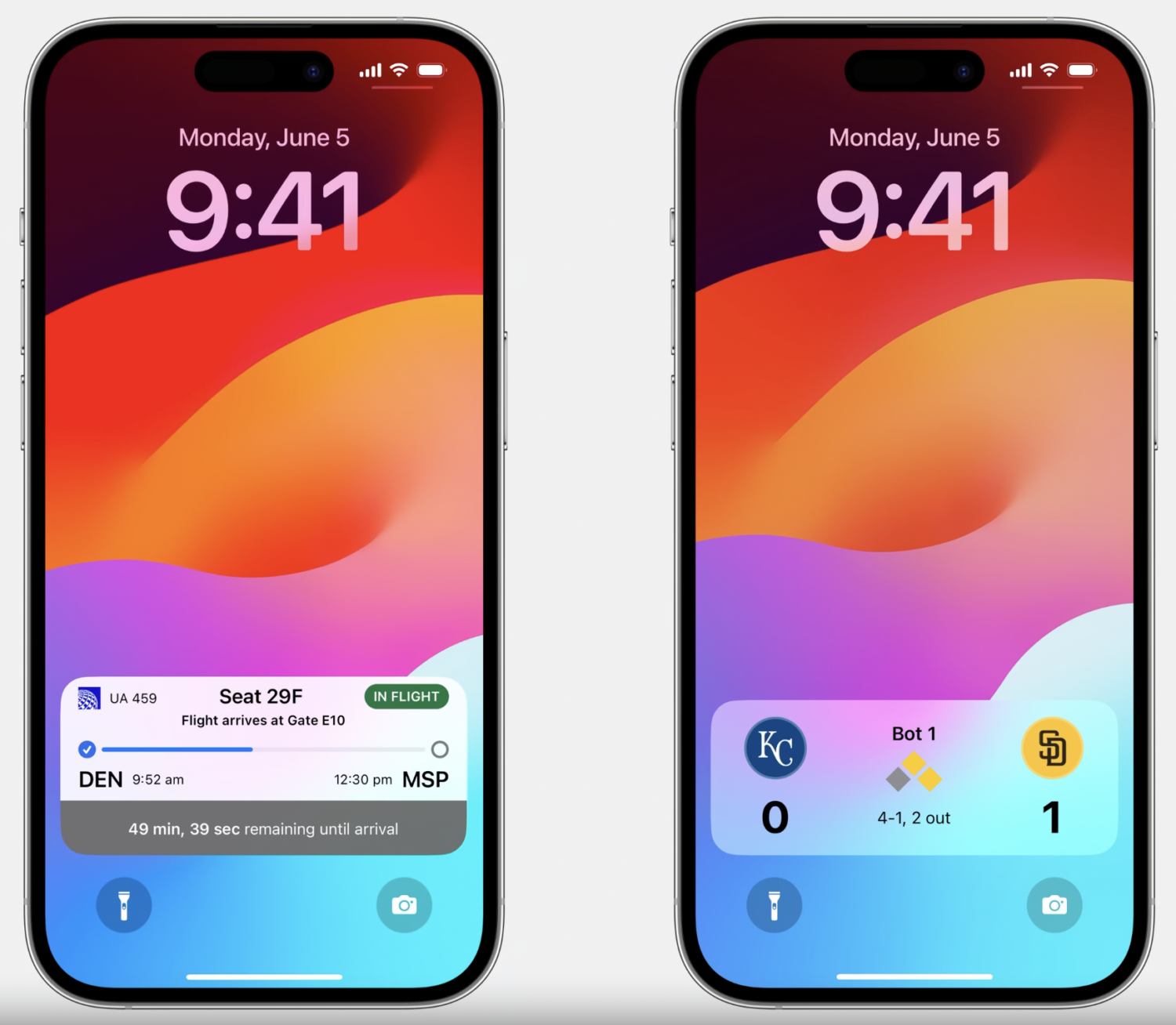
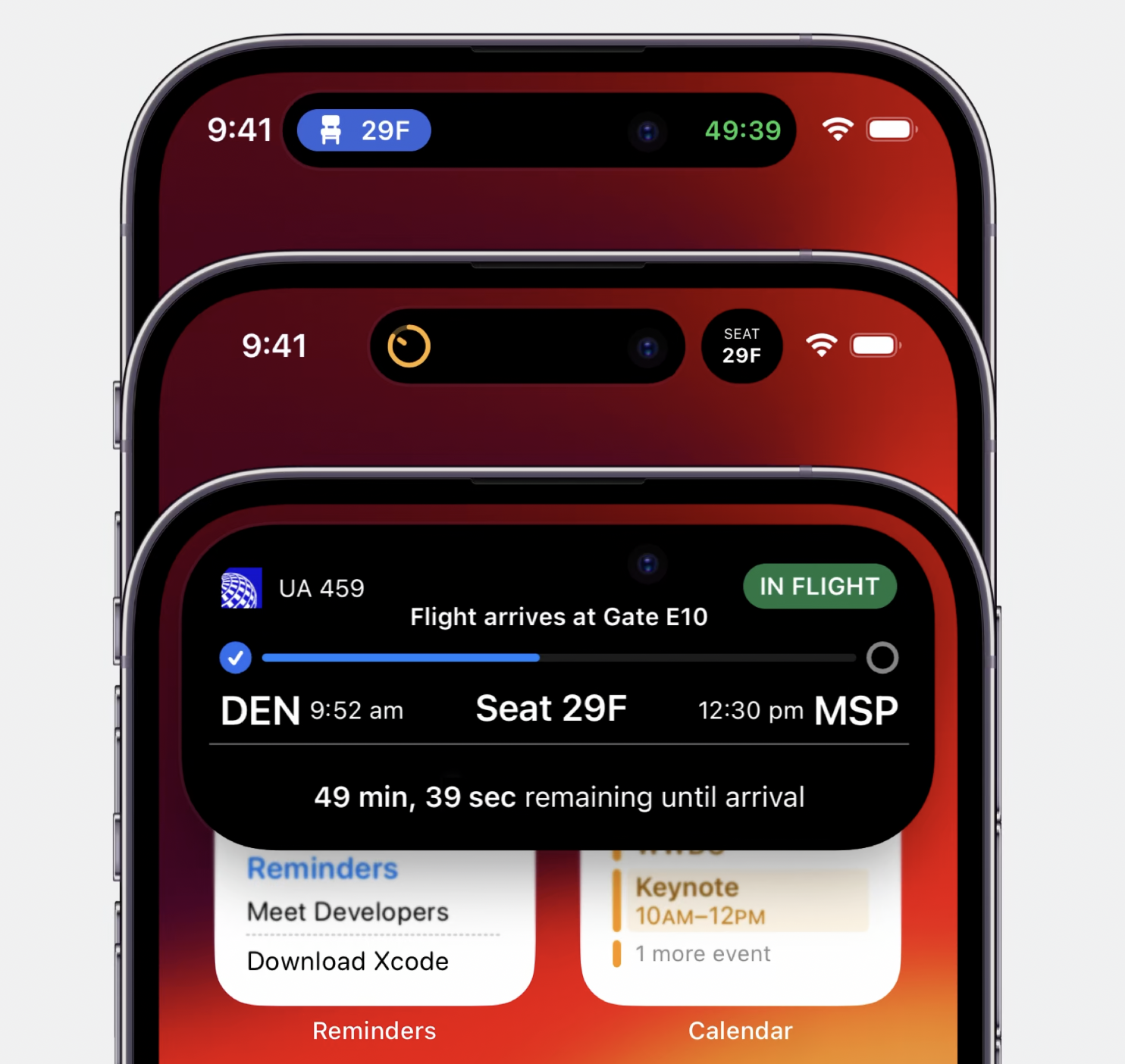
Live Activities offers a more immersive experience for iPhone 14 Pro and Pro Max. Even while running in the background, the Dynamic Island app provides you with a UI experience. 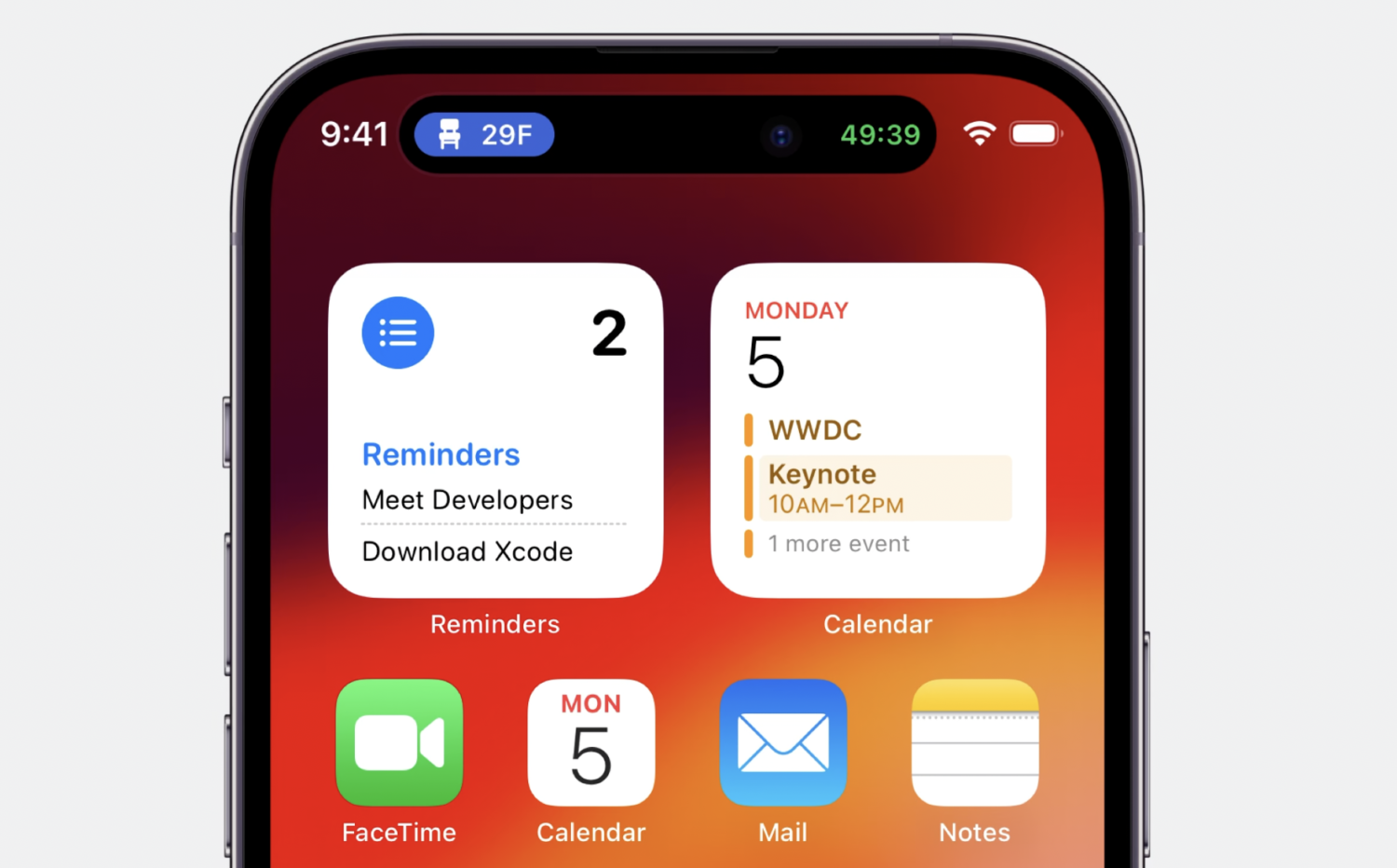
Dynamic Island simultaneously provides two different Live Activities for users to use at the same time. One is on the left side of Dynamic Island, while the other is on the right side of the camera. Dynamic Island seamlessly synchronizes with an extended view alongside its minimal presentation, allowing for smooth interaction.
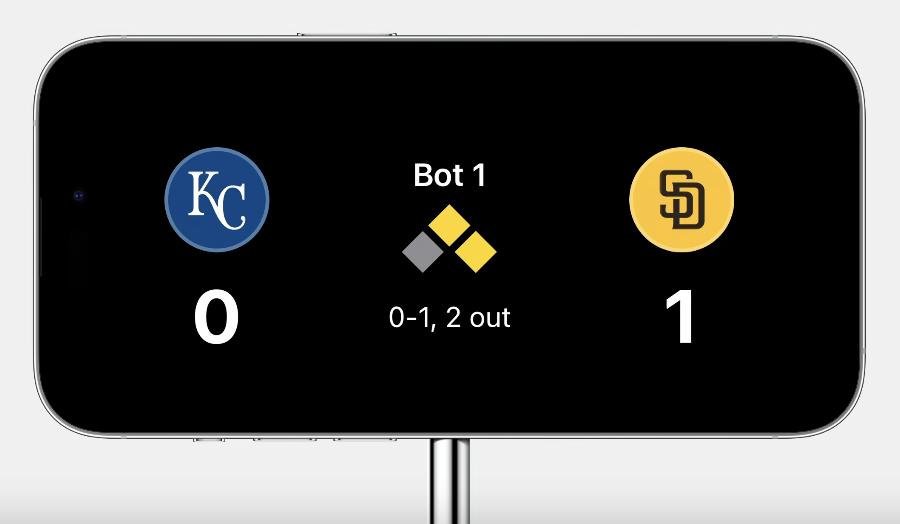
With the new standby mode coming with iOS 17, Live Activities have become compatible within this mode. Live Activities can now also be used on iPadOS.
Lifecycle of Live Activities
The lifecycle of Live Activities consists of four main stages: request for activity initiation, updating the content of the current state, observing activity state during runtime, and the ending step when the task is completed.
- Request
- Update
- Observe Activity state
- End
Build an Activity with ActivityKit
Let’s start with activity initialization in the background. We add the ActivityKit protocol to your application and define an initializer.
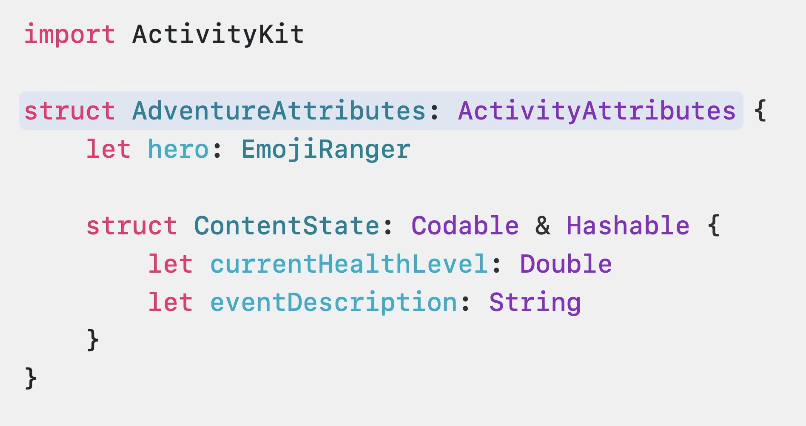
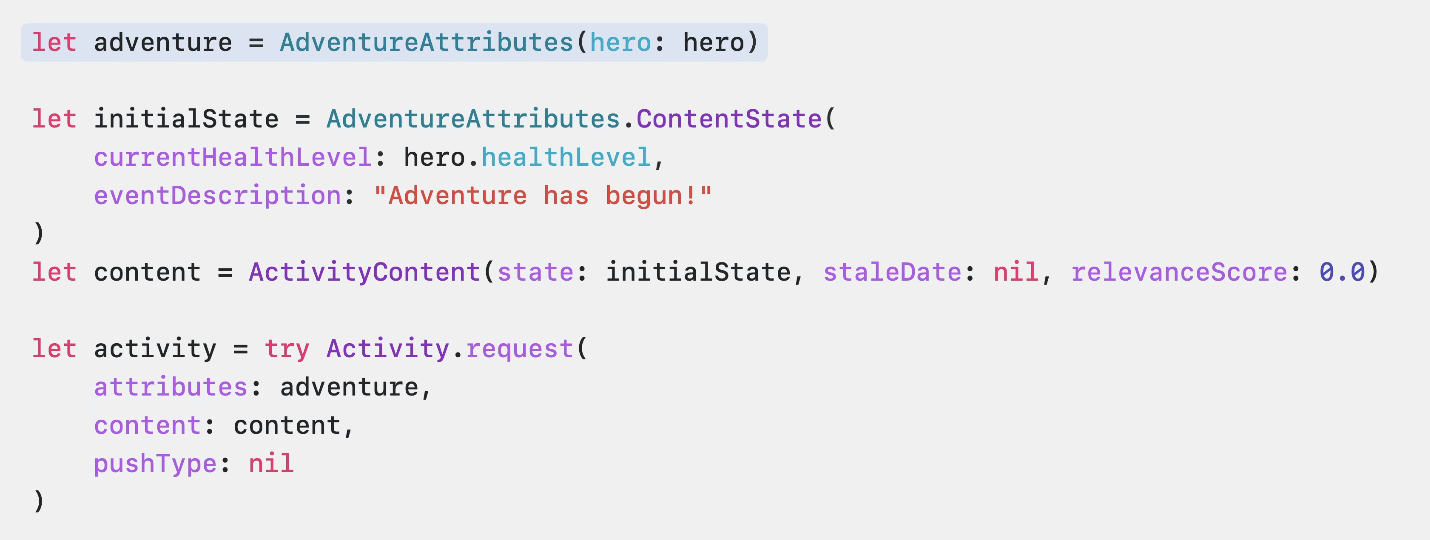
If dynamic and static data are ready, we can proceed to the activity request step. We start by creating an instance from the protocol we defined. Then, we proceed with the initial content. After that, we request the activity using the content we created. Optionally, a push notification type can be provided at this stage.
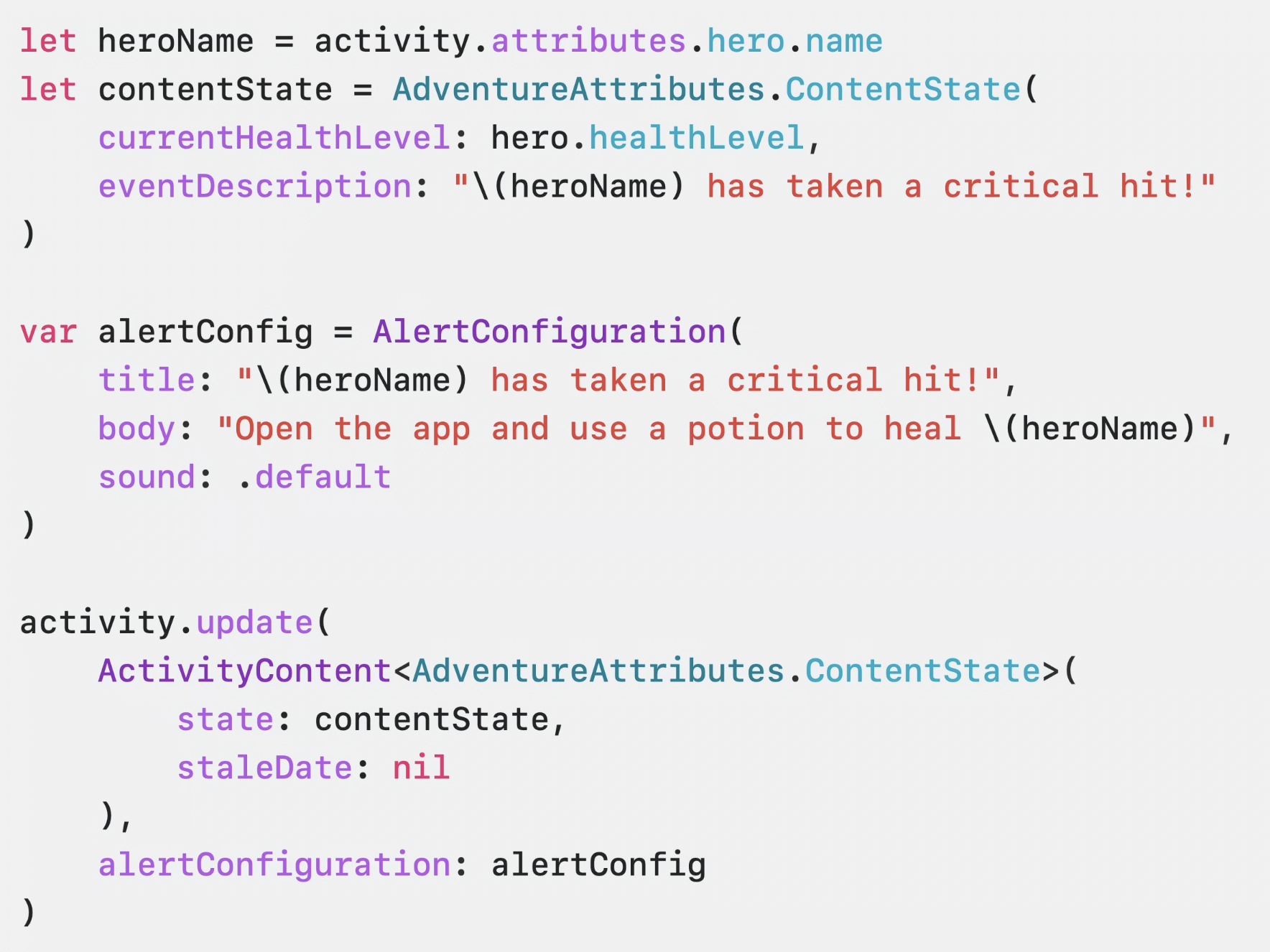
Next, we have the update step. Activity update allows us to track the real-time status of the event we are following. To do this, all we need to do is update the content states of the instance we created and then call the update function of that instance.
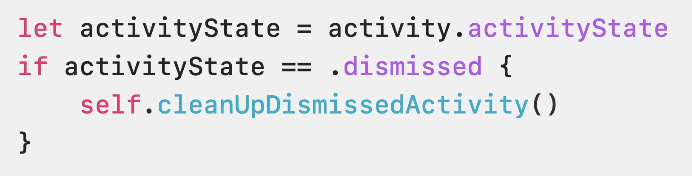
Now let’s move on to the observe activity step. Activity tracking consists of four possible steps: Started, Finished, Dismissed, and Stale. We track these four possible steps using the “Update Observe API.”
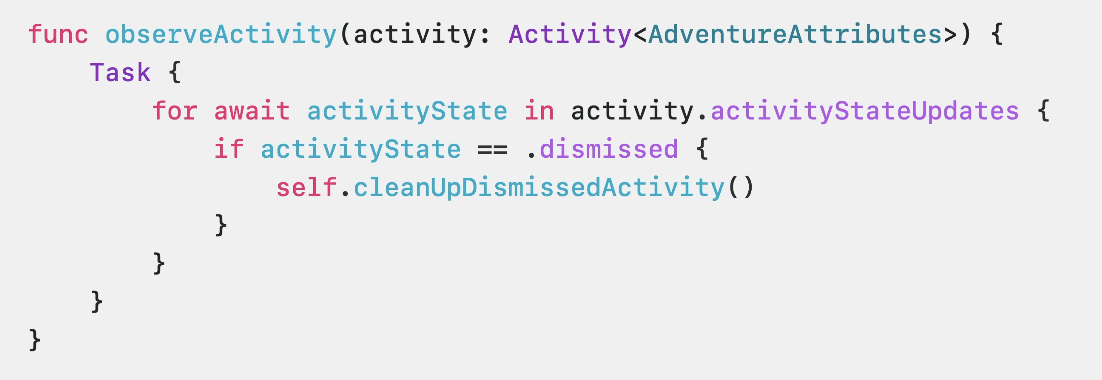
If needed, we can use the “Activity State Control API” to control the event state.
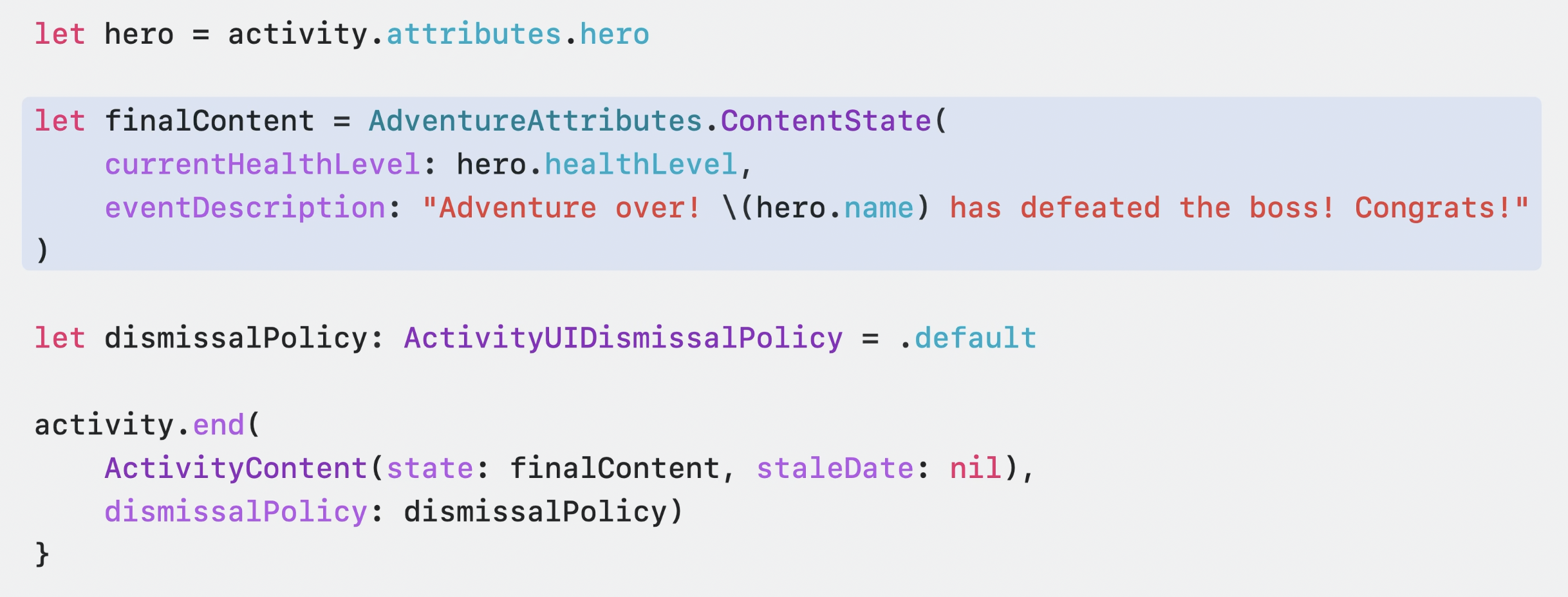
And now we have reached the final step, the end step. The end step allows us to determine what will happen at the end of the activity by creating a final content. We can end the event by calling the .end function of the ActivityKit instance we created and passing the final content as a parameter.
Summary
ActivityKit seems to be a promising technology that will continue to offer useful products this year. We briefly reviewed this technology introduced by Apple at the WWDC23 conference.
For more detailed information, you can access the session videos through the provided link.

