

Appcircle Enterprise App Store: Simplifying In-House App Distribution for Azure DevOps Users
Enterprise App Store Extension for Azure DevOps is here! With this extension, Azure DevOps users can now publish their in-house apps directly to the Appcircle Enterprise App Store. But before we dive into the details, let’s address the most essential question: What exactly is in-house app distribution?
What is In-House App Distribution?
Have you ever wondered how organizations manage to get their custom apps directly into the hands of their employees without going through the hassle of public app stores? That’s where in-house app distribution comes into play! Instead of navigating the lengthy approval processes of the Apple App Store or Google Play Store, companies can deploy and distribute mobile applications exclusively within their own network.
This method is a game-changer for distributing apps meant for internal use by employees, contractors, or partners. It’s all about keeping things streamlined and secure, ensuring that only the right people get access to the tools they need to keep business running smoothly. What is Appcircle Enterprise App Store?
What is Appcircle Enterprise App Store?
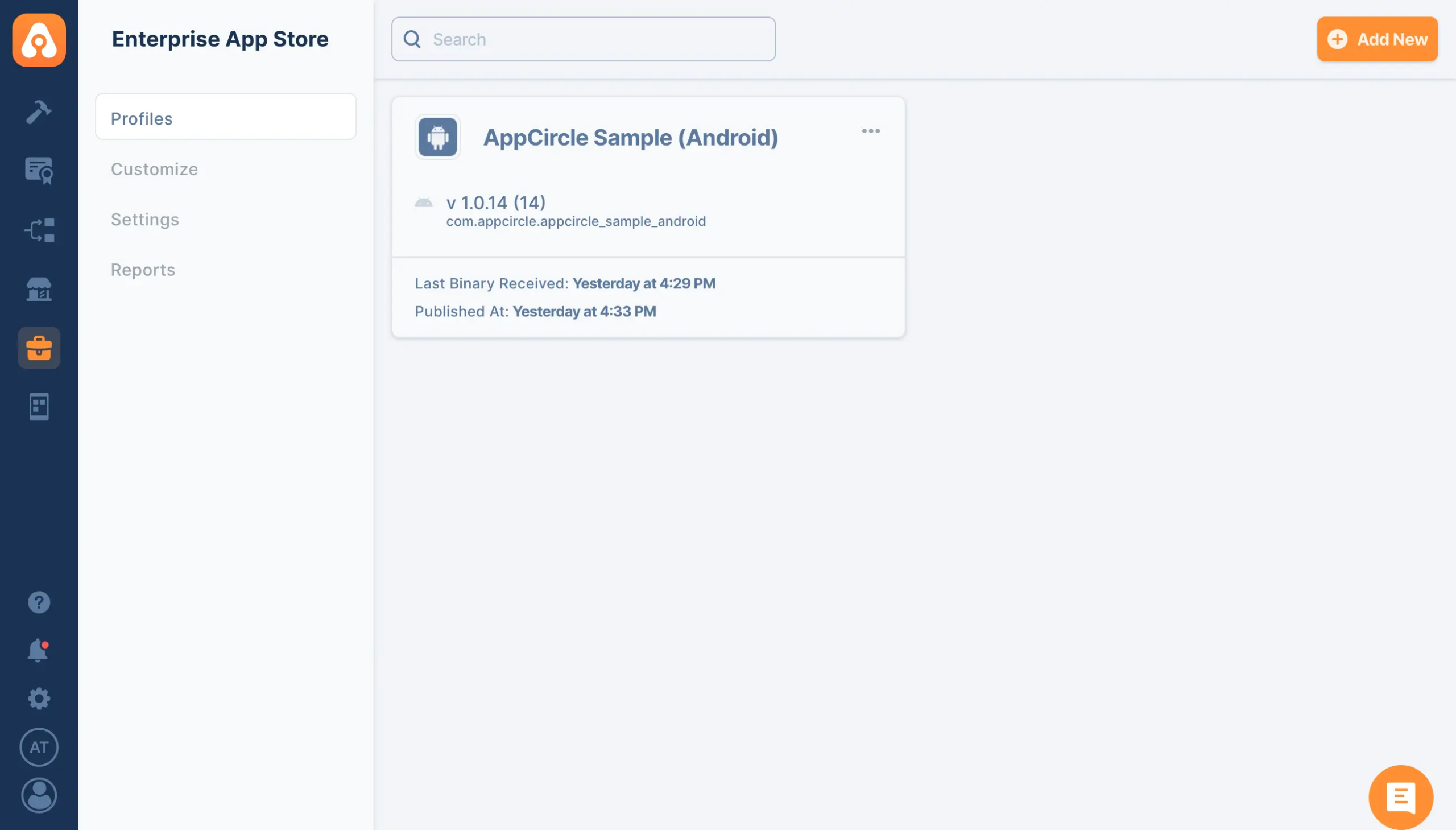
The Appcircle Enterprise Mobile App Store is your go-to solution for distributing in-house apps with a fully customizable mobile storefront. It offers everything you need for secure, streamlined distribution of your apps, ensuring that your business operations run smoothly. Plus, it allows the distribution of B2B and B2E applications without the need for an MDM solution or enrollment, simplifying the entire process and reducing costs. With Appcircle, you can create a tailored app experience that aligns perfectly with your brand and user needs, all while maintaining the highest standards of security and efficiency.
Learn more about Appcircle Enterprise App Store.
What Sets Apart Appcircle Enterprise Mobile App Store ?
1. Direct File Sharing:
Skip the traditional app stores and share .IPA, APK, or AAB files directly, which eliminates the waiting time for Apple App Store or Google Play approvals.
2. Flexible Sharing Options:
Manage different channels for beta testing and production releases, allowing users to choose between stable releases and beta versions for testing new features. Utilize phased rollouts to minimize risks and gather feedback from beta testers before a full release.
3. Enhanced Security:
Access the Enterprise Mobile App Store with extra secure authentication methods tailored for enterprise use. Implement role-based access controls with LDAP and SSO integration to assign different roles and permissions based on organizational roles. Ensure that only authorized personnel can access certain apps, enhancing security and compliance.
4. Reporting:
Obtain comprehensive reports on app distribution metrics to track downloads, user engagement, and feedback, enabling informed decision-making. Create custom reports tailored to specific business needs and compliance requirements.
5. Customizable Mobile Storefront:
Provide a customizable mobile storefront for your in-house apps, ensuring a tailored experience that aligns perfectly with your brand and user needs.
6. No MDM Requirement:
Distribute B2B and B2E applications without the need for a Mobile Device Management (MDM) solution or enrollment, thereby reducing complexity and costs.
7. Streamlined Workflow:
Enjoy seamless integration with your existing workflow, making it easy to manage and distribute apps within your organization. Efficiently track and manage applications, versions, testers, and teams to ensure a smooth distribution process.
These features make the Appcircle Enterprise Mobile App Store a powerful tool for securely and efficiently distributing in-house applications, offering flexibility, enhanced security, and a streamlined workflow.
How to use Appcircle Enterprise App Store Extension for Azure DevOps?
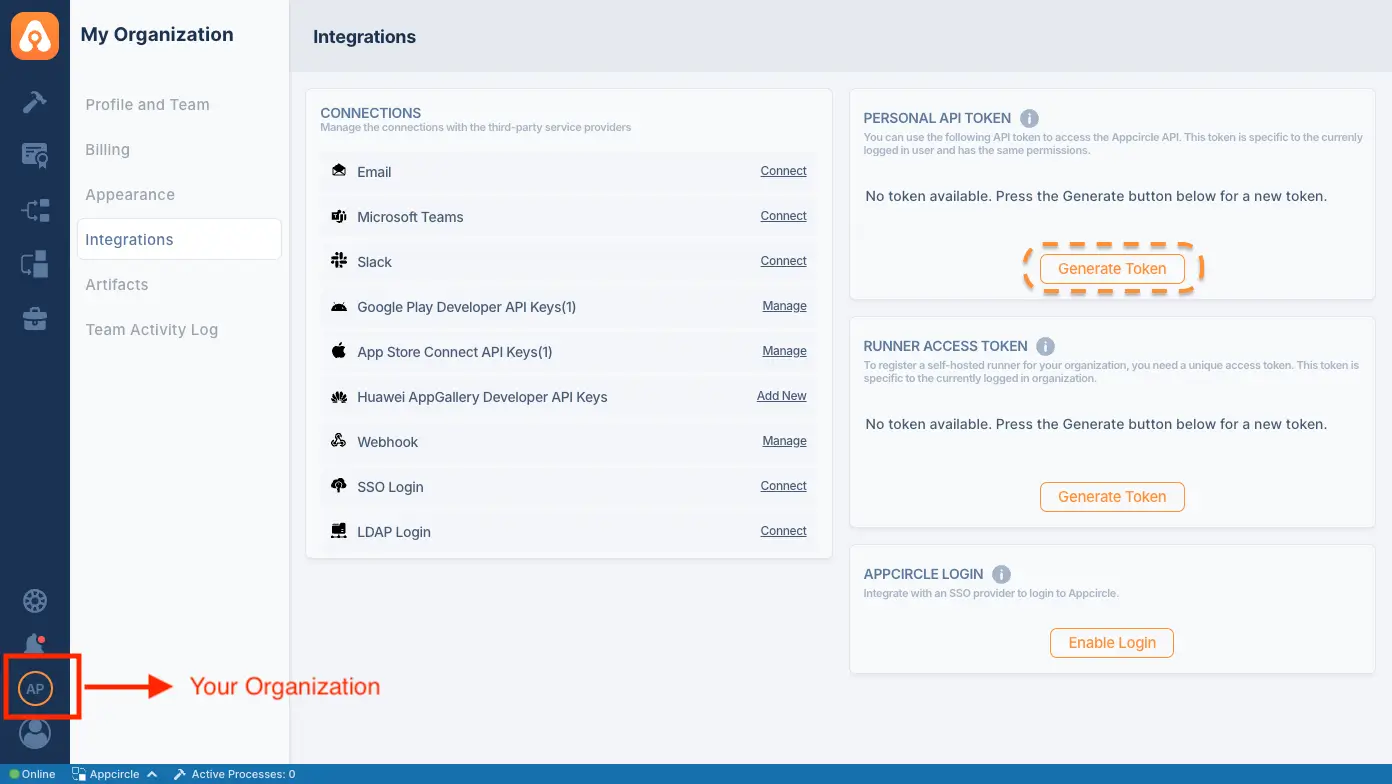
To generate a Personal API Token:
- Go to the My Organization screen (second option at the bottom left).
- Find the Personal API Token section in the top right corner.
- Press the “Generate Token” button to generate your first token.
After the token is generated:
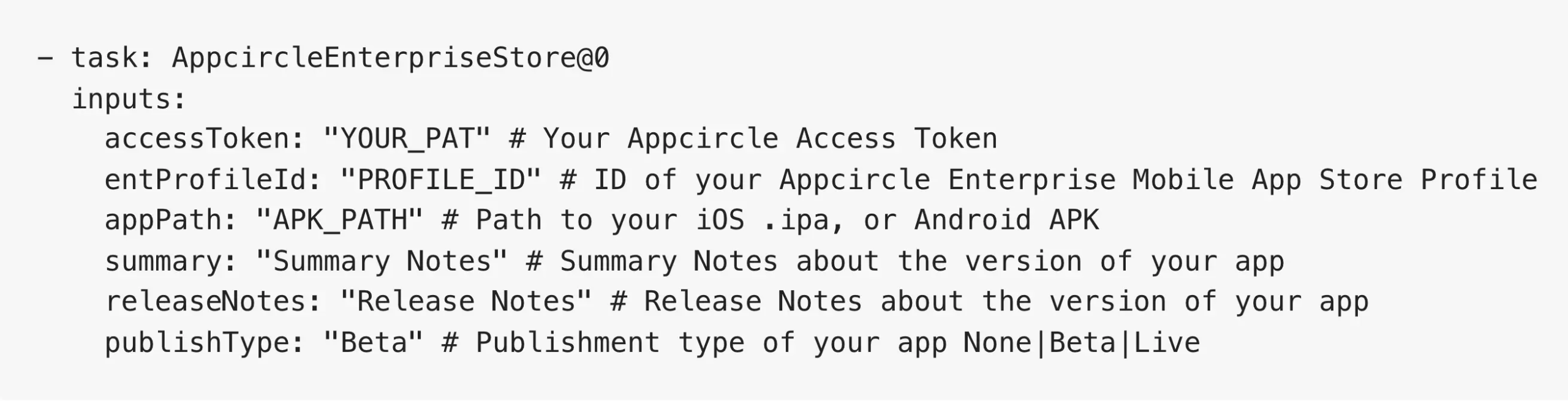
- Go to your pipeline and search for “Appcircle Enterprise Store.”
- Provide the required information, such as the Appcircle Access Token, and hit the add button to publish your app.
- After entering the inputs, your pipeline file should look similar to this:
Leveraging Environment Variables
Utilize environment variables seamlessly by substituting the parameters with $(VARIABLE_NAME) in your task inputs. The extension automatically retrieves values from the specified environment variables within your pipeline.
Reference
For more detailed instructions and support, visit the Appcircle Enterprise App Store documentation.

