
WWDC25: What’s New in Swift 6.2
Today we’re going to talk about Swift 6.2, which was introduced at WWDC25. These innovations have created controversy. But which side will you be on? If you’re ready, talented iOS Developers, let’s take a long journey.
Development Workflow
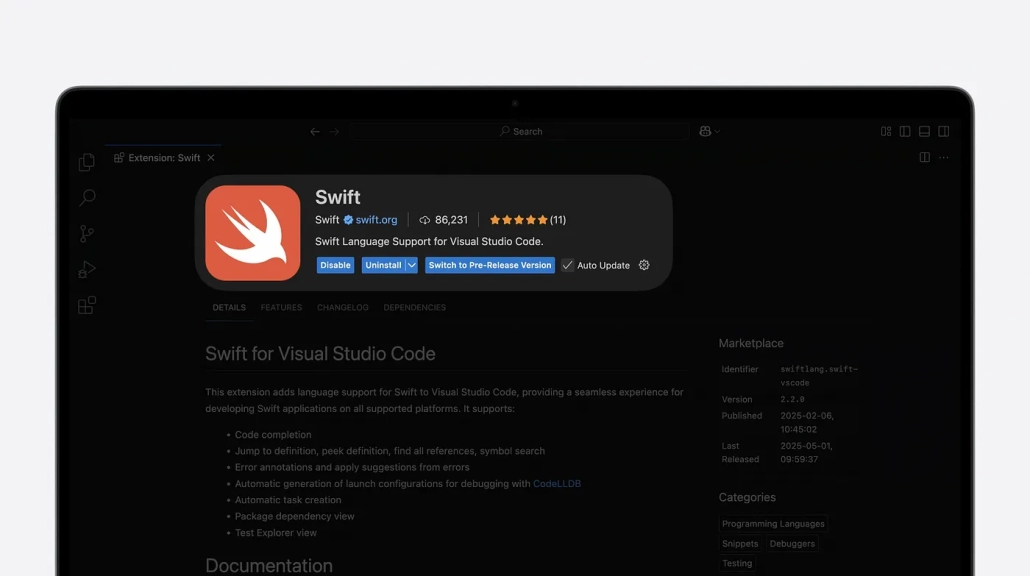
Yes, you are not wrong. It is now possible to literally write Swift in VS Code. Although Apple’s decision has sparked some controversy, in the long run it’s almost impossible not to notice the growth of the Swift community!
Code Writing
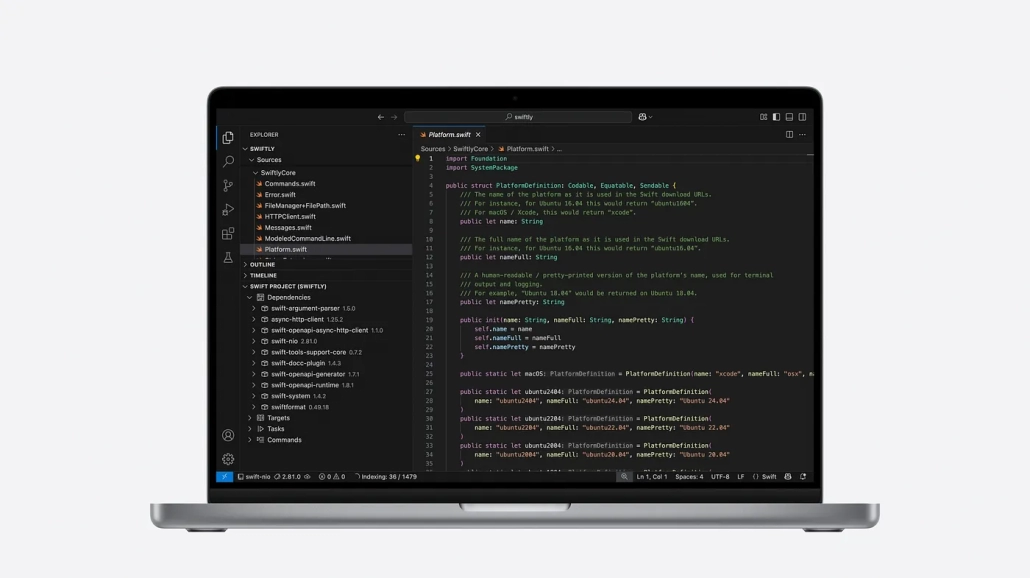
The newly unveiled Swiftly introduced a technology that the Apple world is not used to: ToolChain manager. What this ToolChain does is to provide centralized management by managing other toolchains from one place.
Another technology that left its mark at WWDC25 is Swiftlang. Thanks to Swiftlang, we can now write Swift code through Visual Studio Code. Developers are a bit divided on this issue. Still, Swift is likely to have a bigger community in the coming years.
Build
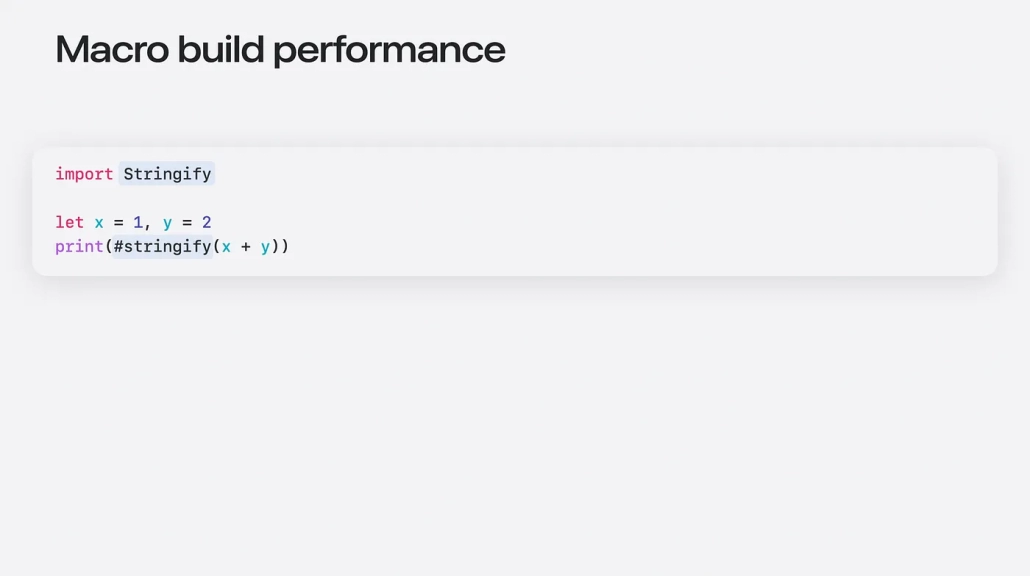
In the code block above you see the Stringify API introduced at WWDC25. What kind of output do you think the print() block produces? While you think about it, let me write it down below.
“x + y = 3”
Wait a minute, what’s going on? Thanks to the #stringify keyword in print(), the text in parentheses is written to the console first. Then the variable values are collected and written at the end. When the print() block is executed, we get the above output, quite strange. Innovation is usually good!
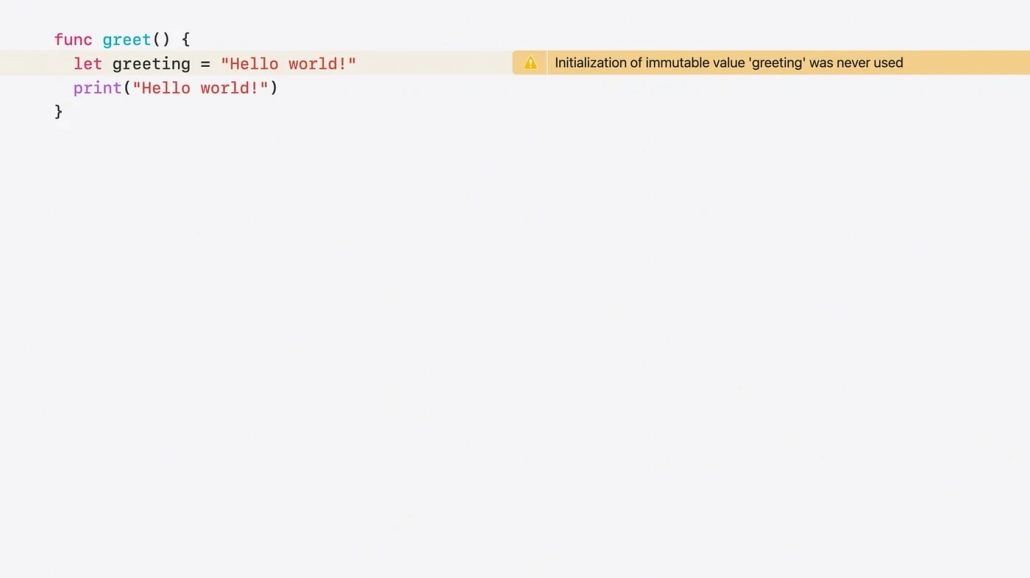
Previously, it was not a big problem for XCode to define a variable or not. Despite all these warnings, we were able to compile our project successfully until WWDC25.
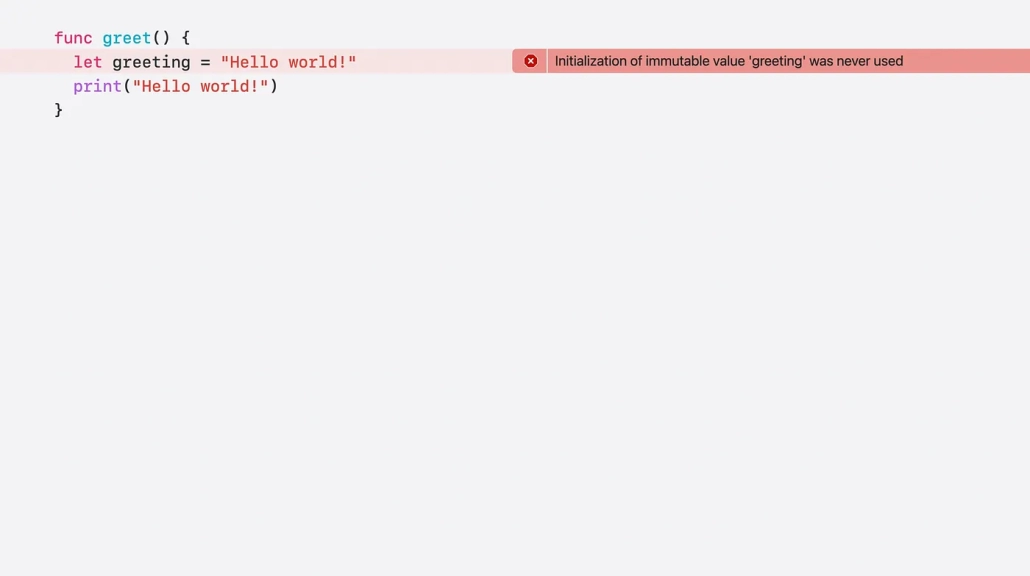
Now, when XCode detects a variable that we don’t use, it throws an error instead of a warning and we can’t compile our project successfully. It’s actually a very logical move.
Based on the motto that Apple should find a solution to the problem of why we are keeping a variable in our codebase that we don’t use, we now get an error message instead of a warning and we can’t keep our project running successfully.
Debugging
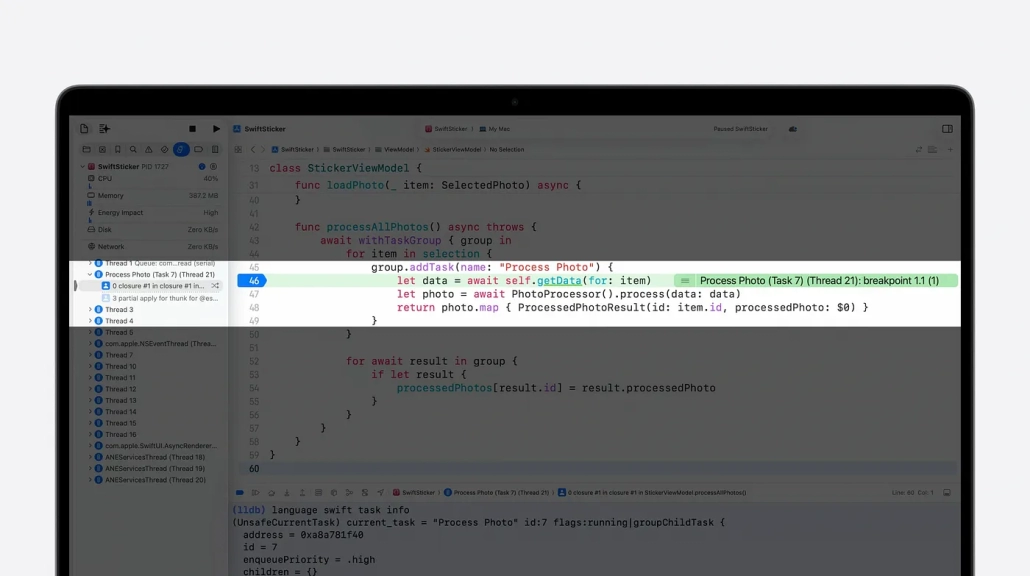
Now with Swift 6.2, an official debugging engine called lldb-dap comes with the Swift toolchain. This allows us to minimize dependency when writing Swift code in editors like Visual Studio Code. This way, we can experience XCode in Visual Studio Code, set breakpoints, trace the code step by step and detect the error. Isn’t it great?
Libraries
Foundation
Talented iOS Developers, you know that the Foundation library is the official building block of the Swift programming language. Of course, this wouldn’t be possible without Apple’s magic touch to this precious library!
Let’s take a look at the innovations and updates.
import UIKit

@MainActor
class KeyboardObserver {
    func registerObserver(scene: UIScene) {
        let center = NotificationCenter.default
        let token = center.addObserver(
            forName: UIResponder.keyboardWillShowNotification,
            object: nil,
            queue: .main
        ) { notification in
            guard let userInfo = notification.userInfo else { return }
            let startFrame = userInfo[UIResponder.keyboardFrameBeginUserInfoKey] as? CGRect
            let endFrame = userInfo[UIResponder.keyboardFrameEndUserInfoKey] as? CGRect

            guard let startFrame, let endFrame else { return }

            self.keyboardWillShow(startFrame: startFrame, endFrame: endFrame)
        }
    }
}
The Swift code here is actually quite simple. It is a simple block of code that captures whether the user opens the keyboard or not.
So if we want to take advantage of Swift 6.2’s capabilities, can’t we write this code more cleanly? If the answer is yes, let’s get started!
import UIKit

@MainActor
class KeyboardObserver {
    func registerObserver(scene: UIScene) {
        let center = NotificationCenter.default
        let token = center.addObserver(
            of: screen,
            for: .keyboardWillShow
        ) { keyboardState in
            let startFrame = keyboardState.startFrame
            let endFrame = keyboardState.endFrame

            self.keyboardWillShow(startFrame: startFrame, endFrame: endFrame)
        }
    }
}
This is great. Thanks to this update to NotificationCenter, our code is now much cleaner and readable!
It’s that easy to listen to keyboard actions using the new addObserver() method!
Swift pre-WWDC25 vs Swift post-WWDC25
| Feature / Area | Before WWDC25 (Swift ≤ 6.1) | After WWDC25 (Swift 6.2+) |
|---|---|---|
| Macro Support | Available, but limited in performance and scope | Optimized macros with better build-time performance and new syntax |
| Toolchain Management | Manual, platform-specific setups (e.g. Xcode only on mac) | swiftly CLI enables seamless toolchain management across platforms |
| IDE Support | Xcode-focused | Full official support in VS Code via swiftlang extension |
| Embedded Swift | Experimental | Stable embedded string APIs, any class protocol support |
| Package Manager (SPM) | Reliable but limited to CLI or Xcode integration | Full integration with VS Code, better support for test discovery |
| DocC Documentation | Xcode only | Live previews and editing in VS Code |
| Memory Safety | Optional, enforced via conventions | New strict memory safety mode by default (@unchecked Sendable etc.) |
| Interoperability (C/C++ etc) | Mostly C-compatible, limited C++/JavaScript support | Expanded support for C++, JavaScript, and Java interop |
| Testing | XCTest-centric, mostly CLI/Xcode based | Unified test explorer, debug-friendly test runs in VS Code |
| Concurrency Model | @MainActor, Sendable, async/await available | Module-level MainActor isolation introduced |
Summary
Today’s topic was Swift 6.2. Apple’s moves show that it wants to bring a larger community to the Swift language. It is now possible to write full Swift code even with IDEs like Visual Studio Code. As Apple continues to surprise us at every WWDC event, a new learning process begins for iOS Developers every time!
For more information: What’s new in Swift – Apple Developer
FAQ
What is Swift 6.2?
Introduced at WWDC25, Swift is the latest version of the programming language. Some of the innovations in this release include the Swiftlang plugin, toolchain and the ability to write full Swift in VS Code.
When was Swift 6.2 announced?
On June 9, 2025, it was introduced to developers at Apple Park.
What’s new in Swift 6.2?
Swift 6.2 introduces new macro systems and improved string and protocol support for embedded systems. Thanks to Toolchain, it is now much more compatible and minimizes dependencies when working with IDEs such as VS Code.
Source:

