
WWDC26: Apple’s Core AI Framework Explained
At WWDC26, Apple introduced Core AI, a new framework designed to bring high-performance on-device AI to every Apple platform. Built on the same technology that powers Apple Intelligence, Core AI provides developers with a complete toolkit for deploying, optimizing, and integrating AI models directly into their apps. From converting PyTorch models and running inference with modern Swift APIs to optimizing transformer workloads and managing model specialization, Core AI streamlines the entire AI development lifecycle.
In this article, we’ll explore the key features announced during the session and see how Apple is making advanced, privacy-focused AI experiences more accessible than ever.
What Is Core AI?
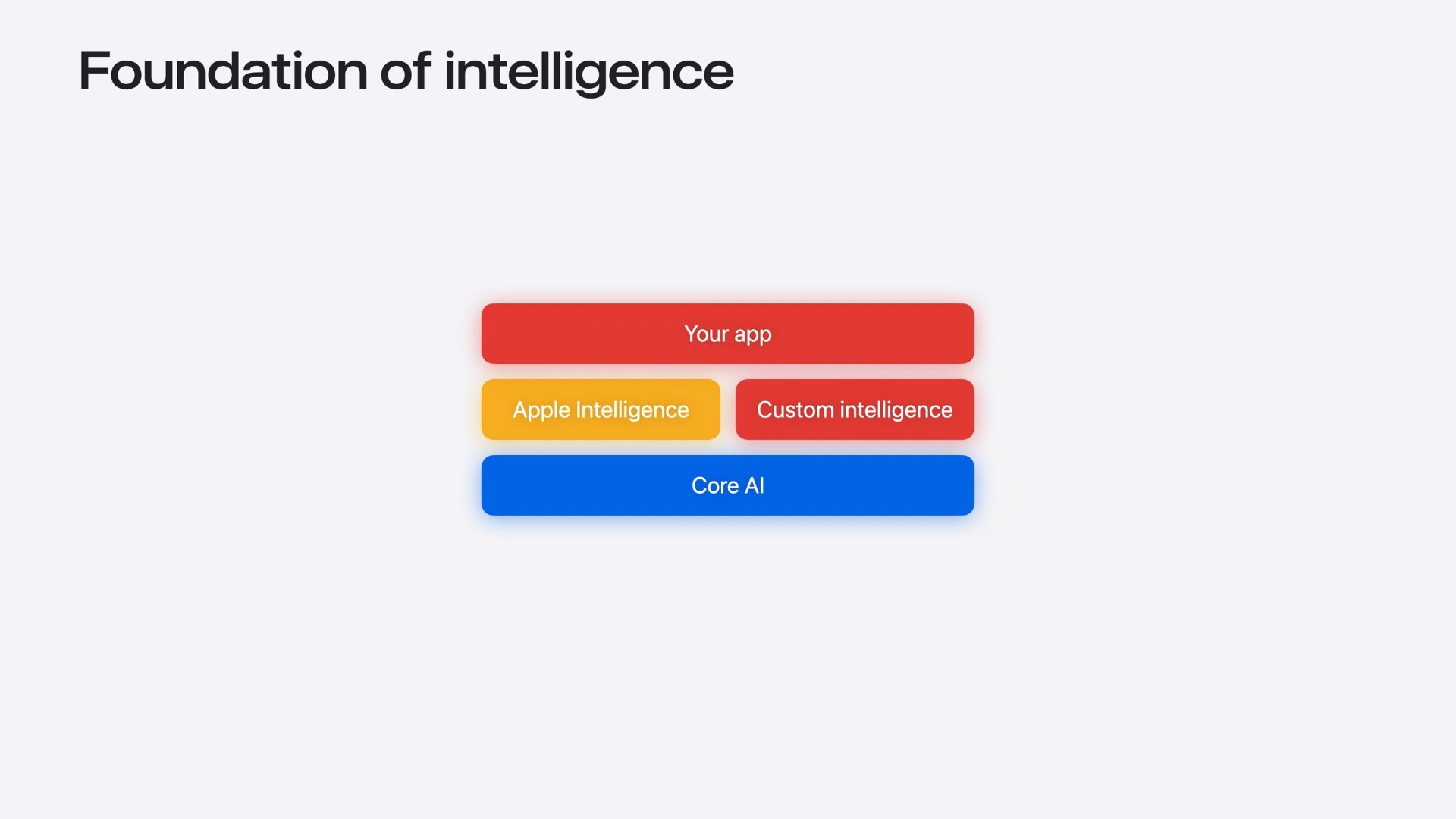
Core AI is Apple’s new framework for running AI models directly on Apple devices. It powers Apple Intelligence and gives developers access to the same high-performance inference infrastructure used by Apple’s own AI features. Designed specifically for modern AI workloads, Core AI can automatically leverage the CPU, GPU, and Neural Engine to deliver fast and efficient on-device inference while maintaining user privacy and eliminating server-side costs.
The Core AI Ecosystem
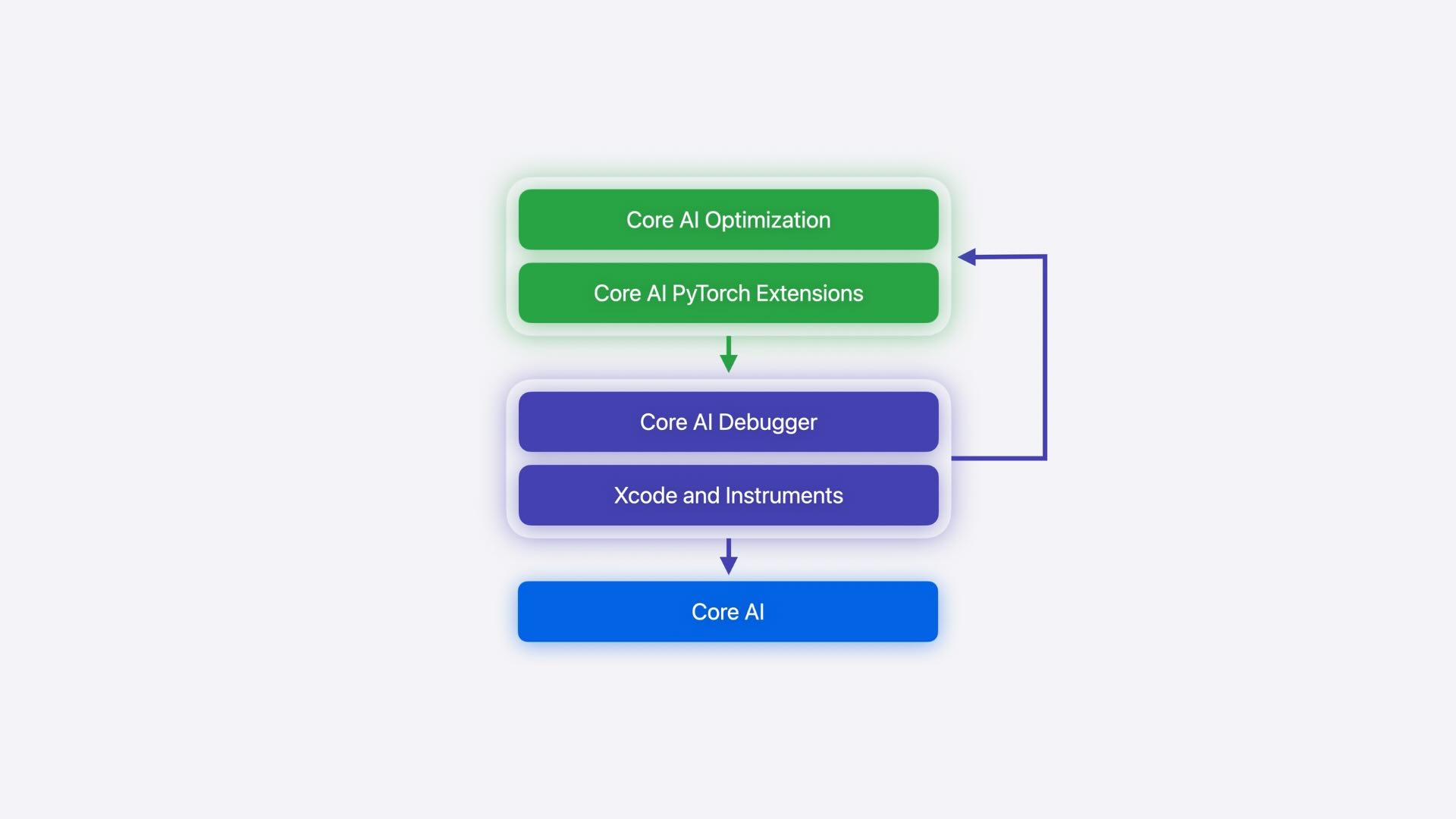
Core AI is more than a runtime framework. Apple positions it as a complete AI development platform that covers the entire model lifecycle, from model authoring and optimization to conversion, debugging, deployment, and app integration. It works seamlessly with familiar machine learning tools such as Python and PyTorch, enabling developers to move from experimentation to production using a unified workflow tailored for Apple platforms.
Converting PyTorch Models to Core AI
Apple introduced the new coreai-torch package to simplify the process of bringing PyTorch models to Apple devices. Developers can export existing PyTorch models, preserve dynamic dimensions through dynamic shape support, and convert them into the Core AI format with minimal effort. The workflow also includes built-in validation tools, allowing developers to compare outputs between the original PyTorch model and the converted Core AI model to ensure numerical accuracy before deployment.
Exploring AI Models in Xcode
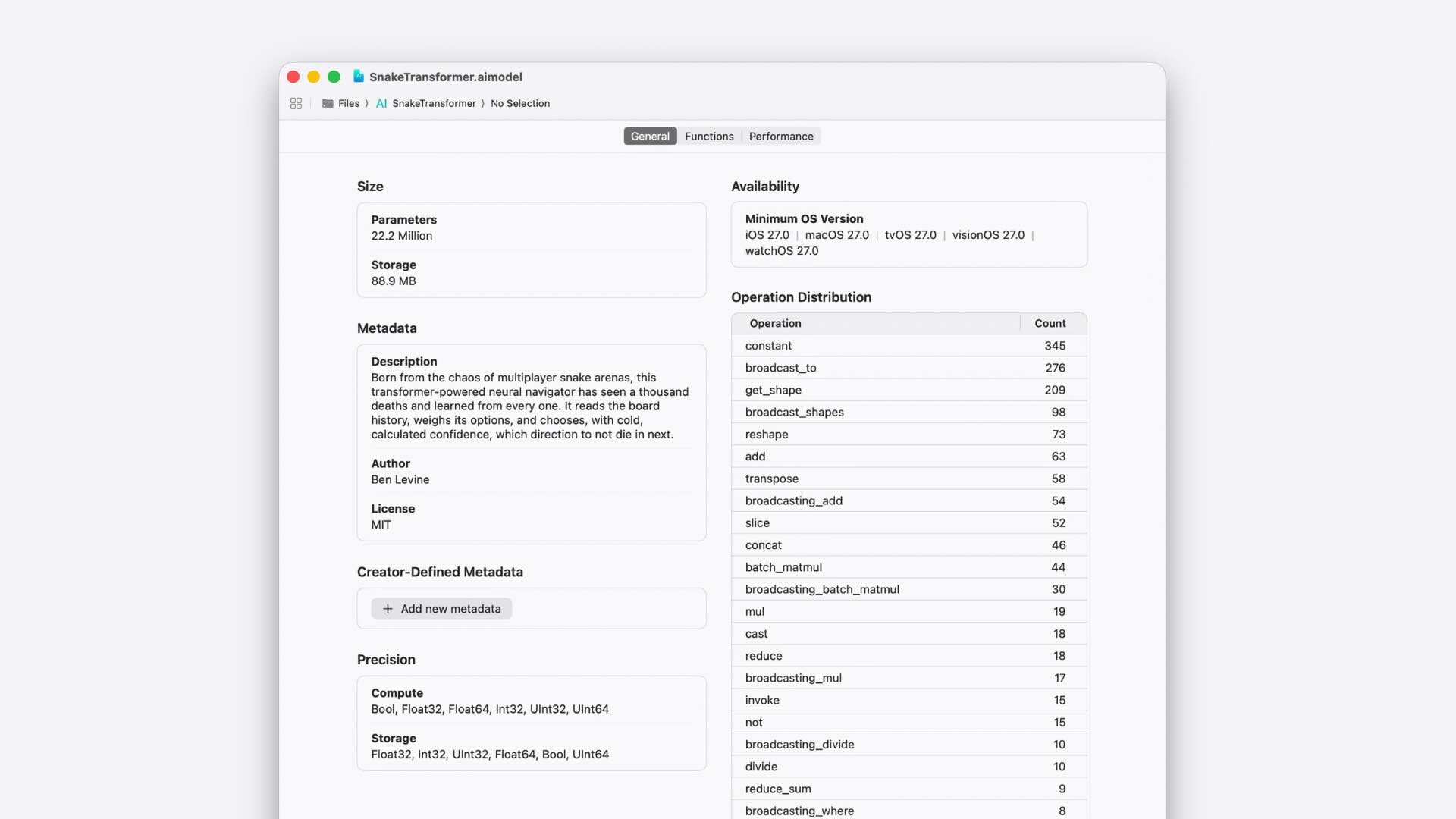
Core AI models integrate directly with Xcode, making it easier to inspect and understand a model before writing any code. Opening a .aimodel file reveals useful metadata such as model size, operation distribution, and available inference functions. Developers can also inspect function signatures to understand expected inputs and outputs, including support for dynamic dimensions, which allow models to accept inputs of varying sizes without requiring multiple model variants. This built-in visibility helps streamline model integration and debugging.
Running AI Models with the New Swift Framework
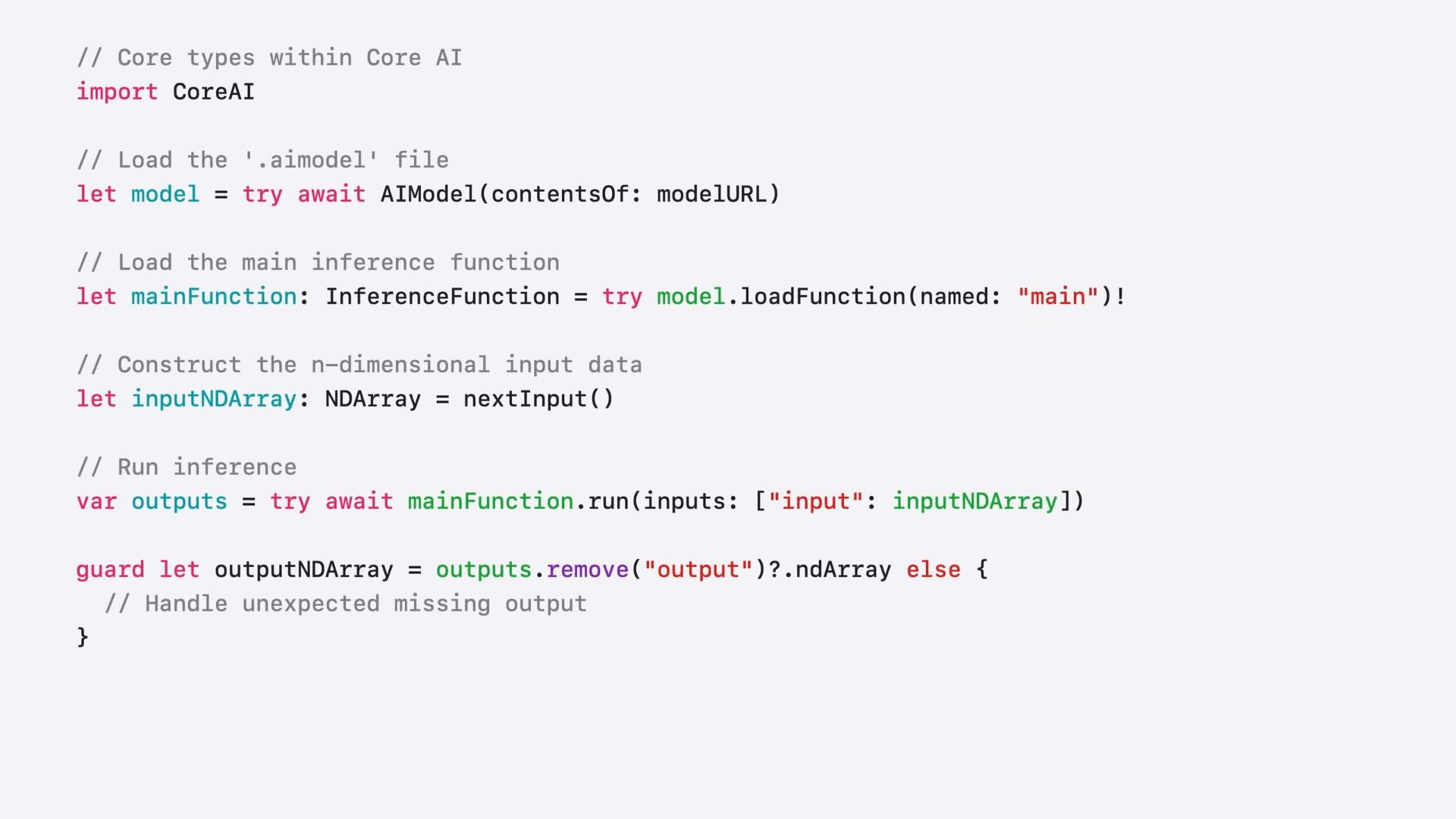
To make AI integration feel native on Apple platforms, Core AI introduces a modern Swift framework built around a small set of core types. AIModel is used to load and inspect models, InferenceFunction represents executable inference graphs, and NDArray provides an efficient container for multidimensional input and output data. The framework also takes advantage of modern Swift language features, including memory-safe and non-escapable types, allowing developers to build high-performance AI experiences without sacrificing safety or code clarity.
Integrating AI Inference into Your App
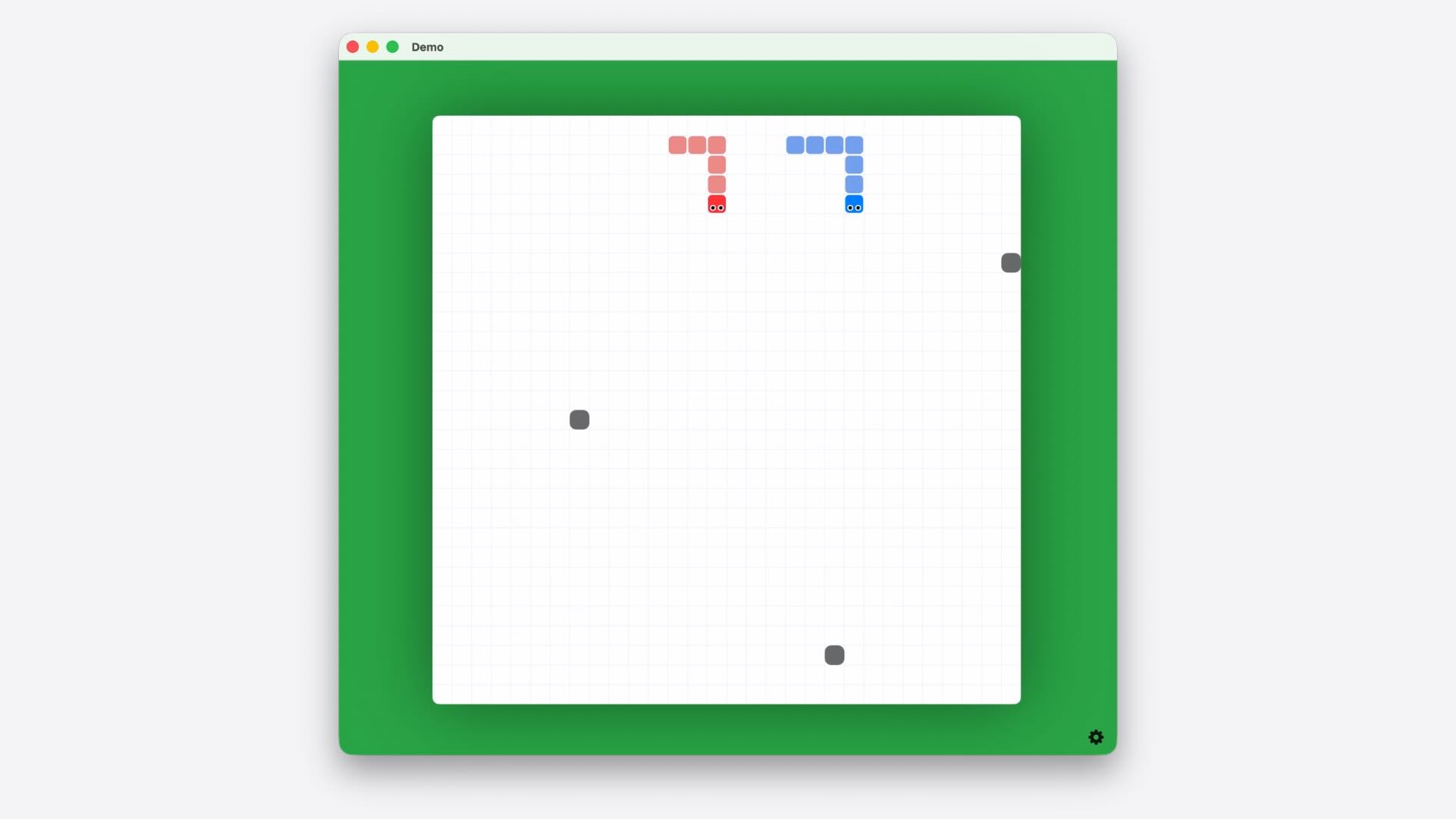
Once a model has been converted and added to an Xcode project, integrating AI inference into an app follows a straightforward workflow. Developers begin by loading the model and its inference function, then prepare input data using NDArrays that match the model’s expected shape and data type. After running inference, the resulting outputs can be processed and transformed into meaningful actions within the application. This streamlined approach allows developers to bring AI-powered features into their apps using familiar Swift patterns while maintaining the performance required for real-time experiences.
Accelerating Transformer Models with States and KV Cache
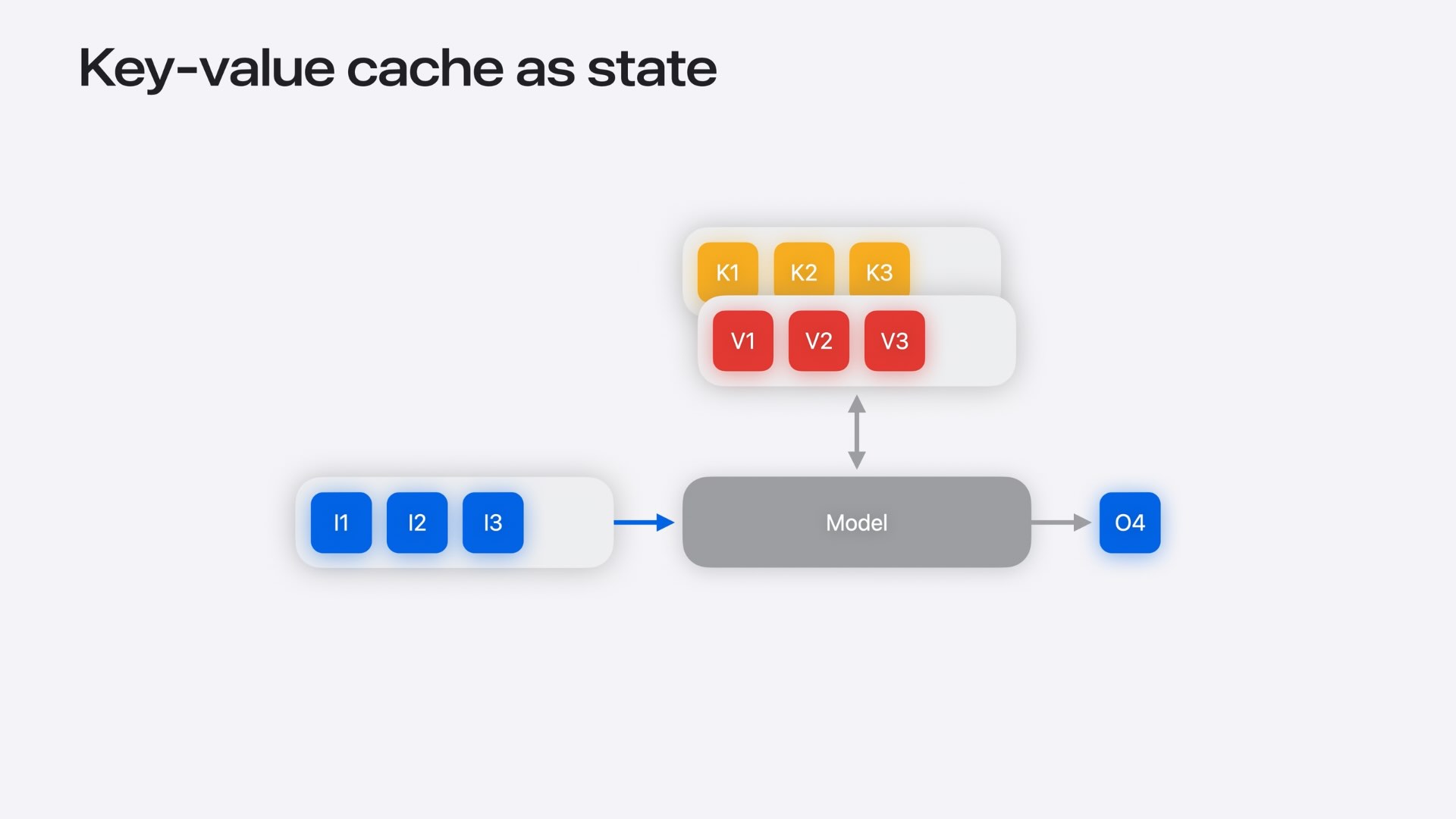
Transformer models can become increasingly expensive to run as input sequences grow, since each inference often requires recomputing information from the entire context. To address this challenge, Core AI introduces support for model states and key-value (KV) caching. States allow models to store and update information directly between inference calls, eliminating the need to repeatedly process historical inputs. By keeping transformer key and value embeddings in a cache that is updated in place, applications can significantly reduce computation overhead, maintain consistent performance, and achieve much lower inference latency in real-time AI experiences.
Profiling AI Workloads with Core AI Instruments
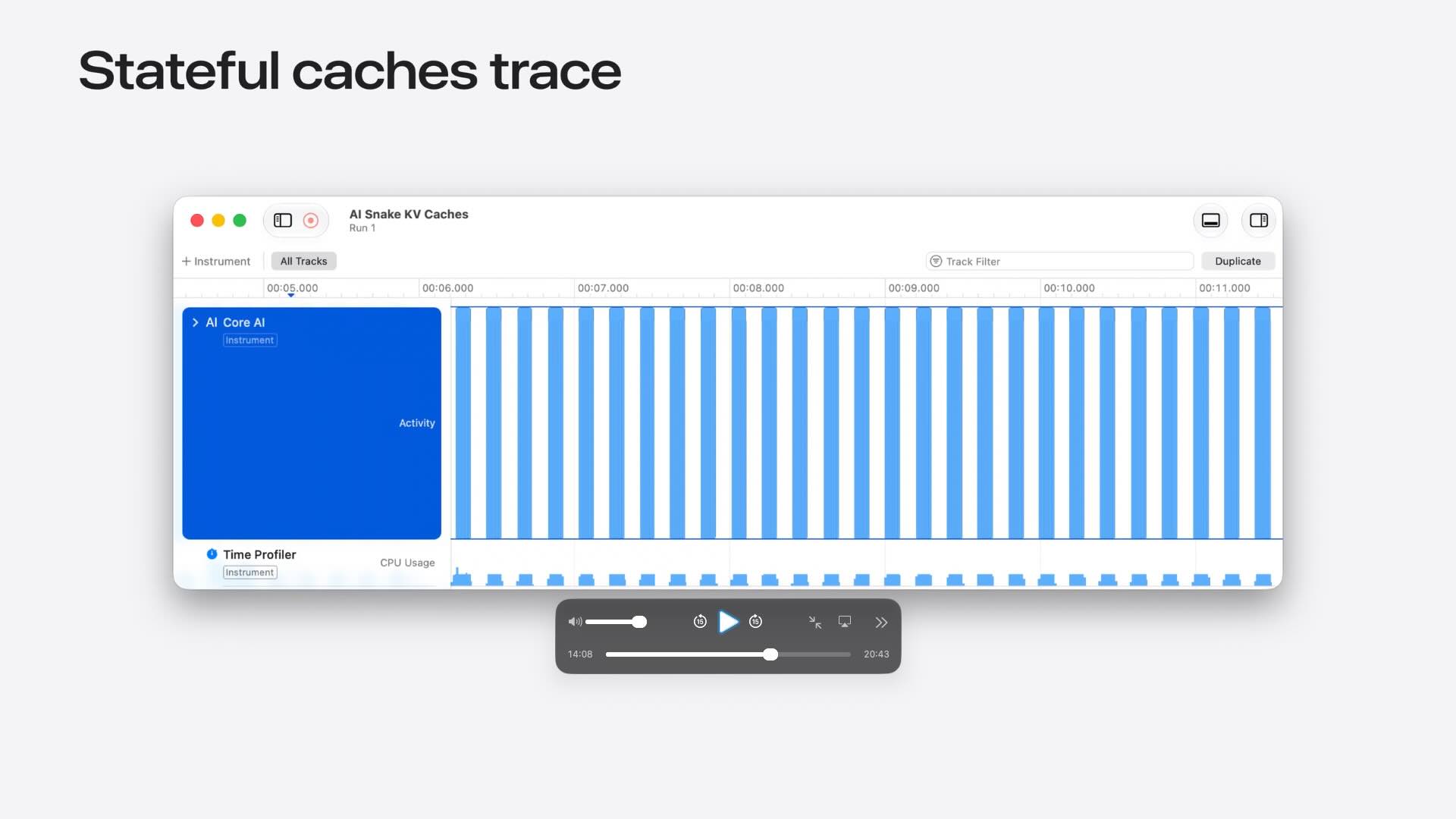
Core AI ships with dedicated profiling tools in Xcode Instruments that help developers understand how their models perform in real-world scenarios. These tools provide detailed visibility into inference execution times, making it easier to measure performance and identify bottlenecks that may impact responsiveness. By analyzing inference latency, resource utilization, and execution patterns, developers can make informed optimization decisions and ensure their AI-powered features remain fast and efficient across different workloads and device configurations.
Advanced Model Authoring and Optimization
While Core AI offers a straightforward path for converting existing PyTorch models, it also provides advanced capabilities for developers who need greater control over model design and execution. Models can be authored directly using Core AI APIs, optimized specifically for Apple Silicon hardware, and enhanced with custom compute kernels built using Metal 4. These capabilities enable developers to fine-tune performance, implement specialized operations, and fully leverage Apple’s hardware architecture when building sophisticated AI applications.
Debugging Models with Core AI Debugger
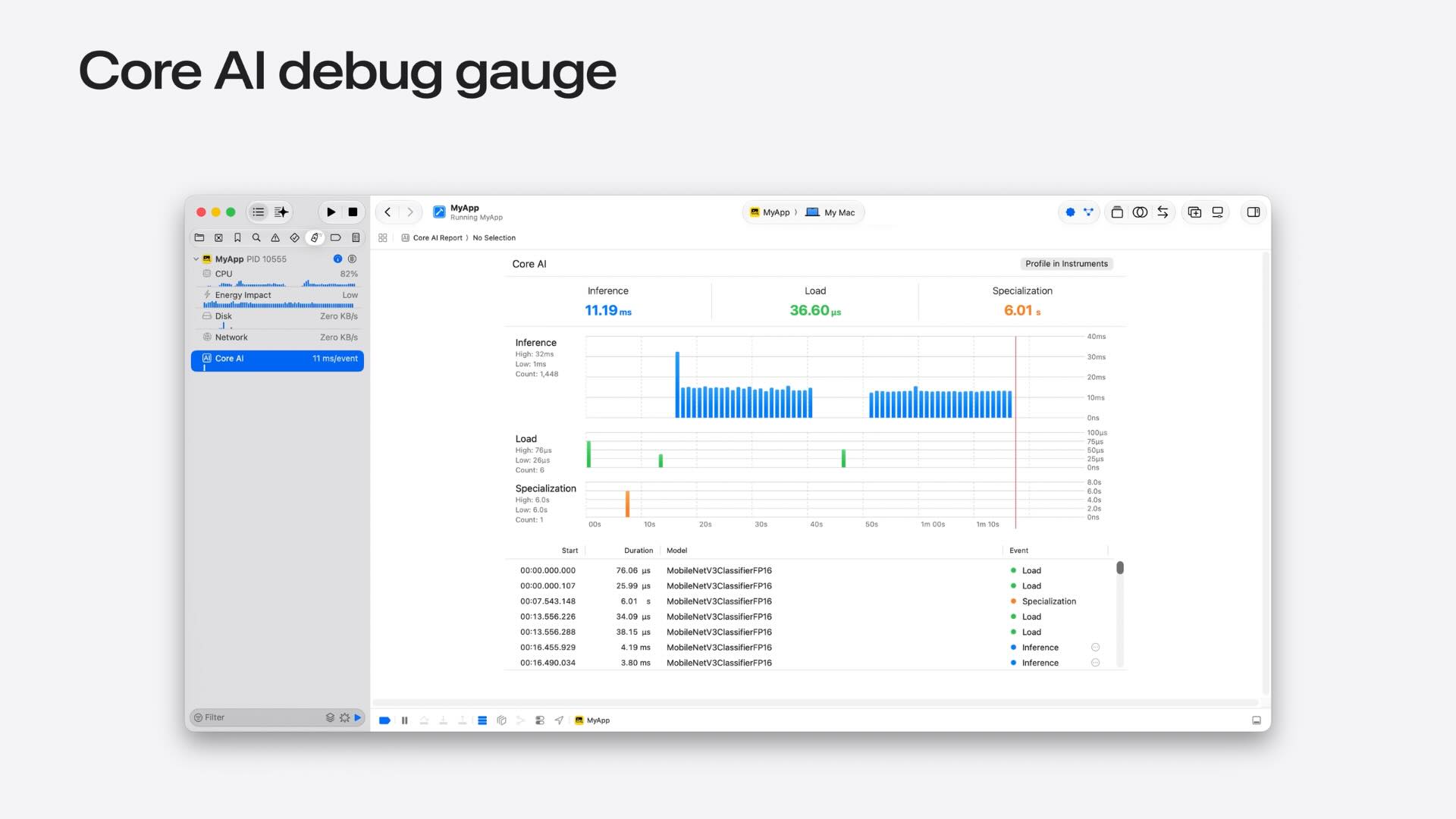
Building reliable AI experiences requires more than just good performance, it also requires visibility into what a model is actually doing. Core AI introduces a dedicated debugger that allows developers to visualize model execution, inspect intermediate tensor values, and better understand how data flows through a network. One of its most powerful capabilities is the ability to trace operations in a converted Core AI model back to the original Python source code, making it significantly easier to diagnose numerical issues, validate model behavior, and troubleshoot conversion-related problems.
Understanding Model Specialization
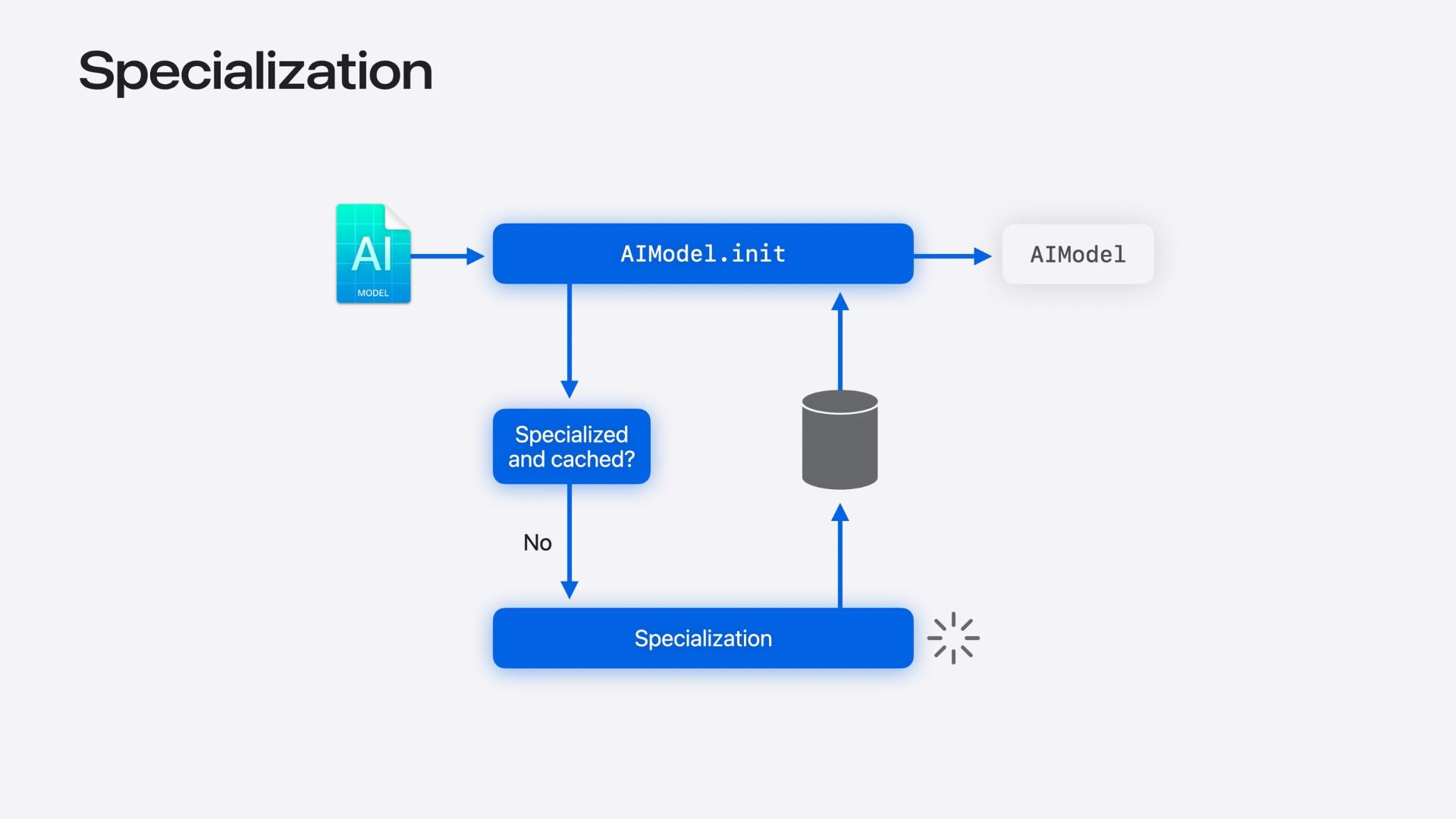
Before a Core AI model can run efficiently on a device, it must undergo a process called specialization. During this process, the model is optimized and compiled specifically for the target hardware and operating system. While this improves runtime performance, specialization can introduce noticeable delays the first time a model is loaded, especially for larger models. To help manage the user experience, Core AI provides APIs that allow developers to check model readiness, trigger specialization ahead of time, and avoid performing expensive preparation steps during user-facing interactions.
Model Caching and Lifecycle Management
Core AI includes a dedicated caching system that helps reduce startup costs by storing specialized versions of models after they have been prepared for a device. Through AIModelCache, developers can inspect cached models, proactively manage storage, and control how long cached artifacts remain available. The framework also supports sharing model caches across multiple applications within the same App Group, allowing related apps to reuse previously specialized models and reduce redundant work. These capabilities help improve launch performance while providing greater control over the model lifecycle.
Reducing Startup Costs with Ahead-of-Time Compilation
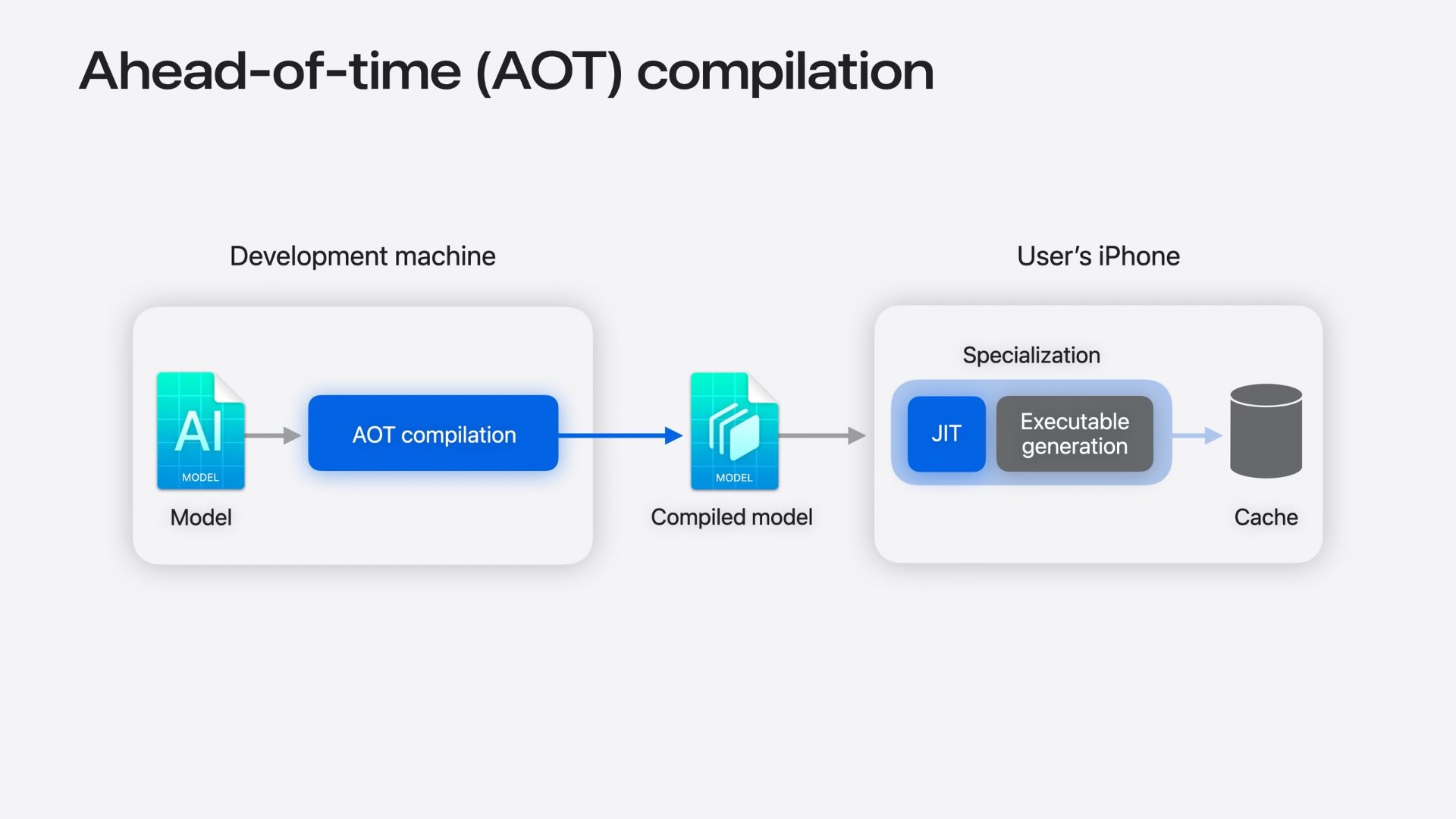
To minimize the delay caused by model specialization, Core AI introduces support for ahead-of-time compilation. Developers can pre-compile portions of a model during development, reducing the amount of work that must be performed on a user’s device during the first launch. While some device-specific specialization is still required, much of the most expensive compilation work has already been completed, resulting in significantly faster model preparation and a smoother onboarding experience for users.
Low-Level Performance Optimization
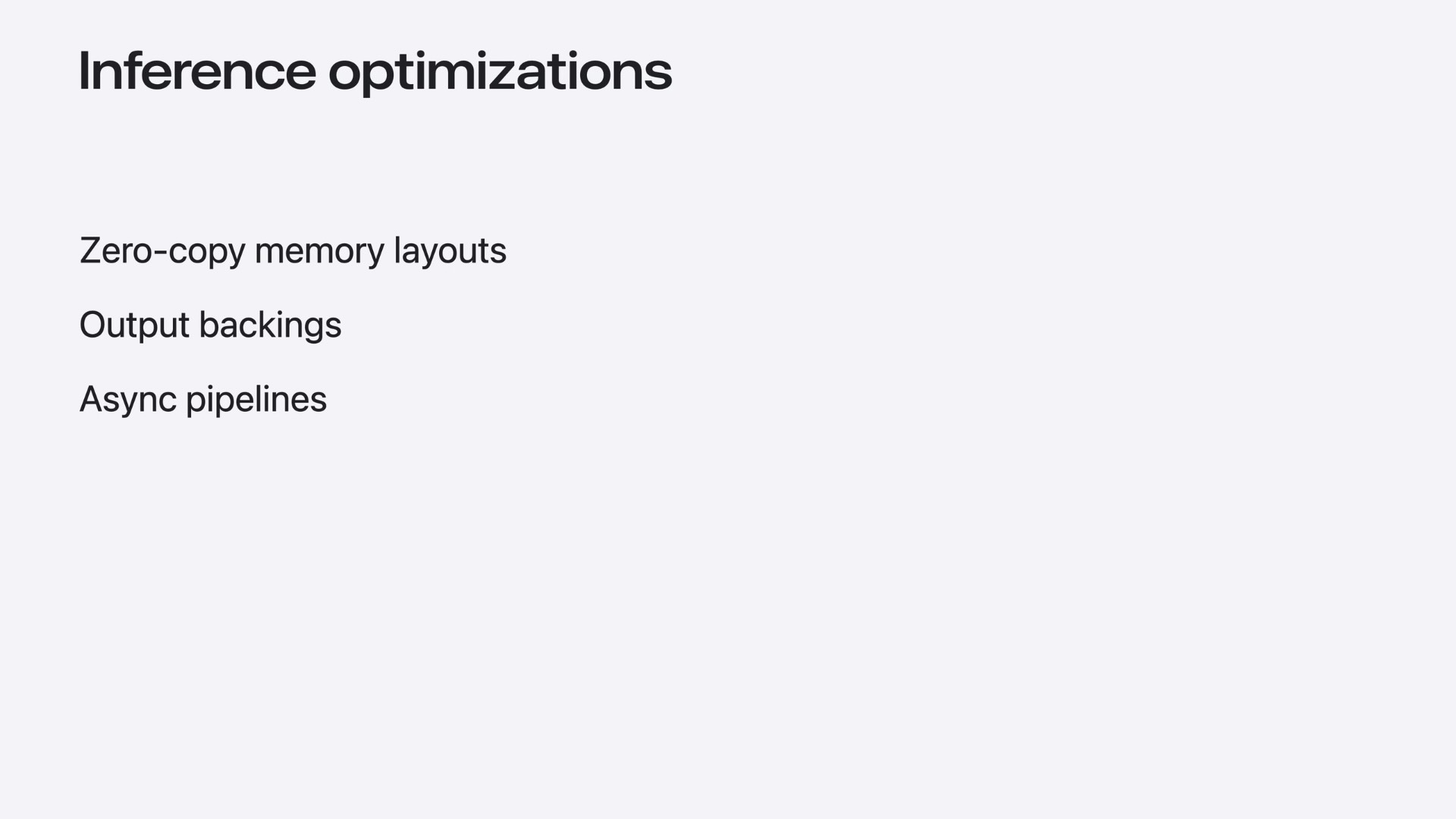
For developers building latency-sensitive AI experiences, Core AI provides several low-level optimization tools. Models can take advantage of optimal NDArray memory layouts to reduce data conversion overhead, pre-allocate output buffers to avoid unnecessary memory allocations during inference, and use asynchronous execution mechanisms to efficiently chain multiple inference operations together. These advanced APIs help maximize throughput and responsiveness when integrating AI into performance-critical applications.
Core AI Models Repository and Foundation Models Integration
Apple is also providing a growing ecosystem around Core AI through the Core AI Models repository. Developers can access ready-to-use model collections, conversion tools, and Swift libraries tailored for popular model families. The platform additionally supports integration with the Foundation Models framework, allowing developers to bring their own language models, customize token generation strategies, and combine third-party AI models with Apple’s native AI capabilities.
You can explore Apple’s Core AI models repository on GitHub.
Bringing Advanced On-Device AI to Apple Platforms
With Core AI, Apple is making advanced on-device AI development accessible across the entire Apple Silicon ecosystem. The platform combines familiar Python-based machine learning workflows with a modern Swift runtime, enabling developers to move seamlessly from model development to app integration. By delivering powerful inference capabilities, comprehensive tooling, and deep hardware optimization, Core AI provides the foundation for building the next generation of intelligent, privacy-focused applications that run entirely on Apple devices.
Conclusion
Core AI represents Apple’s most significant step yet toward making advanced AI development a first-class experience across its platforms. By combining high-performance on-device inference, seamless PyTorch integration, modern Swift APIs, and a comprehensive suite of optimization and debugging tools, Apple is providing developers with everything they need to build intelligent applications that run entirely on-device. As AI workloads continue to evolve, Core AI lays the foundation for a new generation of fast, private, and deeply integrated experiences across the Apple ecosystem.
For more details, watch the full WWDC26 session on Apple Developer.
