
WWDC26: What’s New in Xcode 27 for Developers
WWDC 2026 brought several improvements aimed at making app development faster and more efficient. With Xcode 27, Apple is introducing smarter workflows powered by AI, along with new tools that simplify localization, testing, and device management.
Agentic Coding 2.0: AI Becomes a First-Class Development Tool
Exploring Codebases with Agents
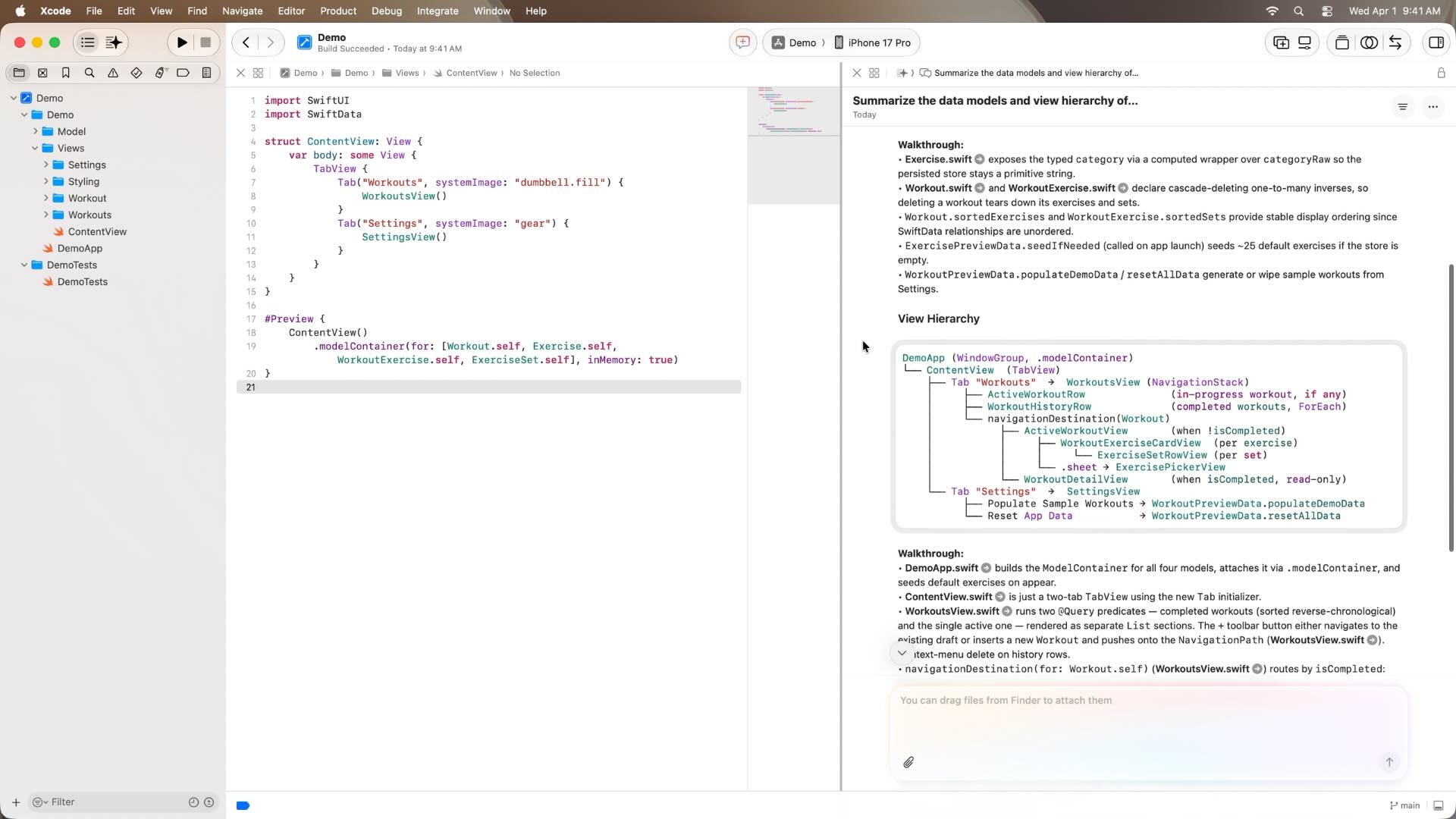
Xcode agents can analyze an entire project, including source code, data models, view hierarchies, and file relationships, to provide a comprehensive overview of how the application works. This helps developers quickly understand unfamiliar codebases and identify the most relevant areas for a new feature or investigation.
Knowledge Base & Architecture Documentation
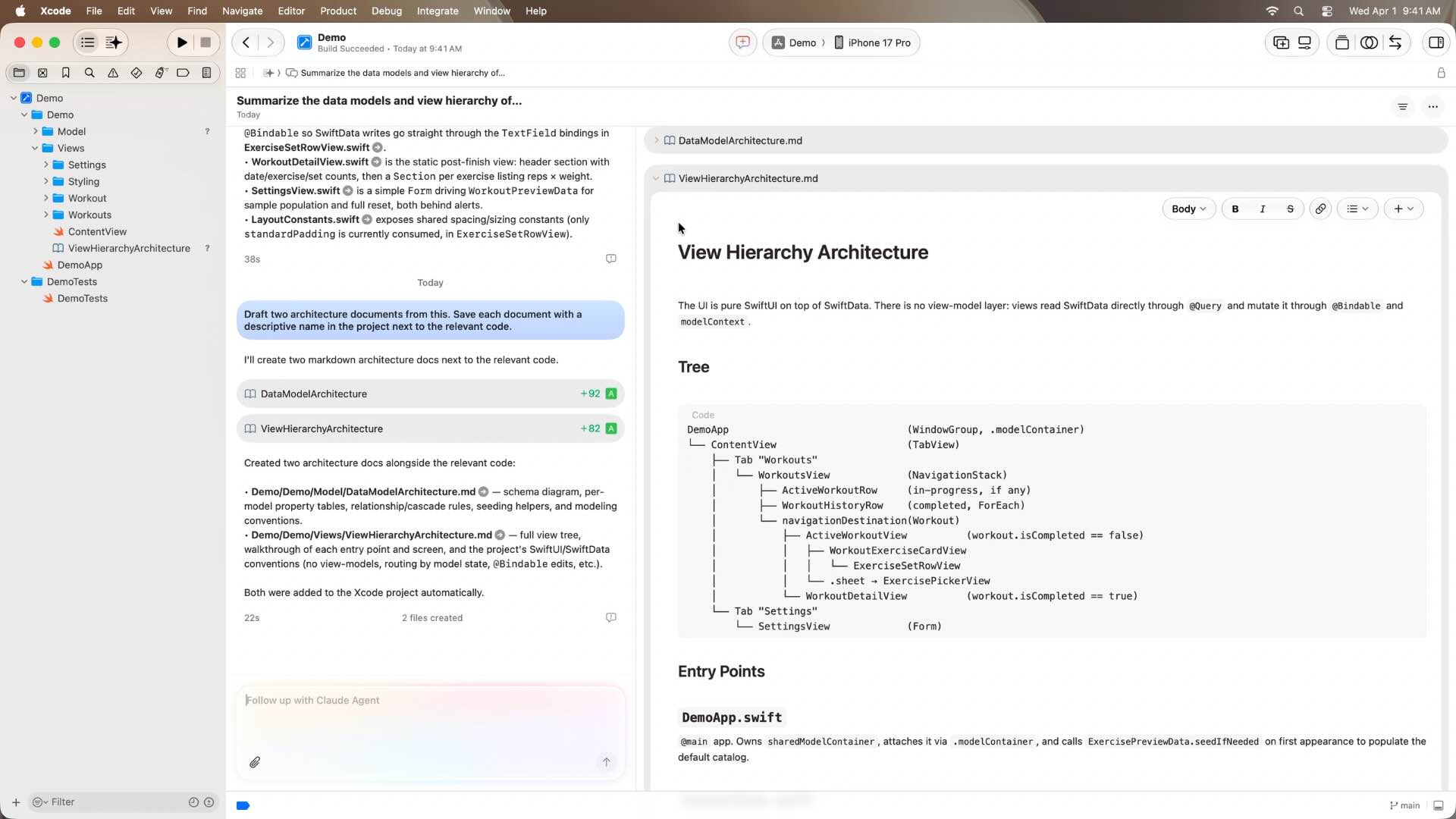
Information gathered during project exploration can be turned into architecture documents and technical references stored directly within the project. These documents evolve alongside the codebase, creating a living knowledge base that helps teams onboard faster and maintain a shared understanding of the system.
Apple Document Search
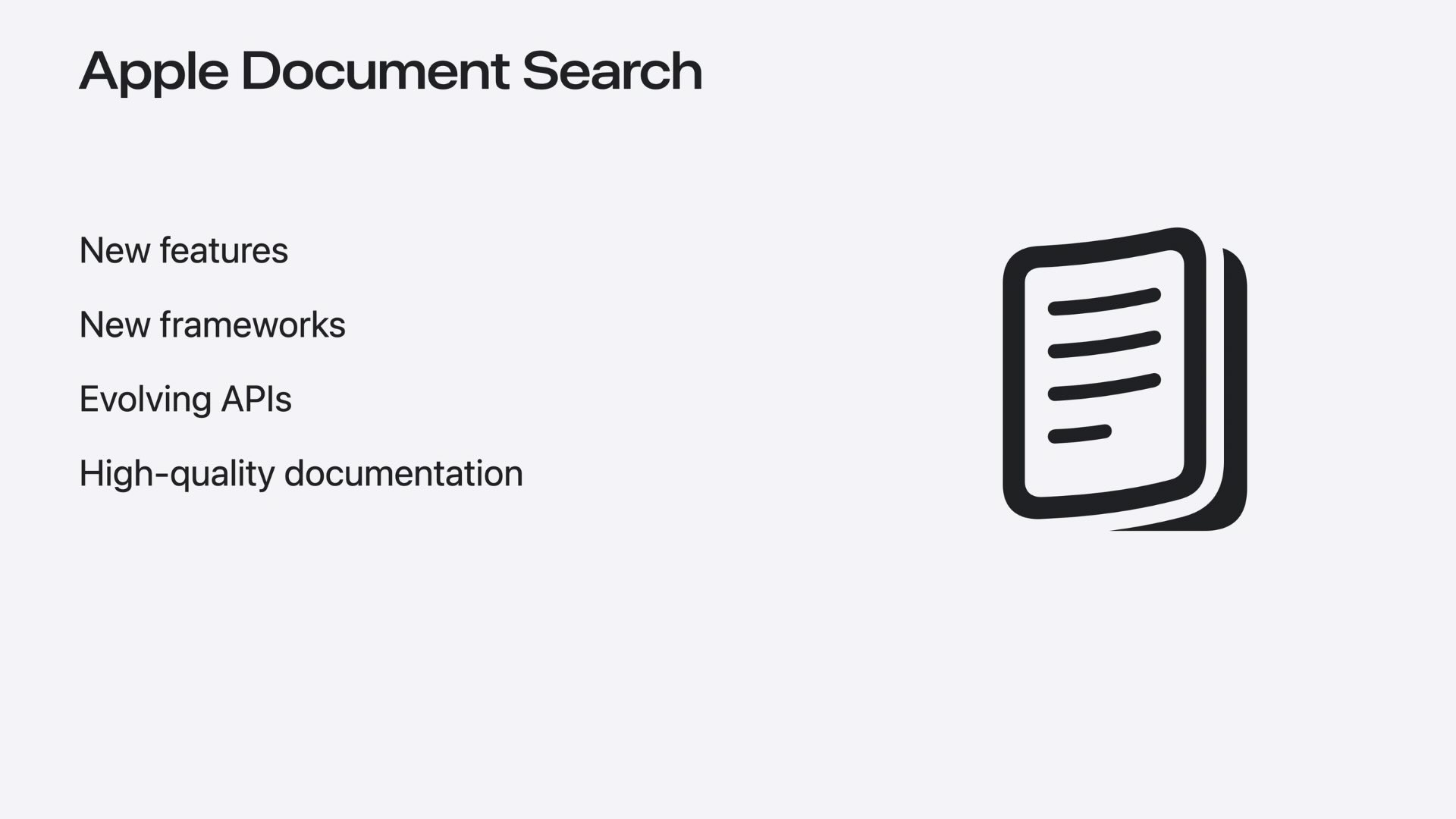
Agents can access up-to-date Apple documentation while working on a task. This allows them to recommend the latest APIs, framework features, and best practices for technologies such as SwiftUI and SwiftData, ensuring implementations are based on current platform guidance.
Plan Mode
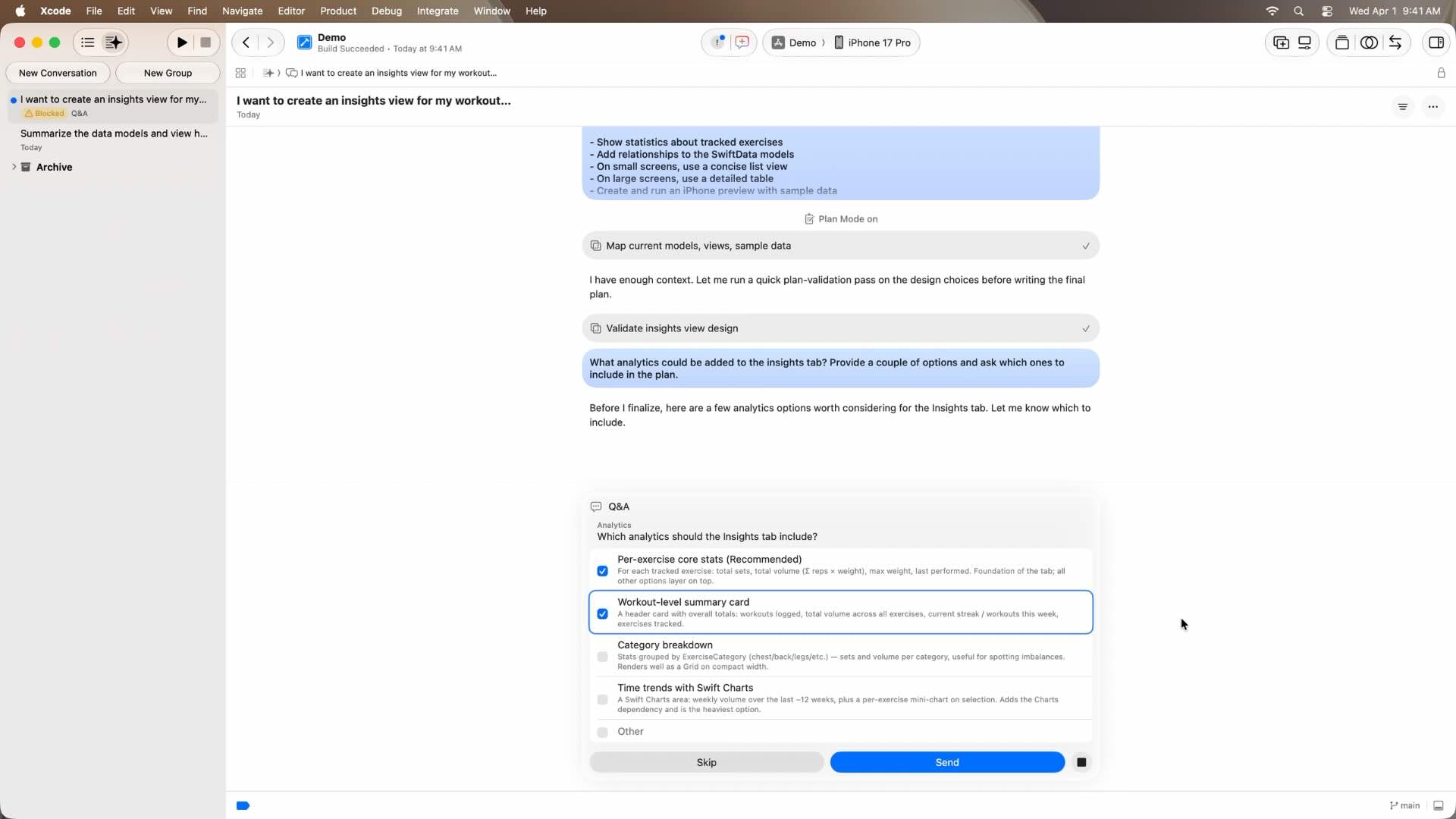
Before writing any code, developers can use Plan Mode to discuss architecture, requirements, and implementation strategies with an agent. This encourages thoughtful design decisions and helps establish a solid foundation before development begins.
Queued Messages
Developers can continue providing feedback and new requirements while an agent is already working on a task. These messages are queued and processed automatically, creating a more natural and collaborative workflow without interrupting ongoing work.
Artifact-Based Development
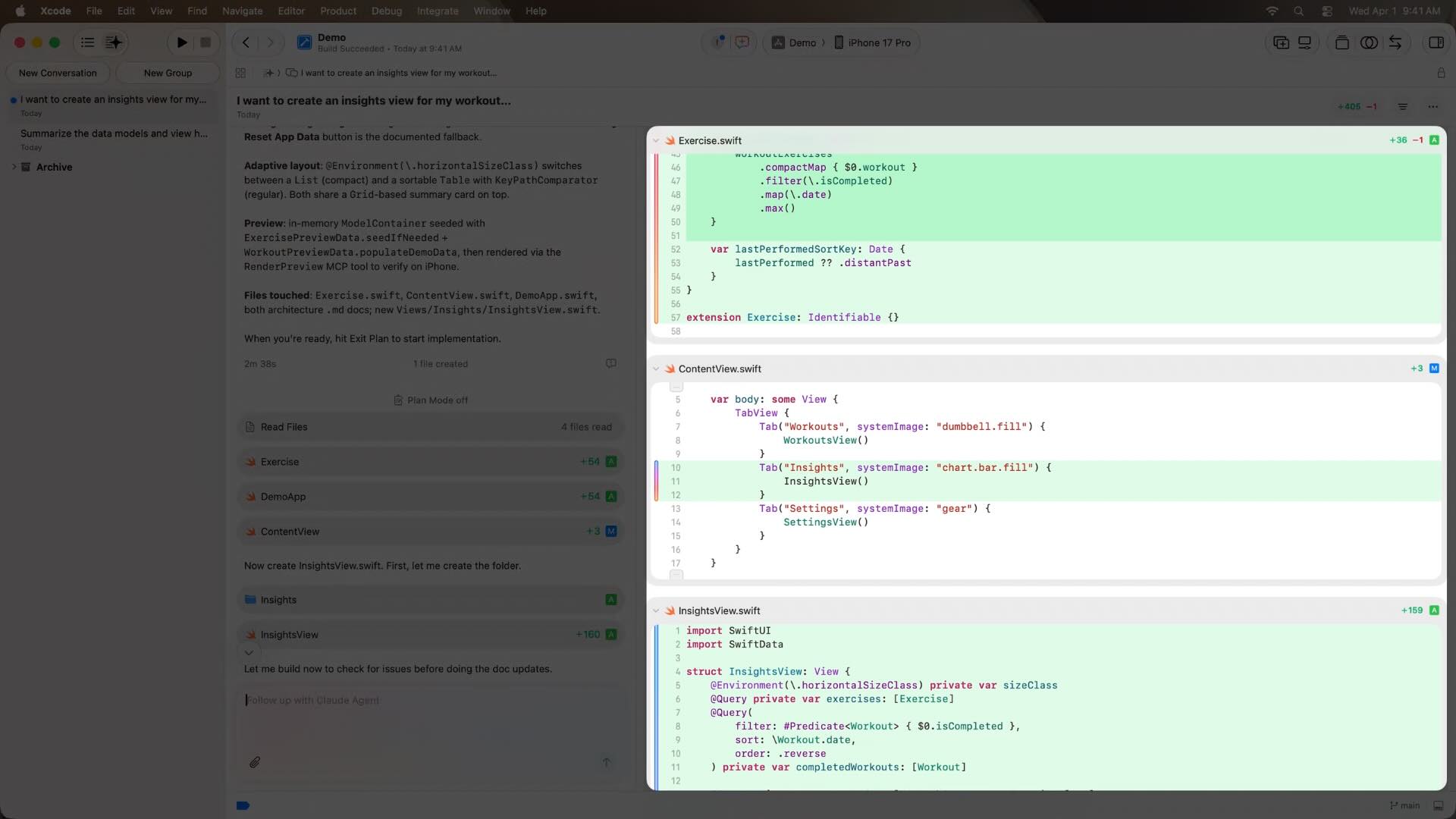
Xcode separates conversations from the outputs generated by agents. Code changes, new files, documentation, previews, and diffs are presented as artifacts, making it easier to review, track, and understand every modification made during development.
Build, Preview & Test Validation
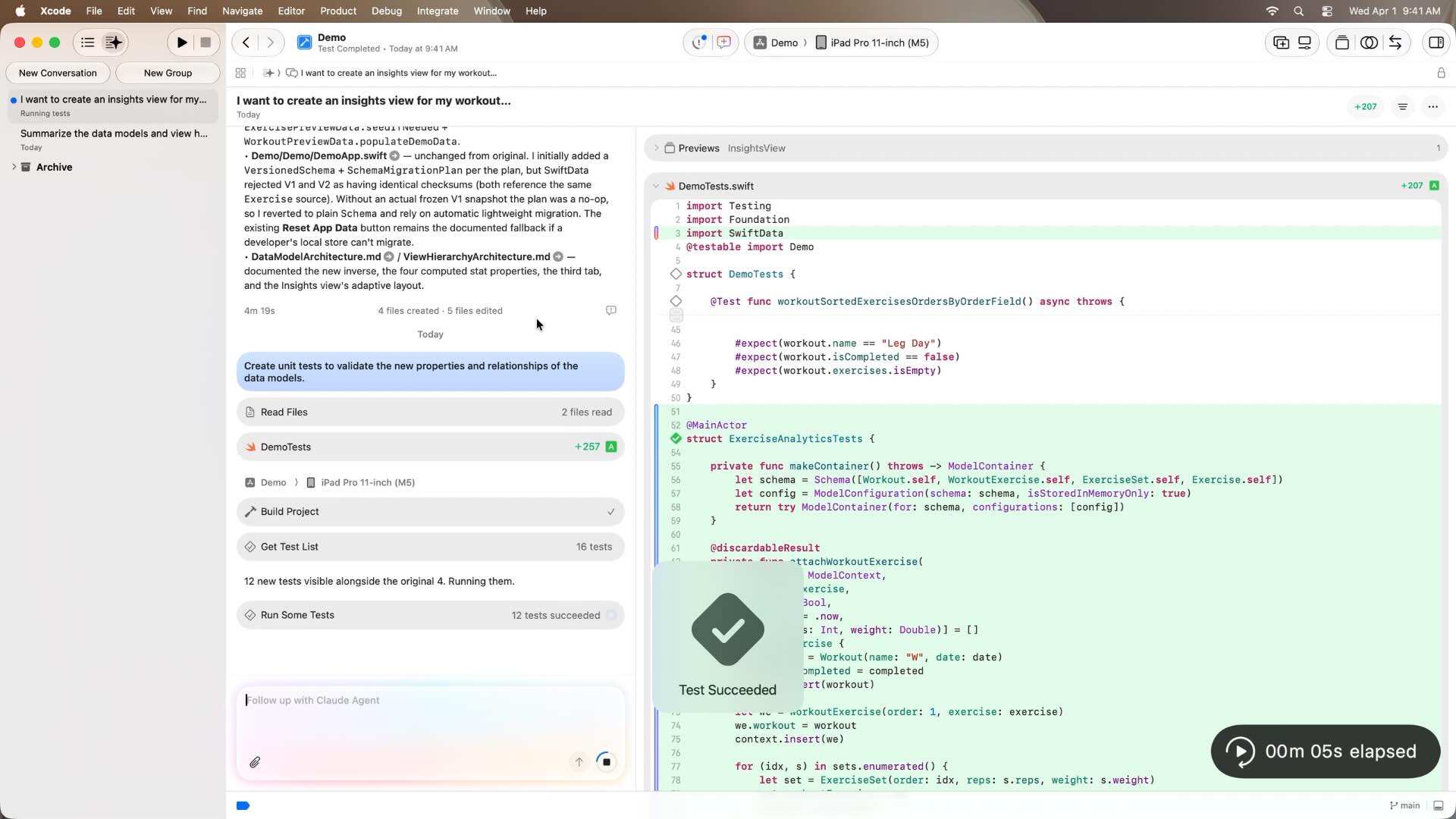
Agents can validate their work using the same tools available to developers. They can build the project, analyze and fix build errors, generate previews, write unit tests, and execute test suites to ensure the generated code behaves correctly.
SwiftUI Preview-Driven Development
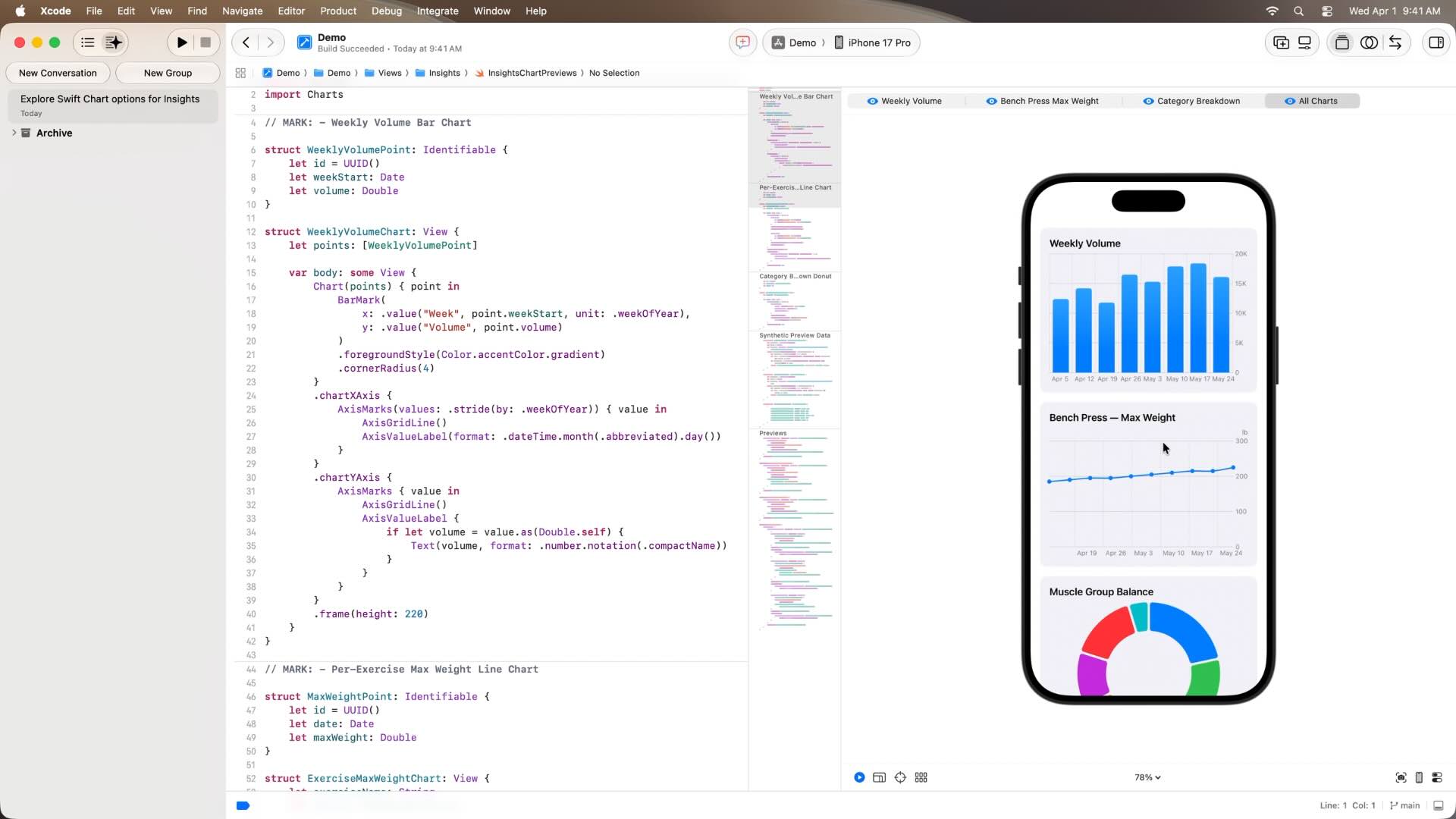
SwiftUI previews play a central role in the development workflow. Agents can generate and render previews throughout the implementation process, allowing developers to evaluate UI changes immediately and iterate much faster than traditional build-and-run cycles.
Designing with Images and Sketches
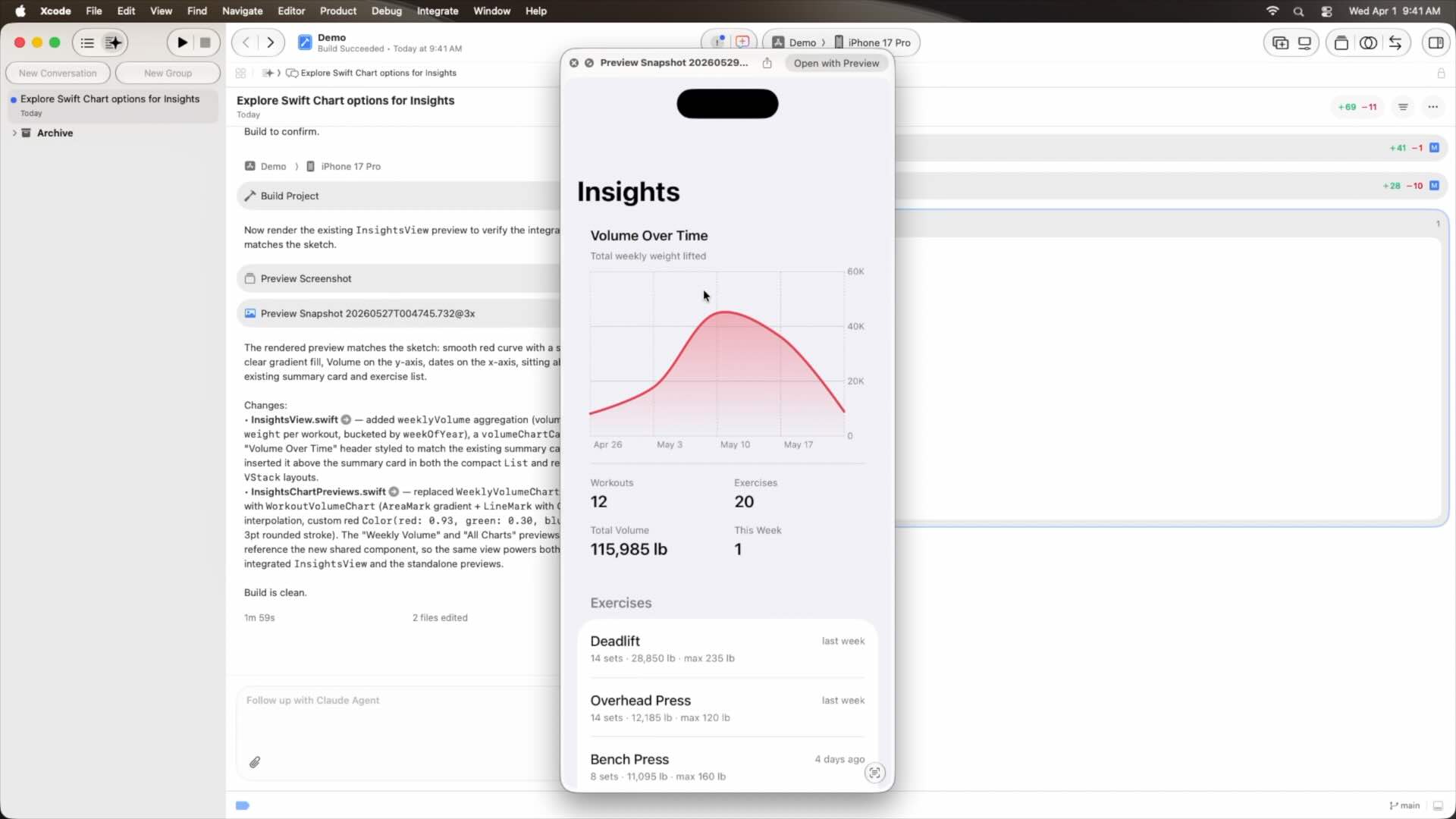
Developers can communicate design ideas using sketches, mockups, screenshots, and other visual references. Agents can interpret these assets and translate them into working SwiftUI implementations, making it easier to transform rough concepts into functional prototypes.
Inline Annotations
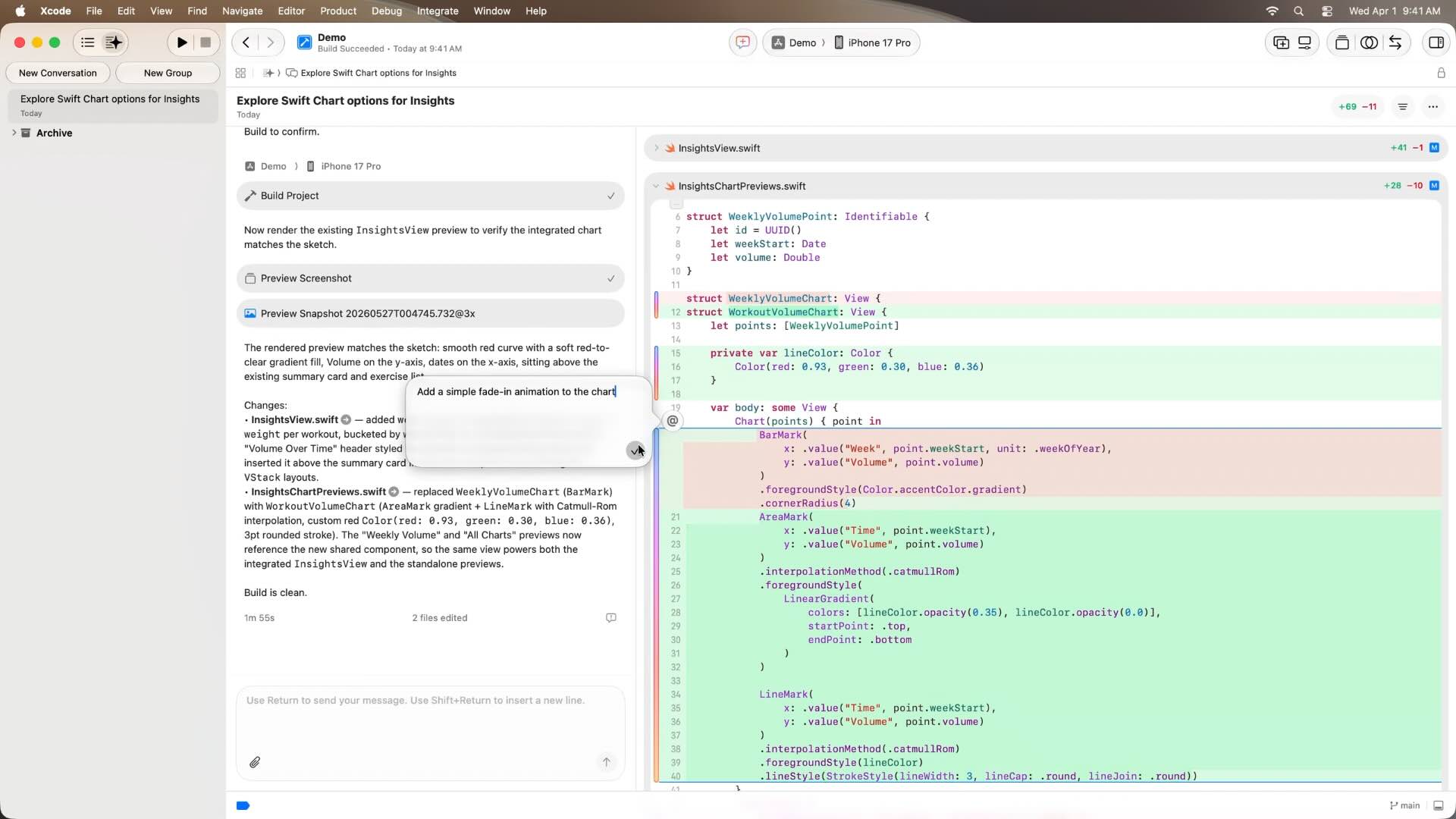
Instead of describing changes in a separate conversation, developers can leave annotations directly inside the source code. These annotations provide precise context about where a modification should occur, resulting in more focused and accurate updates.
Multi-Agent Orchestration
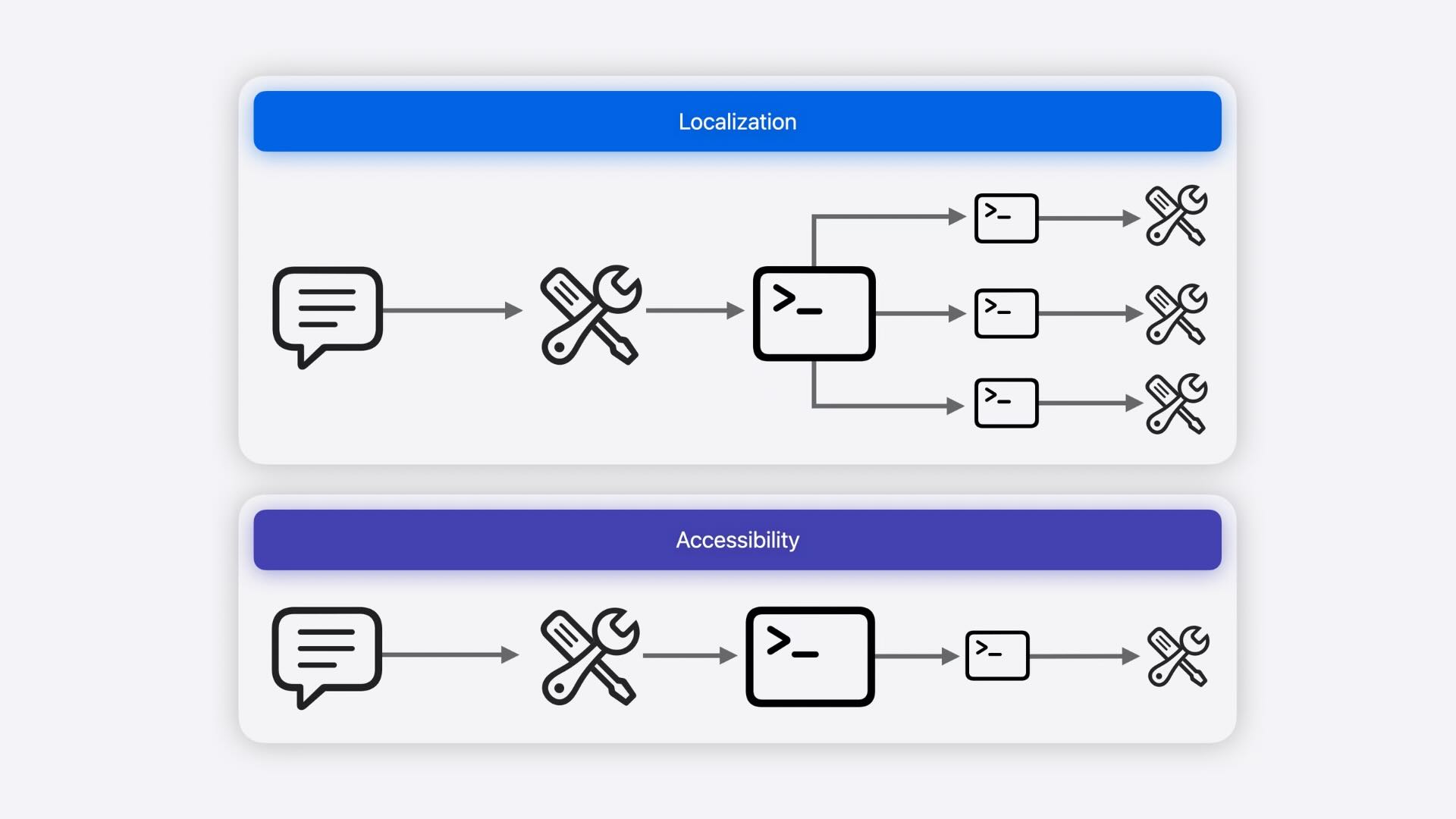
Complex tasks can be automatically broken down into smaller pieces and distributed across multiple sub-agents. While one agent coordinates the overall objective, other agents work in parallel on specific parts of the problem, improving efficiency and reducing completion time.
Accessibility Automation
Accessibility improvements can be implemented with minimal effort. Agents can add VoiceOver labels, accessibility identifiers, and other accessibility enhancements across the application, helping developers create more inclusive experiences.
Custom Agent Tools
Xcode’s agent ecosystem is extensible. In addition to built-in capabilities and Apple-provided tools, developers can integrate their own tools, enabling agents to perform project-specific tasks and adapt to unique workflows.
Localization with Agents
Xcode 27 introduces a completely new localization workflow powered by coding agents. Instead of manually managing localization files and translations, developers can now ask an agent to prepare a project for localization, generate translations, review results, and iterate on them directly within Xcode.
Automatic Project Preparation
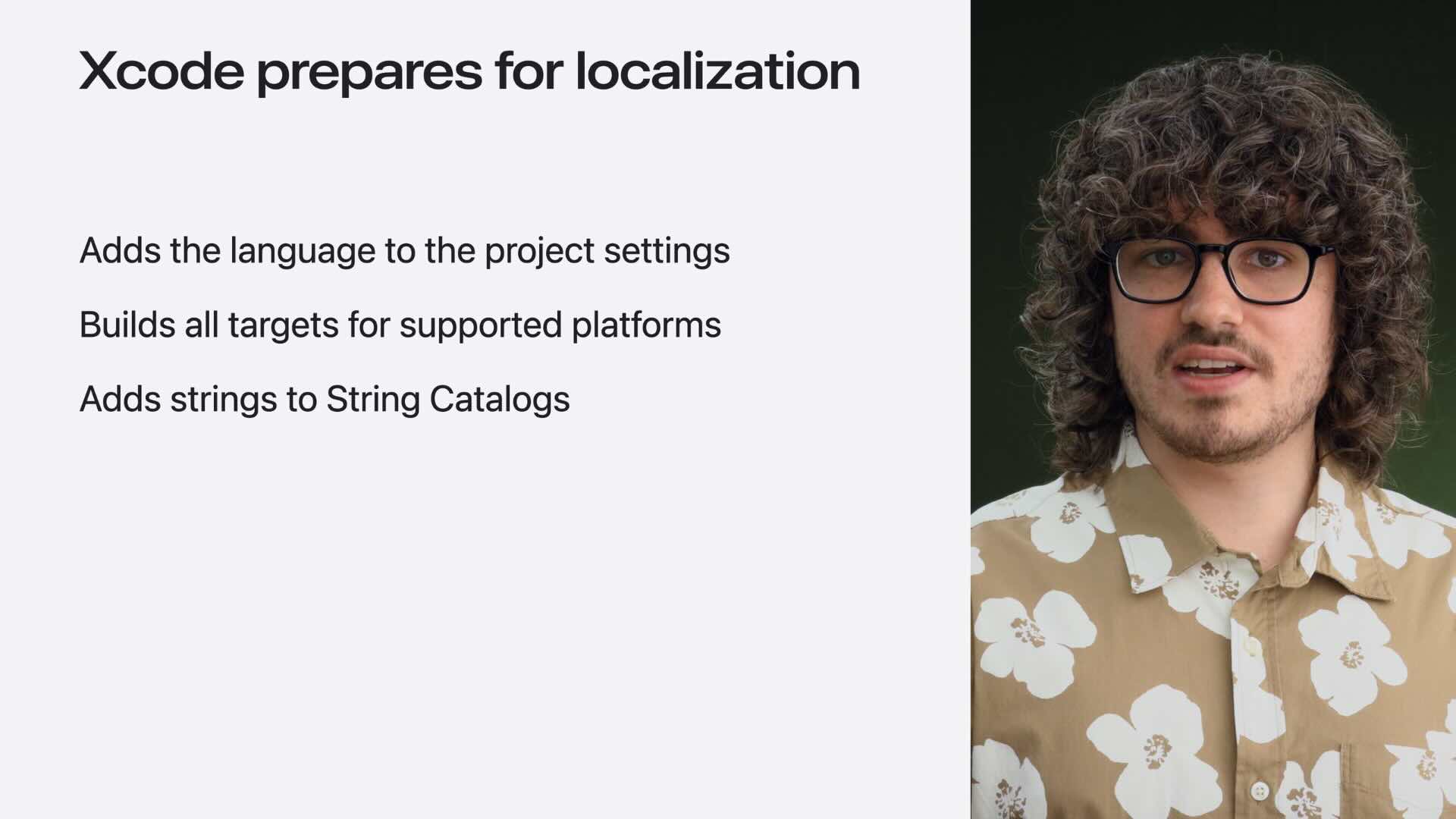
Before translation begins, Xcode automatically prepares the project for localization. It discovers localizable strings, creates String Catalogs when needed, and adds the target language to the project configuration. This removes much of the setup work traditionally required when adding a new language.
Context-Aware Translations
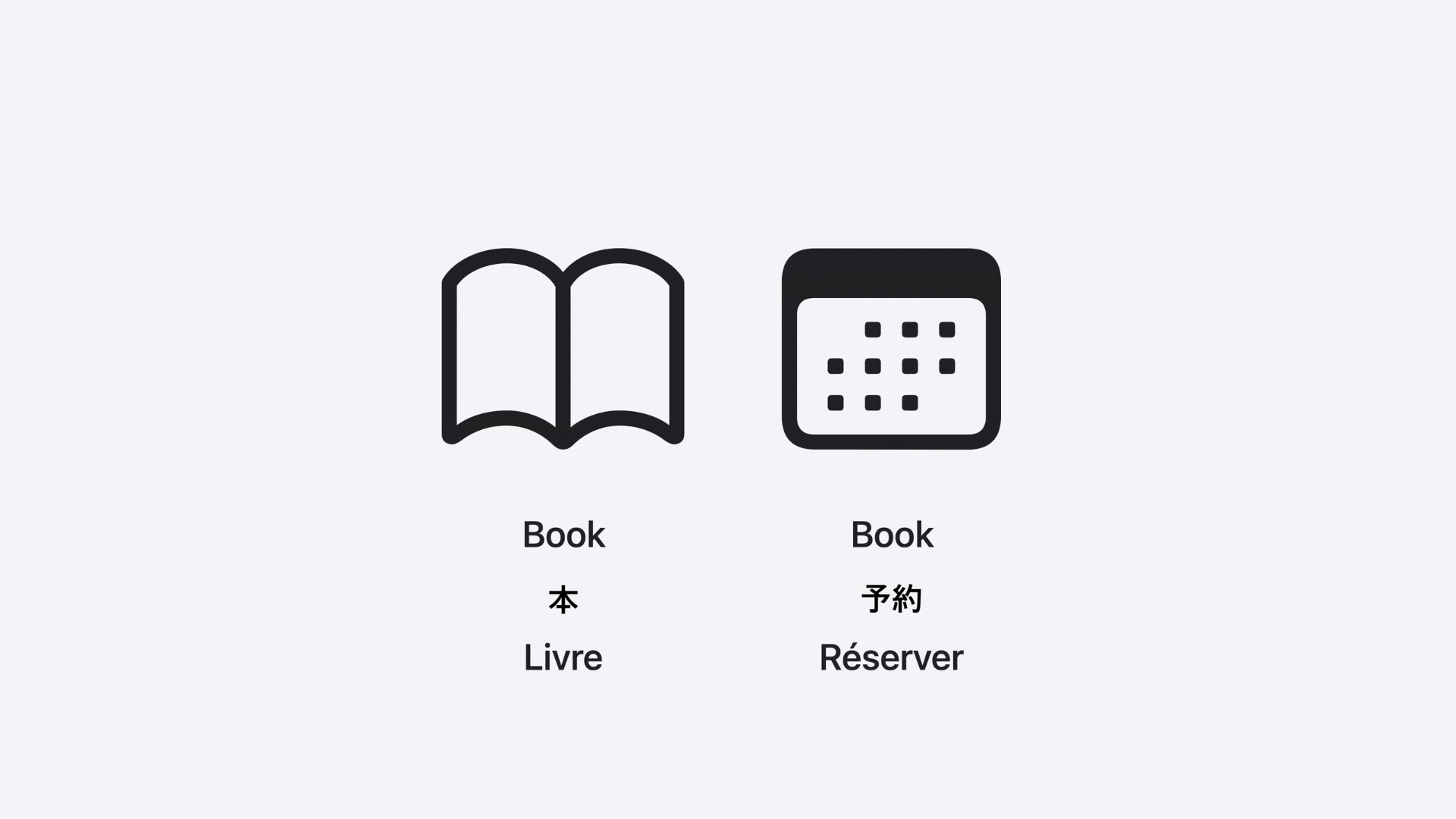
One of the biggest advantages of the new workflow is context awareness. Agents receive information about where a string is used, how it appears in the UI, related strings, and even existing translations in other languages. This helps produce more accurate and consistent translations than traditional machine translation approaches.
Localization Review with Previews
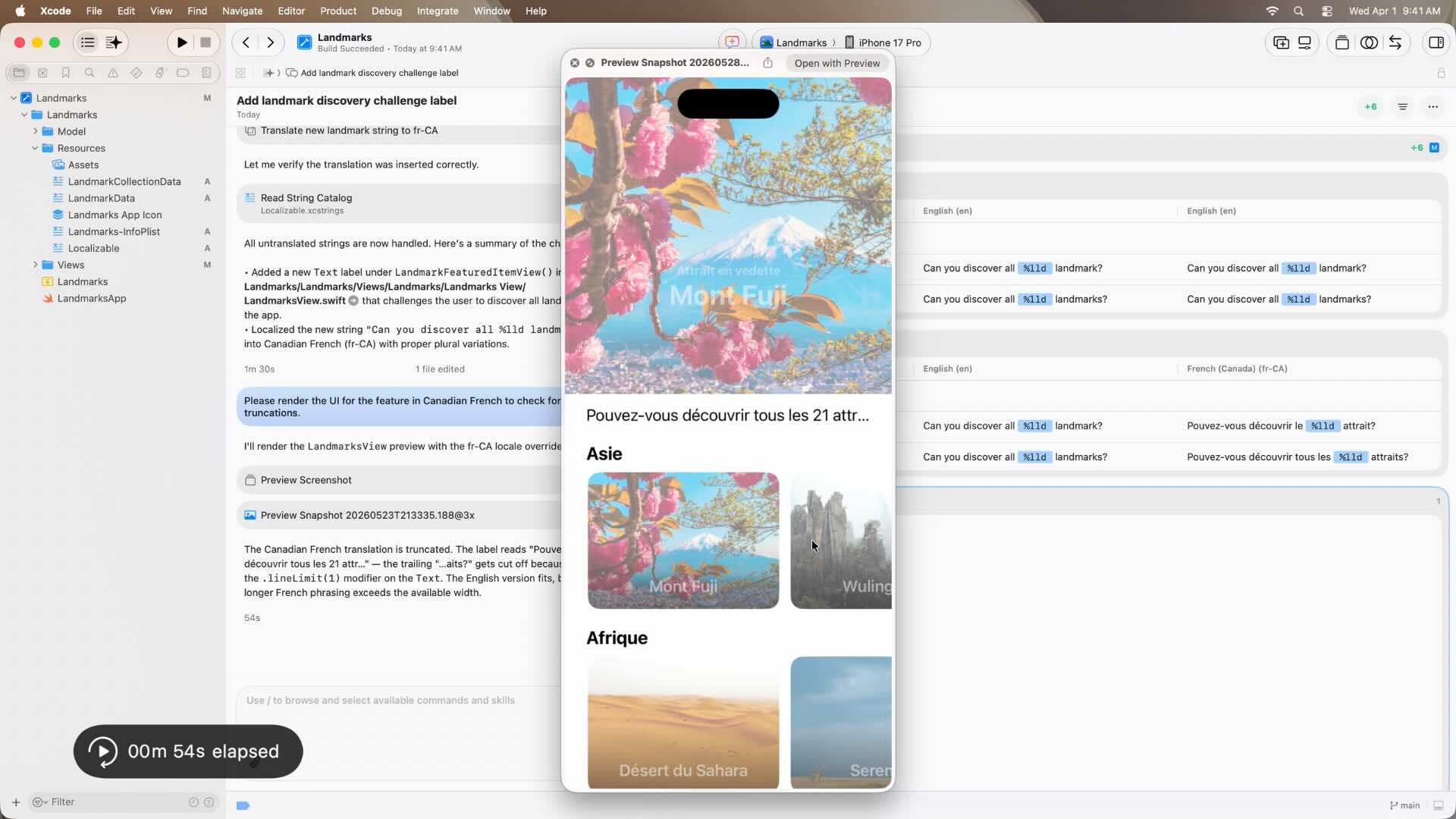
Translation is only part of the process. Xcode can also render localized previews and help identify issues such as truncated text, layout problems, and language-specific UI issues before an app is released.
Translation Guidance and Custom Terminology
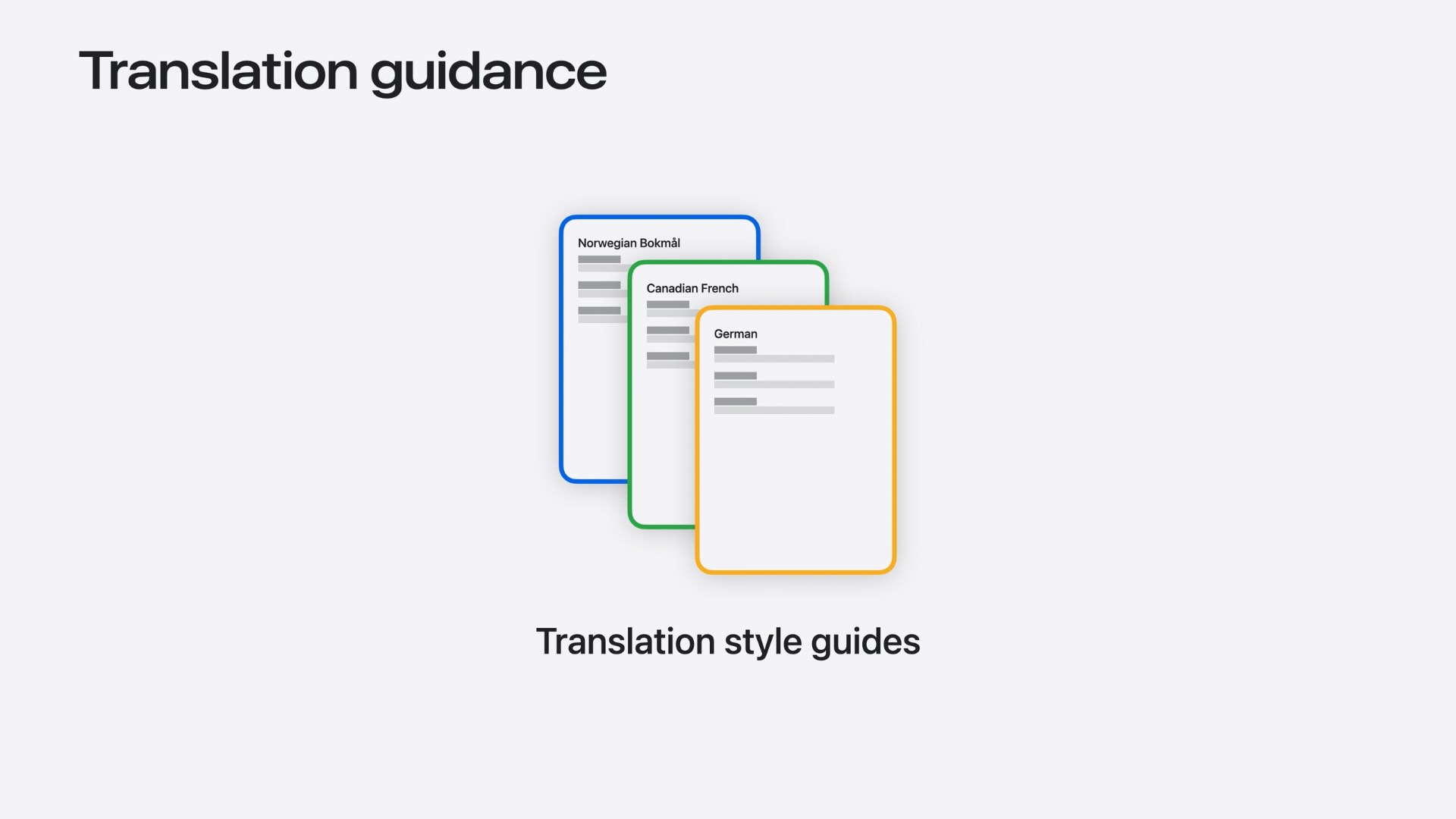
Developers can provide custom translation instructions, glossaries, preferred terminology, brand names, and tone guidelines. Agents use this information to generate translations that better match the product’s voice and target audience.
Device Hub: A New Home for Devices and Simulators
One of the most underrated additions in Xcode 27 is Device Hub, a new application that brings simulators and physical devices together in a single interface. Rather than treating simulators and devices as separate tools, Device Hub provides a unified environment for testing, debugging, and managing apps across Apple platforms.
Unified Device Management
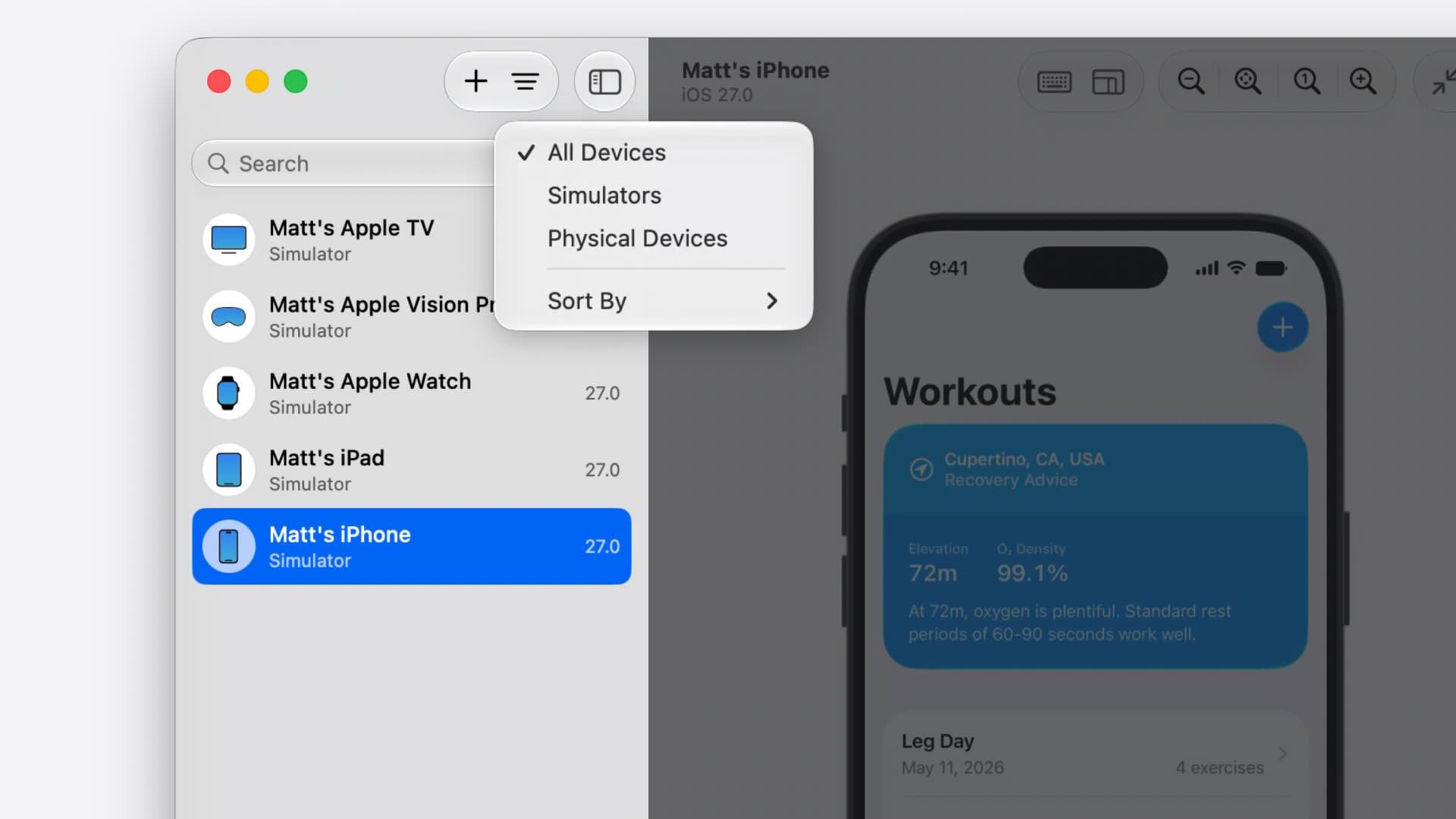
Device Hub provides a centralized inventory of all connected devices and simulators. Developers can organize, filter, group, and manage them from a single location, making it much easier to work across multiple device types and screen sizes.
Interactive Device Control
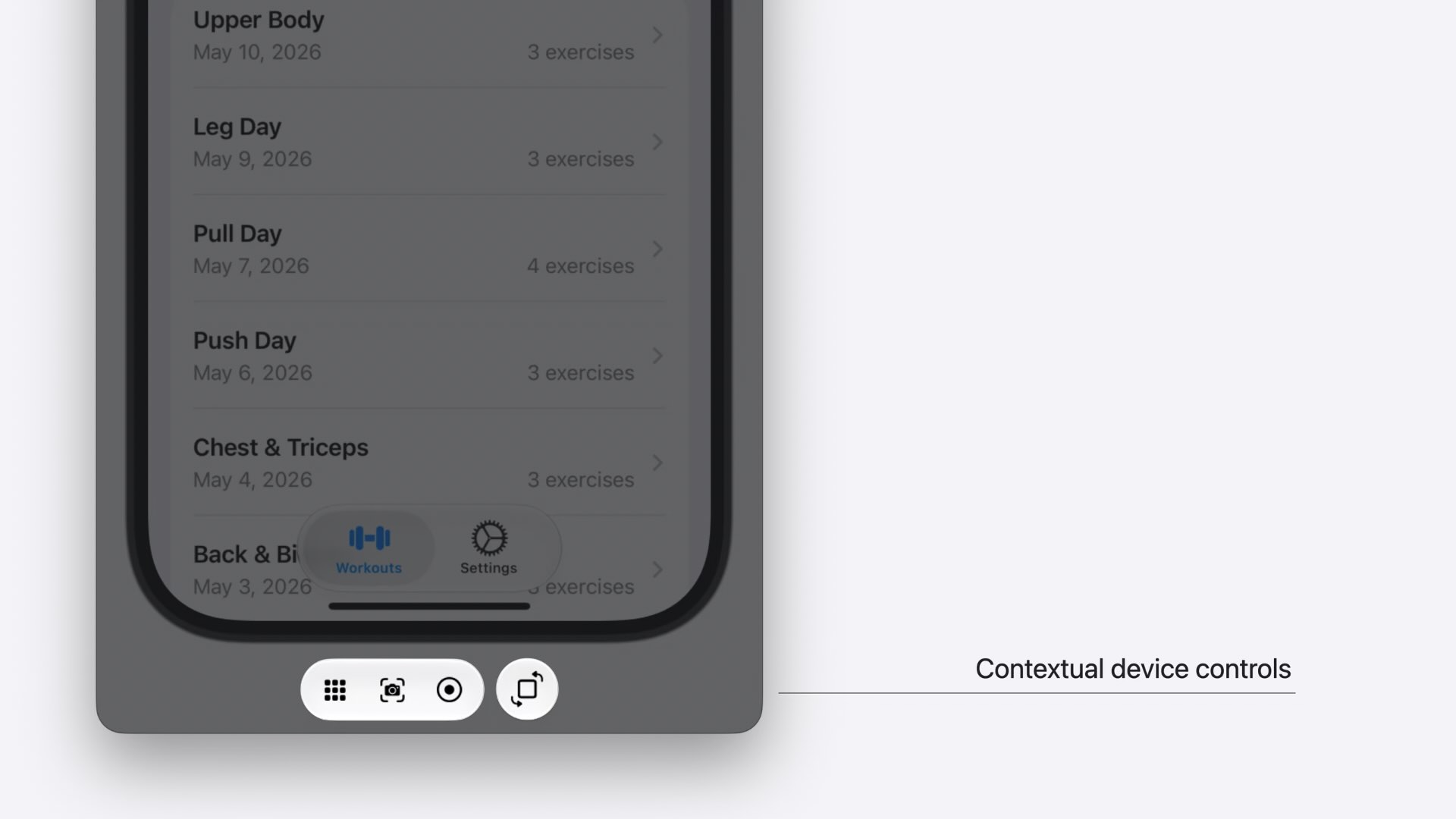
Both simulators and physical devices can be controlled directly from Device Hub. Developers can interact with live screens, use gestures, capture keyboard input, take screenshots, rotate devices, and even test applications at their real-world physical size.
Faster Configuration Testing
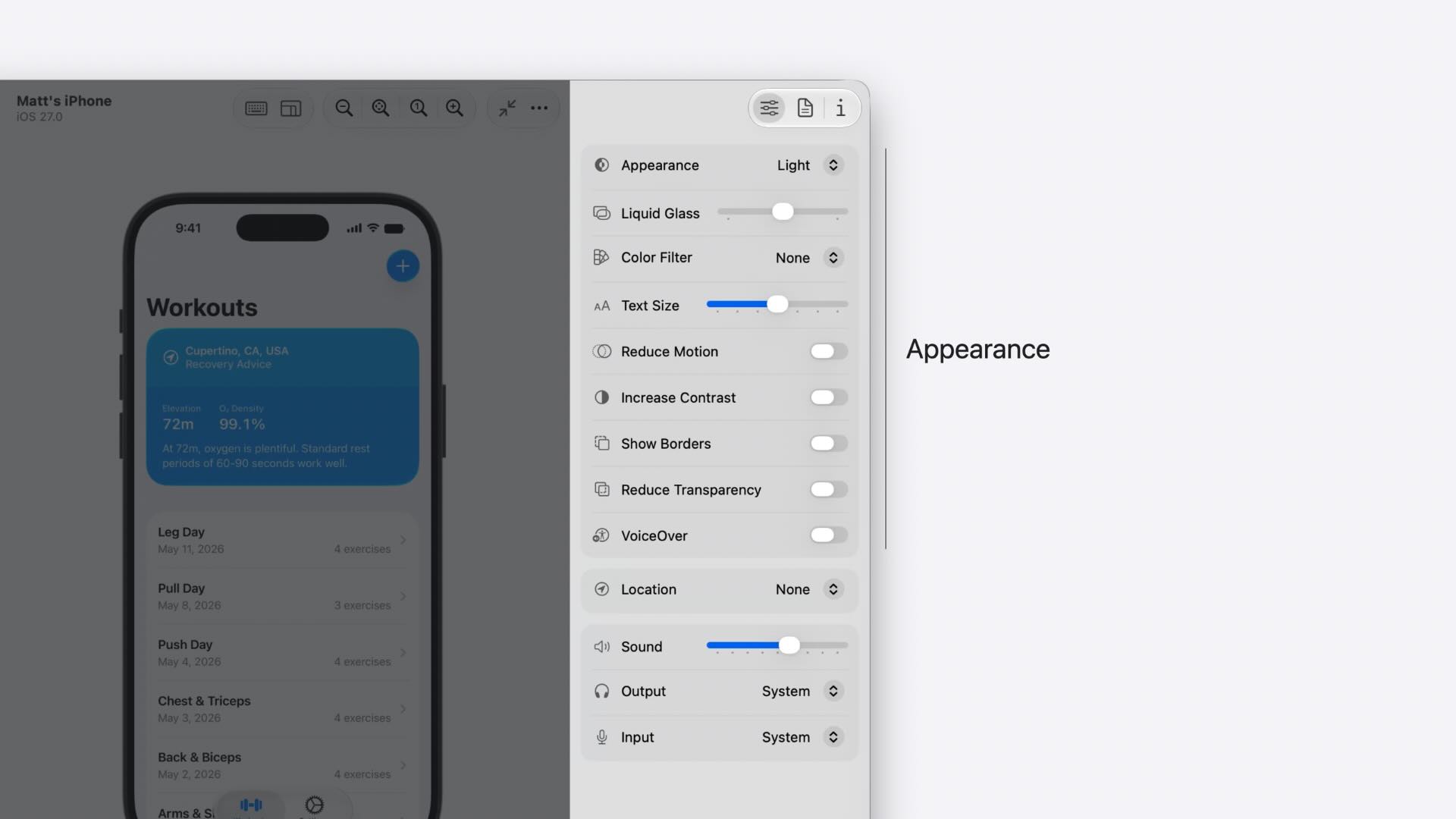
Device Hub makes it easy to test applications under different conditions without navigating through device settings. Developers can quickly adjust appearance settings, text sizes, accessibility options, locations, audio settings, and other environment configurations.
Built-In App and Profile Management
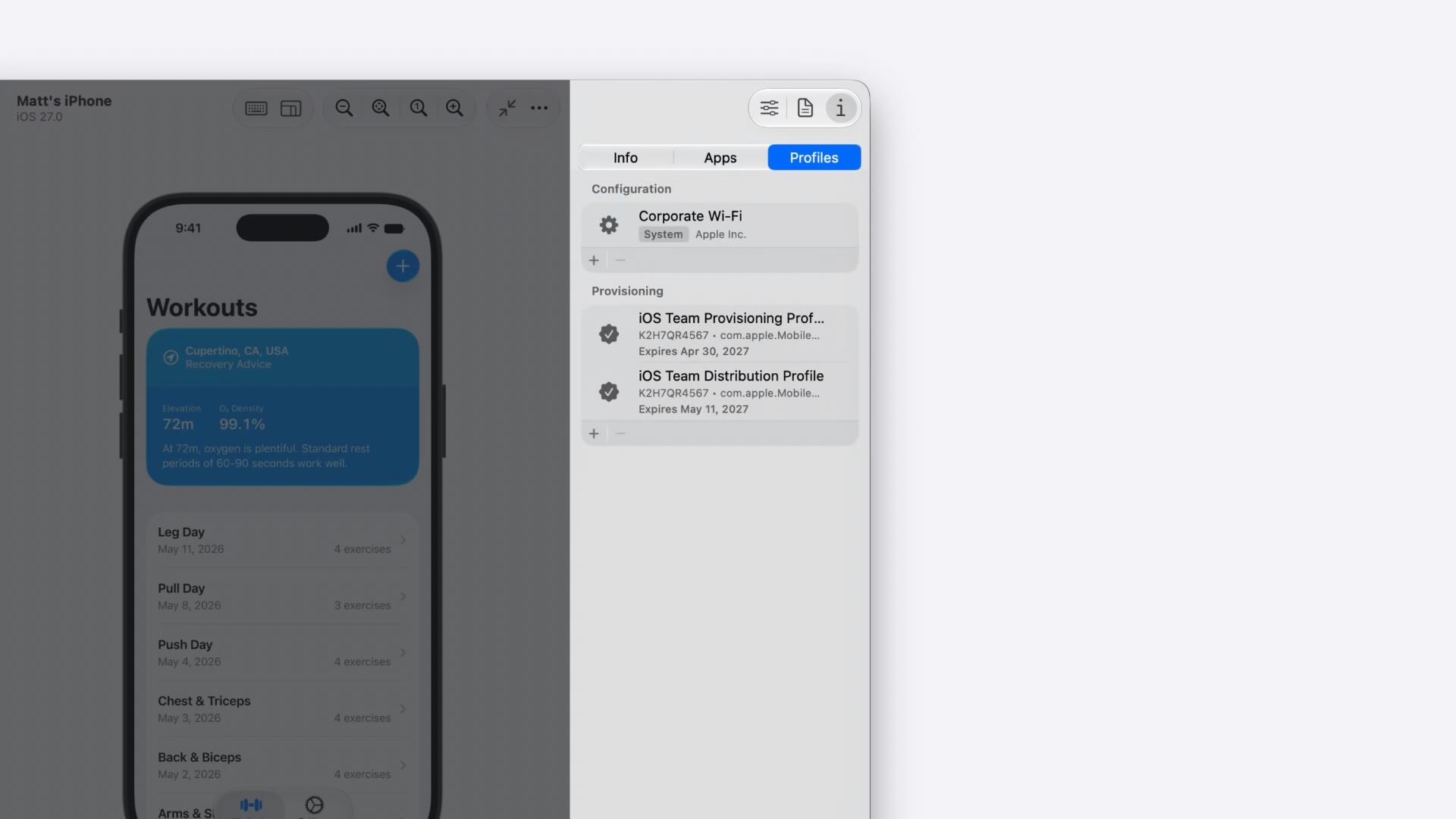
The new Apps and Profiles panels allow developers to install applications, manage app data containers, download diagnostic information, and work with configuration or provisioning profiles directly from Device Hub.
Diagnostics and Debugging Tools
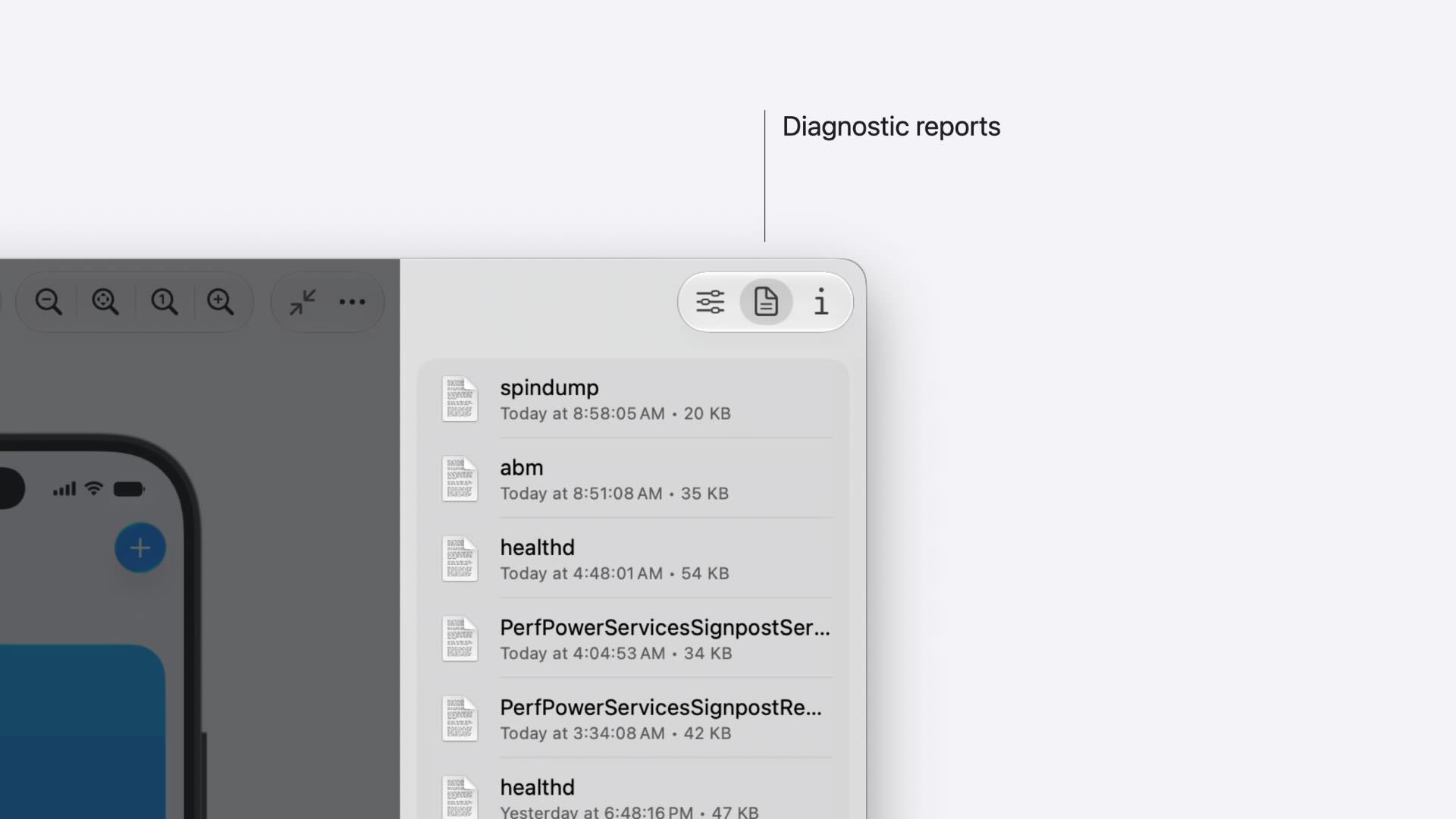
When issues occur, Device Hub provides direct access to crashes, hangs, sysdiagnose captures, and other diagnostic reports. Combined with app data container management, this makes reproducing and investigating bugs significantly easier.
Automation with devicectl
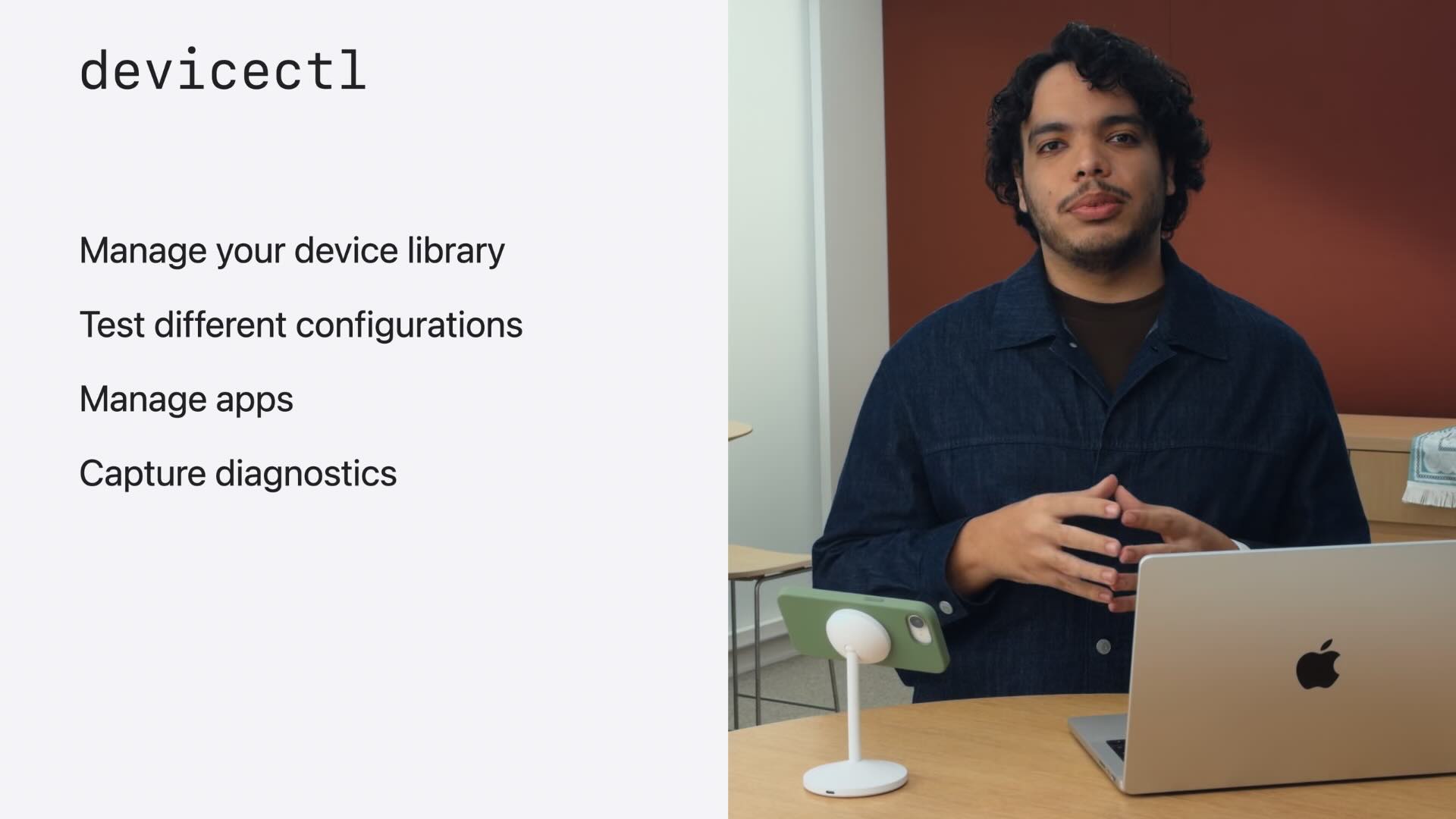
Apple also highlighted devicectl, a command-line tool built on the same foundation as Device Hub. It allows developers to automate device management, application installation, diagnostics collection, and testing workflows through scripts and CI systems.
Conclusion
Xcode 27 focuses on reducing repetitive work and improving developer productivity. Features like Localization with Agents and Device Hub may seem small at first glance, but they have the potential to significantly streamline everyday development workflows.
“What’s New in Xcode 27”: Watch the video
“Xcode, agents, and you”: Watch the video
“Translate your app using agents in Xcode”: Watch the video
“Get the most out of Device Hub”: Watch the video
FAQs
What is Agentic Coding in Xcode 27?
Agentic Coding is Apple’s new AI-powered development workflow where coding agents can understand project context, plan features, write code, validate changes, generate documentation, and coordinate complex tasks. Unlike traditional code completion tools, agents actively participate throughout the software development lifecycle.
How does Apple Document Search improve AI coding assistance?
Apple Document Search allows coding agents to access the latest Apple documentation while working on a task. This helps agents provide recommendations based on current SwiftUI, SwiftData, and platform APIs rather than relying solely on their pre-trained knowledge.
What is Plan Mode in Xcode 27?
Plan Mode enables developers to collaborate with an AI agent before any code is written. Developers can discuss architecture, requirements, implementation details, and design decisions, creating a clear development plan that guides the coding process.
What is Device Hub in Xcode 27?
Device Hub is a new application that centralizes the management of simulators and physical Apple devices. It provides unified device management, interactive device control, diagnostics tools, app installation, profile management, and testing configuration options from a single interface.
How does AI-powered localization work in Xcode 27?
Xcode 27 introduces an agent-driven localization workflow that automatically discovers localizable content, creates String Catalogs, generates context-aware translations, and helps developers review localized UI previews. Developers can also provide custom terminology and translation guidelines to improve translation quality.

