

Human Readable Xcode Test Results with Slather
Unit testing is invaluable in helping us to identify problems early in the development cycle, both in terms of the implementation and the specification. It also facilitates change, providing confidence that any future changes to the tested code won’t break its expected behavior.
Unit tests are crucial for our project. They help us identify problems early in development. After we have our tests, we need to make sure our test scenarios cover much of our code. Apple defines code coverage as follows:
Code coverage is a feature in Xcode that enables you to visualize and measure how much of your code is being exercised by tests. With it, you can determine whether your tests are doing the job you intended.
Although Xcode shows the test coverage nicely, it is hard to visualize and export those results to a human-readable format. Meet Slather. It helps you to convert your test results to different formats such as JSON, HTML, corbura, etc.
Installing Slather
[sudo] gem install slatherExample
Let’s learn the usage of Slather by using an example project. We will create a basic SwiftUI application with a single SwiftPM package called FizzBuzzKit. This framework solves the famous FizzBuzz problem.
The algorithm is defined as below:
Print integers 1 to N, but print ‘Fizz’ if an integer is divisible by 3, ‘Buzz’ if an integer is divisible by 5, and ‘FizzBuzz’ if an integer is divisible by both 3 and 5.
We will create somehow over-engineered FizzBuzzKit. It will print a string according to the given rules. You can see the source code of the class from here
We will write unit tests for FizzBuzzKit. Our tests will cover below scenarios
- Default initializer should have default values for Fizz and Buzz
- It should return correct values for given numbers
- Class could be initialized with different numbers and strings
- Class could be initialized with filter functions besides numbers
It is better to write tests for all those scenarios and check if our code is working for every path.
If you switch your scheme to ‘FizzBuzzKit’ and hit ⌘U you can see the test results. It all passes.
Our test covers all the mentioned scenarios. To be sure that our test covers all the code we’ve written we will check our test coverage.
Here are the steps to use Slather with Xcode and enabling it on our Appcircle workflow:
1. Enable Test Coverage
We need to enable test coverage in our project to get test coverage results. First, make sure your project has the following settings enabled.:
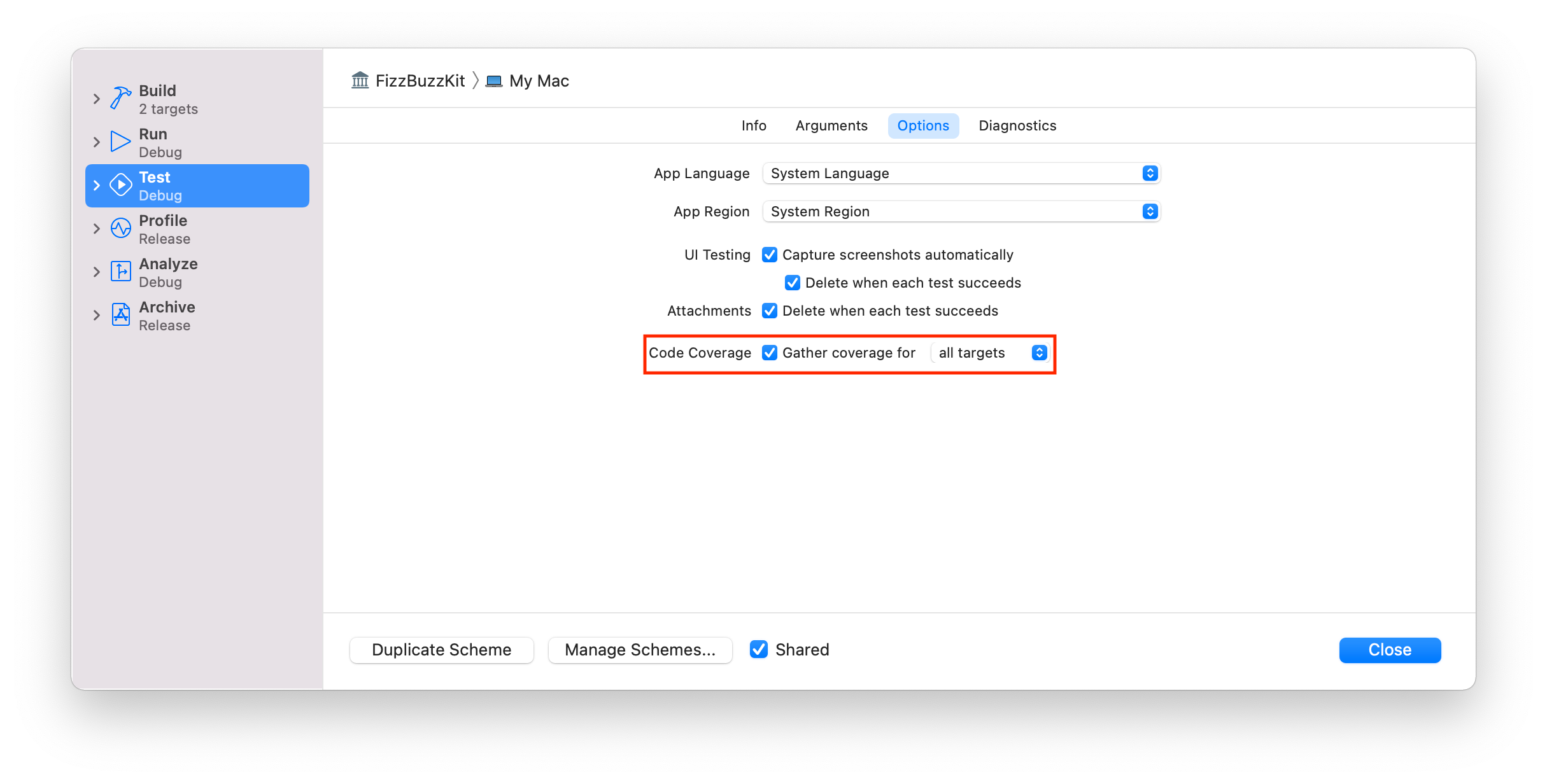
If we run our tests again, and click Coverage button we can see the coverage of our tests.
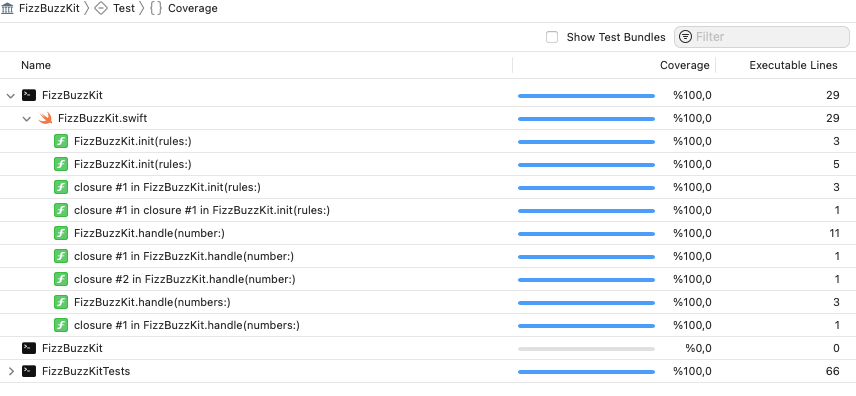
Coverage results can only be seen on Xcode. To get a human-readable format, we need to use an external tool.
Slather can convert Xcode test results to different formats.
2. Run Slather for Xcode
Go to the project directory open your terminal and run the below command
slather coverage --html --scheme FizzBuzzKit Appcircle.xcodeprojIf you are using workspaces or configs, you can change the command line parameters according to the Slather’s documentation.
You’ll get a report something like below. If you get an error, try cleaning your DerivedData folder.
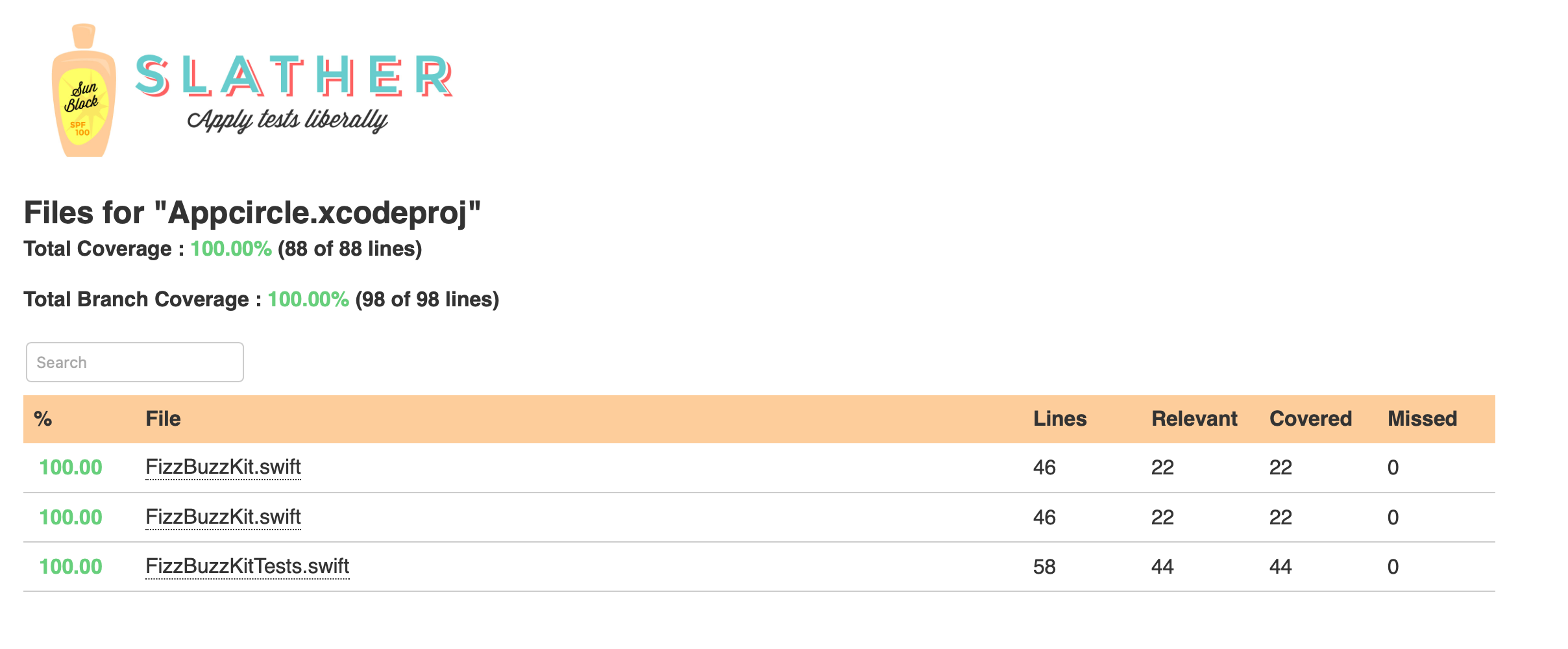
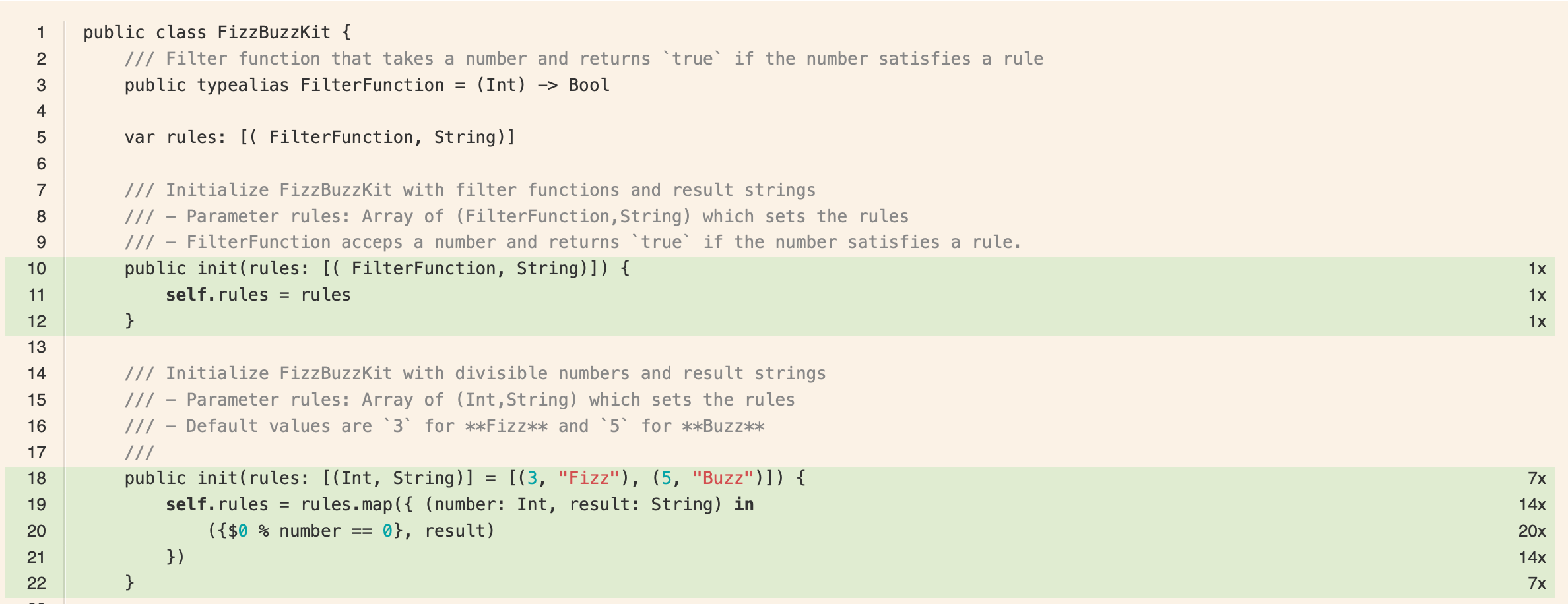
We can click on each file, and see how our test codes were run and how many times they were invoked.
Let’s add this project to Appcircle and see how easy to get test coverage results for our project.
3. Create a new build profile
Create a new build profile and add our repo. You can either use its public link, or you can fork to your account and add it from there.
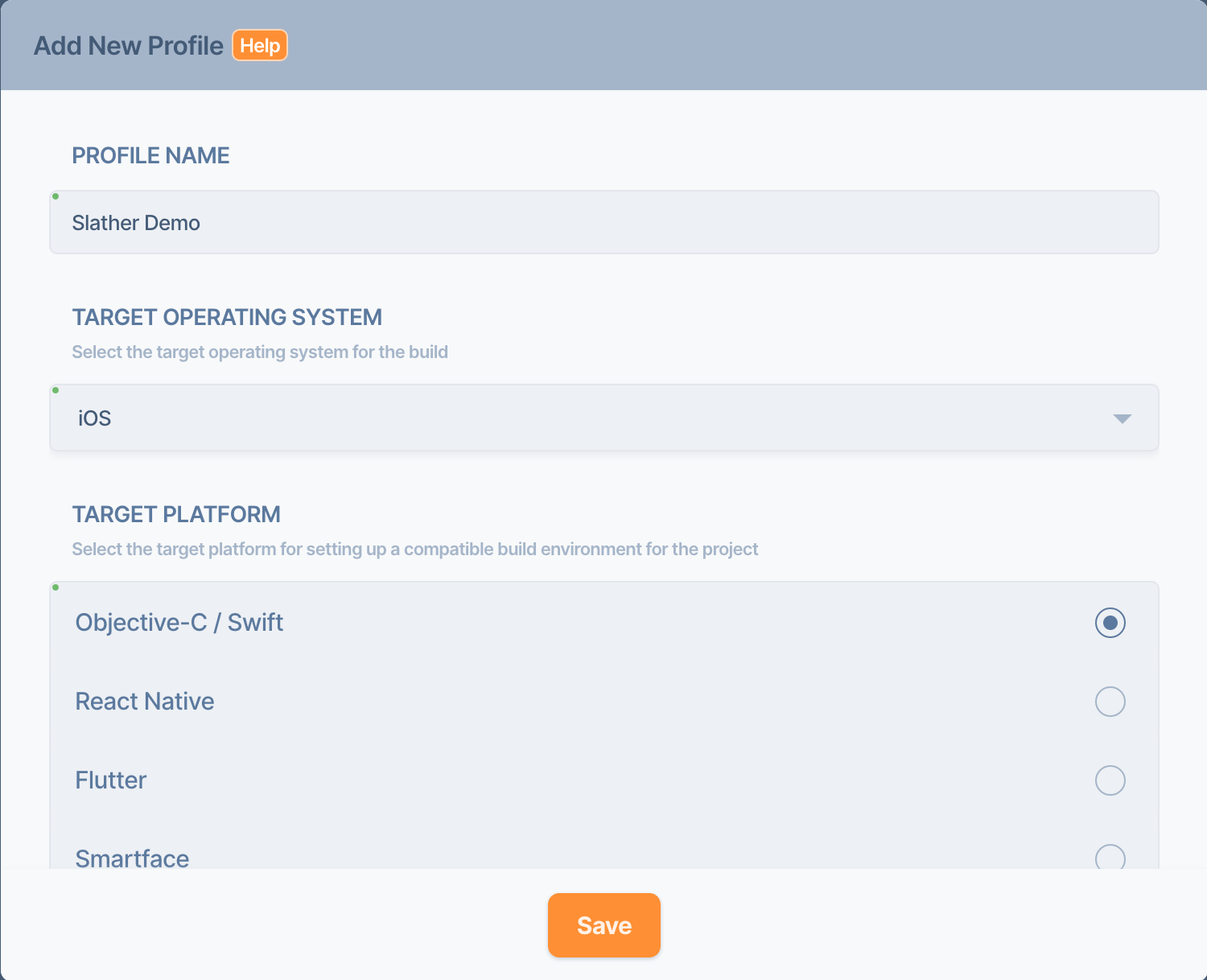
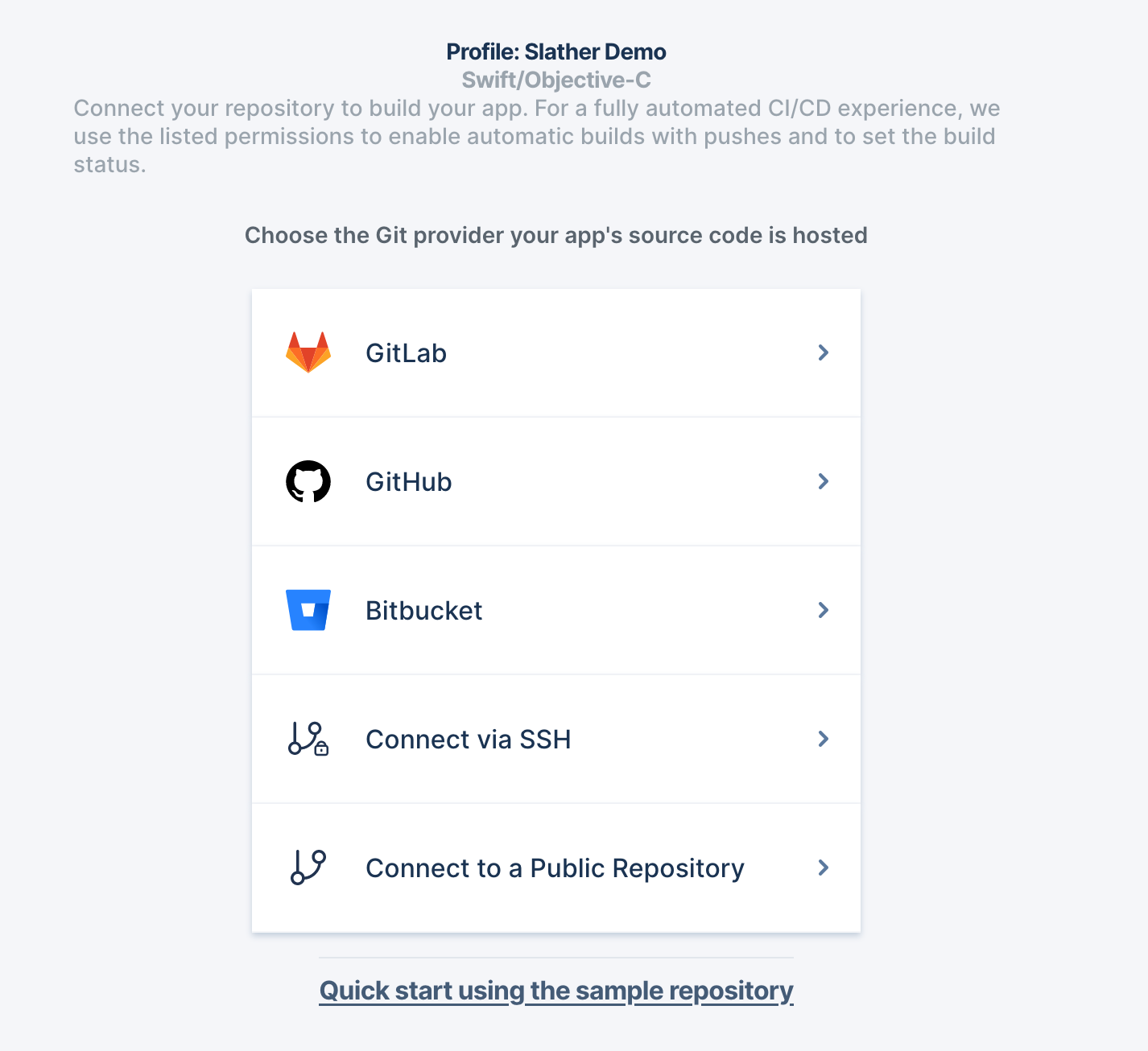
4. Configure your build profile
Go to the config section and fill in the details like below and hit Save.
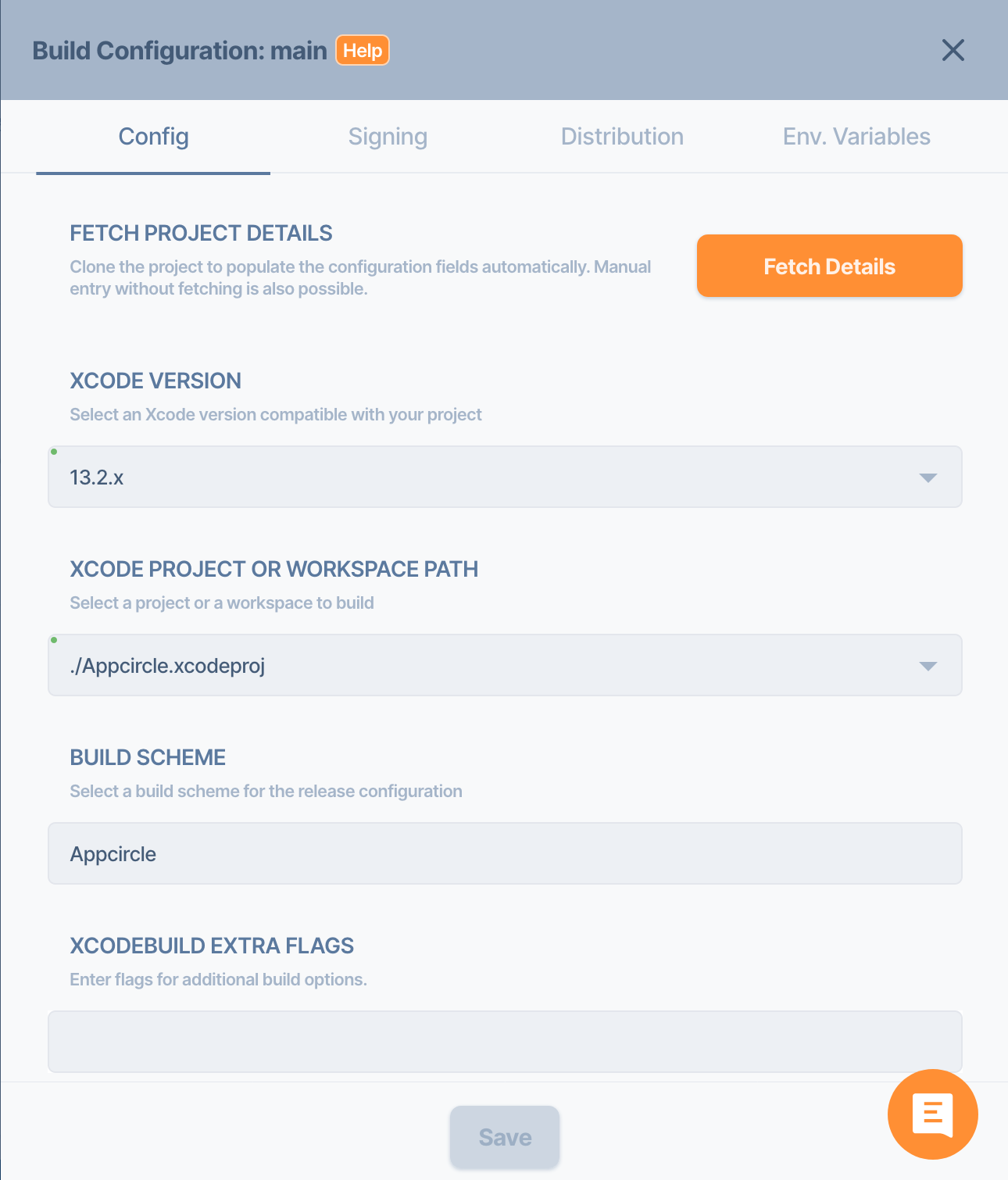
5. Edit your workflow
Edit your workflow and add Slather after the Xcode Unit Test.
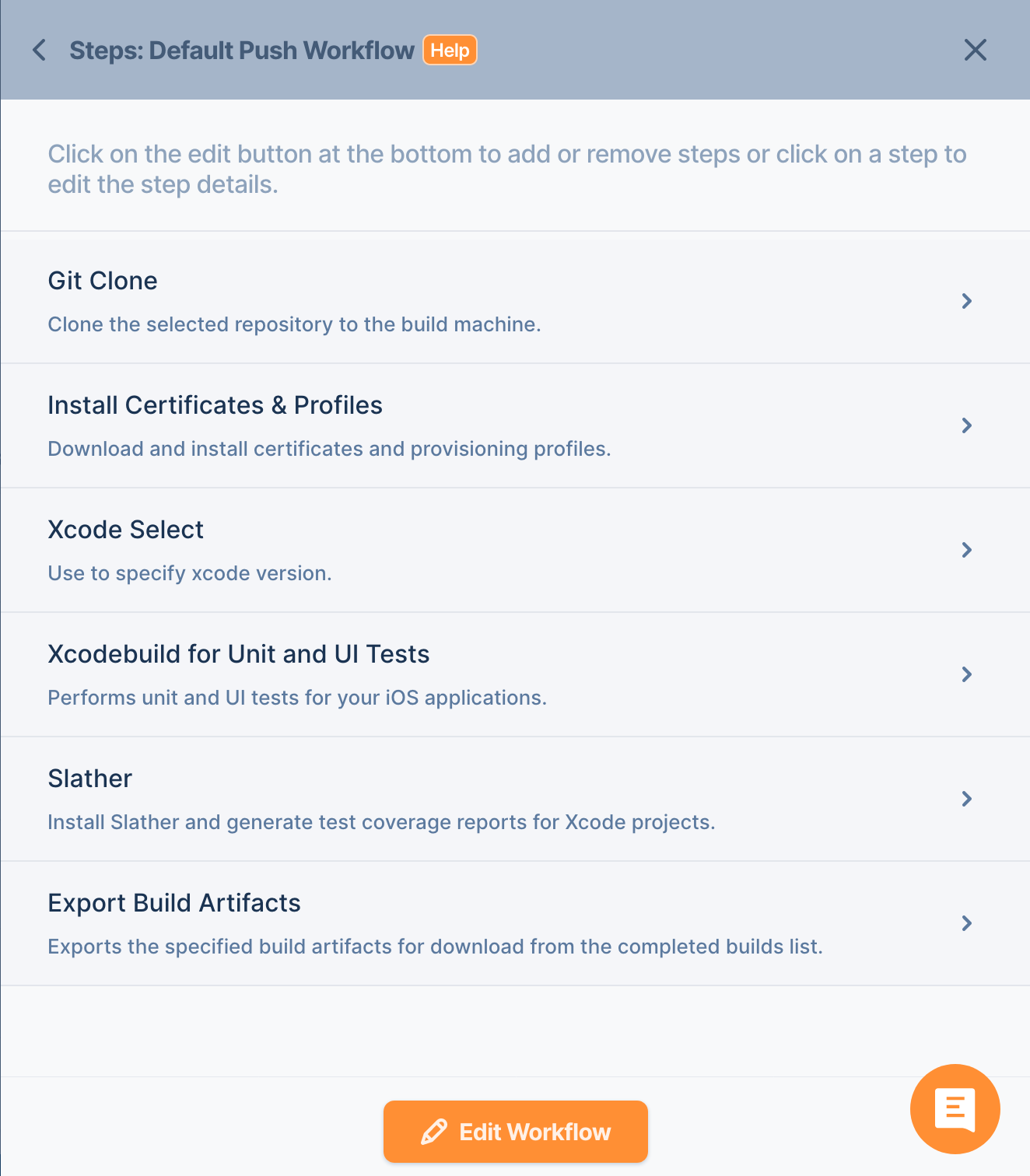
6. Modify your test step
Go to your Xcodebuild for Unit and UI Tests step detail and change it like below:
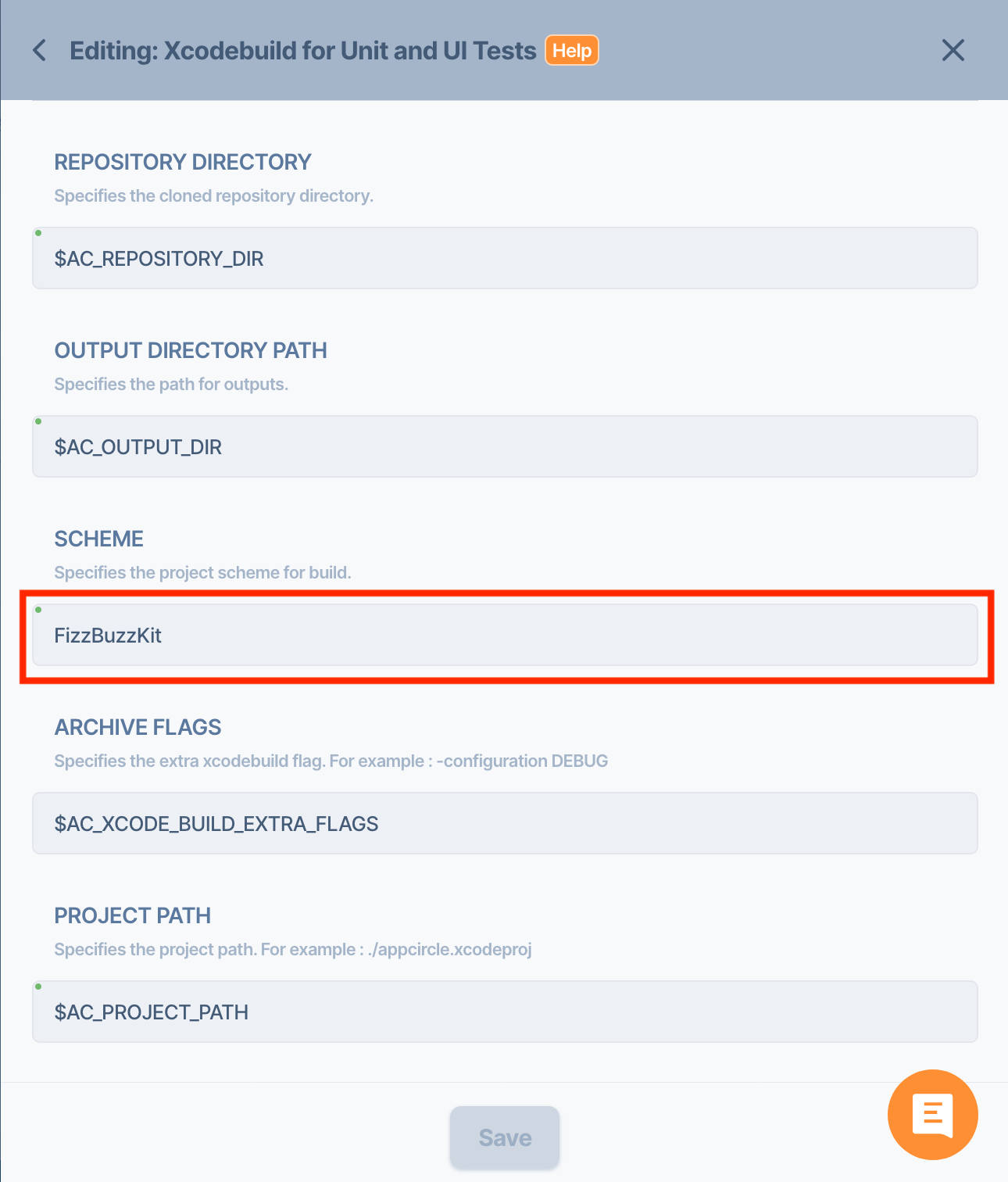
7. Edit your Slather Step
Finally, edit your Slather Step and change the configuration accordingly:
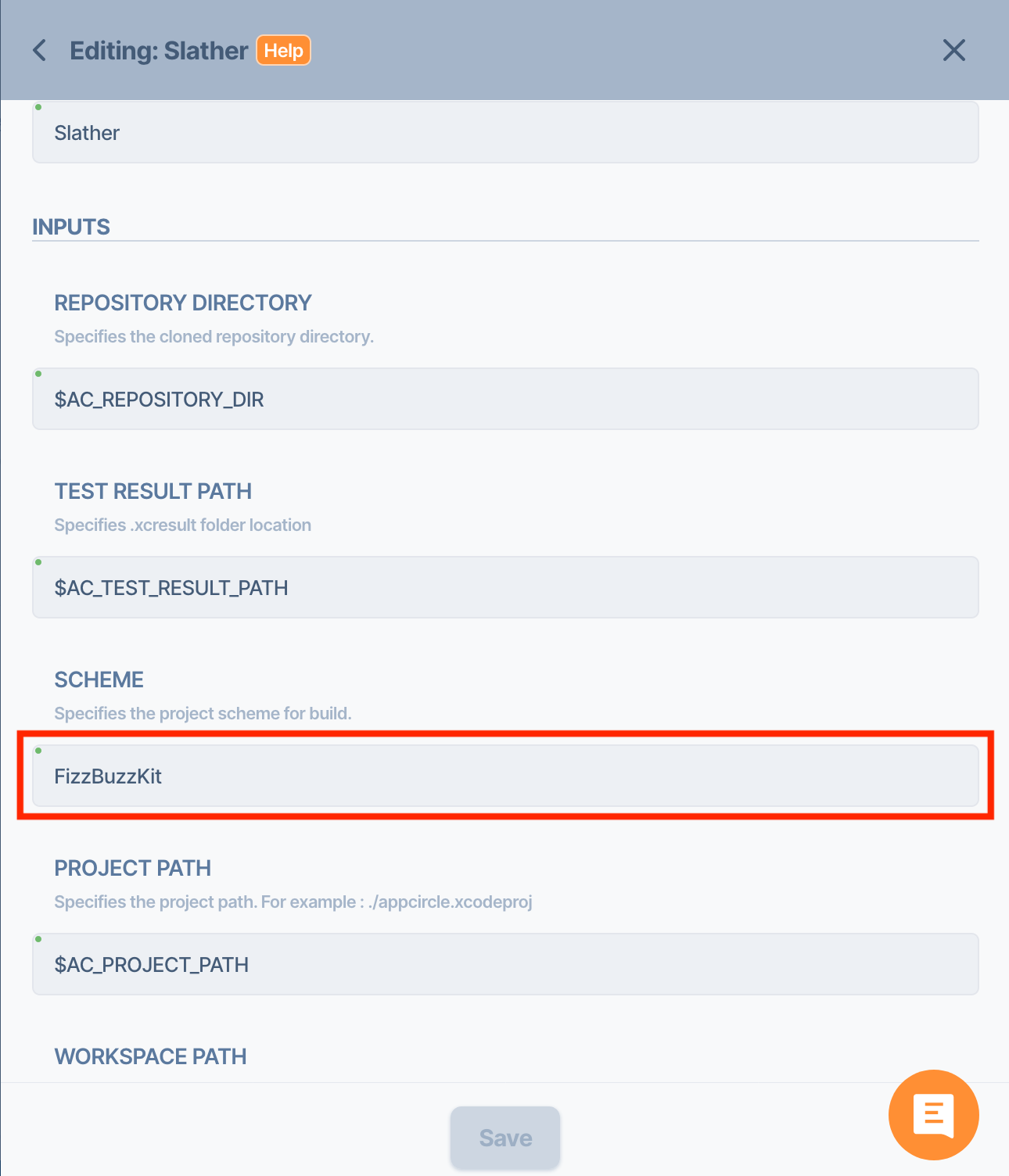
Hit the Build button. After the build is finished, tap the “Download Artifacts” button and easily download Slather coverage results.

