
WWDC25: Platforms State of the Union Developer Summary
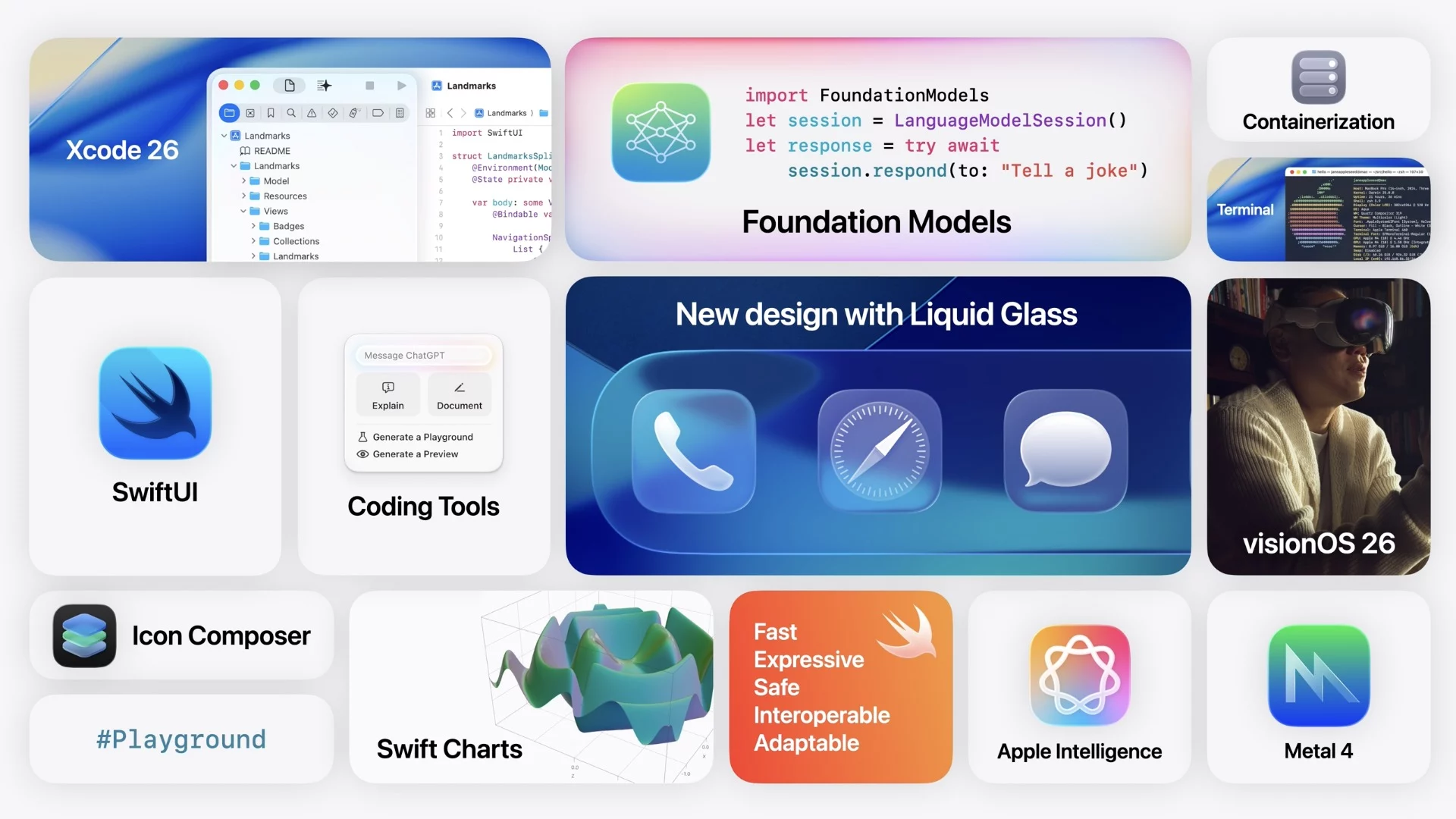
Apple’s WWDC25 Platforms State of the Union gave developers a closer look at what’s really changing under the hood. While the morning keynote was more high-level, this session focused on what matters to us: tools, APIs, and frameworks that shape how we build.
This year, Apple rolled out:
- A new visual style called Liquid Glass
- Major tooling updates in Xcode 26 and SwiftUI
- System-level access to Foundation Models
- New backend support with Containerization
- Big upgrades to Metal 4 and VisionOS 26
Let’s dive into the updates and why they’re exciting for developers.
New Design with Liquid Glass
What is it?
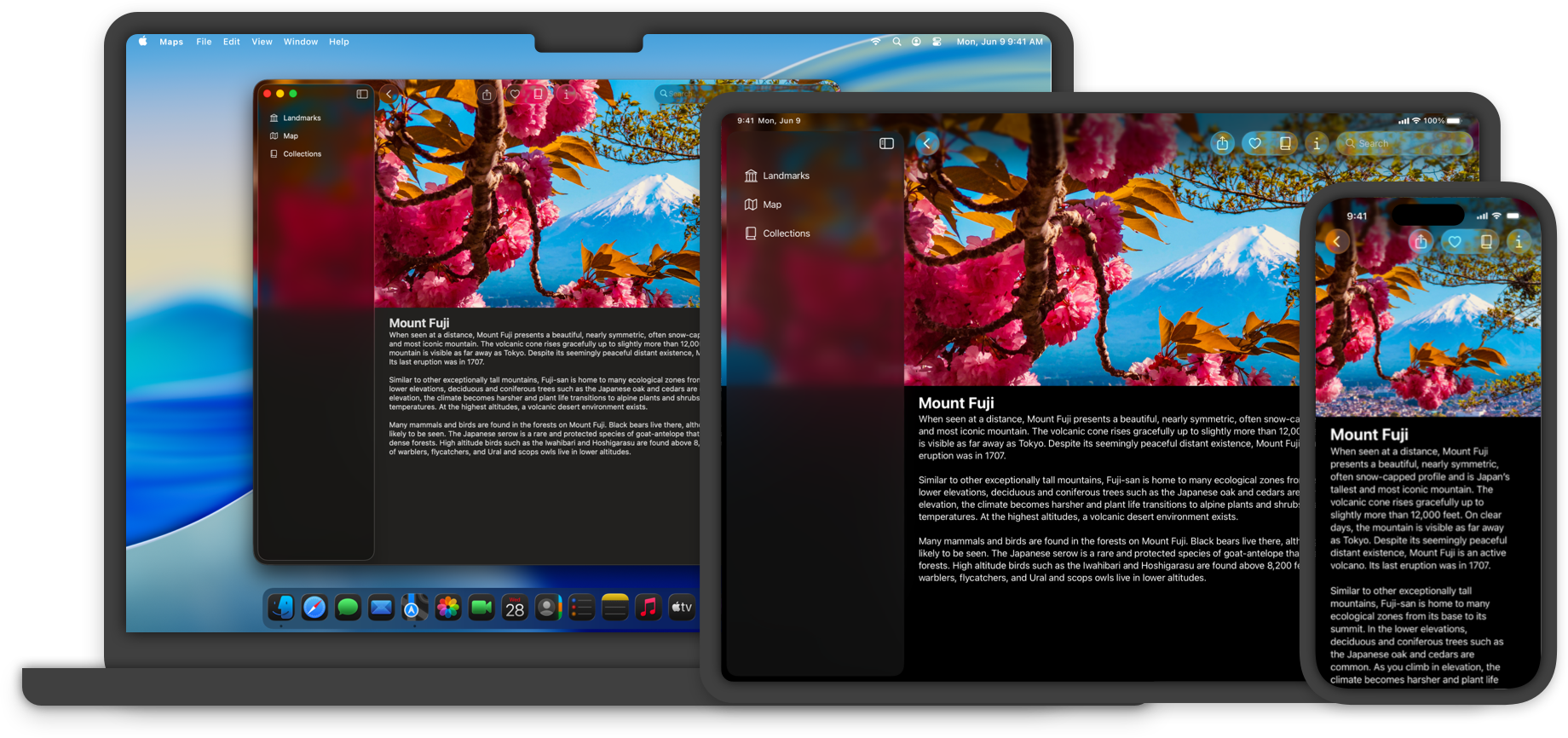
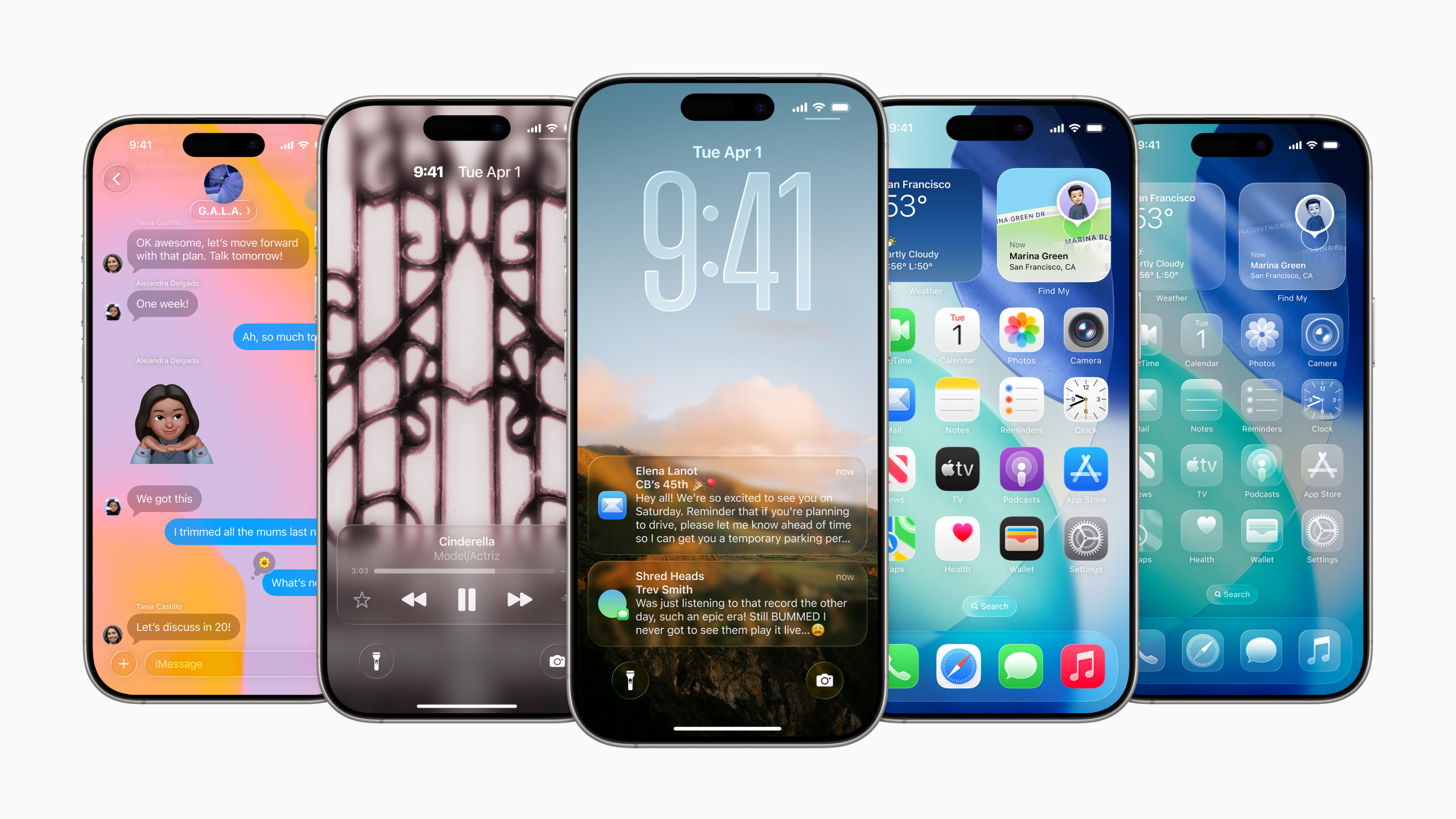
Apple introduced Liquid Glass as a universal design language that brings a glassy, translucent aesthetic to all its platforms. The goal is a unified design and same experience across iOS, iPadOS, macOS, watchOS, and even visionOS.
For developers, adopting Liquid Glass is straightforward. Many standard UI elements will automatically update to the new style when you build the latest SDKs (iOS, iPadOS, macOS 26, etc.) . Native frameworks like SwiftUI are updated to support Liquid Glass, so your app can use the new look with almost no change.
How to adopt?
- Build with Xcode 26 and the latest SDK — almost every system control automatically opts in.
- Opt‑in your custom views via the new .glassEffect() modifier (SwiftUI) or UIGlassEffect (UIKit).(YouTube Link)
- Follow updated HIG guidance for contrast and legibility.(developer.apple.com)
Sample Codes
SwiftUI
VStack {
    Text("Liquid Glass!")
        .font(.title)
        .padding()
        .glassEffect()

    Button("Tap me") {}
        .buttonStyle(.glass)
}
.frame(maxWidth: 300)
UIKit
let glassView = UIVisualEffectView(effect: UIGlassContainerEffect(style: .regular))You can find more about Liquid Glass on our other articles: [WWDC 25: Build a SwiftUI App with the New Liquid Glass Design] , [WWDC25: Build a UIKit App with the New Liquid Glass Design]
Foundation Models
What is it?
One of the biggest highlights in WWDC25 is Apple’s new Foundation Models framework. This framework gives third-party apps direct access to Apple’s native on-device language model, allowing developers to build AI-driven features that run privately and offline on users devices. In short, Apple is giving developers access to the same powerful Apple Intelligence model that drives features like the new Siri and Live Translation, so apps can now tap into it to build their own generative AI experiences.
How to adopt?
- Add the FoundationModels framework.
- Make a request from the model
- Pass your prompt and await a streamed or structured response.(machinelearning.apple.com, apple.com)
Sample Code
do {
  let prompt = "Create a basic plan for trip to Istanbul"
  let session = LanguageModelSession()
  let response = try await session.respond(to: prompt)
  print(response)
} catch {
  print("Error from LanguageModelSession: \(error)")
}
You can find more about Foundation Models on our other article: [WWDC25: Bring on-device AI to Your App Using the Foundation Models Framework]
SwiftUI
Apple’s declarative UI toolkit SwiftUI continues to mature in WWDC25, gaining new frameworks and performance tools that make it more powerful for building apps across Apple platforms. One of the biggest improvements is how easy it is to embed web content now is SwiftUI includes a built-in way to display web views, so developers no longer need to rely on bridging to UIKit or AppKit just to show a simple web page. This means more native integration of web tech in SwiftUI, useful for things like rich text rendering or hybrid apps.
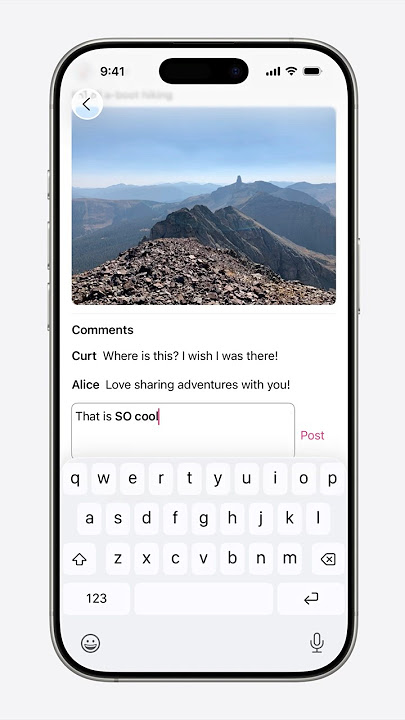
Speaking of text, SwiftUI now includes a Rich Text Editor component, which lets you present and edit formatted text with custom styling options . Developers can use it to allow bold/italic styles, headings, or other text formatting in their apps without dropping down to UITextView or NSAttributedString. Data visualization also gets a boost, Swift Charts (introduced in 2022) can now create 3D charts . This enables more visually compelling data displays like three-dimensional bar charts or surfaces, adding depth to data presentation with minimal code changes.
Native WebView
import SwiftUI
WebView(url: URL(string: "https://developer.apple.com")!)
Rich Text Editor
@State private var body = AttributedString("**Bold** _Italic_ \nHeading")
TextEditor(text: $body)
    .textSelection(.enabled)
You can find more about SwiftUI on our other article: [WWDC 25: What’s New in SwiftUI]
Containerization
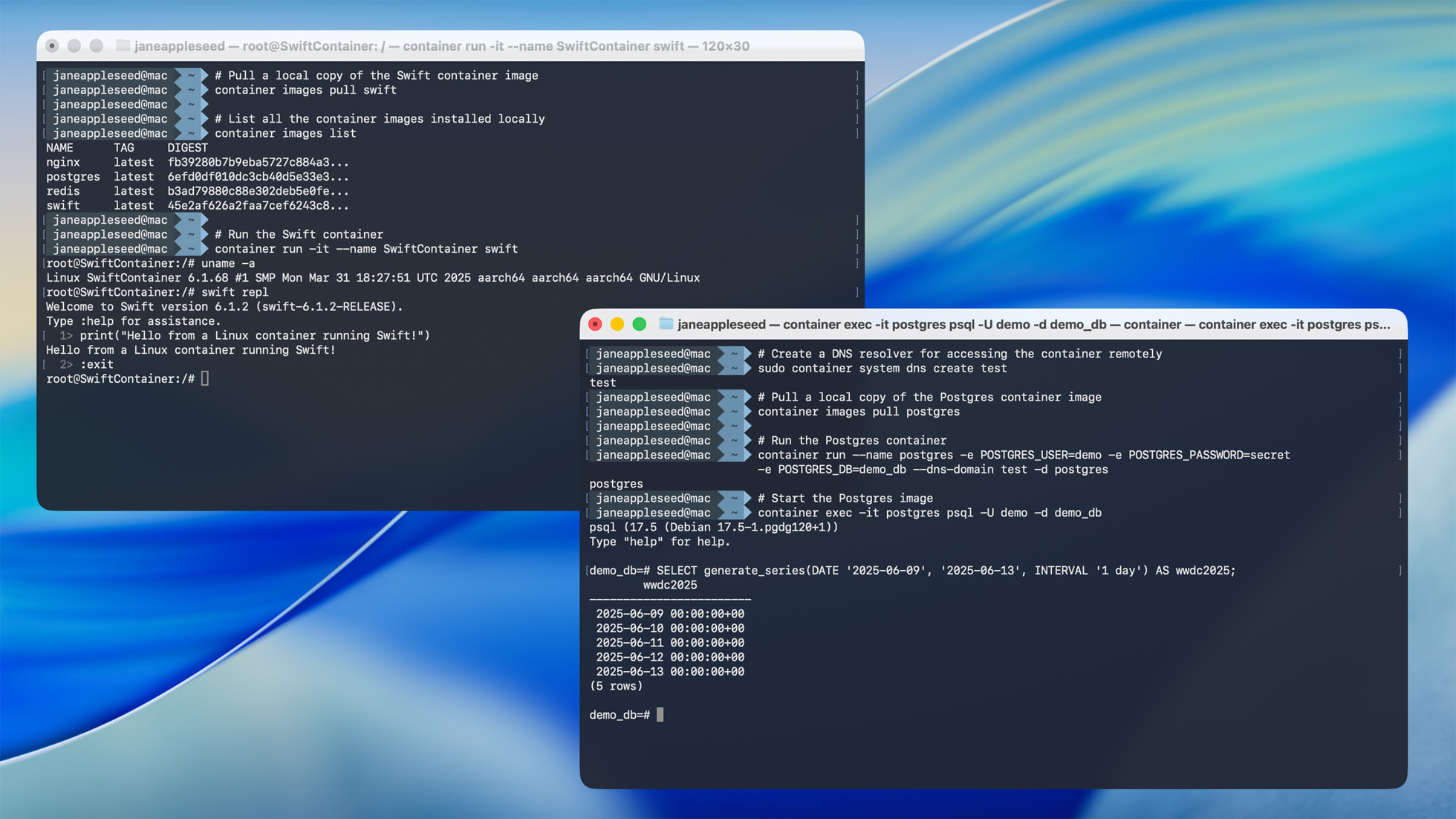
Apple introduced a new Containerization framework for Swift and macOS to improve development workflows and backend integration. This framework lets developers run Linux container images directly on a Mac . In other words, macOS now supports Docker containers in a Swift-style way, which is a big deal for server-side developers and those who deploy Linux services. It’s Apple’s version of WSL (Windows Subsystem for Linux).
With Containerization framework, developers can pull container images (for example, a Swift server runtime, or a database like Postgres) and run them on their Mac for testing. Apple even provides a Swift-based CLI (swift-container) to manage containers. This is especially useful if you’re writing server-side Swift. You can now run your Swift code inside a Linux container directly from Xcode or the Terminal on your Mac, making it easier to test, ensure compatibility, and get ready for cloud deployment.
Sample Codes
# Pull Alpine
container image pull alpine:latest

# Launch interactive shell inside Alpine
container run -t -i alpine:latest sh
Apple’s open‑source Containerization package plus the container CLI run OCI images with lightweight VMs (developer.apple.com).
Programmatic launch:
import Containerization

let redis = try Container(image: "redis:7").run()
print("Redis @", redis.address)
Conclusion
WWDC25’s Platforms State of the Union shows Apple’s motivation to make developers think more about innovation, performance, and privacy. From the sleek new Liquid Glass design to powerful tools like Xcode 26, the latest SwiftUI updates, and on-device Foundation Models, Apple is giving developers everything they need to build smarter, faster, and more visually engaging apps. The addition of Containerization also makes macOS a much more powerful choice for backend and server-side development.
For developers, the message is clear: Apple’s platforms are not only becoming more consistent and beautiful but also more capable and developer-friendly. Whether you’re crafting AI-powered experiences, building for multiple Apple devices, or modernizing your infrastructure, WWDC25 delivers the tools to help you improve your development environment.
Frequently Asked Questions (FAQ)
1. What is Liquid Glass and how can I adopt it in my apps?
Liquid Glass is Apple’s new design language featuring translucent, floating UI elements unified across all platforms. As a developer, you don’t need to redesign everything, just build with the latest SDKs (iOS/iPadOS/macOS 26) and most native components like tab bars and toolbars will automatically adopt the new style. For custom components, SwiftUI now provides modifiers to apply glass-like materials with minimal effort.
2. What makes the new SwiftUI features stand out this year?
SwiftUI now supports a native WebView component, a Rich Text Editor, and support for 3D charts with Swift Charts. These additions reduce the need to bridge into UIKit or AppKit for common use cases like rich text editing or data visualization, making your codebase more streamlined and more Swift-native across platforms.
3. What is Apple’s new Containerization framework and who should care?
Containerization allows developers to run Linux containers (like Docker) natively on macOS. This is a huge step for backend and server-side Swift developers. With tools like swift-container, you can now test services, databases, and backend logic in a Linux environment directly from your Mac. It’s ideal for preparing cloud deployments or full-stack Swift development.

