

WWDC25: Keynote Summary for Developers — iOS 26
Apple’s WWDC25 keynote was a quick glance of what’s next. First up: “Liquid Glass,” a new translucent design that gives every screen soft depth and gentle motion. Second, Apple dumped its old version numbers, every OS now jumps straight to “26”, so iPhone, iPad, Mac, Watch, TV, and Vision Pro all share the same year-based name. Third, the company baked a bundle of privacy-first, on-device AI features dubbed Apple Intelligence into the entire lineup. The developer betas went live the moment the keynote ended; public betas arrive in July, and the finished updates land this fall, giving app makers a tight summer window to get ready.
Here’s the WWDC25 Summary for the iOS 26 Highlights.
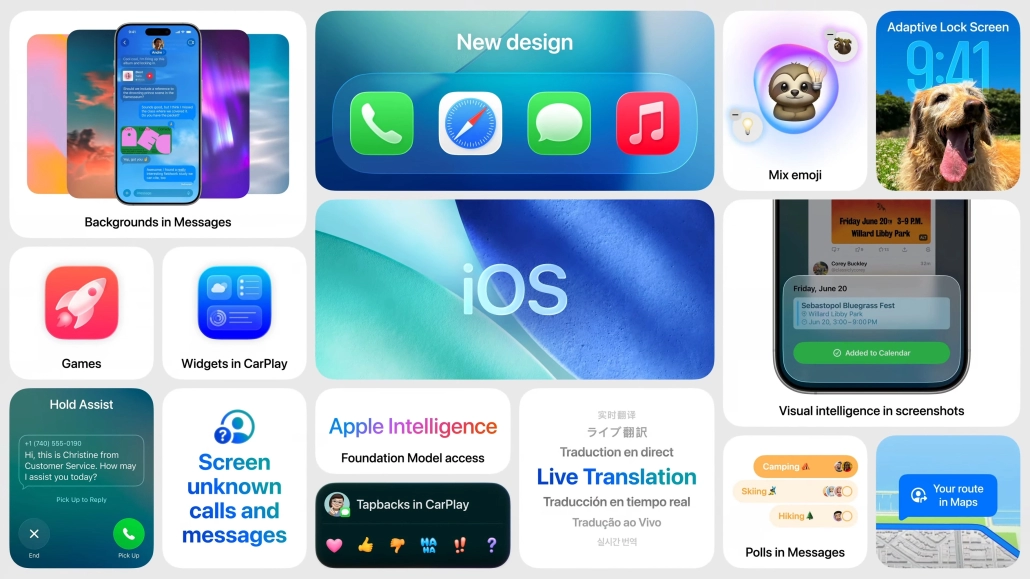
iOS 26 Highlights
Liquid Glass redesign
The brand new translucent, depth-shifting UI spans Home, system apps, and widgets for a unified look. If you’d like to implement the new Liquid Glass UI in your own projects, check out our guides for SwiftUI and UIKit apps.
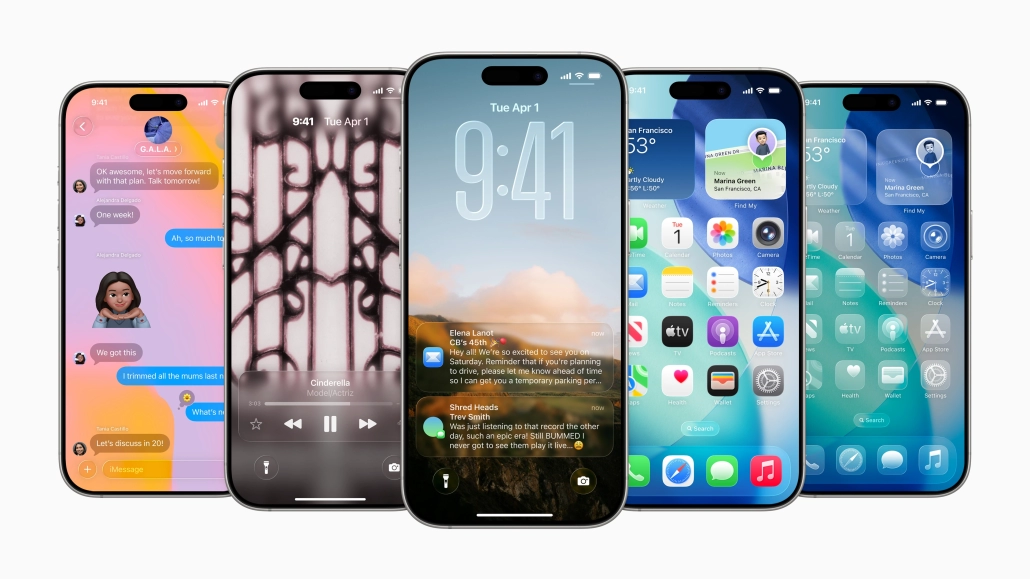
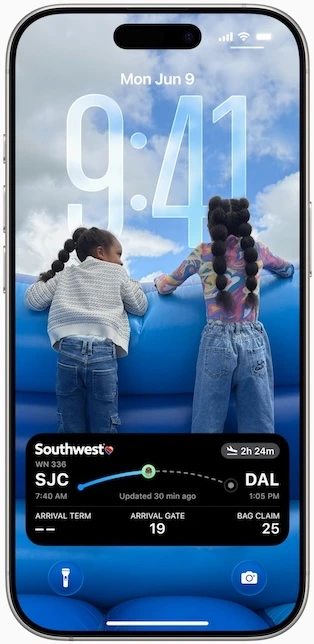
Adaptive Lock Screen
Clock and widgets flow around your wallpaper; spatial scenes add subtle 3D motion.
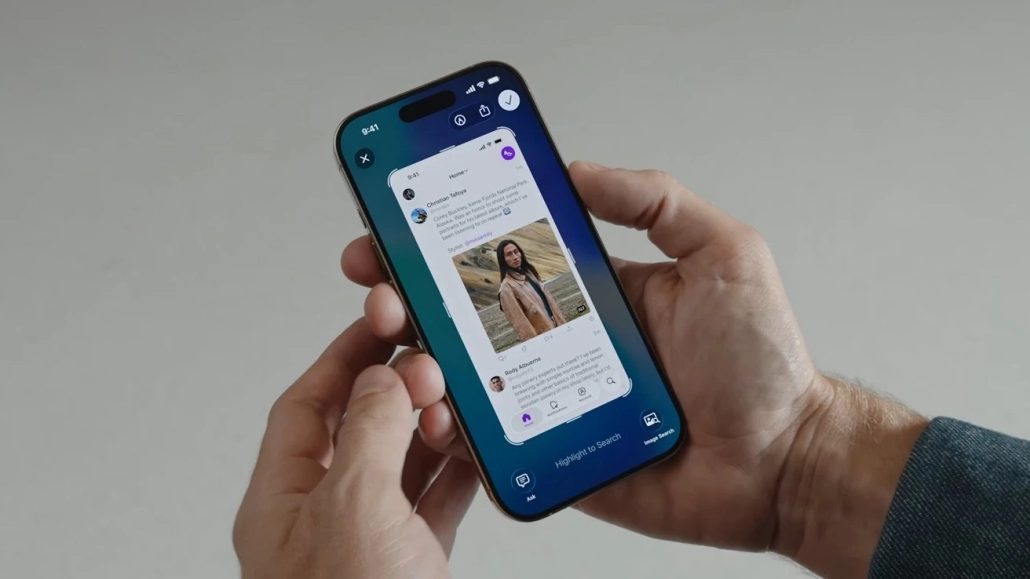
Visual Intelligence for screenshots
Long-press the screenshot thumbnail to ask questions, shop similar items, or auto-create Calendar events based on what’s on-screen.
Foundation Model access for devs
A new Foundation Models framework lets any third-party app call the on-device LLM that powers Apple Intelligence, no server needed. Dive deeper into its capabilities and real-world implementation in our dedicated Foundation Models Framework blog.
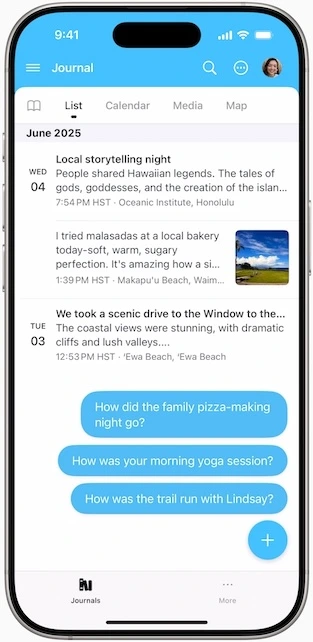
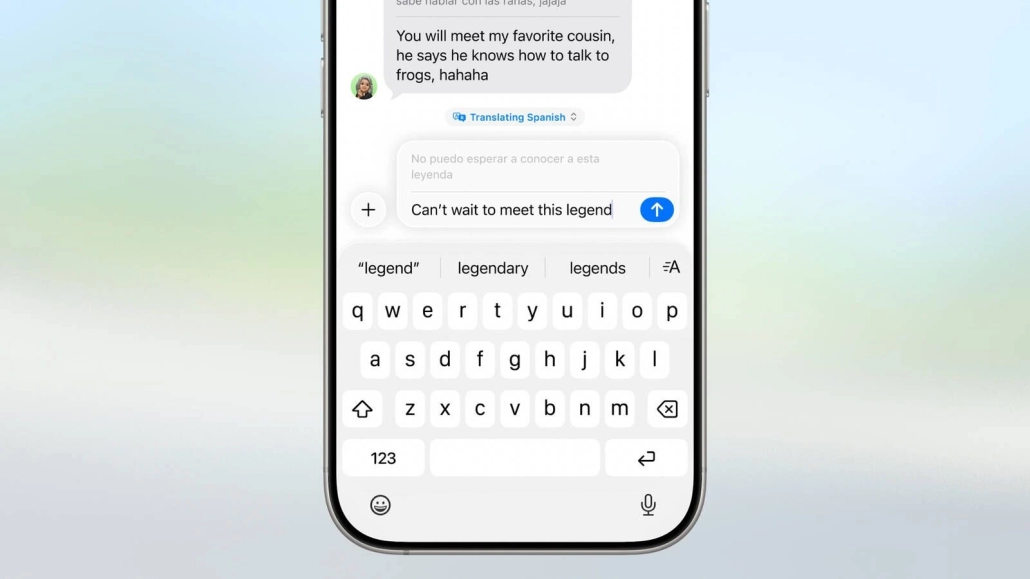
Live translation & Polls
Messages can now translate incoming text (or audio) while texting:
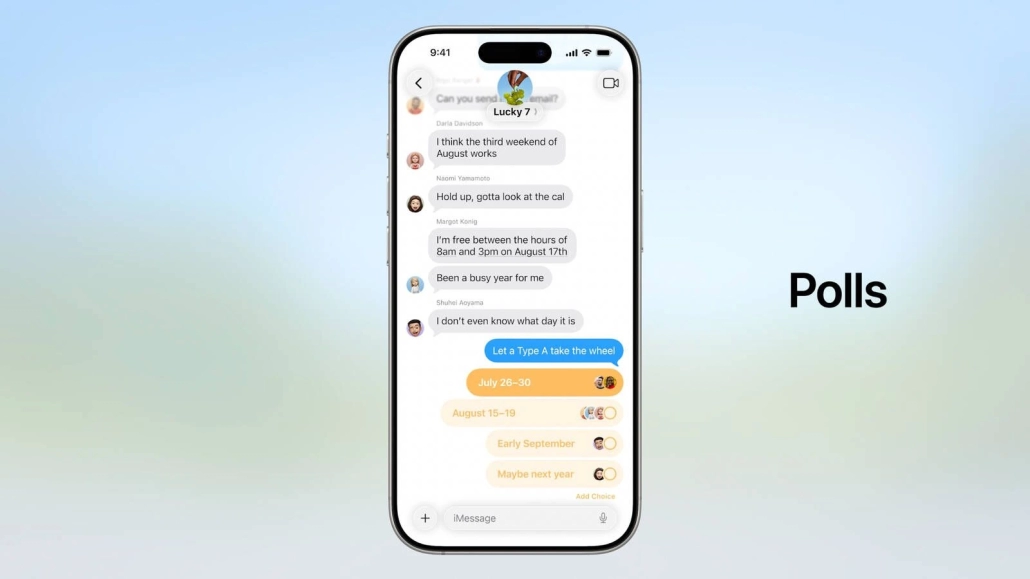
And beyond live translation, there’s a new polls feature that lets groups vote on lunch spots without leaving the thread.
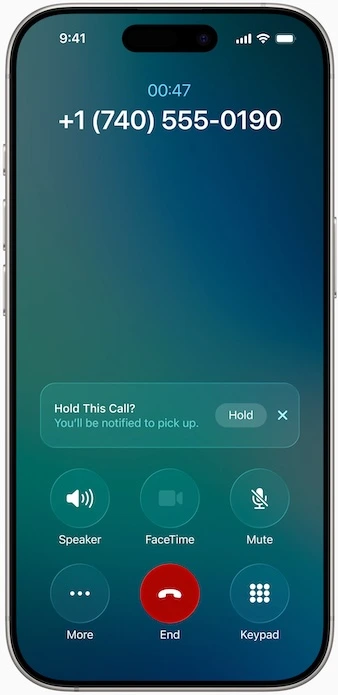
Hold Assist
This iOS 26 feature will automatically activate when you are placed on hold during a call if it determines that you are in a wait-loop. It keeps an eye on the call and listens for indications that a real agent has joined the line using on-device intelligence.
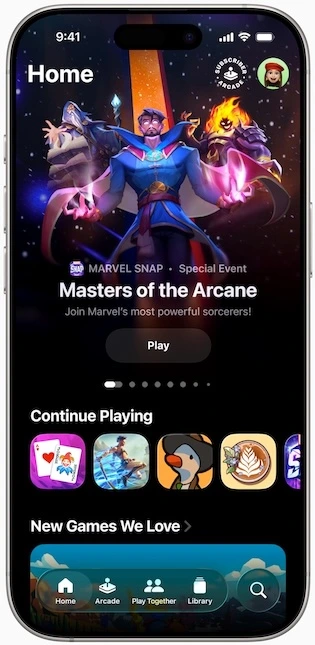
Apple Games app
One hub for every game you’ve installed, Game Center challenges, and Apple Arcade catalog discovery.
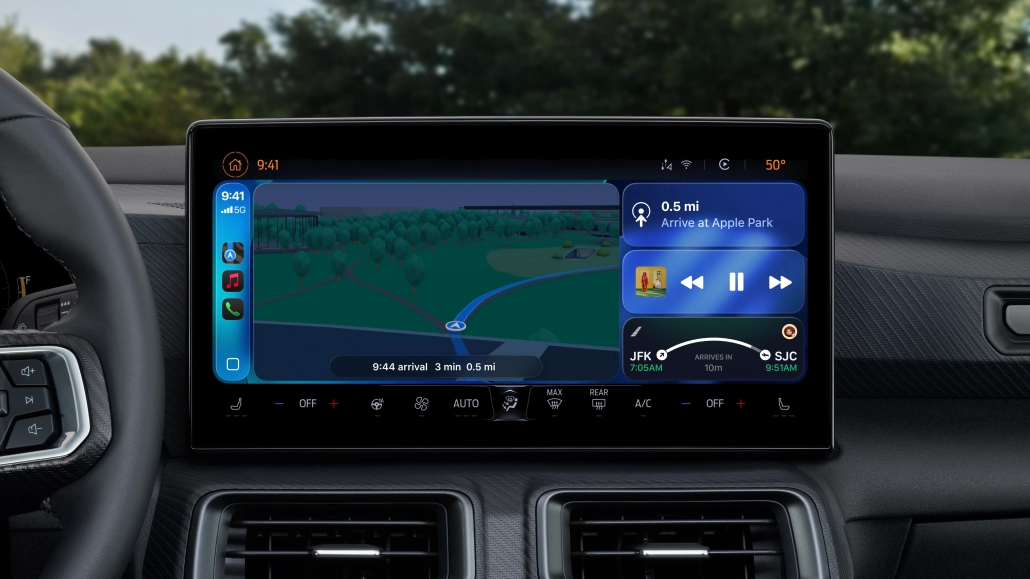
Widgets in CarPlay
The same interactive widgets and Live Activities from iPhone now sit beside Maps or Music on your dash.
Frequently Asked Questions — iOS 26 at a Glance
When does iOS 26 actually ship?
The developer beta is available now, the public beta rolls out in July 2025, and the final version is expected this fall alongside the new iPhone lineup.
Which iPhones are supported?
Apple says any model released in 2019 or later (iPhone 11 series and up) can install iOS 26, although a few Apple-Intelligence tricks like Mix Emoji require an A17-class chip or newer.
What exactly is “Liquid Glass”?
It’s Apple’s new design language: translucent layers, depth-shifting icons, and gentle parallax that now spans Home, Lock Screen, and system apps. Learn more.
How do I use Visual Intelligence on a screenshot?
Take a screenshot as usual, then long-press its thumbnail. A sheet appears where you can ask questions, look up products, or create calendar events from dates Apple Intelligence spots.
Will my car get the new CarPlay widgets?
Any vehicle already running the 2021-era “next-gen” CarPlay will display iOS 26’s interactive widgets and Live Activities once both your iPhone and the car’s head unit firmware are updated.
Wrapping Up
WWDC25 isn’t just about iOS 26, it’s a huge leap forward. From the moment Apple introduced Liquid Glass, it was clear that this year wasn’t like the others. This year Apple completely reimagined the entire UI and UX’s of their platforms since the iOS 7 and unified all of the products software.
For developers, WWDC25’s biggest reveal might be the Foundation Models framework. This is the Apple’s way of letting any app use the on-device large language models without ever sending data to cloud. Between on-device models and interactions like Live Activity CarPlay widgets, the opportunities are endless.
The time is short for the beta period. Developer betas dropped during WWDC25 and public betas coming in July 2025 and the final version will be released this fall. So if you are an iOS Developer, test your app with the new Liquid Glass UI, integrate Apple Intelligence with on-device Foundation Models and refresh your app’s screenshots for iOS 26.

