
WWDC25: What’s New in Xcode 26 – Everything You Need to Know
Hello everyone! WWDC25 just dropped some incredible news for developers, and honestly, this might be one of the biggest Xcode updates we’ve seen in years. Along with the surprise announcement of macOS 26, Apple has completely reimagined how we build apps. Let me walk you through all the exciting new features in Xcode 26, announced at WWDC25, that are about to change your development workflow. Let’s dive in!
Optimizations
- Xcode’s download size has been significantly reduced, giving developers faster access to tools. Xcode is now 24% smaller.
- Simulator runtimes no longer include Intel support by default and the Metal toolchain is only downloaded if the project needs it. This has resulted in an even smaller download size than Xcode 6 in 2014.
- Text input performance has been optimized and writing latency for some complex expressions has been improved by up to 50%.
- Xcode’s loading performance has also been improved; loading a workspace is 40% faster. For large projects, this makes a significant difference.
| Optimization Feature | Description |
|---|---|
| Download Size | Xcode is now 24% smaller, allowing faster access to development tools. |
| Simulator Runtimes | Intel support is no longer included by default; the Metal toolchain downloads only if needed. |
| Text Input Performance | Writing latency for complex expressions has been improved by up to 50%. |
| Loading Performance | Workspace loading is 40% faster, making a big difference for large projects. |
Workspace and Editing
Intuitive Editor Tabs
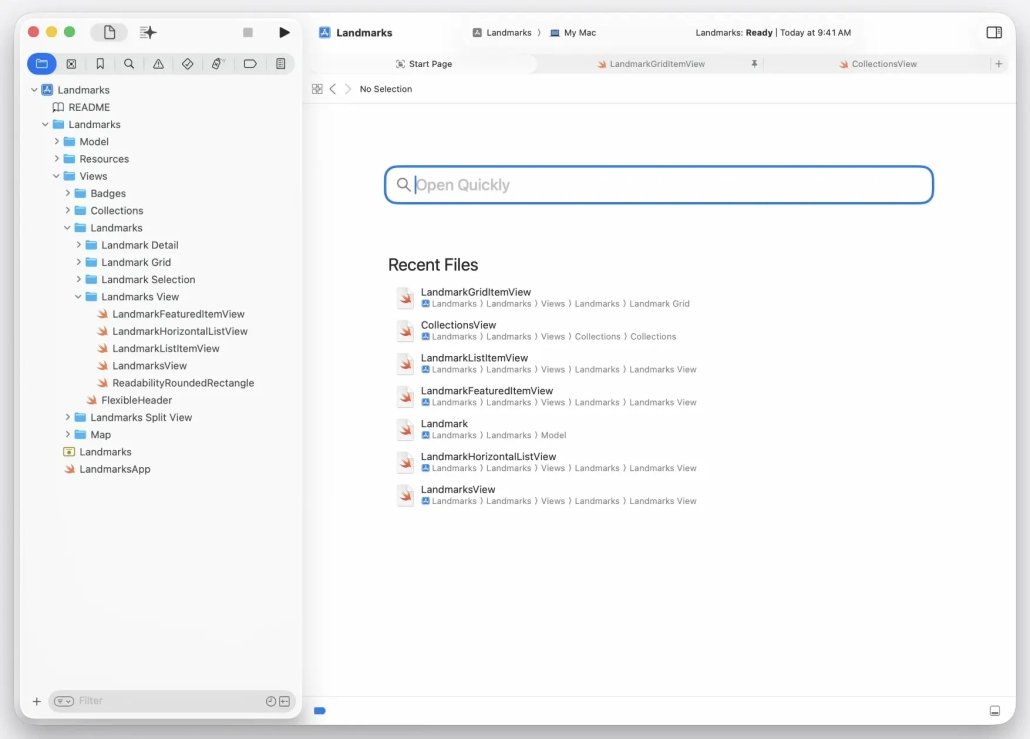
Editor tabs have been made easier to use. Users can now open tabs with a new start page, similar to Safari.
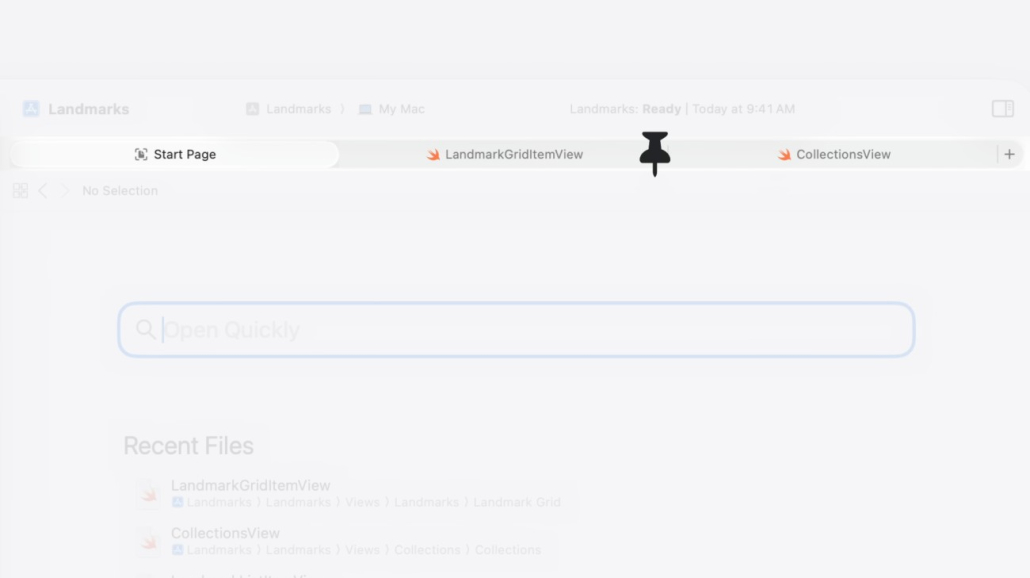
They can also pin a tab to a specific file. This allows the user to precisely control the number of tabs.
Multiple Word Search
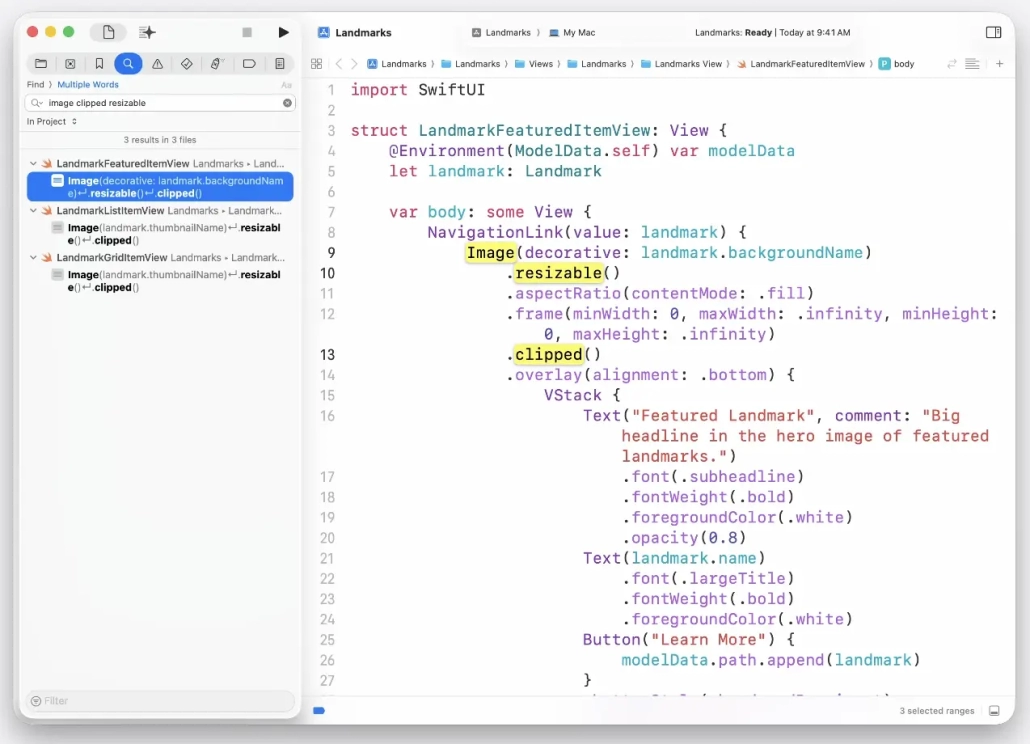
Xcode introduces a new search mode called “Multiple Word Search”. This feature uses search engine techniques to find sets of words in your project. The fact that search terms can span multiple lines and appear in any order makes this feature quite powerful.
Coding by Voice
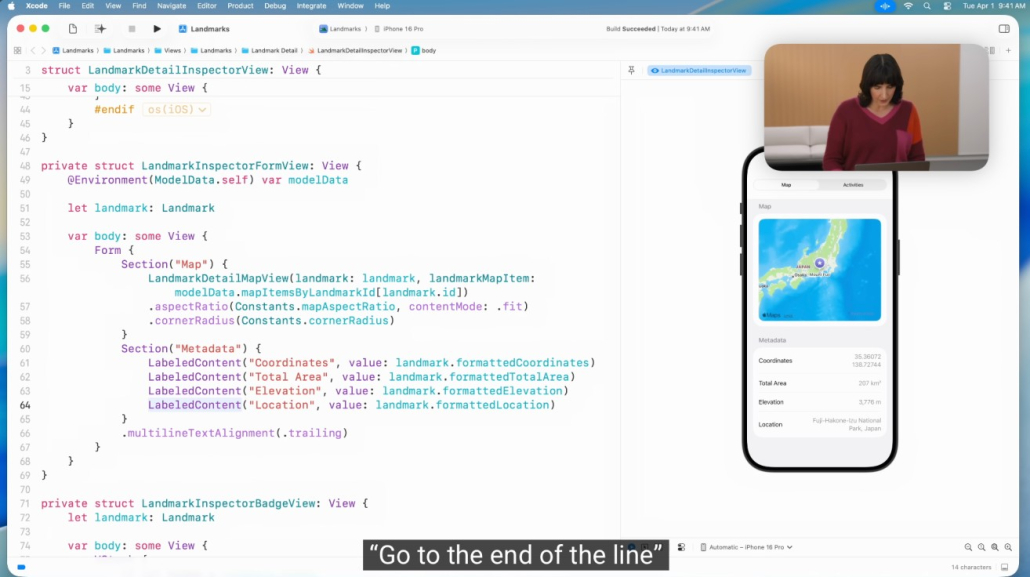
Xcode has taken a big step forward in accessibility. Now you can easily use Voice Control to write Swift code and pronounce Swift code the way you naturally read it. Voice Control understands Swift syntax and automatically determines where spaces, operators, or camel-case expressions should be.
Playground
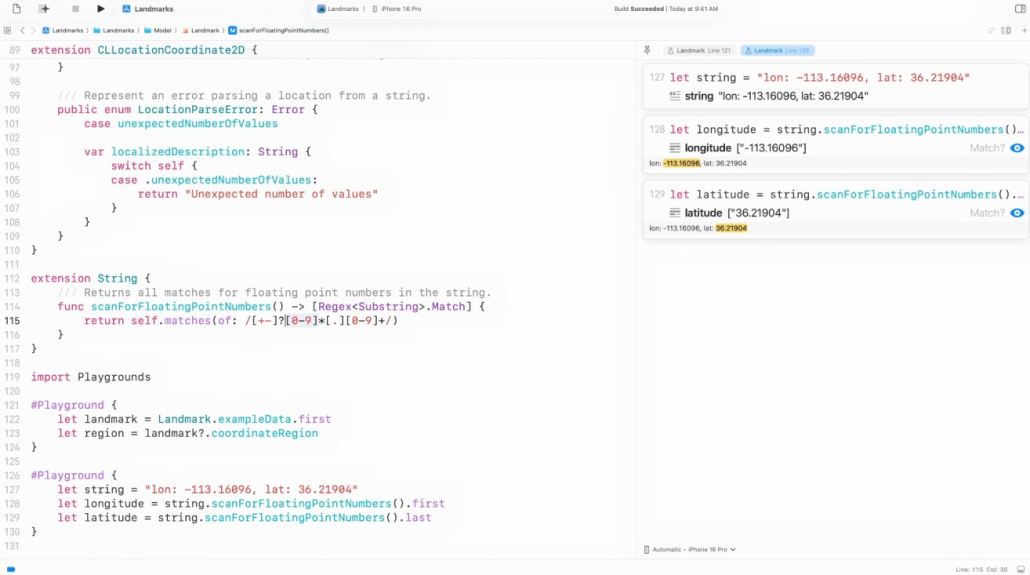
A new Playground macro for fast code iteration has been introduced. This macro provides a method you can use to quickly iterate over any code. Playgrounds show the results of code execution in their own canvas tab and are ideal for debugging or trying out new ideas.
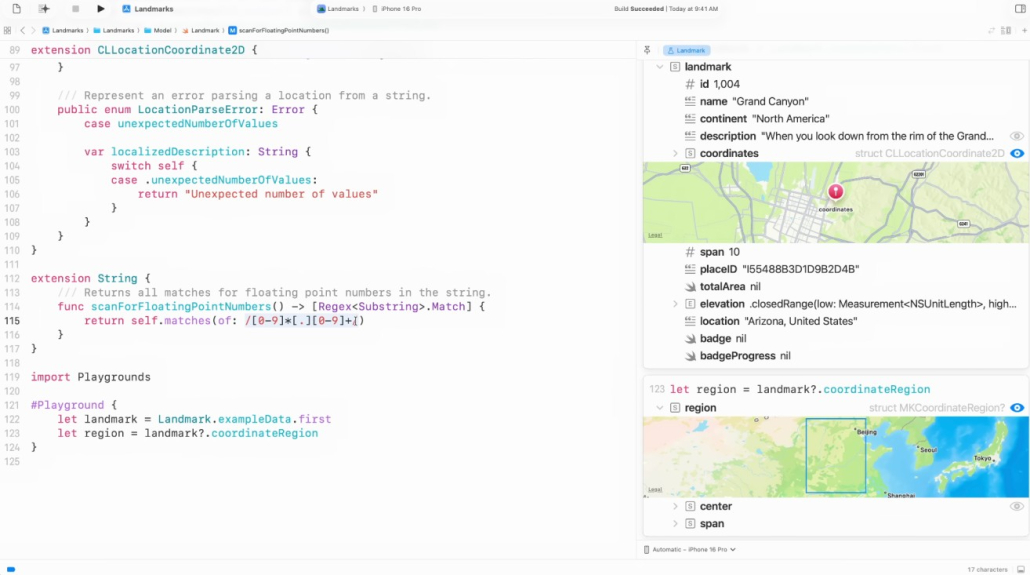
The playground macro is available as open source. Importing the Playgrounds module gives you access to the playground macro.
Icon Composer
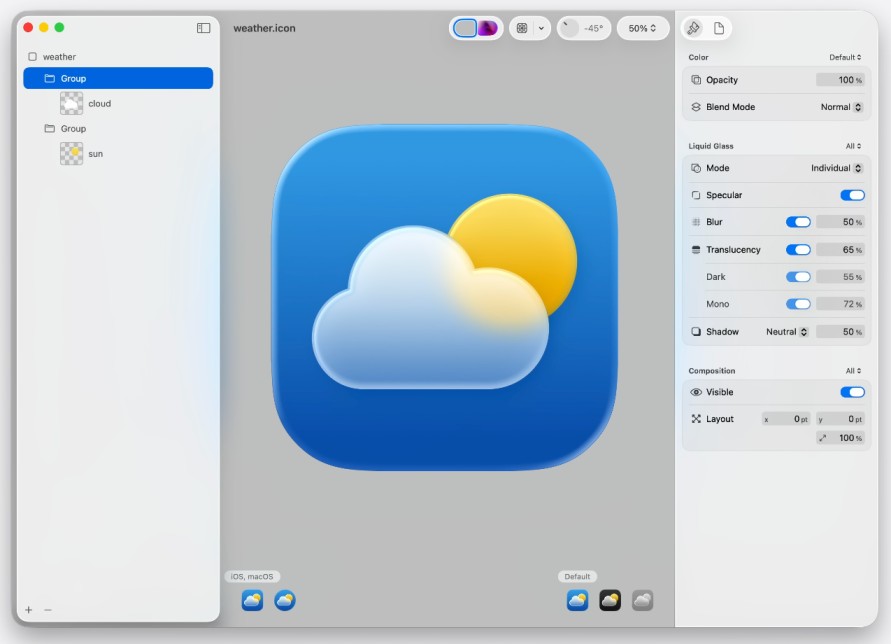
Icon Composer, a new app included with Xcode 26, lets you create beautifully designed, sophisticated icons with multiple layers. These icons work across multiple platforms and software versions, including dark and tinted modes on iOS, iPadOS, macOS and watchOS. Material effects and dynamic properties (blur, shadow, reflection, translucency) can be added.
String Catalogs
Localization is made easier thanks to string catalogs. For developers, type-safe Swift symbols for localized strings have been added.
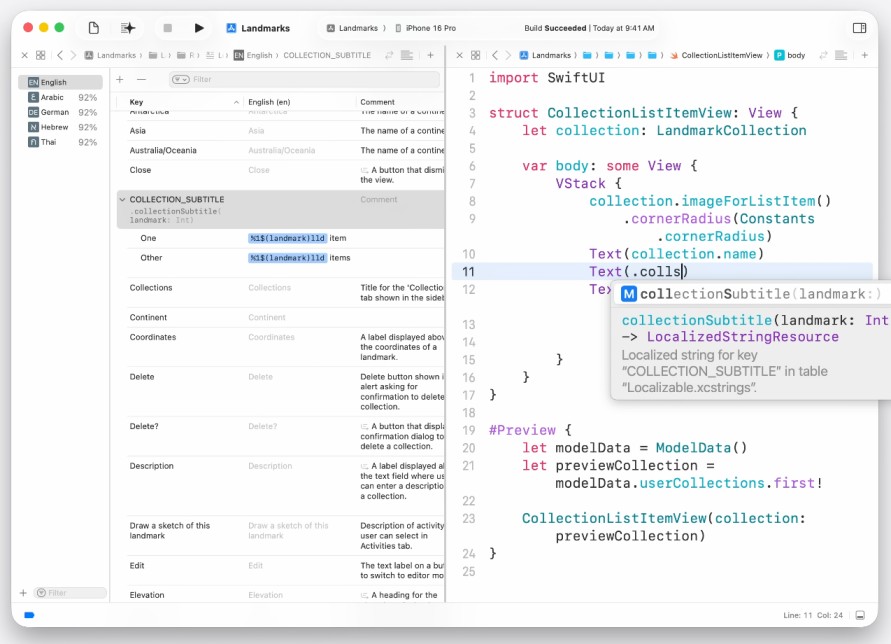
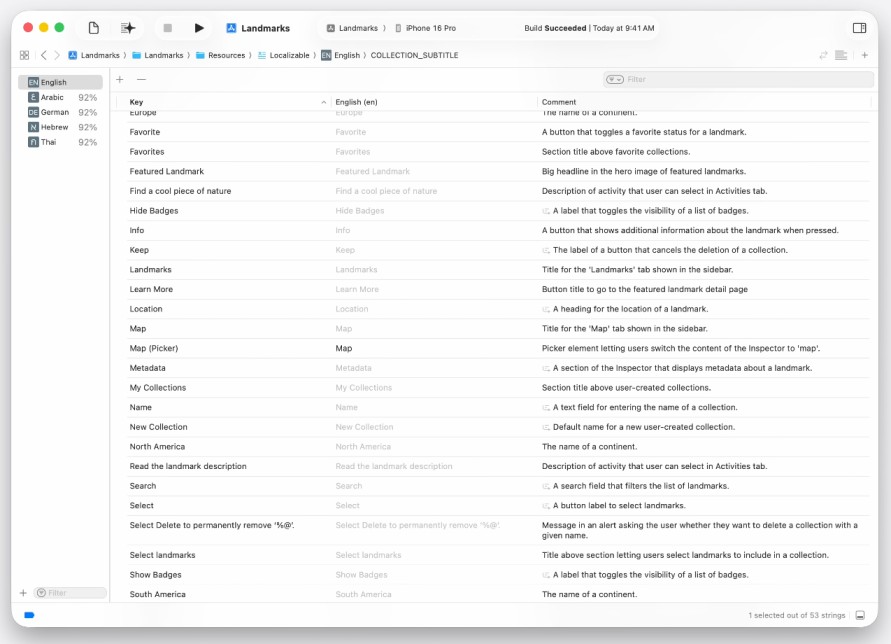
To help translators, String Catalogs can now automatically generate comments that describe the string context. Xcode intelligently analyzes where and how the string is used in the project to generate these comments.
Intelligence
Artificial Intelligence Assisted Coding Assistant
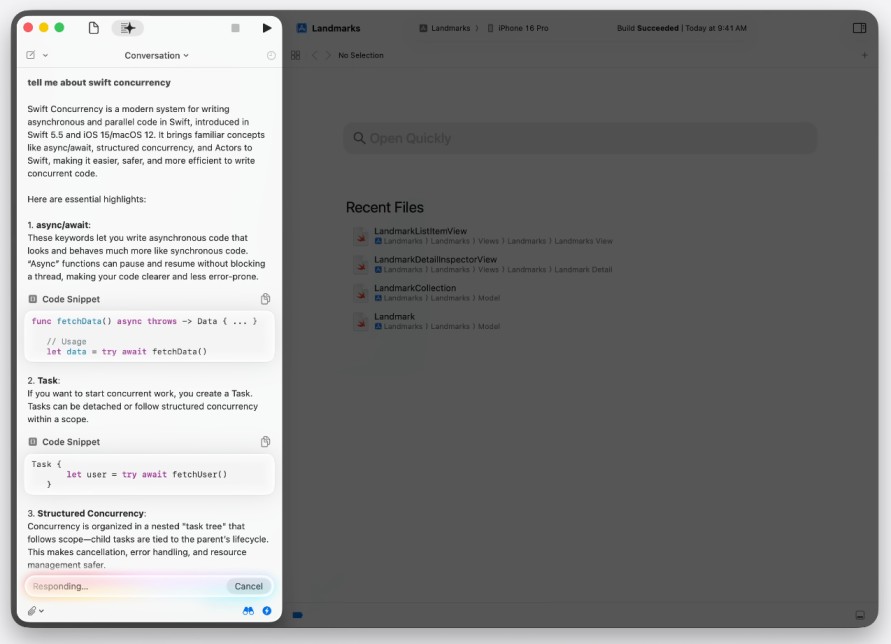
Xcode can now use large language models like ChatGPT to provide coding assistance. With this integration, the model can answer specific questions about your project or make changes on your behalf, taking into account the project context.
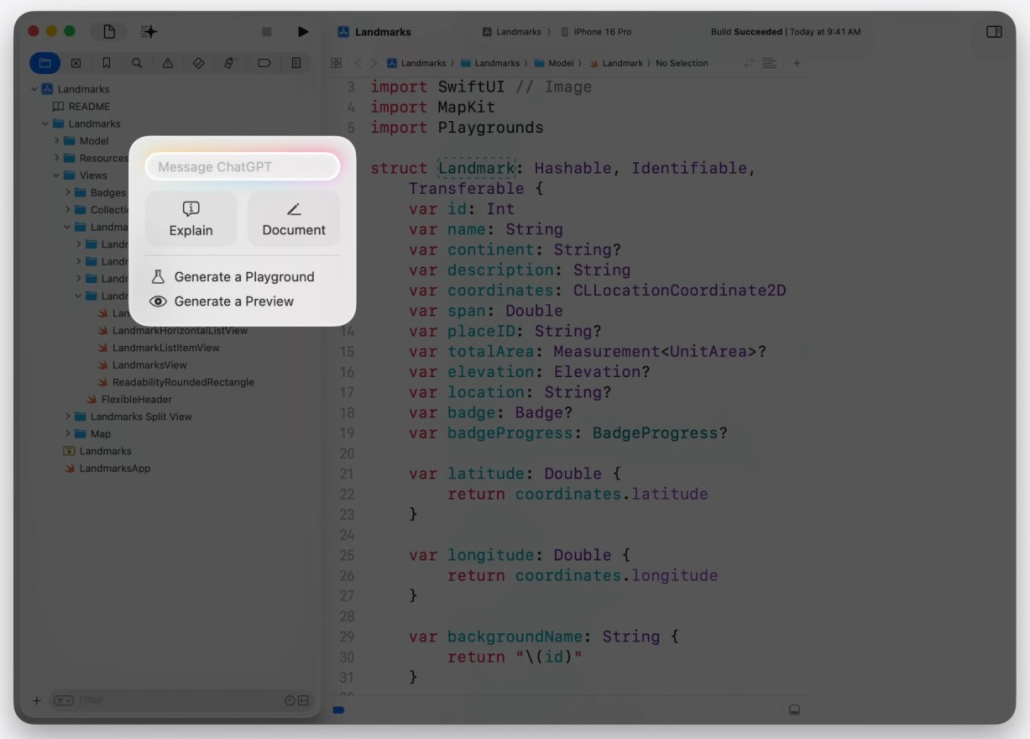
There is also a handy menu for applying automatic changes to the selected code.
Understanding Project Context
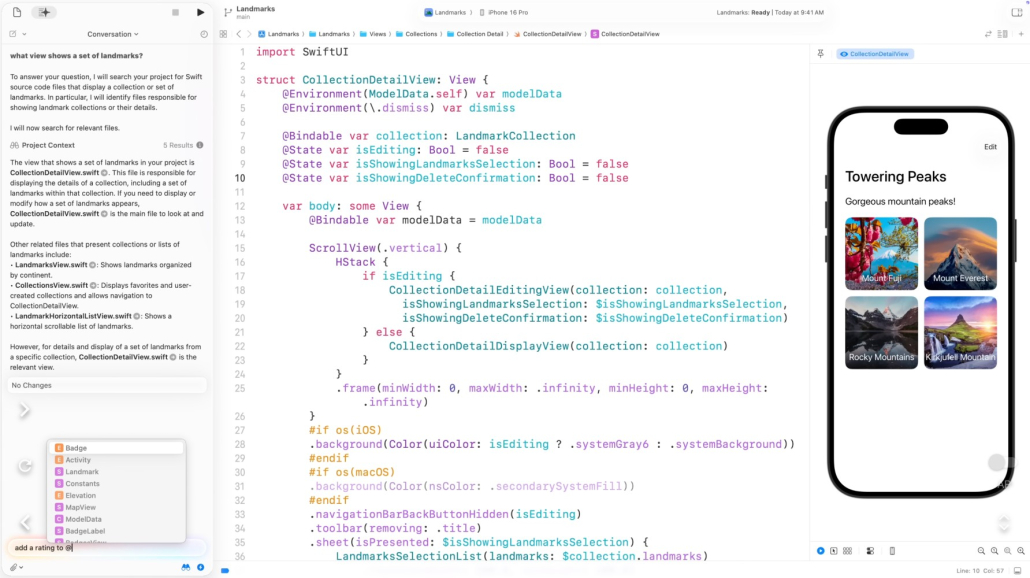
The model can understand the context of your project and explain, for example, where a particular feature is implemented.

Symbol References
Users can directly reference a symbol using the ‘@’ character.
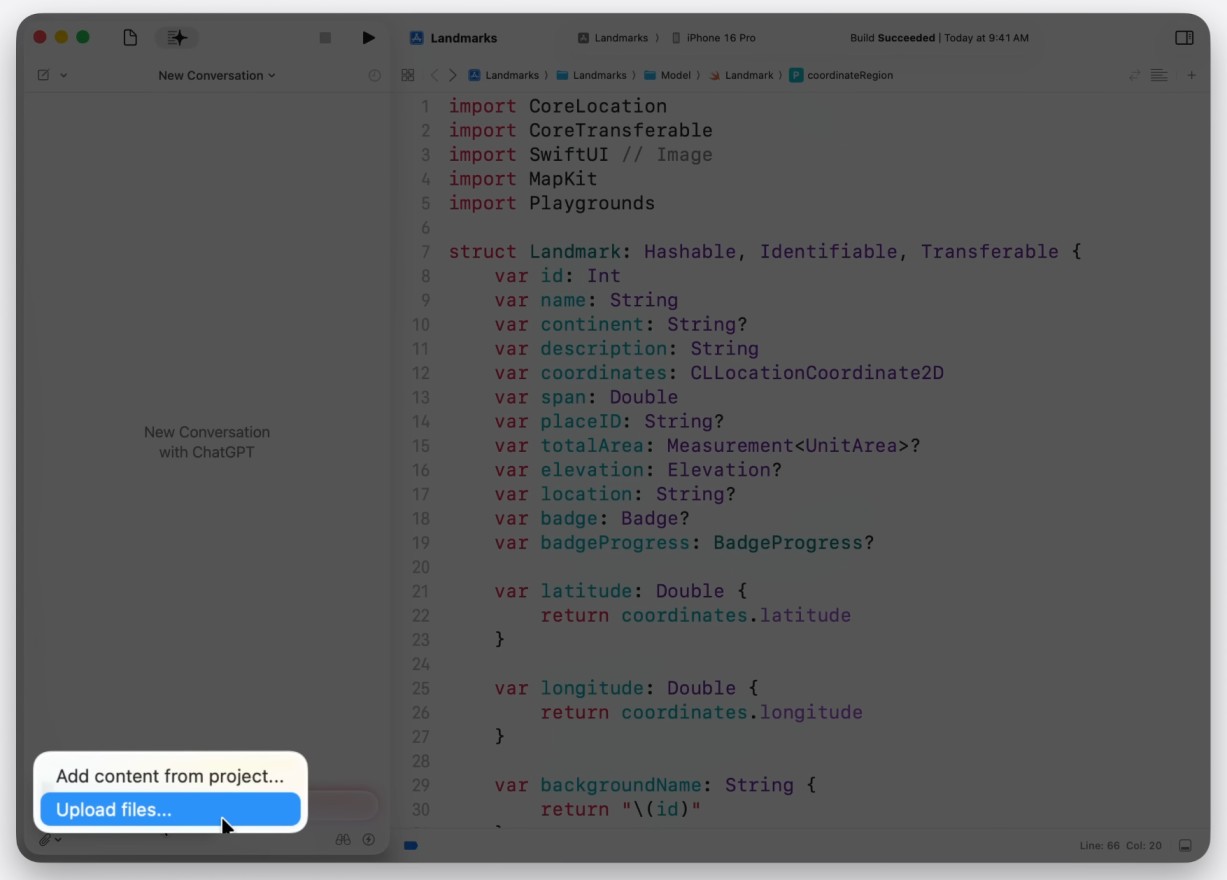
They can attach files to queries, or even use visuals to generate code from user interface drawings.
Toggles
This toggle controls whether Xcode includes information about your project. If you are asking a general question, you can choose to turn off the project context.
This toggle allows you to control whether any code changes are automatically applied in the response. If it is off, you decide on the changes.
Besides these, the most useful feature is that you can see the modified code.
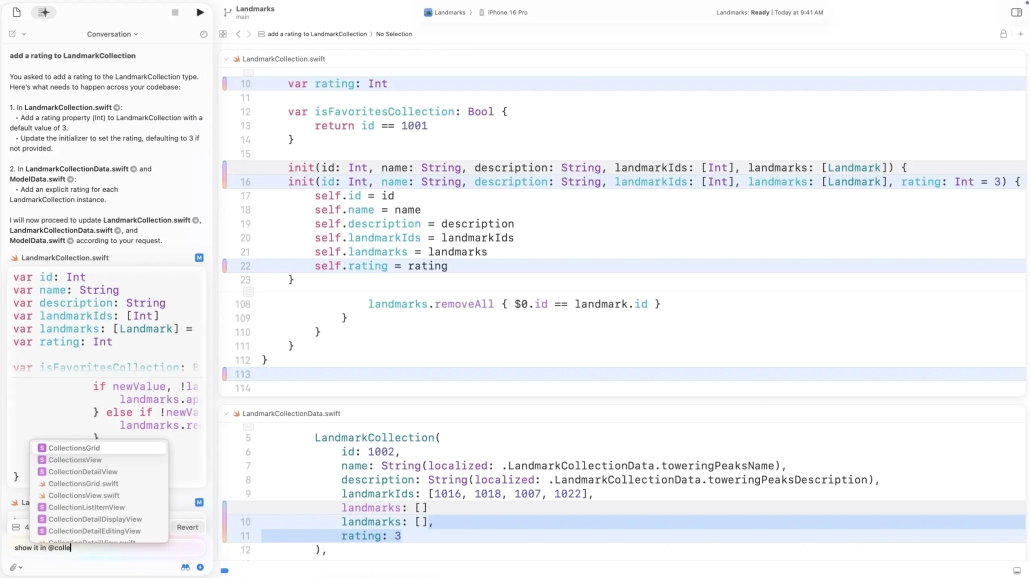
Change History and Rollback
While changes are applied automatically, Xcode keeps a snapshot of the code before each change so that it can be easily reviewed and rolled back through the “modification history”.
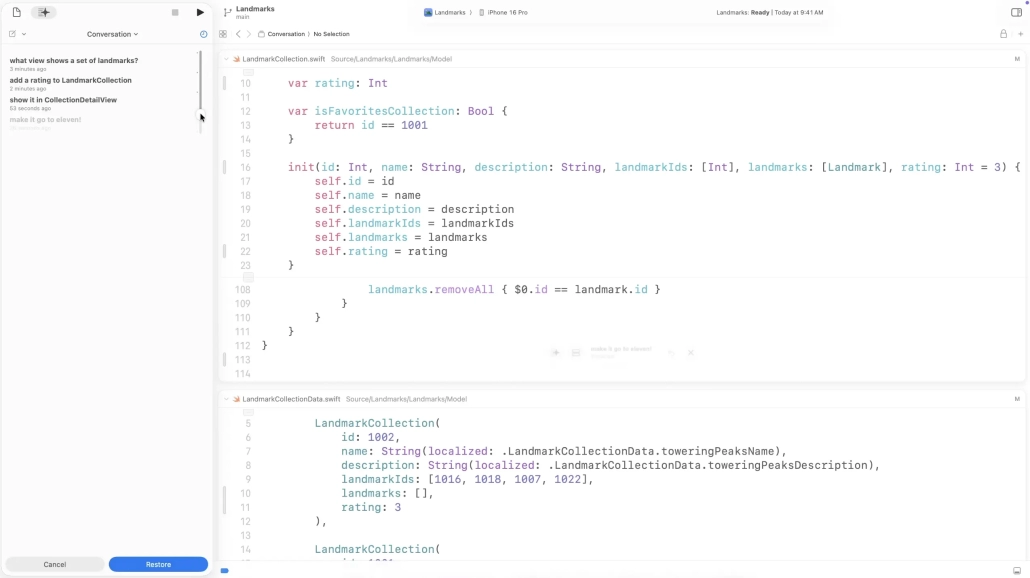
Fix Issues
Xcode provides the option to “Generate” for errors, such as using a ForEach view with a type that does not conform to the Identifiable protocol. It can also help fix deprecated warnings.
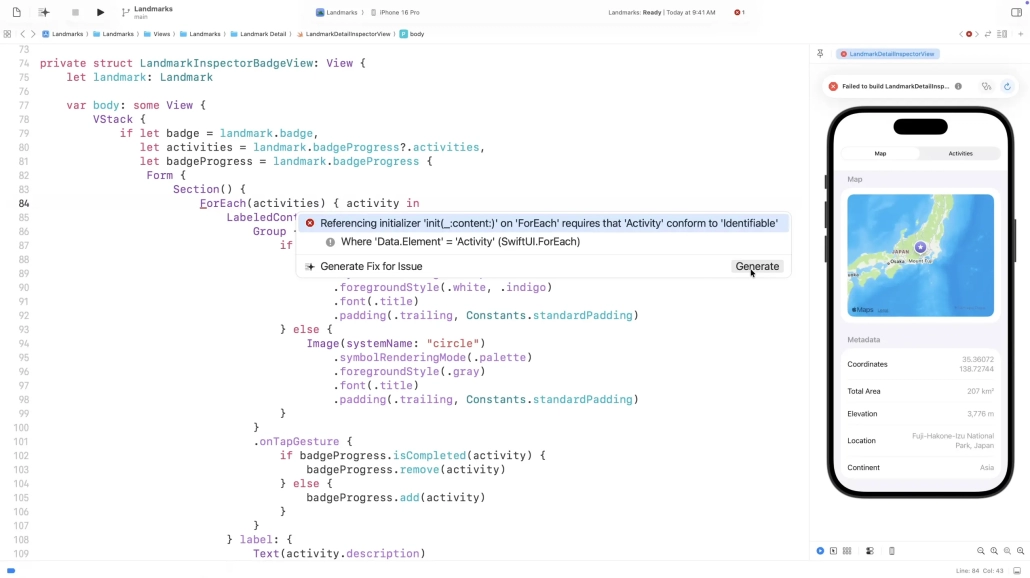
Model Integration
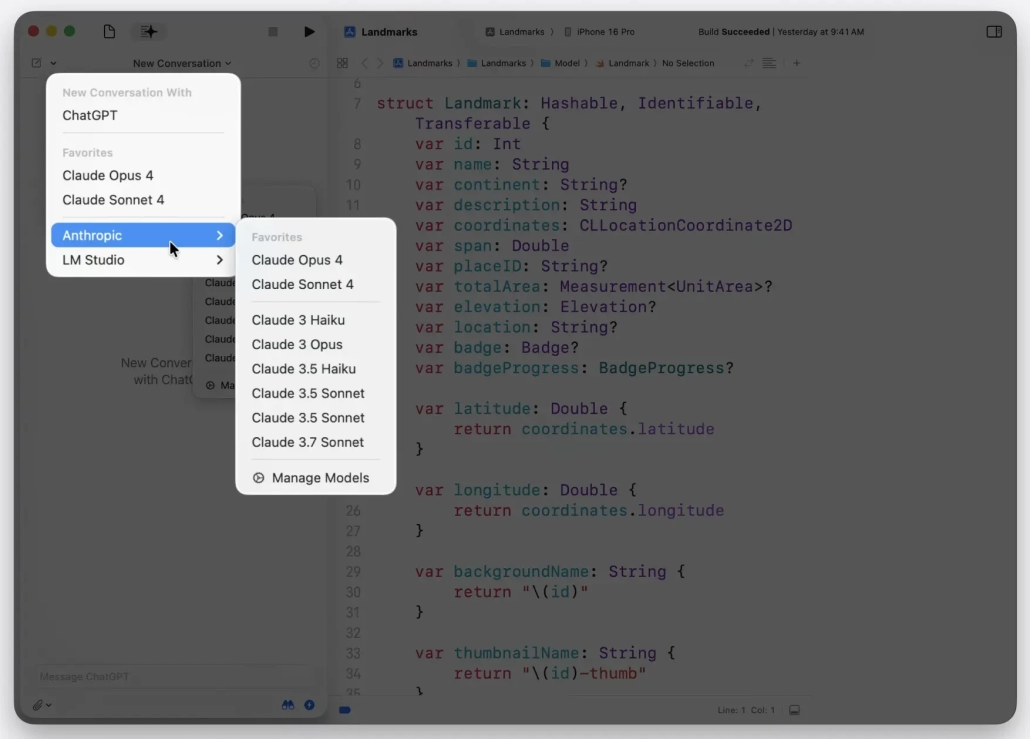
In addition to ChatGPT, developers can integrate other providers such as Anthropic (Claude 4 Opus and Sonnet) with API keys.
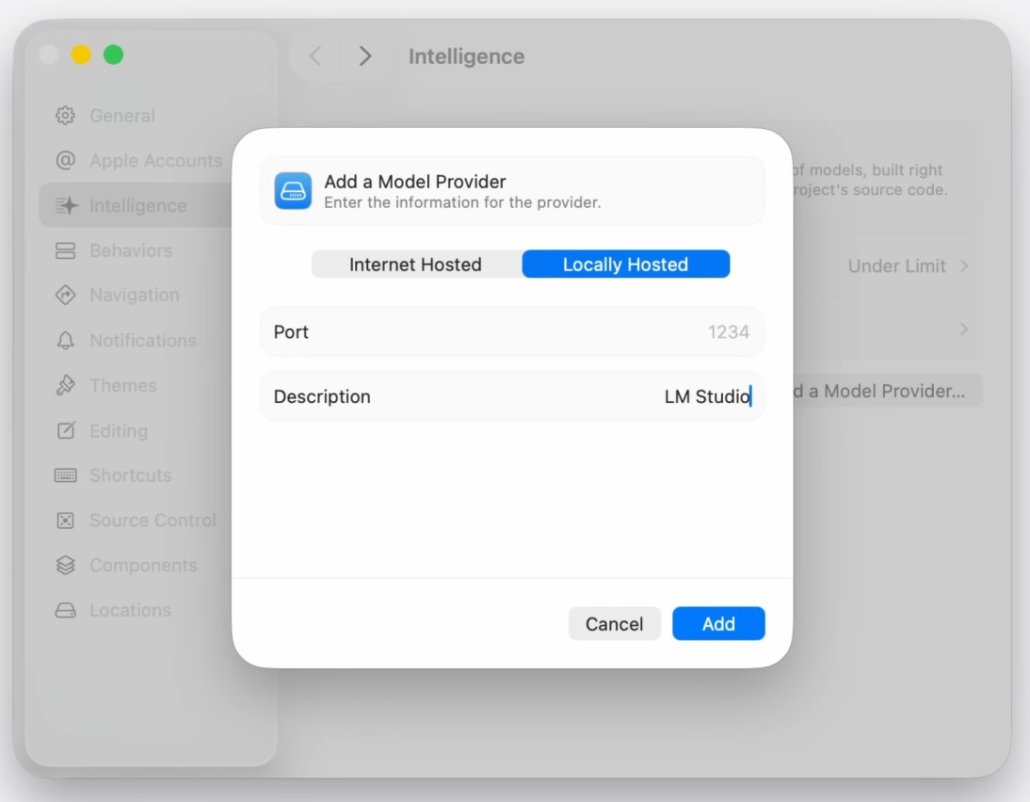
With tools like Ollama and LM Studio, you can use local models running on their Macs or private networks.
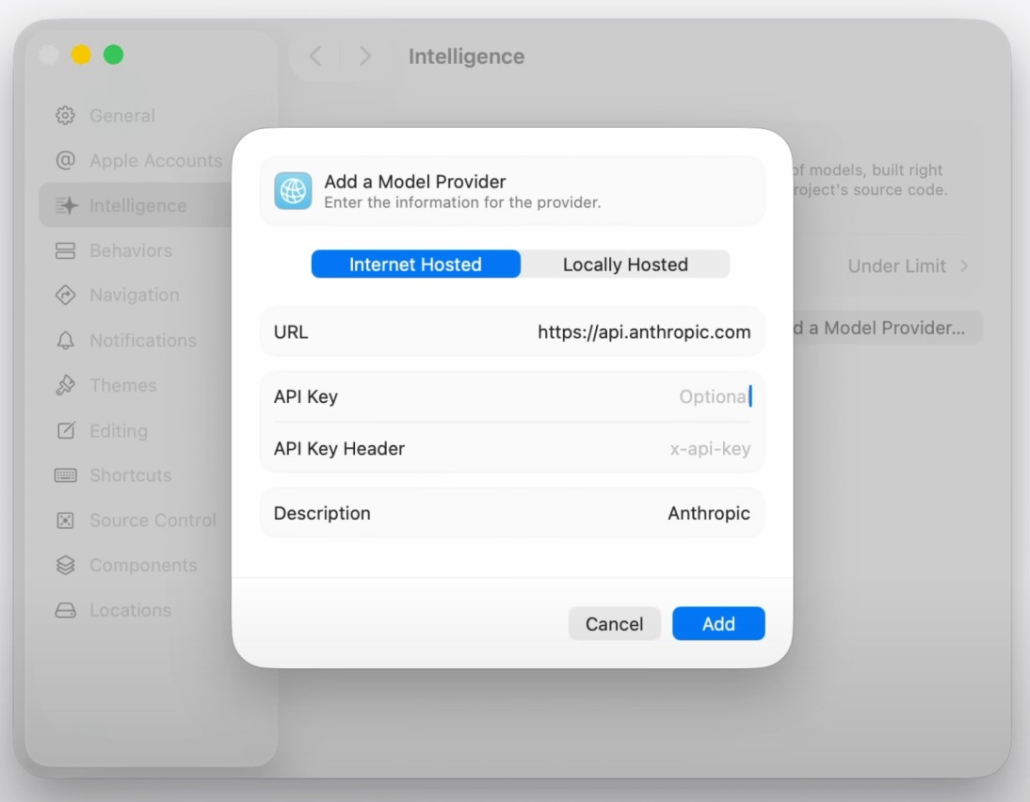
So you will have many models and you can switch between coding assistants.
Debugging
Improved Swift Concurrency Debugging
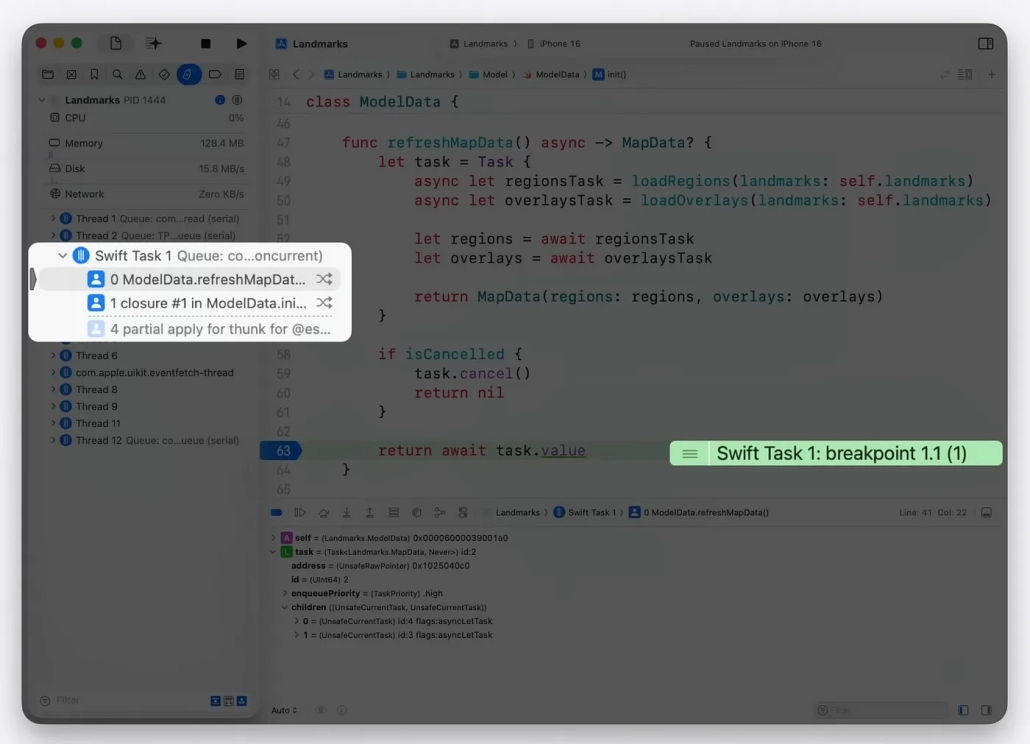
Xcode’s debugger interface now shows task IDs. For example, the current Swift Task is displayed in the backtrace view on the left and in the Program Counter description on the right.
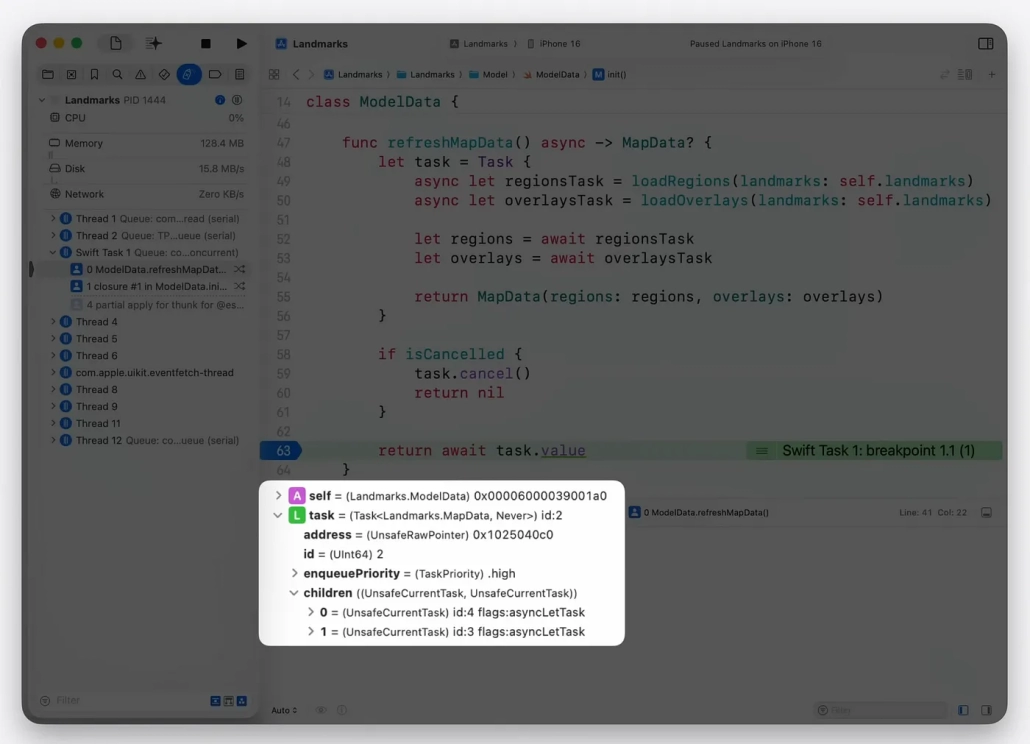
 It’s much easier to see properties of the Task variable, such as its priority and subtasks. Xcode 26 makes it easier than ever to debug Swift concurrency code.
Usage Description Error Management
When your app accesses private resources such as location or camera, you may receive an error due to a missing “usage description”. Xcode now detects this and shows you the missing description and how to fix it.
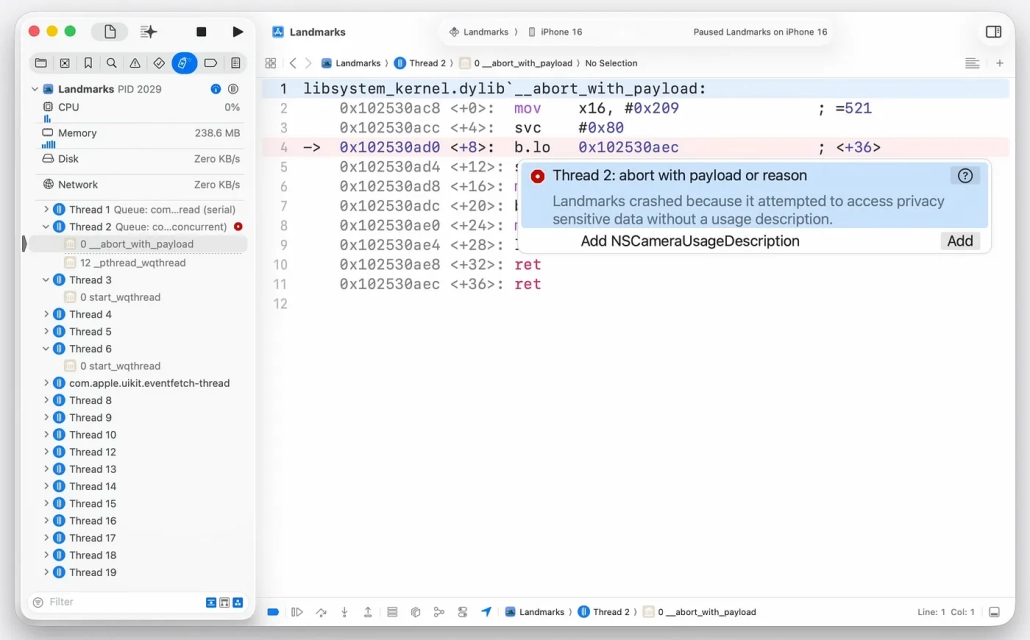
You can use the new “Add” button to solve the problem in the fastest way. This will take you directly to the Signing & Capabilities editor and the necessary settings will be made automatically by Xcode.
Performance
Processcor Trace Instrument
Running on M4 and iPhone 16 with Xcode 26, Processor Trace provides detailed performance analysis with low latency and high accuracy, recording all the CPU’s processing steps in full.
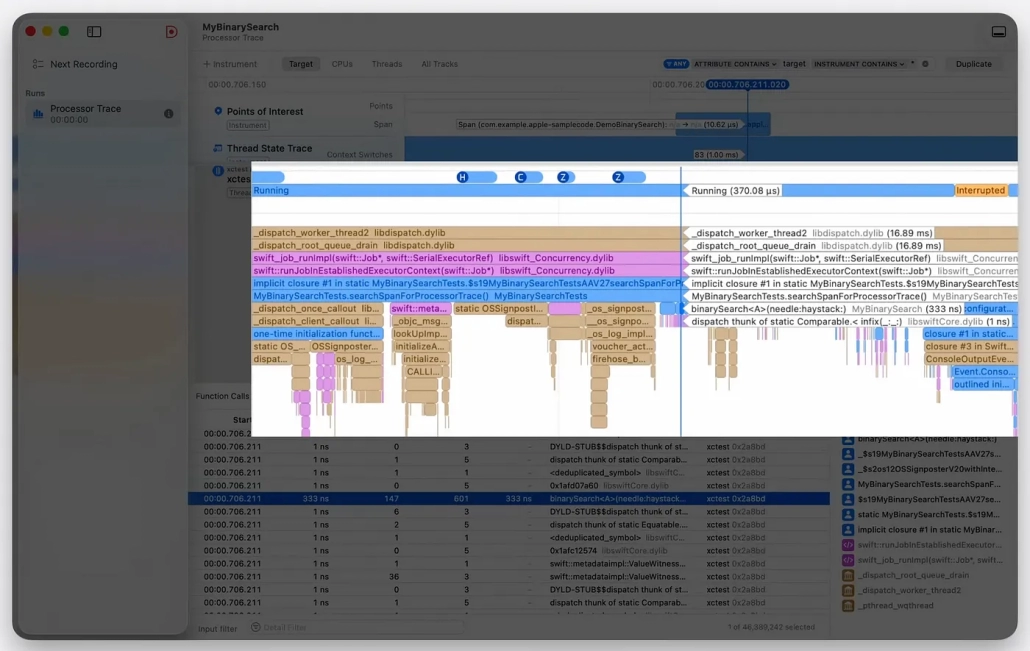
This allows Processor Trace to visualize with high accuracy critical code paths that traditional sampling tools might miss, showing every branch and function call.
CPU Counters Instrument
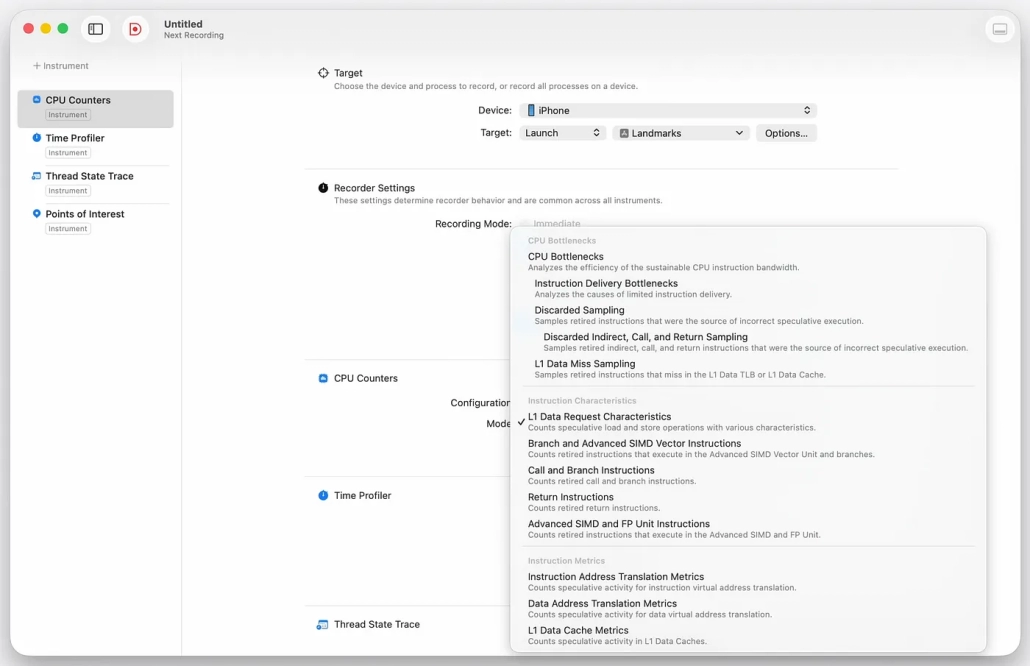
The updated CPU Counters tool allows you to analyze processor interactions more precisely with predefined modes. The “CPU Bottlenecks” mode examines bottlenecks in three topics, while other modes measure branching, cache and numeric operations in detail.
SwiftUI Instrument
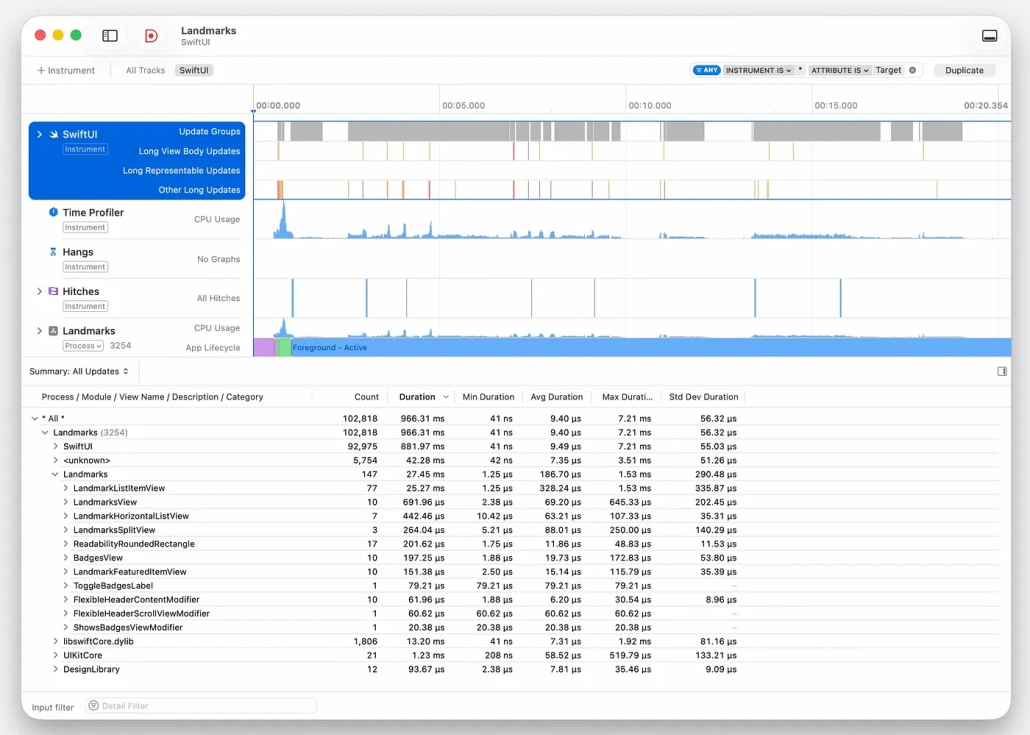
It’s now easier to develop interactive apps with SwiftUI. With performance improvements this year, Lists can be updated up to 16 times faster. A new SwiftUI tool in Xcode 26 allows you to analyze in detail why and when views are updated.
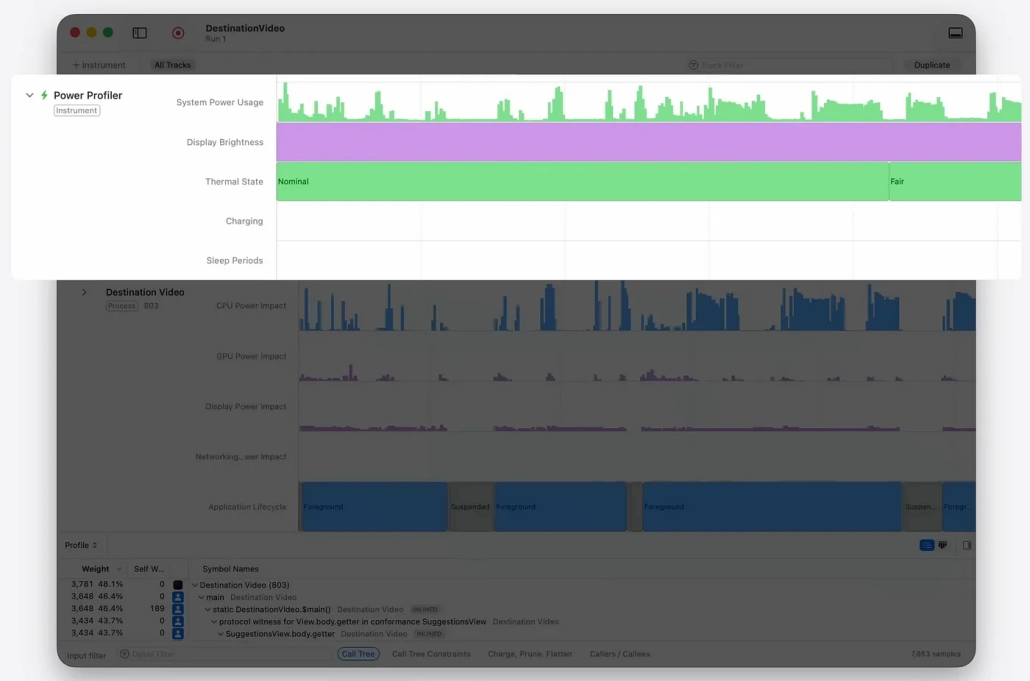
Power Profiler Instrument
The new Power Profiler tool analyzes your app’s power consumption by CPU, GPU, display and network. It works with tethered and passive recording modes, and records can be analyzed in Xcode. This makes it easy to identify energy-consuming code paths.
Xcode Organizer
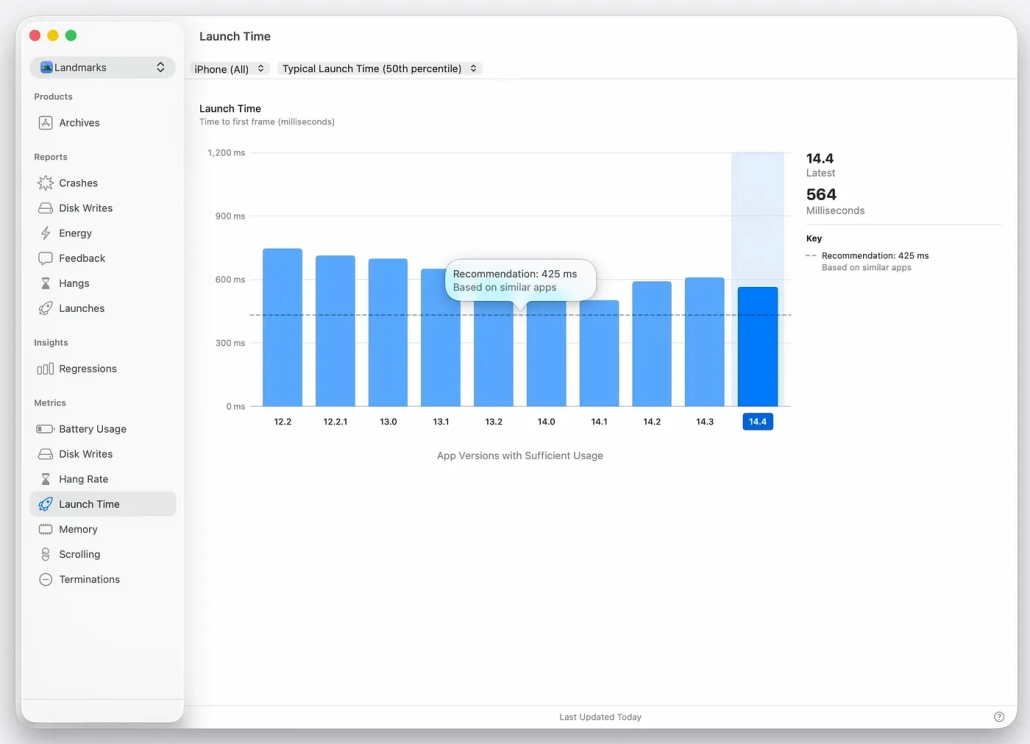
The improved Xcode Organizer now offers “Trending Insights” for boot and freezing issues.
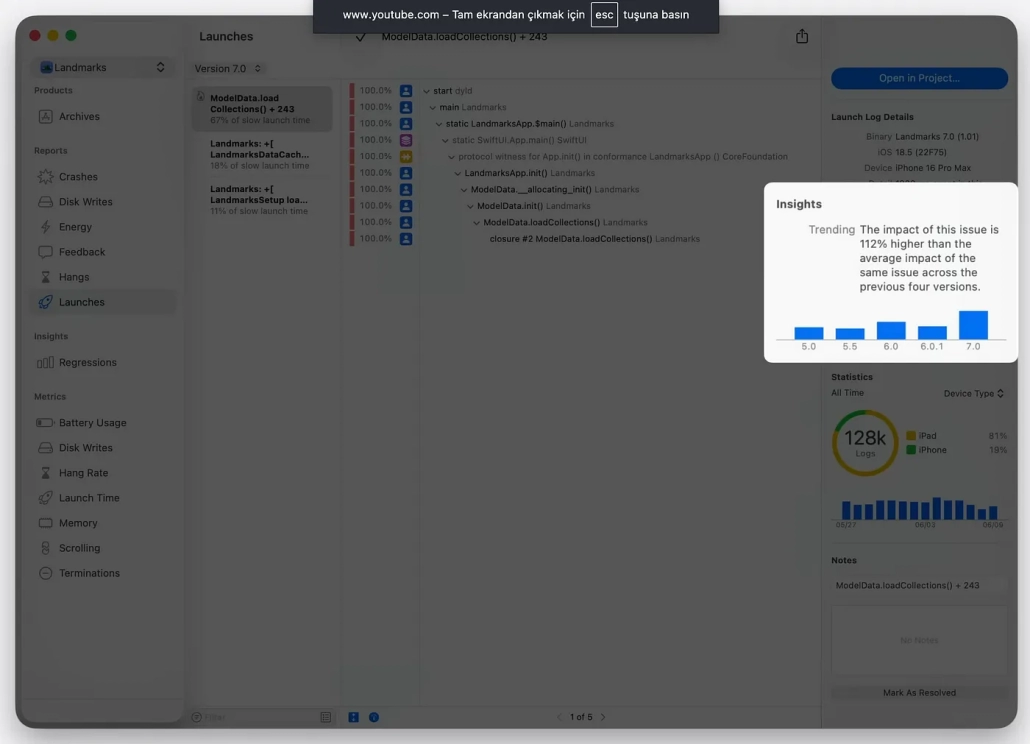
Incremental effects are made visible with graphs, while the “Metric Recommendations” feature compares performance with past versions and similar apps and gives concrete targets for improvement.
Testing
Xcode 26, introduced at WWDC25, brings important innovations in test writing and debugging processes. Especially in the field of UI testing, developments greatly facilitate the test writing processes of developers.
Advanced UI Automation Recording
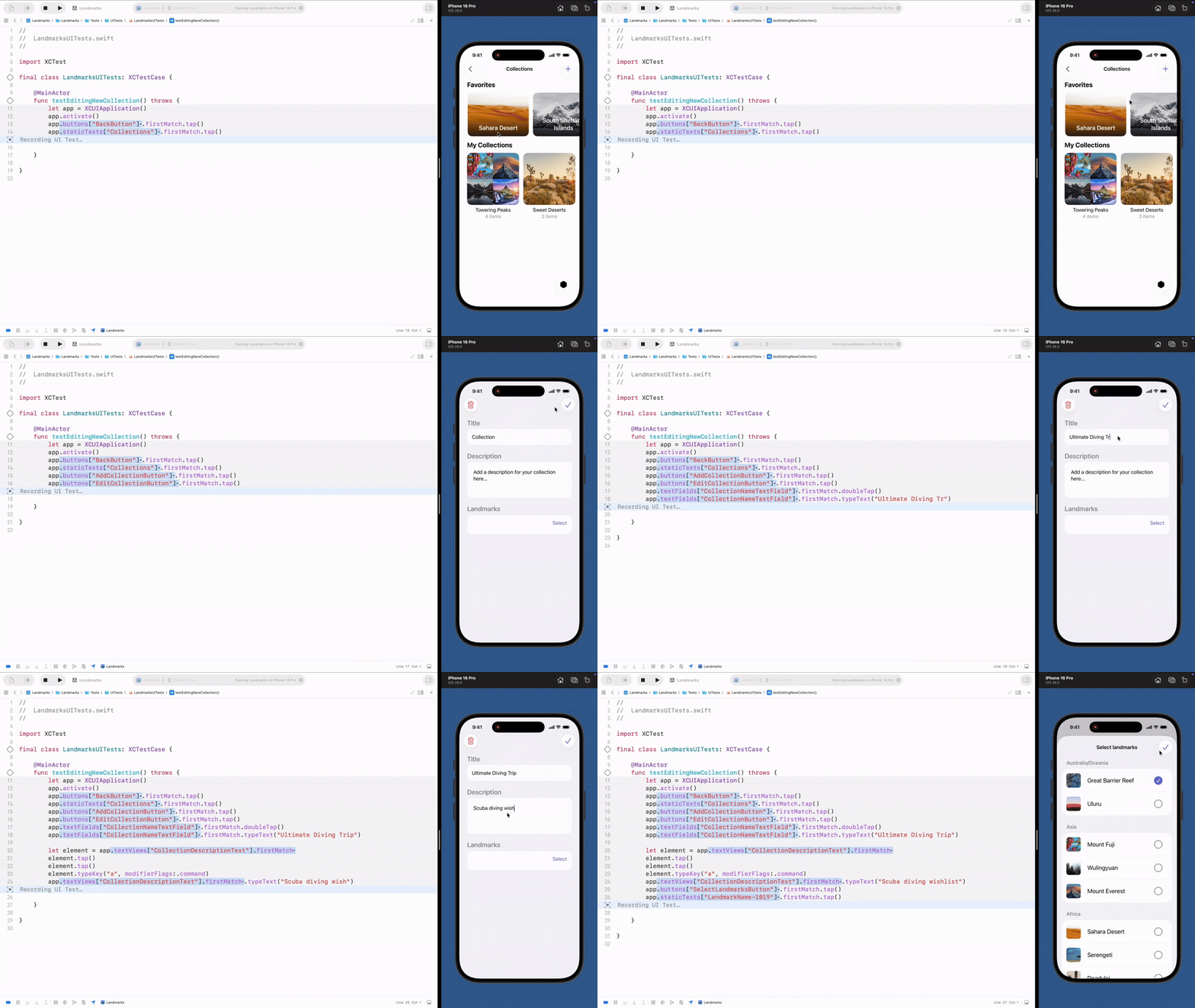
Xcode 26 introduces a completely revamped code generation system for UI testing. When the cursor is placed in the test method, a “Start Recording” button appears on the editor sidebar. In this feature:
- Real-time code generation: Interactions in the app instantly translate into test code.
- Multiple identifier options: Multiple identifiers are suggested for each item.
- Easy customization: The generated test codes can be easily edited.
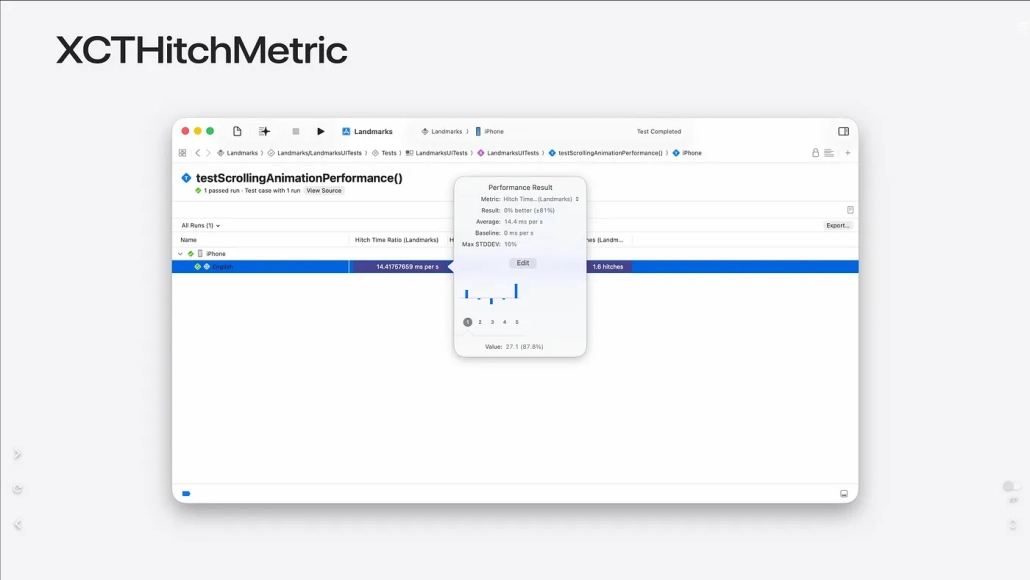
Capture Hitches with XCTHitchMetric
With the new XCTHitchMetric API, UI tests are not only accuracy tests but also performance tests. With this API, the “hitch” rates of animations such as scrolling can be measured. Hitch Time Ratio can directly show how long your app has been experiencing performance issues.
Conclusion
Xcode 26 is a big leap forward for developers. Download size is down 24%, projects open 40% faster, and writing performance is improved.
Editor innovations like tab management, search, and Swift voice coding make it easier to use.
Tools like Playground macro, Icon Composer and String Catalog boost productivity.
The biggest innovation is artificial intelligence integration: ChatGPT can understand and write code and fix bugs with models like Claude.
New performance tools (Processor Trace, CPU Counters, Power Profiler) and SwiftUI analytics deepen application insight.
With advanced testing tools, UI testing is easier, performance metrics are more comprehensive, and bugs are detected faster. In short, Xcode 26 makes the development process faster, smarter and more accessible.
References:
- Apple Inc. (2025). What’s new in Xcode. Apple Developer.
- Apple Inc. (2025). What’s new in Xcode — WWDC25 Session 247. Apple Developer Videos.
FAQ
1. Which macOS versions does Xcode 26 work on?
Xcode 26 was released 9 Jun 2025! Surprisingly, it supports macOS 15, but to get the new ChatGPT assistant, you’ll need macOS 26 Tahoe.
2. Which AI models are supported in Xcode 26?
ChatGPT comes by default, it can also be integrated with Anthropic (Claude 4 Opus and Sonnet) API keys. Native models with Ollama and LM Studio are also available.
3. What is the Playground macro?
A new macro designed for fast code iteration. It allows you to quickly iterate through any code and shows the results in its own canvas tab.
4. Which platforms does Icon Composer support?
You can create icons that work across multiple platforms and software versions, including iOS, iPadOS, macOS and watchOS. It also supports dark and tinted modes.
5. What’s new in String Catalogs?
Type-safe Swift symbols have been added and comments describing string context are automatically generated for translators.

