
What’s New in Xcode 14, WWDC22
Hello fellow iOS developers and the ones who use Xcode every single day! I prepared a recap for you about Xcode 14 updates newly announced at #WWDC22.
I love practical improvements and this year there are several improvements for us which will speed up the development and quality so that I wrote this article in the practical improvements perspective.

Installing Xcode 14 Beta
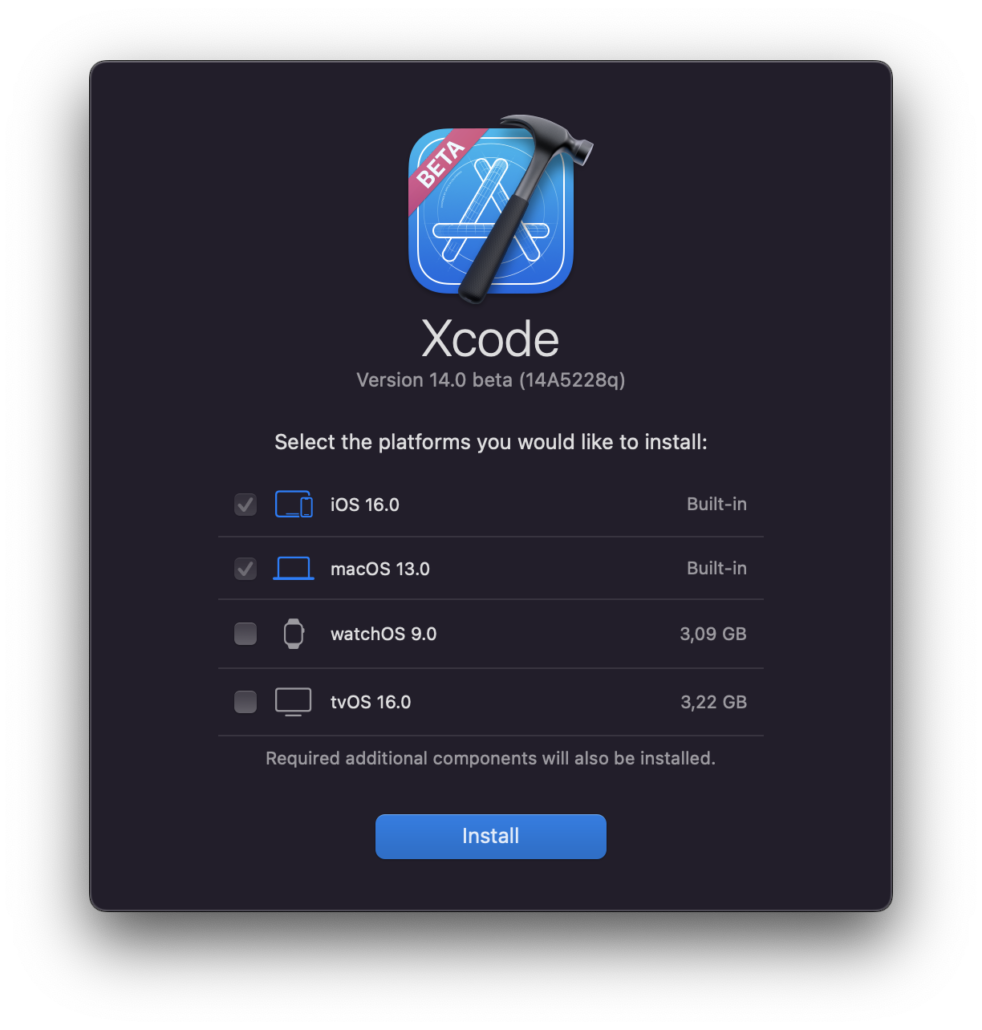
- Faster launch
- 30% smaller in size which lets you to download and install faster!
- Selection for platform and simulators on the install screen.
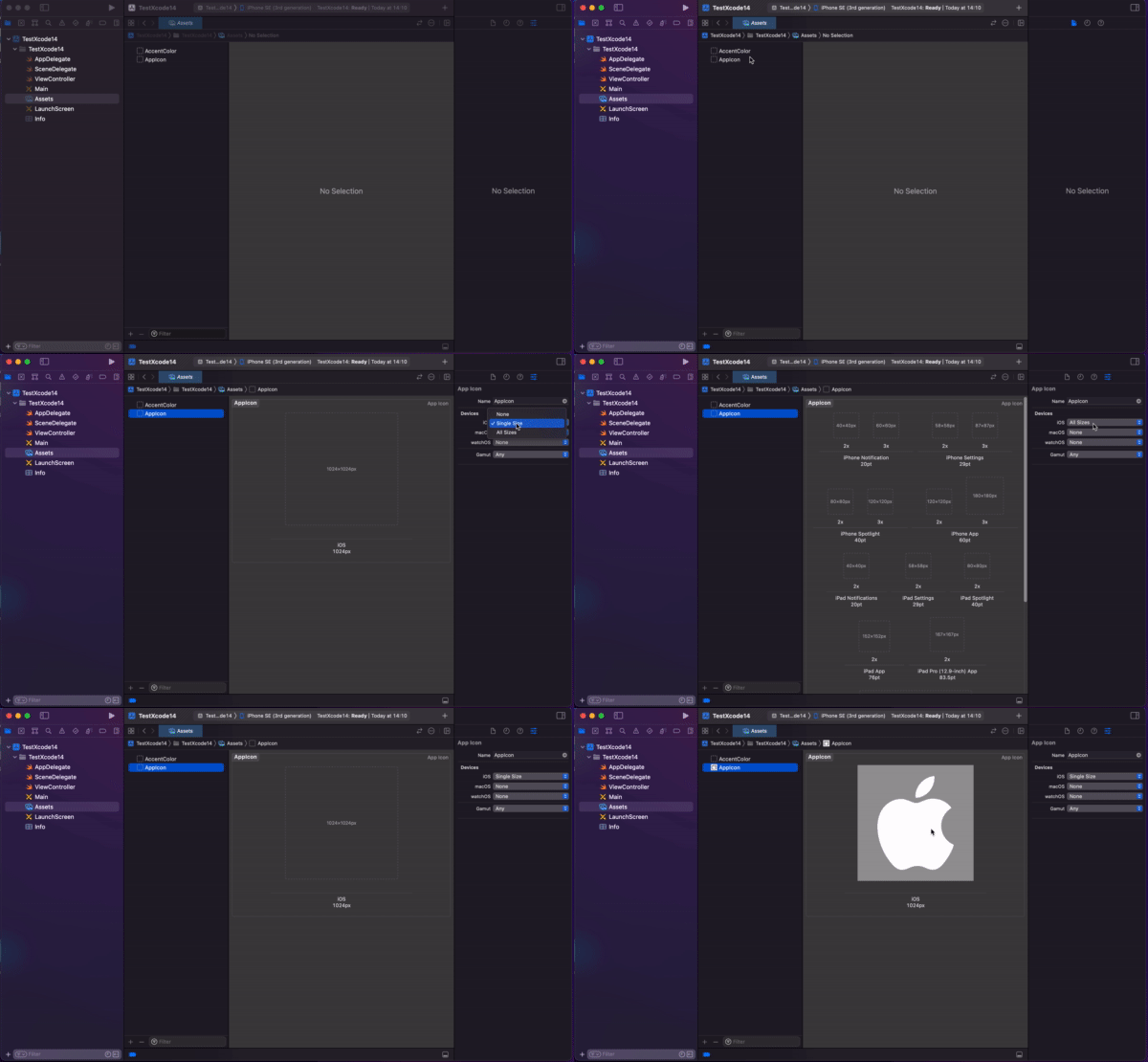
AppIcon 🎉
Then; As I an iOS developer, when I create a new application, I still prefer to use https://makeappicon.com. Thanks to the team because it helped me a lot for the last 5 years. It’s logic is to upload an image of your logo with 1024×1024 size and it sends the all images for iOS and Android icons in to my e-mail. There are also another plugins on Figma to cover this needs.
Now; I am sorry to drop using this tool because Apple announced brand new support on Xcode. All you need to do is to add 1024×1024 file in Xcode and select Single Size under Devices at AppIcon. That’s all:)
Source Editor Updates
Pinning Code Structure in the source editor
Then; while I develop some new cool features or fixing a bug I was using scroll up and down to get where I was at.
Now; Apple added a new feature called Code Structure on the editor which shows you directly where you are as a scope. Great, right? Simple but sharp. Also you can enable it.

To toggle this behavior, use “Show: Code structure while scrolling” in Xcode’s Text Editing preferences.
Code Completion
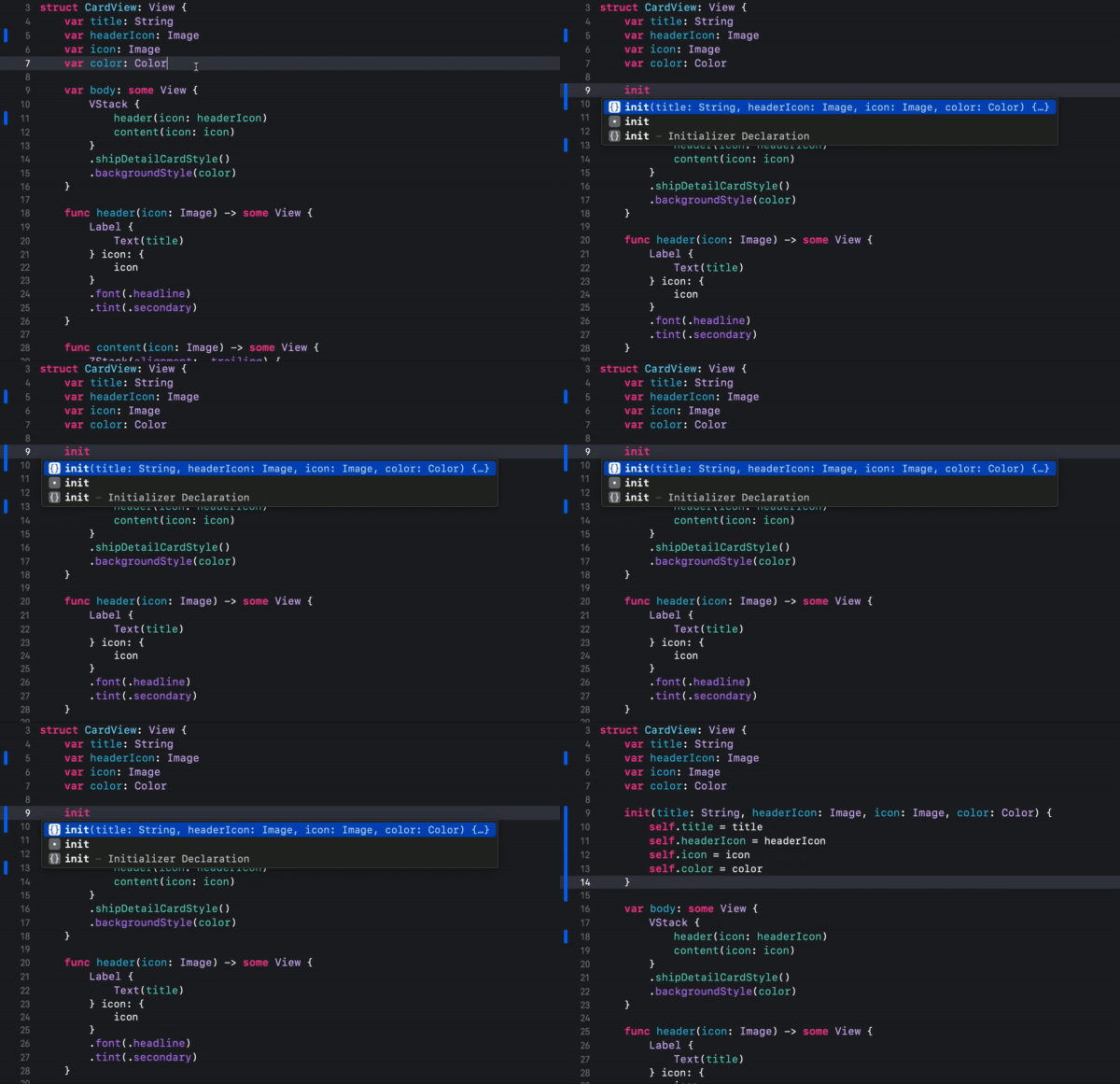
Then; We need to write whole initializers by hand or some code generating tools. I always did go with by hand. And of course it is time taking and sometimes annoying especially if you deal with more important stuff:)
Now; Now Xcode fixes this with intelligent auto completion.
Here is an example:
Also you can use it for codables!
Code completion in Swift now provides snippets for if case statements.
You can now select any combination of default parameters in code completion by typing to match the parameter names.
Improved accuracy of code completion in Swift.
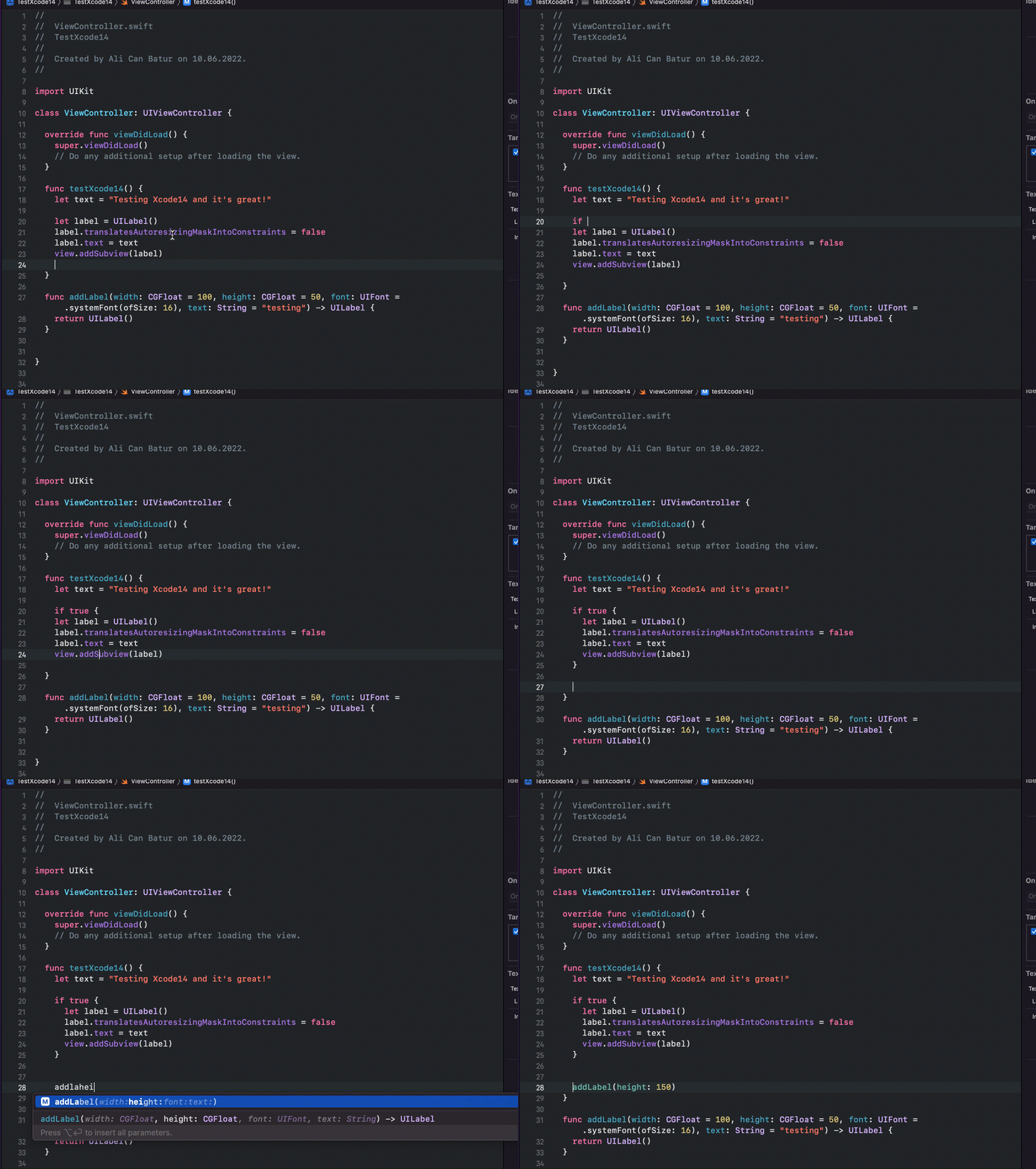
Jump to definition will show code samples
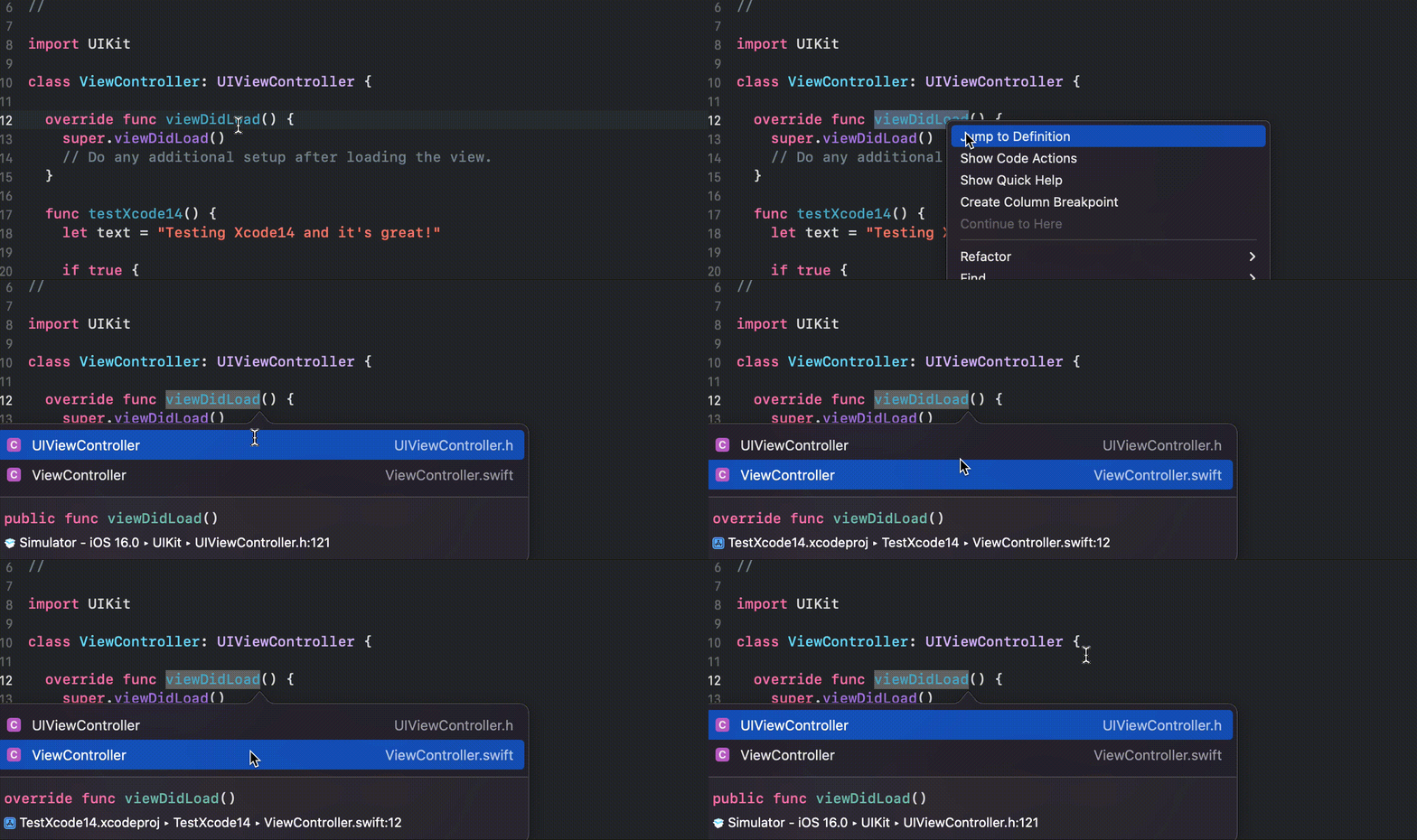
Also now Xcode is now aware of the arguments when auto completes (via Twitter):
Xcode 14 no longer autocompletes the argument label when it’s already written! pic.twitter.com/GPbdTbdkpn
— Andrew Zheng (@aheze0) June 11, 2022
Regex
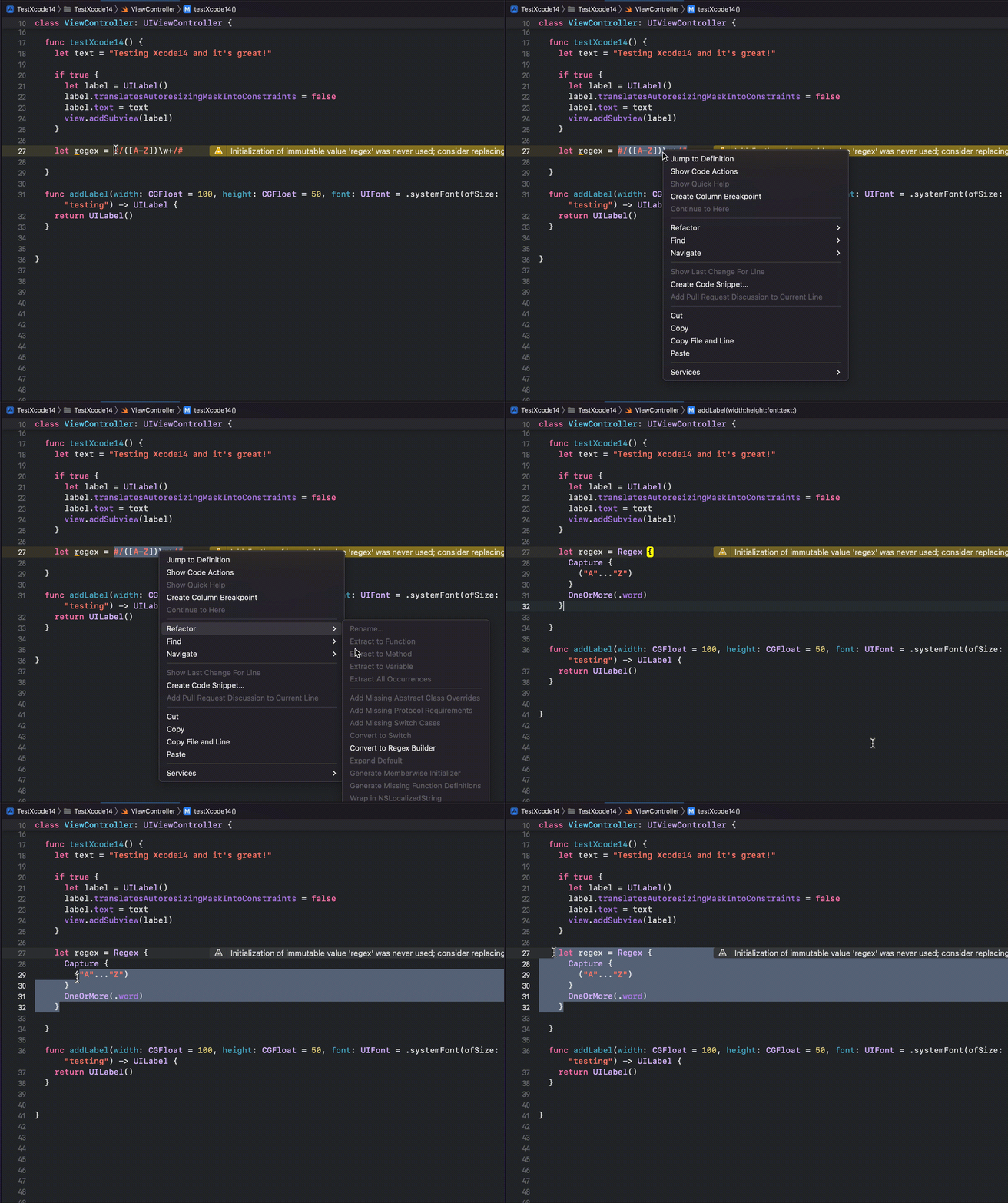
Added syntax highlighting and editing support for Swift Regular Expressions. You can convert your Regex to Swift’s Regex Builder format using Editor > Refactoring > Convert to Regex Builder.
SwiftUI Live Previews
Interactivity
Then; We were enabling interactiveness of the Preview Canvas with a button tap.
Now; Live Previews’ Canvas is interactive by default. So the changes are immediately live with the actions.
Preview Variants
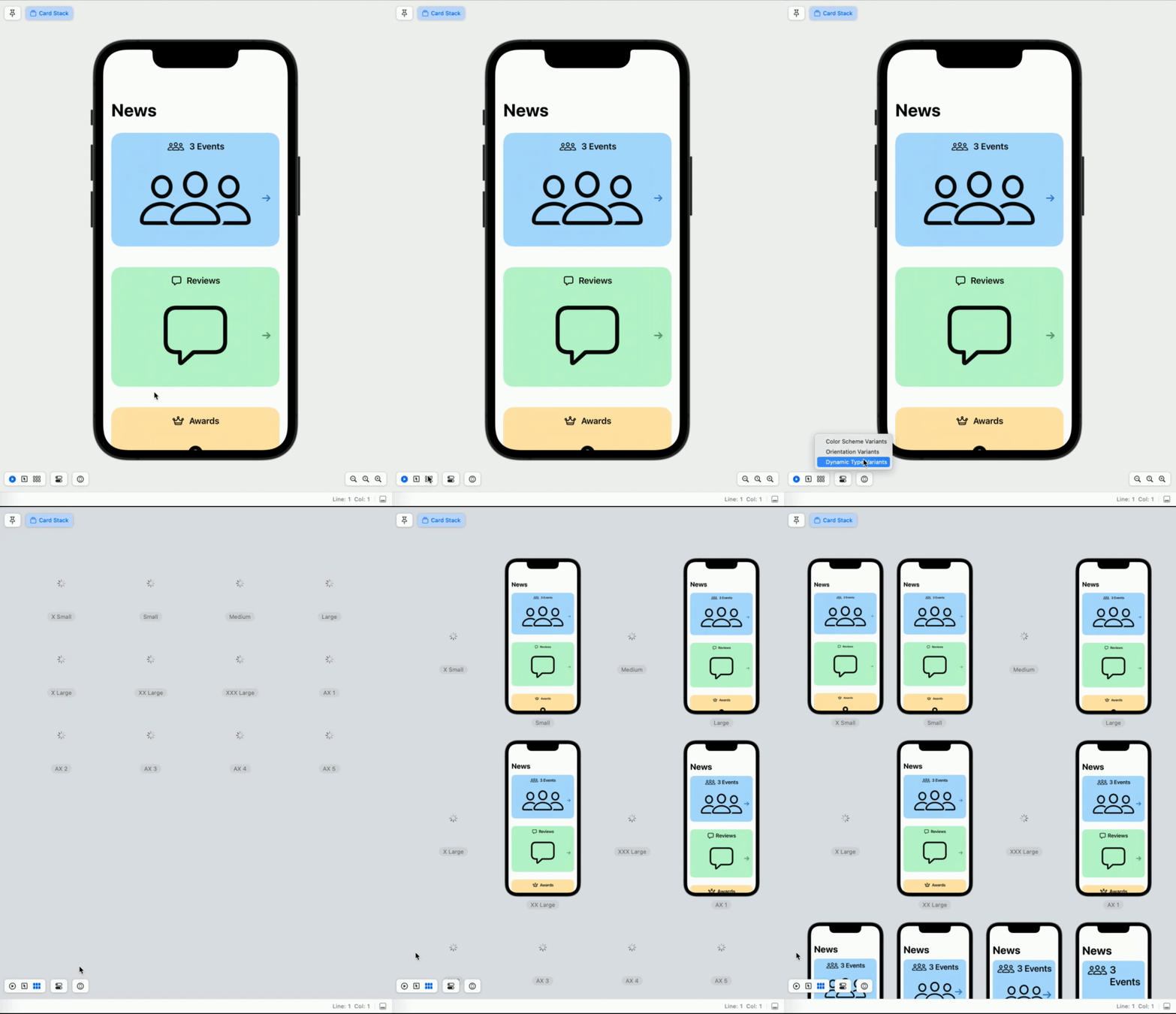
There is a new control for additional variants to check without writing code.
It lets us to vary color schemes, text size, device orientations. Whenever you make your change, you will be able to see all variants. It did need some coding to have this support before.
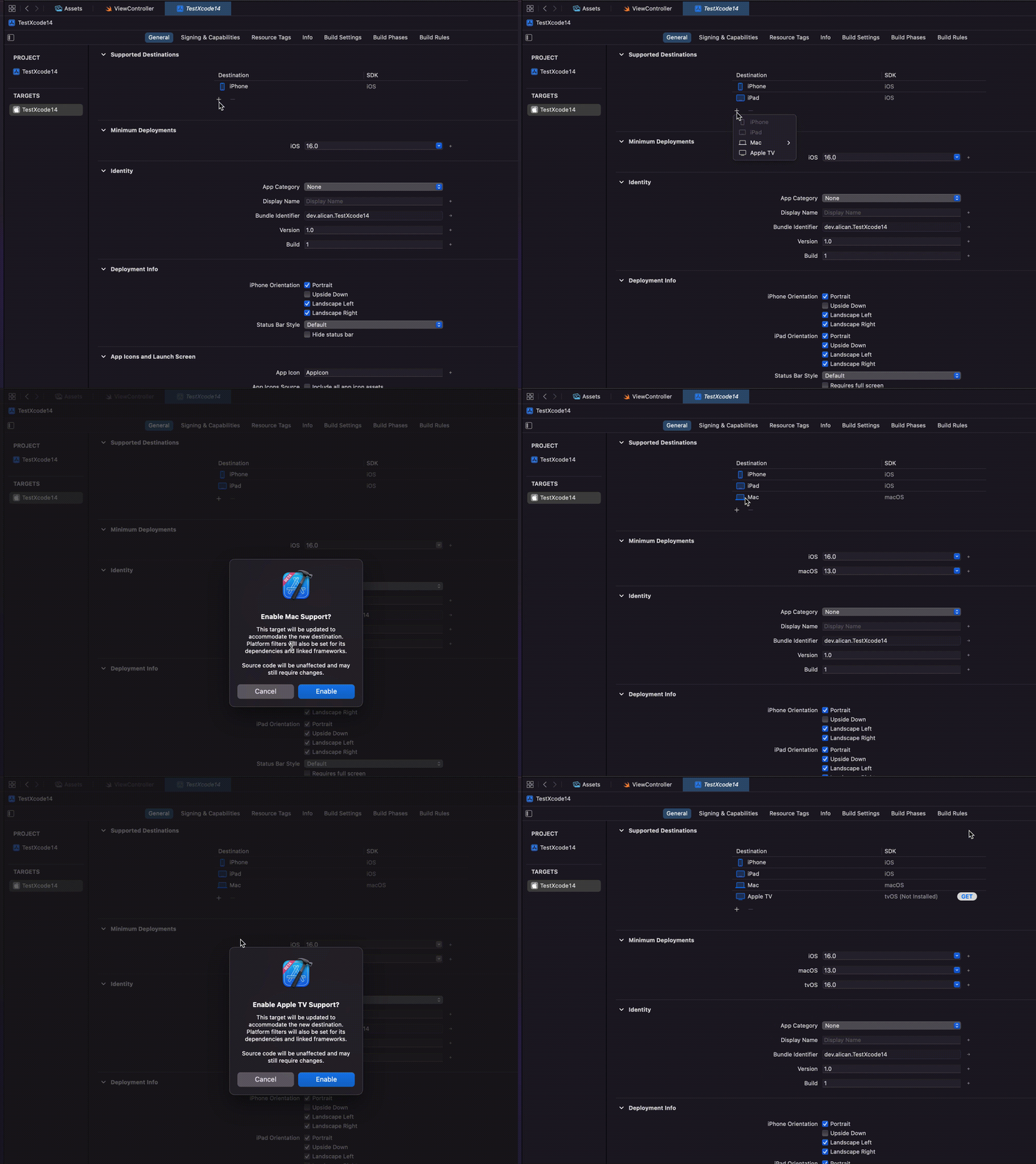
Single Target
Now Xcode will work with only one single target to support macOS, iPadOS, iOS.
Build System
Apple says Xcode 14 has %25 more build speed.
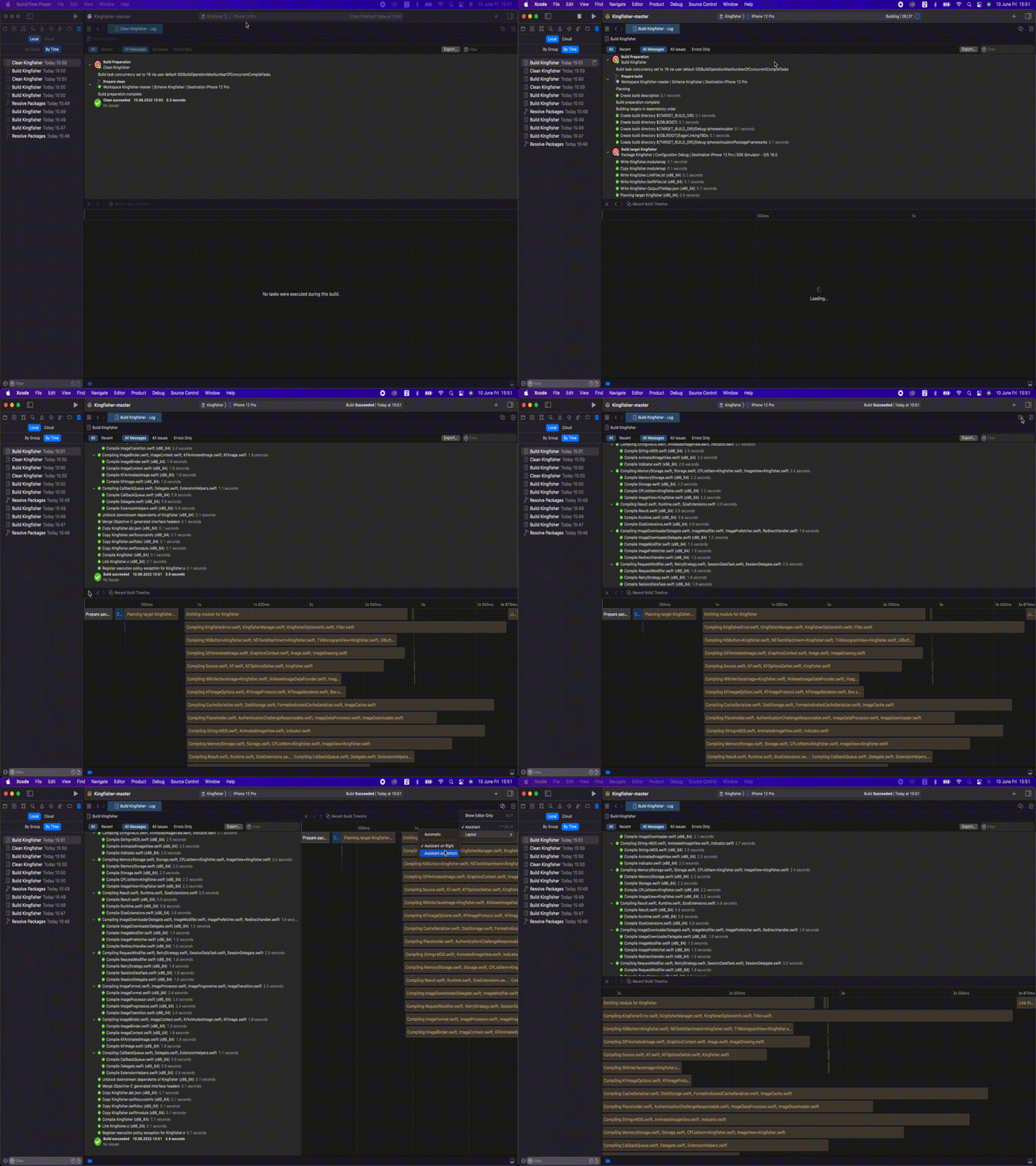
Build Timeline
I like this new feature in Xcode. It lets us to see the orders and how much time libraries and dependencies take while building our project. Let me show you how to enable it using Kingfisher repo.
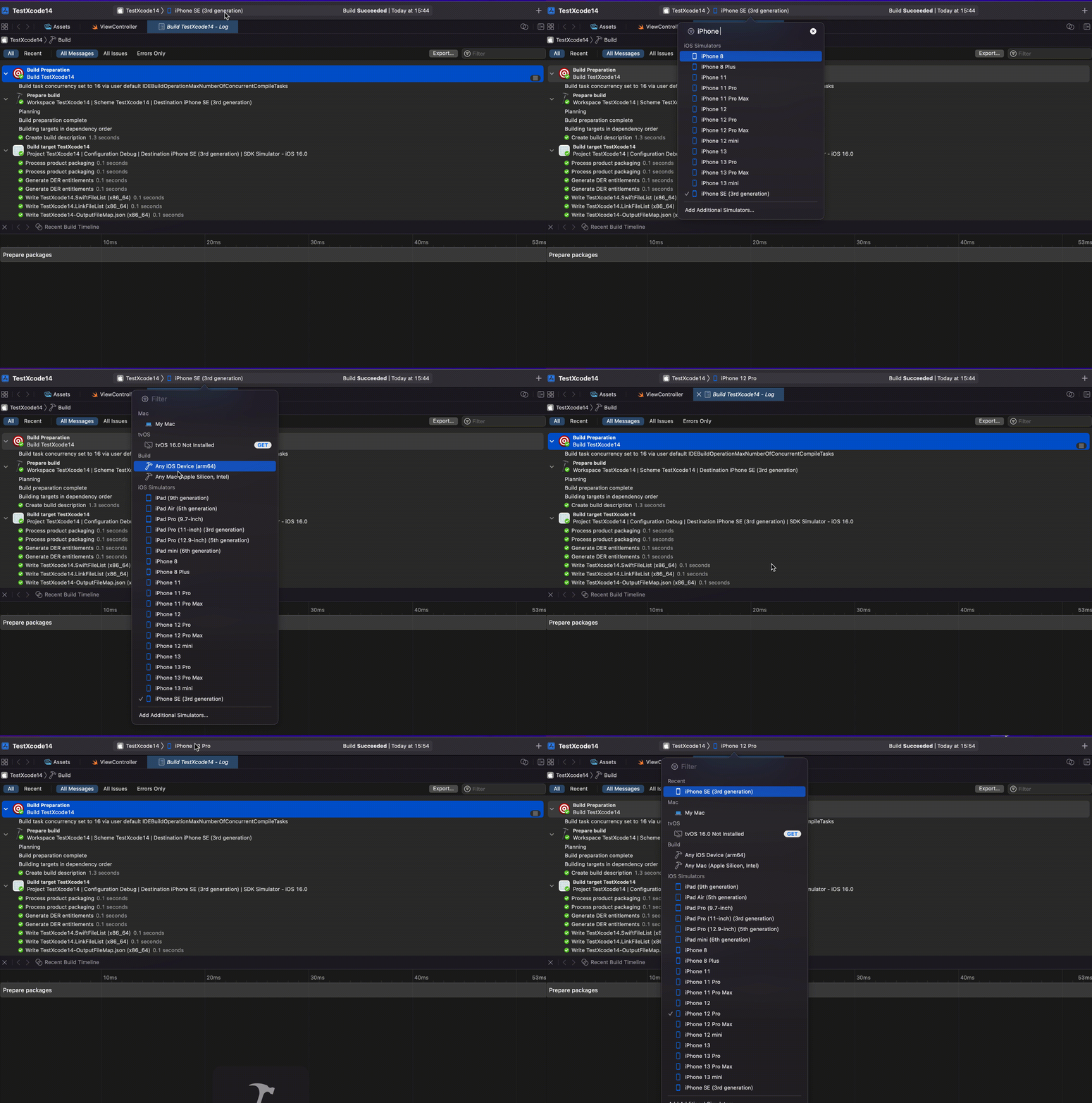
Did you notice the change on New Run Destination Chooser?
Now Xcode support search feature in Run Destination Chooser along with displaying recent devices list.
More
App intents, debugging, documentation, instruments, interface builder and more have been announced this year. To check more details; https://developer.apple.com/documentation/xcode-release-notes/xcode-14-release-notes
To download latest Xcode 14: https://developer.apple.com/download/applications/
If you like my content and want to reach you can always drop a DM on twitter https://twitter.com/alicanbatur

